

Zoho, Odoo, ERPNext, Dynamics 365 and custom ERP, delivered by one accountable team.

Self-hosted ERP on your own servers or a private cloud in the UAE: when it is the right choice, which platforms support it, and what it really takes to run.
On-premise ERP still makes sense for some UAE companies: those with strict data residency or security requirements, sites with unreliable internet, or heavy customisation needs. Odoo, ERPNext and Dynamics 365 Business Central can be installed on your own servers or a private cloud in the UAE, while Zoho's business apps are cloud-only. You take on hardware, backups, security and upgrades, so weigh those costs against cloud subscriptions.
Most UAE companies now choose cloud ERP, but on-premise is still the right answer for some: government-linked entities with data residency rules, companies with sensitive designs or contracts, remote sites with poor connectivity, and businesses with heavy customisations they want full control over.
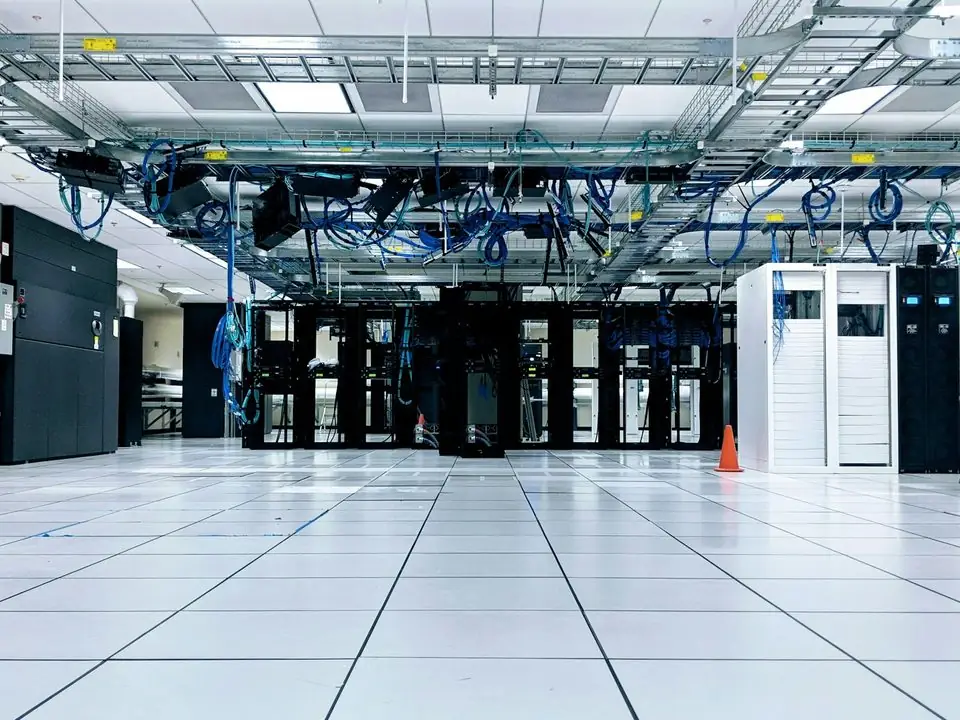
Running ERP on your own servers means owning everything the cloud provider would otherwise do: hardware, operating system, database, backups, security patches, monitoring and version upgrades. Done well it is reliable; done badly it becomes the server nobody dares to touch.
We help you decide honestly, then install and run Odoo, ERPNext or Business Central on your infrastructure or a UAE private cloud. Compare with cloud ERP.

The problems we find most often on in-house ERP servers.
The ERP runs on a machine in a back room, set up years ago, and only one former employee knew how.
The system is several versions behind, so new features, fixes and security patches are out of reach.
Backups run, but nobody has ever restored one, so nobody knows whether they work.
Staff reach the ERP through open ports or shared passwords instead of a VPN and single sign-on.
Hardware, licences, power, staff time and downtime are never compared with a cloud subscription.
The infrastructure work that keeps an on-premise ERP reliable.
Servers or virtual machines sized for your users and data, with the ERP installed to the vendor's guidance.
Firewalls, patching, encrypted connections and least-privilege access for administrators.
Automated, off-site backups with regular restore tests and a written recovery plan.
VPN or zero-trust access and single sign-on for staff working outside the office.
Version upgrades scheduled and tested in a staging copy before production.
Alerts for disk, performance and failed jobs, so problems are found before users notice.
What each platform offers if you want to host it yourself.
| Zoho One | Odoo Enterprise | ERPNext | Dynamics 365 Business Central | |
|---|---|---|---|---|
| Self-hosting | Not available for business apps; cloud only | Community or Enterprise on your servers | Self-hosted with the Frappe framework | Business Central on-premises |
| Licence | Subscription | Enterprise subscription; Community is free | No licence fees | Microsoft licensing through a partner |
| Upgrades | Automatic | Planned version upgrades | Planned upgrades | Updates you schedule and apply |
| Data location | Zoho data centres, including the UAE | Your servers or private cloud | Your servers or private cloud | Your servers or private cloud |
| Best for | Teams that prefer cloud | Manufacturing and trading | Full control over code and data | Microsoft-centric organisations |
Ranges depend on infrastructure readiness and the scope of the ERP project.
Durations are typical ranges; your plan is agreed after discovery.
Cloud versus on-premise compared on cost and risk; servers sized if on-premise is chosen.
Servers, network, security, backups and remote access prepared.
The ERP installed, configured and integrated, in step with the functional project.
A full backup restored to prove the recovery plan works.
Go-live, documentation and an agreed support and upgrade schedule.
Hosting the ERP yourself makes some obligations yours. Confirm requirements with your advisors.
Access control, encryption and audit trails that support the UAE PDPL and any sector rules you follow.
Accounting and tax records kept and retrievable for FTA audits for the periods the law requires.
Changes to financial data logged and protected from editing by administrators.
A tested recovery plan, so a hardware failure does not stop invoicing or payroll.
General information, not tax or legal advice. Rules change; confirm current FTA, MOHRE and Ministry of Finance guidance with your advisor.
The outcomes we design for and review after go-live.
ERP data stays on infrastructure you choose.
Backups restored successfully on a schedule.
Upgrades applied on a plan, not skipped.
A clear picture of what self-hosting costs each year.
More guides and services connected to this topic.
We configure the system for the rules UAE businesses report against, and test it before go-live.
General information, not tax or legal advice. Confirm current requirements with the FTA, MOHRE or your advisor. See all UAE compliance guides.
On-site workshops in Dubai, Abu Dhabi and Sharjah, and remote or on-site delivery across the Northern Emirates and free zones.
Official sources and references
Facts on this page were checked against these sources in October 2026. Rules change, so confirm current requirements before acting.
Still have a question? Our consultants are happy to help.
Ask an ExpertOdoo (Community and Enterprise), ERPNext and Dynamics 365 Business Central can all be installed on your own servers or a private cloud. Zoho's business apps are cloud-only.
Not always. You avoid some subscription costs but pay for hardware, backups, security, staff time and upgrades. We compare total cost over three to five years before you decide.
Yes. A private cloud or dedicated server in a UAE data centre keeps data in the country without running your own server room.
Either your IT team or us under a support agreement covering patches, backups, monitoring and upgrades.
Yes. Odoo, ERPNext and Business Central can move to their cloud offerings or a hosted server, usually as a planned migration project.
Infrastructure usually takes one to three weeks, and the ERP project itself six weeks to six months depending on scope.
Related Solutions
Talk to us about your departments, branches and approval rules, and we will map a phased rollout.
Sharjah Media City (Shams), Sharjah, UAETeam in Dubai, serving all seven emirates