L
O
A
D
I
N
G


Zoho, Odoo, ERPNext, Dynamics 365 and custom ERP, delivered by one accountable team.

An experienced Zoho Creator consultant to review your app architecture, audit Deluge scripts and guide in-house builders before small design choices turn into expensive rework.
A Zoho Creator consultant in the UAE is useful once a low-code Creator app becomes business-critical, slow or hard to change. The consultant reviews the data model, form relationships, workflows, permissions, integrations with Zoho CRM, Books or People, and Deluge scripts for error handling and limits. Most apps improve with targeted fixes and coaching for in-house builders rather than a full rewrite.
Companies look for a Zoho Creator Consultant UAE teams can trust once a Creator app becomes important. It may have started as a simple form for site inspections, visa tracking or equipment requests, then grown into dozens of forms, hundreds of Deluge lines and a portal used by suppliers. Now it is slow, hard to change, and only one person understands it.
Our Creator advisory brings an outside expert to look at structure rather than screens: how forms relate through lookups, where data is duplicated, how workflows are triggered, how permissions are set, how the app talks to Zoho CRM, Books or People, and whether Deluge code handles errors and API limits sensibly.
We also help with an earlier question: should this be a Creator app at all? Sometimes an existing Zoho app, a configuration change or a different platform does the job better. If you have already decided to build and want a team to do it, see Zoho Creator development. For what the platform offers, see Zoho Creator UAE.

The products we configure, integrate and support on projects like this one.






Product names and logos are trademarks of their respective owners and are shown only to identify the software we implement.
These show up when an app built quickly becomes business-critical.
Reports with heavy formula fields, deep lookups or unfiltered criteria load slowly once records reach the tens of thousands. Users start exporting to Excel to get answers.
Deluge functions call Zoho Books or an external API and assume success. When a call fails, records are left half-updated and nobody is alerted.
Customer, employee or project lists are copied into Creator instead of being looked up from CRM or People, so the same record exists in two versions.
Every user has access to every form because profiles were never designed. This becomes a real problem when supplier or customer portals are added.
One staff member built the app with no documentation or naming conventions. Changes stop when that person is busy or leaves.
Focused on decisions and code quality, with hands-on help where it is useful.
The app owner shows us how the app is used day to day. We note the forms, reports, pages, workflows, schedules and integrations that matter most.
We inspect the data model, lookups, field types, workflow triggers and Deluge scripts, checking logic, naming, duplication, error handling and use of API calls.
You receive findings grouped as risk, performance, maintainability and security, each with a recommended fix and rough effort.
Before you add a module or portal, we review the design with your builder so it fits the existing structure instead of becoming a parallel app.
Short sessions help your internal developer adopt patterns for reusable functions, logging, naming and testing.
A monthly block of time for code reviews, design questions and help with tricky Deluge problems.
Our standard review points; we adapt them to your app.
Depends on app size and number of integrations. These are common ranges.
Durations are typical ranges; your plan is agreed after discovery.
Sessions with app owners and builders, plus access to the app in edit mode.
Architecture, code and permission review, longer for apps with many integrations.
Findings report and a session to agree priorities.
Your builder fixes issues with our reviews, or we handle selected fixes.
Regular review hours for new features and code changes.
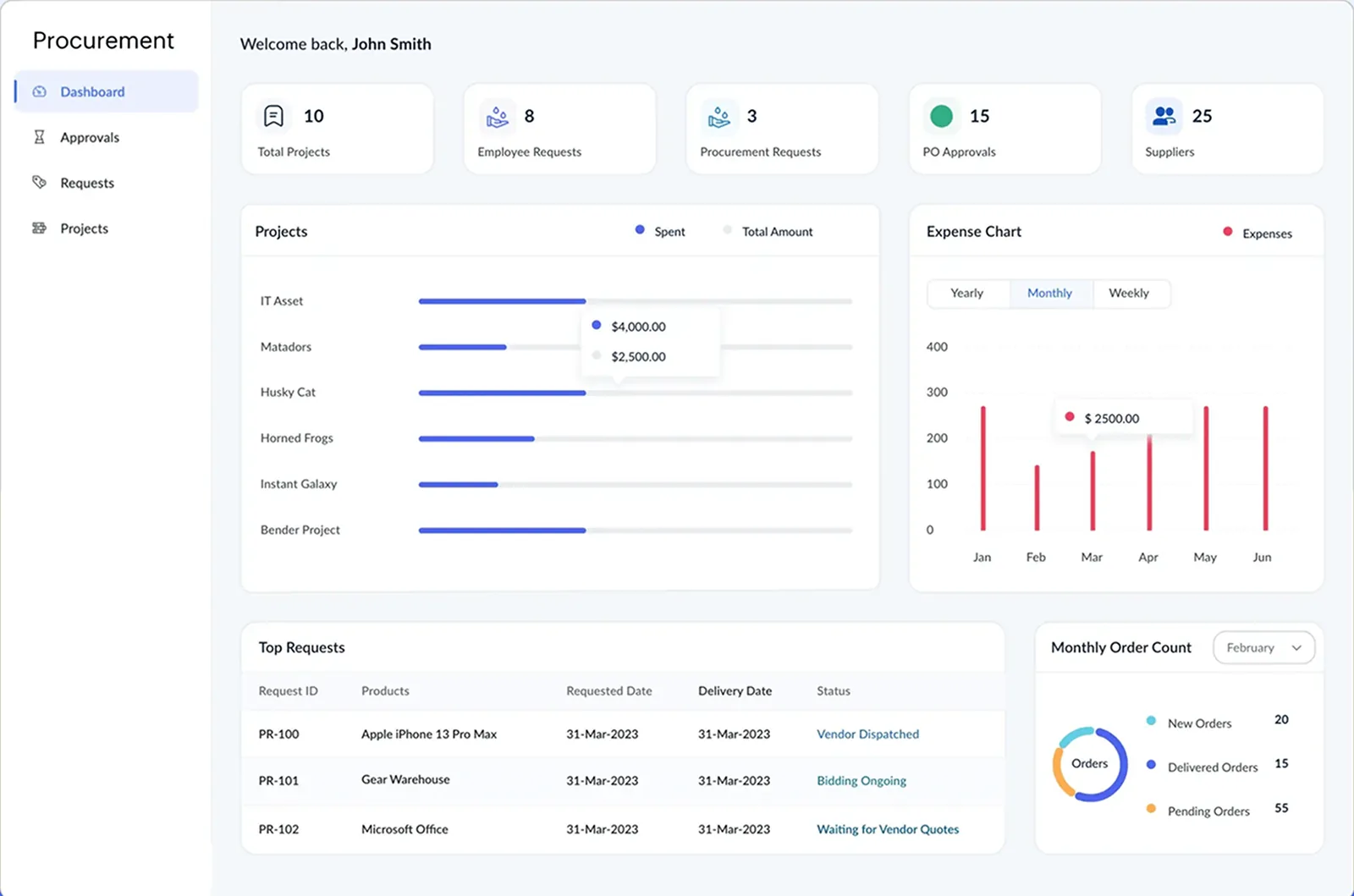
We often recommend a small admin page inside the app showing workload, failures and approvals, so problems surface before users complain.
Outcomes vary; these are what clients commonly notice.
Restructuring heavy reports and formula fields often makes daily views usable again without a rebuild.
Error handling and logging mean failed syncs are caught and fixed, not discovered weeks later.
Documented structure and conventions let a second builder or partner make changes safely.
Build-or-buy advice stops teams from coding features that a standard Zoho app already provides.
More on custom apps and the Zoho platform.
We configure the system for the rules UAE businesses report against, and test it before go-live.
General information, not tax or legal advice. Confirm current requirements with the FTA, MOHRE or your advisor. See all UAE compliance guides.
On-site workshops in Dubai, Abu Dhabi and Sharjah, and remote or on-site delivery across the Northern Emirates and free zones.
Official sources and references
Facts on this page were checked against these sources in October 2026. Rules change, so confirm current requirements before acting.
Still have a question? Our consultants are happy to help.
Ask an ExpertYes. Many Creator apps are built by operations or IT staff. We review the app in plain terms and coach the builder on patterns that keep it maintainable.
Not by default. Most apps improve with targeted fixes to reports, scripts and permissions. A rebuild is recommended only when the data model blocks every change you need.
Creator can handle focused operational apps well. For full accounting, inventory and payroll, standard Zoho apps or a dedicated ERP are usually safer, with Creator filling specific gaps.
Creator supports multilingual apps, and field labels and messages can be translated. We advise on how to structure bilingual forms and reports.
Yes. We review connections, authentication handling and API usage for systems such as bank portals, government service portals or a legacy database, within what the external system allows.
We usually ask for a developer or admin role for a limited period, ideally in a sandbox or copy of the app. Access is removed when the review ends.
Related Solutions
Related Industries
Related ERP Platforms
Tell us what your app does and where it hurts, and we will propose a focused review.
Dubai, United Arab Emirates