L
O
A
D
I
N
G


Zoho, Odoo, ERPNext, Dynamics 365 and custom ERP, delivered by one accountable team.

We configure the rules inside your ERP that route documents for approval, notify the right people, escalate what is overdue and run routine jobs on a schedule.
ERP workflow automation in the UAE configures rules inside the ERP itself: approval chains by amount and entity, credit limit alerts, escalations for overdue documents and scheduled jobs. It uses native tools in Zoho, Odoo, ERPNext and Dynamics 365 Business Central so automation survives upgrades. Most projects start with purchase and payment approvals, often live within a few weeks.
ERP Workflow Automation UAE projects focus on the rules that run inside the ERP itself: who approves a purchase order above a set amount, which manager is alerted when a customer passes their credit limit, what happens when a leave request sits unanswered for two days, and which jobs run every night without anyone pressing a button.
This is narrower than broad business process automation, which redesigns end-to-end processes across several systems, robots and teams. Here we stay within the ERP's own workflow engine, using native features wherever possible, so the automation is visible to admins, survives upgrades and does not depend on outside tools.
We build these rules in Zoho (workflow rules, approvals and Deluge functions), Odoo (approval rules and automated actions), ERPNext (Workflow doctype, notifications and scheduler events) and Dynamics 365 Business Central (approval workflows and job queue entries). Where a dedicated tool fits better, our approval workflow software page explains the options.
A typical first project covers purchase requests and payments, because those carry the most risk and the most waiting. Once finance is comfortable, the same pattern extends to sales discounts, credit notes, leave requests, journal entries and project budget changes, each with its own thresholds and backup approvers.

The same problems appear in trading, contracting and services companies across Dubai, Abu Dhabi and Sharjah.
Purchase requests are approved in chat threads and then keyed into the ERP later. There is no record of who agreed to what, or when.
Sales staff confirm orders for customers already over their limit because nobody is warned. Finance only finds out when the receivable ages.
A manager travels or goes on leave and payments wait for a week. Suppliers chase, and early payment terms are lost.
Staff manually remind customers about overdue invoices and remind employees about expiring visas or Emirates IDs. It is easy to miss one.
Each branch follows its own approval habits. Group finance cannot be sure that the same limits apply everywhere.
We start from your approval matrix and real document volumes, then build only what removes manual effort.
We document who approves what, at which amount, for which entity and branch. Gaps and conflicting rules are resolved with finance before any build.
For each document we note the trigger: record created, field changed, amount above a limit, date reached or status unchanged for a set time.
Rules are built with the platform's own workflow tools. Custom scripts are used only where the native engine cannot express the rule.
We run sample documents through every path, including rejection, delegation, escalation and cancellation, in a test environment.
Rules are switched on in stages, starting with one document type. We review the automation logs in the first weeks and tune thresholds.
Each workflow is documented so your admin can maintain it.
A first set of approvals often goes live within a few weeks. Larger groups usually add workflows in waves.
Durations are typical ranges; your plan is agreed after discovery.
Agree rules with finance, procurement and department heads.
Configure purchase and payment approvals, the most common starting point.
Add alerts, reminders and time-based escalation paths.
Run scenarios with approvers and train them on approving from email or mobile.
Extend to sales discounts, HR requests, journal approvals or project changes.
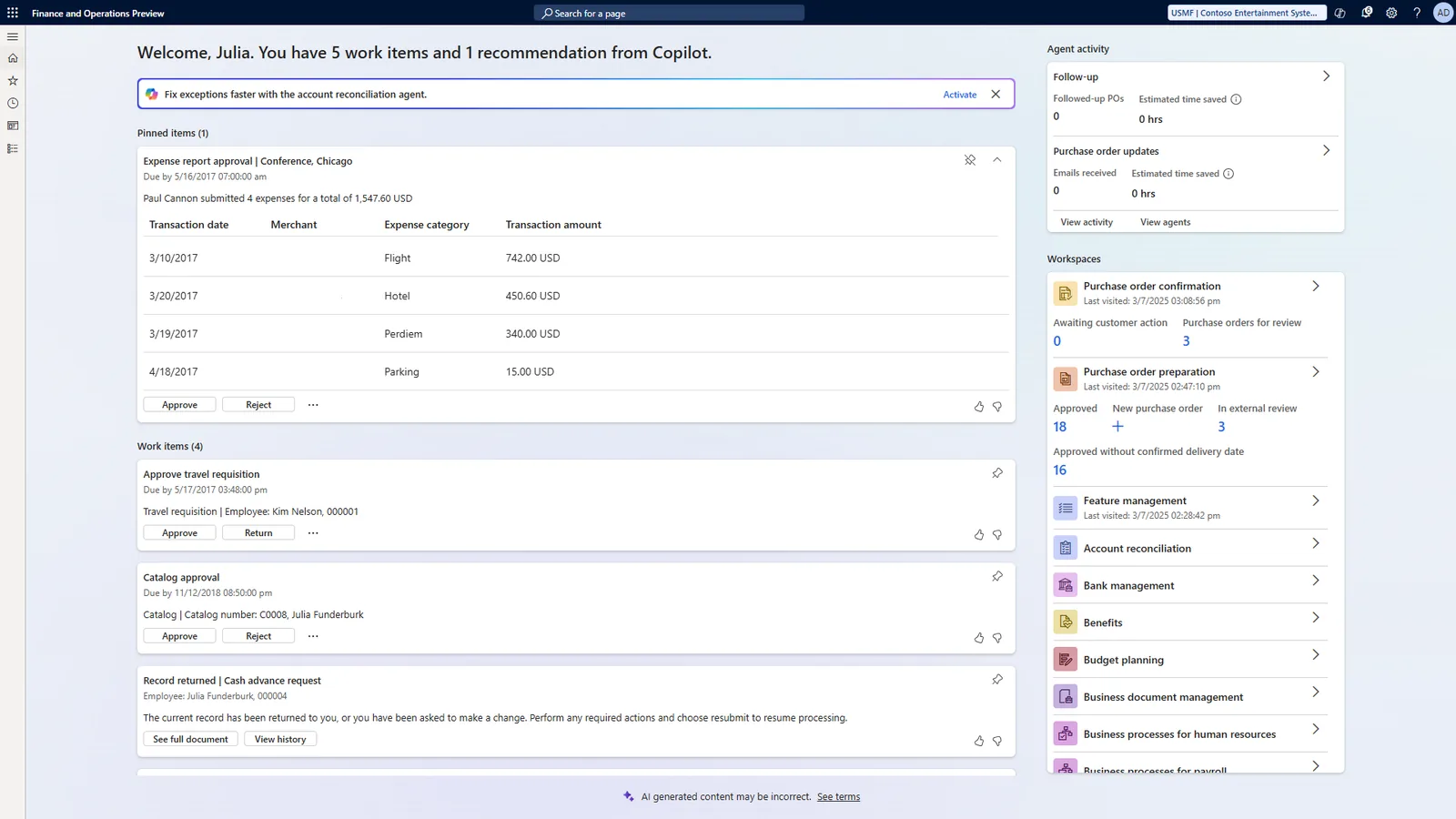
Managers need to see what is waiting for them and what is overdue across the team.
These are the outcomes we design for. Actual results depend on volumes and how strictly rules are followed.
Every approval, rejection and comment is recorded on the document, which helps internal and external auditors.
Escalations and delegation keep payments and orders moving when an approver is away.
The same limits apply in every branch and entity because they are enforced by the system.
Reminders for customers, suppliers and staff go out on schedule without manual follow-up.
Explore related services and platform pages.
We configure the system for the rules UAE businesses report against, and test it before go-live.
General information, not tax or legal advice. Confirm current requirements with the FTA, MOHRE or your advisor. See all UAE compliance guides.
On-site workshops in Dubai, Abu Dhabi and Sharjah, and remote or on-site delivery across the Northern Emirates and free zones.
Official sources and references
Facts on this page were checked against these sources in October 2026. Rules change, so confirm current requirements before acting.
Still have a question? Our consultants are happy to help.
Ask an ExpertWorkflow automation here means rules inside the ERP: approvals, alerts, escalations and scheduled jobs. Business process automation is broader and can span several systems, bots and redesigned processes. We cover that on our process automation page.
Yes, on most platforms approvers can act from the mobile app or from a link in an email notification. The exact options depend on the platform and edition you use.
Usually not for standard approvals and alerts, since Zoho, Odoo, ERPNext and Business Central all include workflow tools. Custom scripts are used for complex rules, such as approvals that depend on project budgets or several conditions at once.
Several platforms support WhatsApp messaging through official integrations or the WhatsApp Business API. We confirm what your edition supports before including it in scope.
We set up approval rules by role or position where possible, not by named person. When someone leaves, the admin updates the role holder and the workflow keeps running.
Yes. Group companies often need different limits for a Dubai mainland entity, a free zone entity and a branch in Abu Dhabi. We configure rules per company or branch, while keeping one documented approval matrix for the group.
Related Solutions
Related Industries
Related ERP Platforms
Share your current approval matrix and we will suggest which workflows to automate first.
Dubai, United Arab Emirates