
L
O
A
D
I
N
G


Zoho, Odoo, ERPNext, Dynamics 365 and custom ERP, delivered by one accountable team.

Replace email and WhatsApp sign-offs with an approval matrix that routes every purchase request and purchase order to the right approver, checks the budget, and records who approved what.
An ERP handles purchase approval through an approval matrix that routes each purchase request and purchase order by amount, department, category or project. It checks budget availability before the PO is released, attaches the quotation comparison and keeps a time-stamped audit trail of every approve, reject or send-back, replacing sign-offs given over email or WhatsApp. Amended POs go back for re-approval.
An ERP for purchase approval in the UAE solves a very common problem: the company has a rule such as "the GM approves anything above a set amount", but nobody can prove the rule was followed. A site engineer asks for cable on WhatsApp, the buyer collects three quotations by email, the finance manager signs a printed PO, and the supplier delivers before half of those steps are complete.
In an ERP the rule becomes a configured approval matrix. A purchase request (PR) is raised against a department and a cost center, the system checks the remaining budget, the buyer attaches vendor quotations and a comparison, and the purchase order (PO) cannot be sent to the supplier until every required approver has signed off inside the system. Each step is time-stamped, so internal audit and external auditors can see the full chain.
This page covers the approval layer itself: levels, thresholds, budgets and audit evidence. How requests are raised and consolidated is covered in ERP for purchase requisition, and wider buying controls such as vendor onboarding and three-way matching are covered in ERP for procurement control.

These are the patterns we see when purchase approval lives in email threads, spreadsheets and signatures on paper.
Suppliers often deliver on a verbal go-ahead and the PO is created later to match the invoice. The approval exists on paper but it never controlled the spend.
When the GM threshold is known, a large order is split into two or three smaller POs to the same vendor. Without a system that checks cumulative value per vendor and period, this goes unnoticed.
Approvers sign without knowing how much of the department or project budget is already committed. Overspends are discovered at month-end when the accounts are closed.
The policy may require three quotations above a certain value, but the comparison sits in someone's inbox. Auditors then ask for evidence that cannot be found quickly.
A single approver on leave can hold up urgent site or production purchases for days. Without delegation rules, staff bypass the process to keep work moving.
Quantities or prices are edited after the PO was approved and nobody re-approves the revised amount. The approved document and the document sent to the supplier no longer match.
A typical approval flow for a UAE trading, contracting or services company. Thresholds and approvers come from your delegation of authority.
One shared database: every step updates stock, finance and reports in real time.
Purchase approval touches more than the purchasing screen. These are the parts of the system that need to be configured together.
Internal requests with item, quantity, required date, department, cost center and project fields.
Send requests for quotation to several vendors and record their prices, lead times and terms side by side.
The legal commitment to the supplier, locked after approval and versioned when amended.
Rules that route documents by value, category, department or project and support delegation.
Budget lines per department, account or project, with open POs counted as committed spend.
Approved vendor list, TRN, payment terms and blocked status, so unapproved suppliers cannot be selected.
Role-based permissions so the person who raises a PO cannot approve it.
Email and mobile approval so managers can approve from site or while travelling.
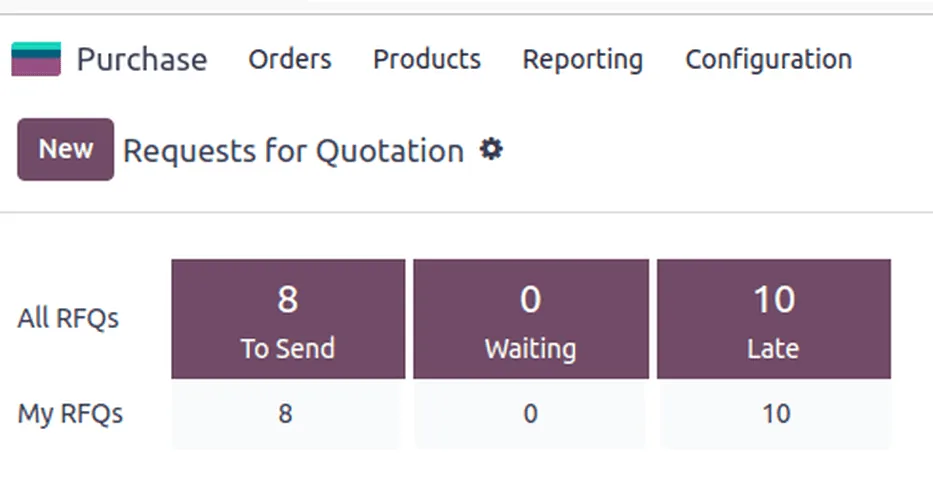
Approvers and the procurement manager need a short list of what is waiting, what is late and how much of the budget is already committed.
All four platforms we implement can enforce purchase approvals; they differ in how much is native and how much is configured. Confirm details for your edition and version.
| Zoho | Odoo | ERPNext | Dynamics 365 | |
|---|---|---|---|---|
| Basic PO approval | Zoho Books and Zoho Inventory support PO approval before the order is issued | Purchase settings offer a two-step order approval above a minimum amount | Workflow on Purchase Order with states and approver roles | Business Central includes a purchase order approval workflow template |
| Multi-level by amount | Multi-level and criteria-based approvals in recent editions; confirm for your plan | Additional levels usually via Studio approval rules or the Approvals app (Enterprise) | Workflow transitions with conditions on grand total, plus Authorization Rules | Approval user setup with purchase amount limits and approver chains |
| Purchase requests | Often handled in Zoho Creator or via purchase request features where available | Purchase requests through the Approvals app or a requisition module | Material Request document feeds RFQ and PO | Purchase quotes or requisition worksheets; configuration depends on setup |
| Budget check | Typically by report or custom function rather than a hard block | Budget management in Accounting (Enterprise); hard blocks need customization | Budget document can warn or stop on Material Request and PO | Budgets and dimensions; hard commitment control often via extensions |
| Quotation comparison | Manual comparison or Creator app | RFQ alternatives and comparison in recent versions | Supplier Quotation comparison report | Purchase quotes; comparison often via report or extension |
| Audit trail | Document history and audit trail | Chatter log on each order | Version history and workflow log | Approval entries and change log |
Native features change between releases. We confirm the exact behavior in a test environment before go-live.
Approval decisions depend on data that often lives outside the purchasing module.
Approval controls do not replace tax rules, but they produce the records the rules require. Confirm specifics with your tax advisor.
Capturing the supplier TRN at vendor setup and requiring a valid tax invoice before payment protects input VAT recovery at the 5% standard rate.
Approved POs, quotations and approval logs are part of the accounting records. Under Cabinet Decision 74 of 2023 tax records are kept for at least 5 years (7 for real estate), so keep them in the system, not in mailboxes. See tax record retention in ERP.
From 2027 (phased by revenue) supplier invoices will arrive as structured PINT AE data through Accredited Service Providers. A clean PO number on every order makes automatic matching far easier. Check the latest Ministry of Finance / FTA guidance.
Approved and documented purchases make it simpler to support deductibility of expenses under the corporate tax law.
General information, not tax or legal advice. Rules change; confirm current FTA, MOHRE and Ministry of Finance guidance with your advisor.
Benefits our clients look for when they move approvals into the ERP. Results depend on adoption and data quality.
Suppliers receive only approved, locked POs, so commitments stop appearing after the invoice.
Committed spend is visible at approval time instead of at month-end.
Mobile approval and delegation remove the wait for a signature on paper.
Every quotation, approval and amendment sits on the document itself.
Timelines vary with the number of entities, approval levels and integrations. These are typical ranges, not commitments.
Durations are typical ranges; your plan is agreed after discovery.
Turn the written approval policy into a matrix: amounts, categories, departments, projects and backups.
Set up purchase requests, approval rules, budgets, roles and notifications.
Run past purchases through the rules, including split orders, amendments and urgent site purchases.
Train requesters, buyers and approvers, then switch off the old email route.
Adjust thresholds and delegation based on approval turnaround reports.
We configure the system for the rules UAE businesses report against, and test it before go-live.
General information, not tax or legal advice. Confirm current requirements with the FTA, MOHRE or your advisor. See all UAE compliance guides.
On-site workshops in Dubai, Abu Dhabi and Sharjah, and remote or on-site delivery across the Northern Emirates and free zones.
Official sources and references
Facts on this page were checked against these sources in October 2026. Rules change, so confirm current requirements before acting.
Still have a question? Our consultants are happy to help.
Ask an ExpertYes. Most companies combine amount thresholds with a dimension such as department, cost center, project or purchase category. A site purchase may go to the project manager first, while an IT purchase goes to the IT head, before both reach finance above a set amount.
Use a report or rule that sums POs per vendor over a short period and flags totals that cross a threshold. Some platforms can apply the approval rule to cumulative value through customization. Regular review of that report is often enough to stop the practice.
Configure the system so that any change to quantity, price or vendor returns the PO to approval. The original version stays in the history so auditors can compare what was approved with what was sent.
Yes, all four platforms we implement offer mobile apps or email-based approval, and approvals can also be pushed to Microsoft Teams in some setups. We still recommend that high-value approvals show the quotation comparison, not just the total.
Yes. Purchase approval controls commitments to suppliers before goods or services are ordered. Employee claims after spending are a separate flow, covered in ERP for expense approval.
It depends on the rest of your operations. Companies already on Zoho Books can add approvals quickly, while Odoo Purchase suits companies that want purchasing, inventory and accounting in one system. We implement Zoho, Odoo, ERPNext and Dynamics 365 and recommend based on fit.
Related Solutions
Related Industries
Related ERP Platforms
Share your delegation of authority and we will map it into PR, PO and budget approval rules on the platform that fits you.
Dubai, United Arab Emirates










