
L
O
A
D
I
N
G


Zoho, Odoo, ERPNext, Dynamics 365 and custom ERP, delivered by one accountable team.

An ERP implementation is a structured sequence of decisions, not a software install. This guide walks through each phase, who does what, and where UAE projects usually slip.
An ERP implementation runs through discovery and requirements, solution design with fit-gap analysis, configuration and build, data migration, system and user acceptance testing, training, go-live and hypercare. In UAE projects, VAT setup must be correct before the first invoice, payroll must produce a WPS-ready Salary Information File, and hypercare should cover the first month-end close and VAT return.
With the ERP implementation process explained in plain terms, it is the work of turning a standard software product into the way your company records sales, purchases, stock, production, projects and payroll. The software arrives with generic features. The project decides which of them you use, how they are set up, what data goes in, how it connects to other systems, and how your people will work on day one.
Most methods, whether a partner calls them phases, sprints or stages, cover the same ground: understand the business, design the solution, configure and build it, load data, test it with real scenarios, train users, switch over, and then support the team through the first close. The names differ; the decisions do not.
In UAE projects a few points come up again and again. VAT setup must be right before the first invoice is posted. Payroll must produce a WPS-ready Salary Information File if HR is in scope. Many companies run several legal entities, sometimes a mainland LLC and a free zone company, which affects chart of accounts design and intercompany flows. And the e-invoicing timeline means invoice data and ASP connectivity now belong in the design phase, not as an afterthought.
It helps to know what an implementation is not. It is not a data entry exercise, and it is not something the partner can complete alone while your team carries on as usual. The partner brings product knowledge, templates and a method; your company brings process knowledge, decisions and data. When a store supervisor explains that some customers collect goods against a proforma before the tax invoice is issued, or that site deliveries are signed on paper and returned days later, those details shape the design. Missing them in discovery means rework after go-live.
The method also differs by platform and scope. A Zoho Books and Inventory rollout for a 15-user trader is mostly configuration and data, with little code. An Odoo or ERPNext project for a manufacturer adds bills of materials, routings, quality checks and often custom reports. A Dynamics 365 project for a multi-entity group adds more formal design documents and testing cycles. The phases below are the same in each case; the depth of each phase changes.
This page explains the process itself. For a phase-by-phase calendar see the ERP implementation timeline, and for long-term planning across several rollouts see the ERP implementation roadmap.
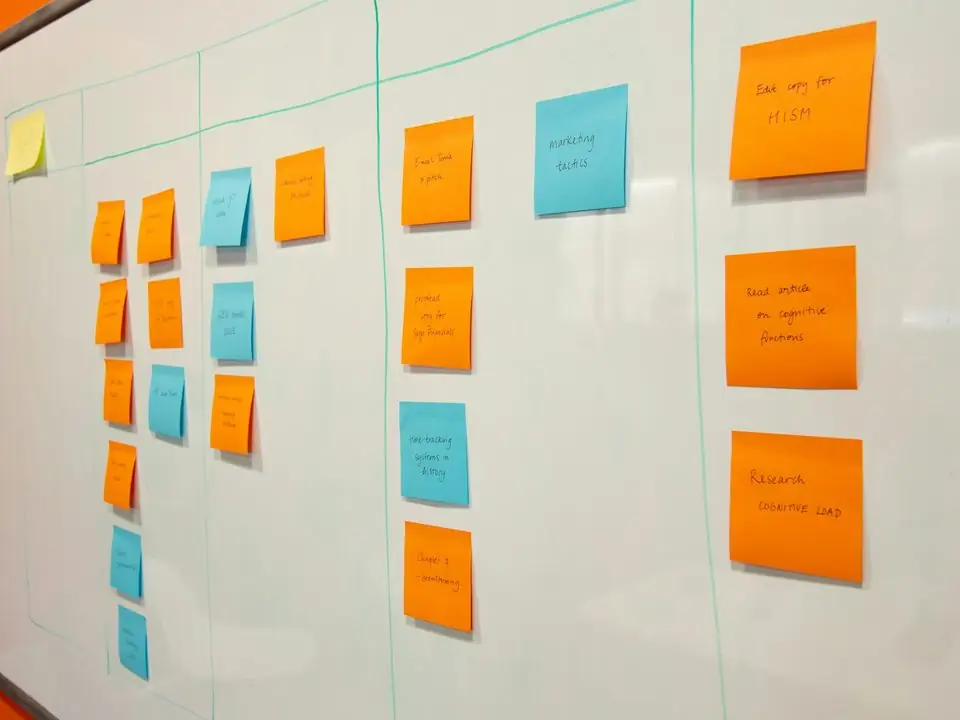
Phases overlap in practice, especially in agile rollouts, but each produces a clear output that the next phase depends on.
Workshops with each department map current processes, documents, approval rules and reports. Output: a requirements list and process maps, with priorities agreed by the project sponsor.
The consultant matches each requirement to standard features, configuration, an add-on or custom development. Output: a design document covering chart of accounts, VAT codes, warehouse structure, approval matrix and integrations.
The system is set up in a test environment: companies, users, roles, numbering, workflows, print formats for tax invoices and delivery notes. Custom fields, reports and integrations are developed in parallel.
Masters (customers, suppliers, items, chart of accounts) and opening balances are cleansed, mapped and loaded in trial runs. Our ERP migration process explainer covers this phase in depth.
System testing checks each function; user acceptance testing (UAT) runs end-to-end scenarios such as order-to-cash and procure-to-pay with real users and real data. Defects are logged, fixed and retested until key users sign off.
Role-based sessions for storekeepers, buyers, sales coordinators, accountants and approvers, using your own data. Key users often train colleagues, supported by short process guides.
Final data load, opening stock count, open orders and balances moved, old system frozen for new entries, and the first live transactions monitored closely. Many UAE companies time go-live with the start of a month or VAT quarter.
Intensive support for the first weeks, including the first month-end close and first VAT return from the new system. After that, the project moves to regular support and planned improvements.
Projects succeed when responsibilities are clear on both sides. This is a typical split between your company and the implementation partner.
| Role | Typical person | Main responsibilities |
|---|---|---|
| Executive sponsor | Owner, CEO or CFO | Sets priorities, resolves cross-department disputes, approves scope changes and go-live |
| Internal project manager | Operations or finance manager | Coordinates staff time, tracks decisions, chases data and sign-offs |
| Key users | One per department, such as chief accountant, store supervisor, sales coordinator | Explain processes, review design, prepare data, run UAT, train colleagues |
| Partner project manager | Implementation partner | Plans phases, manages consultants and developers, reports progress and risks |
| Functional consultant | Implementation partner | Runs workshops, writes the design, configures modules, supports testing |
| Developer / integration engineer | Implementation partner | Builds custom fields, reports, print formats and integrations |
| Tax advisor or auditor | External | Reviews VAT and corporate tax setup, chart of accounts and opening balances |
| IT administrator | Internal or outsourced | User access, devices, network, single sign-on and security policies |
In smaller companies one person often covers several internal roles. What matters is that each responsibility has a named owner.
Durations depend on scope, number of entities, data quality and how quickly decisions are made. These are hedged typical ranges for a focused SME rollout, not commitments.
Durations are typical ranges; your plan is agreed after discovery.
Longer when several departments or legal entities are involved, or when processes differ between branches.
Driven by the number of custom reports, print formats and integrations rather than by modules alone.
Runs partly in parallel with build. Poor master data is the most common reason this phase stretches.
Includes final data load and opening stock count.
Covers at least the first month-end close and, ideally, the first VAT return.
These points come from what tends to go wrong in real projects. They apply whether you choose Zoho implementation, Odoo implementation or ERPNext implementation.
We configure the system for the rules UAE businesses report against, and test it before go-live.
General information, not tax or legal advice. Confirm current requirements with the FTA, MOHRE or your advisor. See all UAE compliance guides.
On-site workshops in Dubai, Abu Dhabi and Sharjah, and remote or on-site delivery across the Northern Emirates and free zones.
Official sources and references
Facts on this page were checked against these sources in October 2026. Rules change, so confirm current requirements before acting.
Still have a question? Our consultants are happy to help.
Ask an ExpertSlow decisions and late data, rather than technology. When key users are not available for workshops or masters are not cleaned until the week before go-live, every phase shifts. A committed internal project manager is the most effective safeguard.
Not always. Many UAE SMEs start with finance, sales, purchasing and inventory, then add manufacturing, projects, HR or CRM in later phases. A phased rollout lowers risk but means running some processes outside the ERP for a while.
It is the step where each requirement is matched to how the software already works. Gaps are then handled by changing the process, configuring the system, adding an app or building something custom. Changing the process is often the cheapest and most maintainable option.
Your own key users, not the consultant. They know the edge cases, such as partial deliveries, sample issues, retention on invoices or customers with special VAT treatment, and they will own the system after go-live.
Many companies choose the start of a month and, where possible, the start of a VAT quarter, so that the return is prepared from one system. Avoid peak trading periods and the weeks around year-end close.
Yes. We are based in Dubai and work on-site and remotely across all seven emirates; see ERP implementation in Dubai or our general ERP implementation services.
Related Solutions
Related Industries
Related ERP Platforms
We can map your processes, scope a realistic first phase and give you a hedged plan before you commit.
Dubai, United Arab Emirates










