
L
O
A
D
I
N
G


Zoho, Odoo, ERPNext, Dynamics 365 and custom ERP, delivered by one accountable team.

Every order that a salesperson types twice is a chance for a wrong price, a missed credit hold or a promise you cannot ship. Automate the checks between the customer's yes and the delivery note.
Sales order automation means the ERP checks each order the moment it is created: it applies the customer's price list and promotions, checks credit limit and overdue balance, routes discounts outside policy to a manager, reserves stock by warehouse, splits backorders and releases picking. UAE distributors receiving orders from quotes, portals, e-commerce, EDI and van sales then handle only orders that fail a rule.
Sales order automation UAE trading companies need is rarely about speed alone. In a typical Deira or Jebel Ali distributor, orders arrive by email, WhatsApp, phone, a B2B portal and from salesmen in the field. A coordinator re-types each one into the ERP, checks the price list, asks accounts whether the customer is over its credit limit, phones the warehouse about stock and then prints a picking list. Each hand-off adds a delay and a possible error.
Automating the sales order means the ERP does those checks the moment the order exists: it applies the customer's price list and discount rules, checks the credit limit and overdue balance, reserves available stock in the right warehouse, splits backorders and releases a picking instruction. People only see the orders that fail a rule. It sits inside wider sales order management, which covers the full order lifecycle; this page focuses on the automation rules.
It is also the mirror image of purchase order automation: when an order cannot be filled from stock, a back-to-back or drop-ship PO can be created from the sales order itself.

Most of these show up as customer complaints or bad debt, not as obvious process failures.
A salesperson quotes last year's price or adds an extra discount to close a deal. Margin leaks quietly until the monthly profit report.
Accounts put a customer on hold, but the warehouse never hears about it. Goods leave Al Quoz and the receivable grows.
Two coordinators sell the same pallets because stock is only deducted at delivery. One customer gets a call saying the order is short.
Orders typed from chat screenshots carry wrong item codes and quantities. Returns and credit notes follow.
When a customer asks where an order is, sales has to call the warehouse and logistics. Nobody has one status they trust.
The approval step only fires on exceptions; routine orders move straight to the warehouse.
One shared database: every step updates stock, finance and reports in real time.
Examples of rules we configure. Limits and margins are your policy, set with the sales and finance managers.
| Trigger | Condition | Action | Who is notified |
|---|---|---|---|
| Quote marked accepted or signed online | Quote still valid and prices unchanged | Convert to sales order automatically | Salesperson |
| Order created | Line discount above the salesperson's allowed limit | Hold for discount approval | Sales manager |
| Order created | Gross margin below minimum for the item category | Hold for margin approval | Sales manager and finance |
| Order confirmed | Customer balance plus order exceeds credit limit, or invoices overdue | Place on credit hold, block delivery | Credit controller and salesperson |
| Order confirmed | Stock available in default warehouse | Reserve stock and release picking list | Storekeeper |
| Order confirmed | Stock short | Split backorder; suggest transfer or purchase | Buyer and salesperson |
| Order from e-commerce or portal | Prepaid or card payment received | Confirm without credit check | Warehouse |
| Delivery validated | All lines delivered | Create tax invoice and send to customer | Customer and accounts |
| Order open | Requested delivery date passed | Flag as late and alert | Sales coordinator |
These features exist in Zoho, Odoo, ERPNext and Dynamics 365 in different forms; we configure them to your process.
Customer-specific price lists, quantity breaks and promotions apply automatically, so the order price does not depend on memory.
Credit limits and overdue checks run at confirmation. The rules link to credit limit control so finance owns the limits and sales sees the reason for a hold.
Available-to-promise is calculated by warehouse, and stock is reserved when the order is confirmed, not when the truck leaves.
Web shops, marketplaces, EDI files and B2B portals create orders through connectors or APIs rather than manual entry.
Route salesmen book orders on a mobile device with the same price and credit rules; see van sales software for the on-the-road side.
Each order shows reserved, picked, packed, delivered and invoiced, and customers can be updated automatically at each stage.
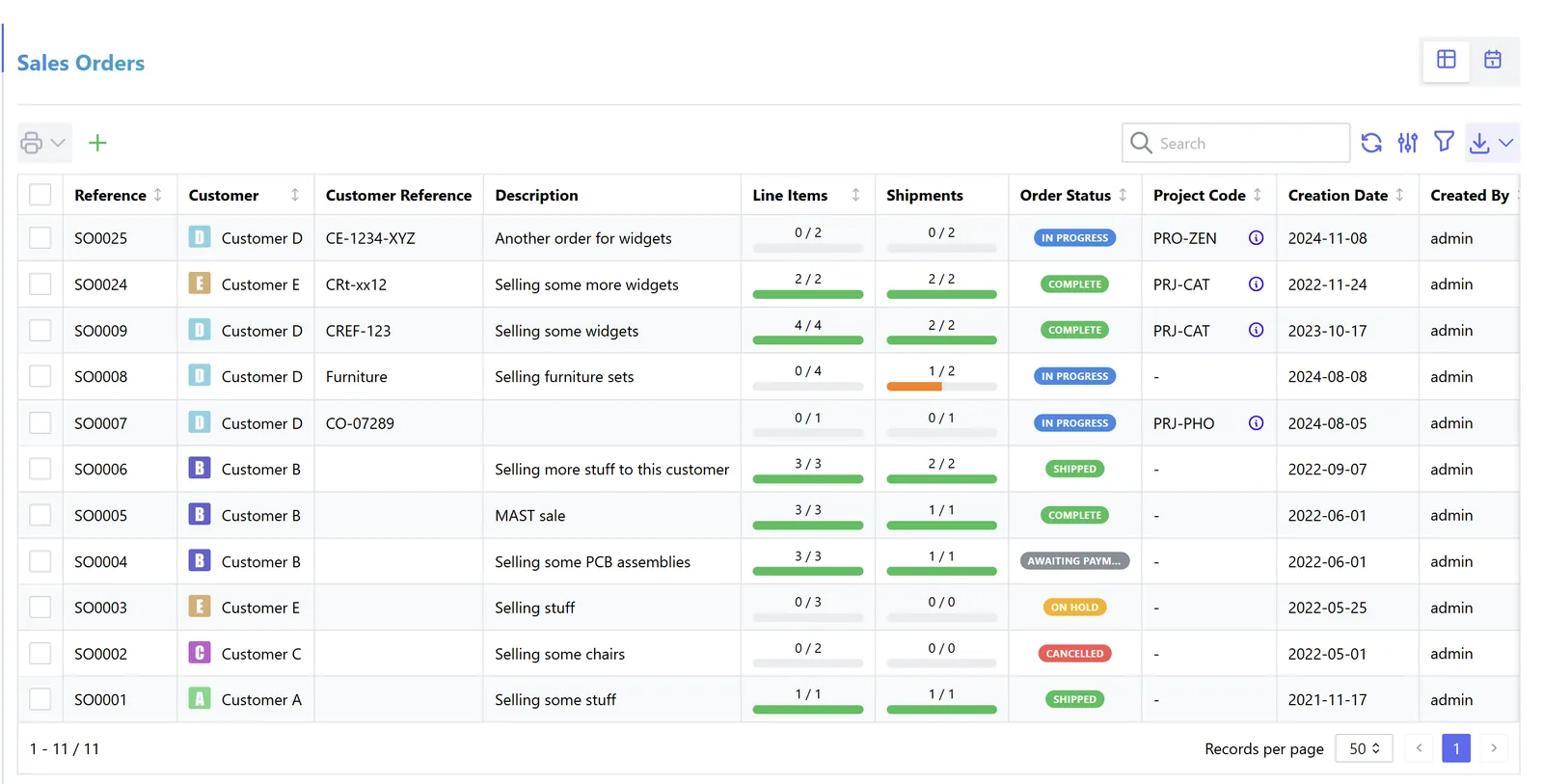
Sales coordinators and managers work from exceptions, not from the full order list.
Tax rules are summarized for configuration purposes only; confirm treatments with your tax advisor.
The order should carry the correct tax treatment per line and customer: standard 5%, zero-rated exports with evidence, or supplies to designated zones where special rules may apply. Getting it right on the order avoids credit notes later.
Invoices created automatically on delivery must still contain the customer TRN where applicable and the prescribed fields, and follow your agreed tax point.
From the mandatory phases in 2027, B2B invoices generated from sales orders will need to flow to an Accredited Service Provider in PINT AE format. Order data quality (customer TRN, item descriptions, units) becomes critical. Check the latest MoF/FTA guidance.
Every discount approval and credit-hold release is logged with user and time, which supports internal audit and corporate tax documentation.
General information, not tax or legal advice. Rules change; confirm current FTA, MOHRE and Ministry of Finance guidance with your advisor.
Benefits depend on order volume and data quality; we agree measures before go-live.
Price, item and quantity errors from re-typing drop because orders are created from quotes, portals and connectors.
Goods stop leaving for customers who are over limit or overdue, without relying on someone remembering to call the warehouse.
Reservation at confirmation means the stock you promise is the stock you ship.
Discounts outside policy need approval, so margin decisions are visible and deliberate.
We configure the system for the rules UAE businesses report against, and test it before go-live.
General information, not tax or legal advice. Confirm current requirements with the FTA, MOHRE or your advisor. See all UAE compliance guides.
On-site workshops in Dubai, Abu Dhabi and Sharjah, and remote or on-site delivery across the Northern Emirates and free zones.
Official sources and references
Facts on this page were checked against these sources in October 2026. Rules change, so confirm current requirements before acting.
Still have a question? Our consultants are happy to help.
Ask an ExpertAccepted quotes, customer portals, web shops, marketplaces, EDI files and mobile van sales apps can all create orders through native features or connectors. WhatsApp orders usually still need a quick confirmation step, because free-text messages rarely carry clean item codes.
Sales automation covers the pipeline before the order: leads, follow-ups and quotes. Sales order automation starts when the customer commits and ends with delivery and invoicing.
Yes. Orders above a salesperson's discount limit are held and sent to the manager with the margin shown. The approval policy itself is covered on our discount approval page.
Odoo and ERPNext handle stock reservation and backorders natively and suit traders with many SKUs. Zoho Inventory with Zoho Books suits smaller distributors, with extra logic built through Zoho automation tools. Dynamics 365 suits larger multi-entity groups. We implement all four and recommend by fit.
Service orders skip reservation and can create tasks, jobs or work orders instead. Field jobs are covered under work order management.
If price lists, credit limits and warehouses are already in the ERP, rules and connectors often take 3-6 weeks to configure and test. Cleaning customer and item master data is usually the longest part.
Related Solutions
Related Industries
Related ERP Platforms
Share how orders reach you today and we will map which checks can run automatically in your ERP.
Dubai, United Arab Emirates










