
L
O
A
D
I
N
G


Zoho, Odoo, ERPNext, Dynamics 365 and custom ERP, delivered by one accountable team.

Give salespeople the discount freedom they need to close, and send anything beyond their limit, or below the minimum selling price, to someone who can see the margin.
An ERP controls discounts by giving each salesperson, team leader and director a maximum discount limit and setting minimum selling prices on sensitive items. When a quotation, sales order or POS sale exceeds the user's limit, the ERP holds it for approval and shows the margin after discount. Zoho, Odoo, ERPNext and Dynamics 365 support this through rules, permissions or customization.
An ERP for discount approval in the UAE answers a narrow but expensive question: who is allowed to reduce a price, by how much, and with what evidence? In trading, distribution and retail, the price list is often sound, but the realized price is not. Line discounts, header discounts, free goods, rounding off and after-sale credit notes all chip away at the margin.
The control works through limits. A salesperson may give up to a set percentage on standard items, a team leader a little more, and the sales director anything above that. Some items, such as fast movers or products under supplier price protection, may have a minimum selling price that nobody below management can break. When a quotation, sales order or POS sale goes beyond the user's limit, the ERP holds the document and asks for approval, showing the margin after discount.
Discount approval is narrower than sales approval, which looks at the whole deal including terms and customer status. It also connects to structured trade terms such as volume rebates and promotional schemes, covered in trade discount management.

We usually find several of these when we review a UAE sales team's invoices against the price list.
Instead of entering a discount, the salesperson overwrites the unit price. Discount reports show nothing, yet the price was reduced.
A line discount, a header discount and a customer-group discount are all applied to the same order, and the combined effect is far beyond anyone's authority.
Extra cartons are added to the delivery note without being on the invoice, so stock is lost and margin reports look fine.
After the sale, a credit note is raised for a "price difference" without approval. It reduces revenue and output VAT with little scrutiny.
Showroom and POS staff give extra discounts to hit targets. Without user-level limits, managers cannot see who discounted what.
The goal is to approve discounts on the document, before the invoice, with the margin in view.
One shared database: every step updates stock, finance and reports in real time.
Discount control depends on pricing structures, not just an approval button.
Customer, channel and branch price lists with validity dates. See customer price lists.
Volume breaks, promotional prices and customer-group discounts applied automatically.
Maximum discount percentage per user or role, with separate limits for header and line discounts.
Average or landed cost per item so margin after discount is calculated on each line.
Manager PIN or approval for discounts and price changes at the counter.
Sales returns and price adjustments linked to the original invoice and approved before posting.
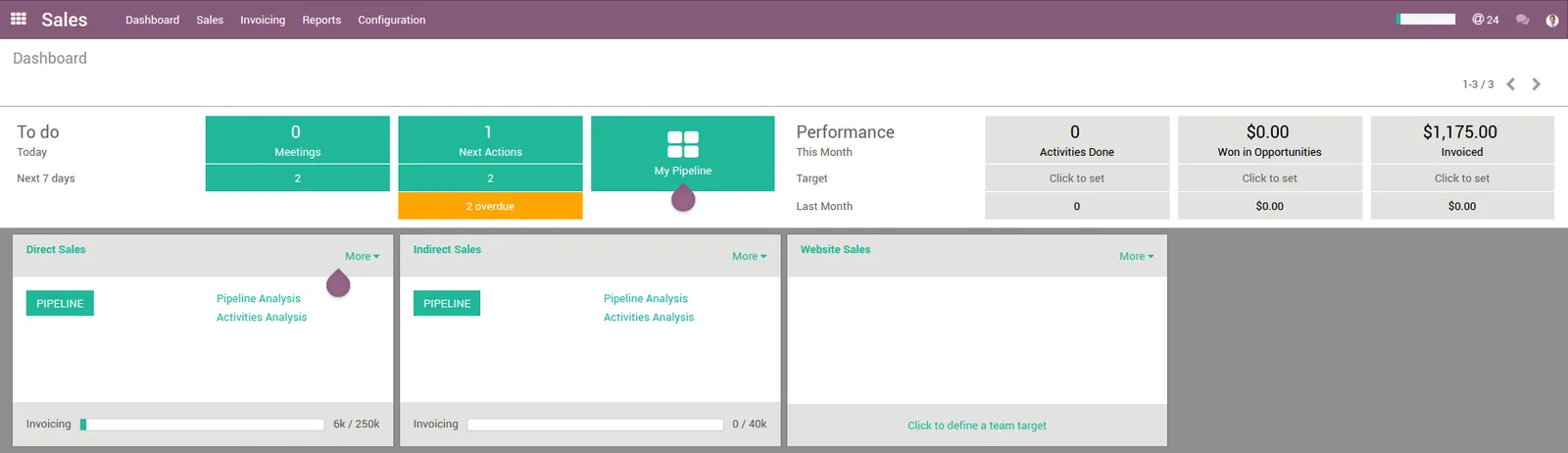
Approval stops individual excess discounts; the dashboard shows the pattern across the team.
A hedged view of native features. Confirm against your edition and version.
| Zoho | Odoo | ERPNext | Dynamics 365 | |
|---|---|---|---|---|
| Price lists | Price lists in Zoho Books, Inventory and CRM | Pricelists with rules by quantity, date and customer | Price Lists and Pricing Rules | Sales prices and price lists in Business Central |
| Discount limits | Validation rules or custom functions; approval processes in Zoho CRM | Line discounts; limits usually via Studio approval rules or customization | Max discount field on Item plus Workflow conditions | Line and invoice discounts; limits via approval workflow conditions |
| Price override control | Field permissions and custom validation | Access rights and custom checks | Role permissions and validation scripts | Permissions and workflow conditions |
| POS discounts | Zoho POS / Zoho Commerce options vary | Odoo POS with manager control options | POS Profile settings | Partner POS solutions for Business Central |
| Credit note approval | Transaction approval where supported | Approval via Studio or workflow | Workflow on Credit Note (Sales Invoice return) | Approval workflows on sales credit memos |
Exact options differ by plan and release; we confirm in a test environment.
Discount rules must apply wherever a price can be changed.
How discounts are recorded affects VAT. Confirm treatment with your tax advisor.
Where a discount is given at the time of supply, VAT is generally charged on the discounted amount. The tax invoice should show the discount clearly. See VAT configuration in ERP.
Reductions after the invoice generally require a tax credit note linked to the original invoice. Approving credit notes before posting protects output VAT records.
Under the phased e-invoicing rollout, credit notes will also be exchanged in structured PINT AE format through an Accredited Service Provider. Check the latest Ministry of Finance / FTA guidance.
General information, not tax or legal advice. Rules change; confirm current FTA, MOHRE and Ministry of Finance guidance with your advisor.
Improvements depend on how strictly limits are set and enforced.
Overrides and stacked discounts appear in reports instead of hiding in prices.
Approvers see margin after discount before the customer does.
Post-sale reductions need a reason and an approver.
Pricing is consistent across salespeople and branches.
Typical ranges for a trading or retail company.
Durations are typical ranges; your plan is agreed after discovery.
Agree limits per role and item group, minimum prices and credit note rules.
Consolidate price lists and costs so limits and margins are calculated correctly.
Set up rules, approvals and POS controls, and test with real orders.
Monitor the discount dashboard and adjust limits.
We configure the system for the rules UAE businesses report against, and test it before go-live.
General information, not tax or legal advice. Confirm current requirements with the FTA, MOHRE or your advisor. See all UAE compliance guides.
On-site workshops in Dubai, Abu Dhabi and Sharjah, and remote or on-site delivery across the Northern Emirates and free zones.
Official sources and references
Facts on this page were checked against these sources in October 2026. Rules change, so confirm current requirements before acting.
Still have a question? Our consultants are happy to help.
Ask an ExpertMany companies use both: a percentage limit for general control and a minimum selling price on sensitive items. The minimum price protects margin even when costs change.
It can, but it should still be recorded in the system by the approver. Mobile apps and Teams or email approval make this quick, see approval workflow software.
Volume rebates and supplier-funded promotions are agreed terms, not ad-hoc discounts. They are best configured as structured schemes rather than approvals.
Usually only within a small limit, with a manager PIN or approval above it. Every override should be logged with the user and reason.
A small custom approval app can sit beside the ERP. See approval app development.
Discount approval happens on the sales side before invoicing. Supplier invoice approval is a different flow, covered in invoice approval automation.
Related Solutions
Related Industries
Related ERP Platforms
We can review a sample of invoices against your price lists and propose discount limits and approval rules.
Dubai, United Arab Emirates










