L
O
A
D
I
N
G


Zoho, Odoo, ERPNext, Dynamics 365 and custom ERP, delivered by one accountable team.

Many UAE companies are still running ERPNext on an old version, an old server, or both. We plan the move, rehearse it on a copy, and cut over on a date your finance team agrees to.
ERPNext migration in the UAE means upgrading a live system to a newer major version, such as v13 to v14 or v14 to v15, or moving it between self-hosted bench, cloud virtual machines and Frappe Cloud. The safe approach copies production, upgrades and tests the copy with users, fixes issues, then repeats on the live site with a rollback plan.
ERPNext migration in the UAE usually comes up in one of three ways. A company has been on version 12 or 13 for years and can no longer apply fixes. A server that someone set up in a hurry is running out of disk or has no tested backups. Or the business wants to move from a self-managed virtual machine to Frappe Cloud, or the other way round, for cost or control reasons.
Each of these is a migration of a live system, not a fresh install. Your general ledger, stock ledger, VAT history, print formats and custom fields all have to arrive intact, and the people who use ERPNext every day need it back on Monday morning. That is a different job from moving data out of Tally or Excel, which our ERPNext migration services page covers in detail.
We are an ERPNext and Frappe partner based in Dubai, working on-site across the emirates and remotely. We treat every upgrade as a rehearsed project: copy production, upgrade the copy, test it with your users, fix what breaks, then repeat the run on the live site with a rollback plan ready.

The products we configure, integrate and support on projects like this one.
 ERPNext
 Frappe HR
 Frappe Framework
 Frappe CRM
Product names and logos are trademarks of their respective owners and are shown only to identify the software we implement.
Most stalled upgrades we see were not blocked by ERPNext itself. They were blocked by things added around it over the years.
Server scripts, overrides and custom apps often call functions that were renamed or removed between major versions. Nobody notices until the patch run fails halfway through.
From version 14, HR and payroll moved out of ERPNext into the Frappe HR app. Companies that ran WPS salary files from the old HR module need that app installed and their data checked before cutover.
Some earlier vendors changed ERPNext source files directly instead of building a custom app. Those edits are lost on upgrade and have to be rebuilt the right way first.
If the only copy of the database is the live one, nobody wants to touch it. A restorable backup and a staging site come before any upgrade work.
Finance teams worry that past tax invoices, VAT return figures and closed periods will change. They should not, but proving that with reconciliation reports is part of the job.
The same sequence applies whether you are jumping one version or moving to a new host.
We list installed apps, versions, custom fields, server scripts, print formats, scheduled jobs and integrations. We also note where the core has been edited, because that decides the size of the job.
We restore a recent backup to a separate server and run the upgrade there. Patch errors, broken reports and missing fields show up here, not on your live system.
Custom code is moved into a proper Frappe app, updated for the new version and tested. Anything that the new version now does out of the box is retired rather than carried forward.
We compare trial balance, stock balance, receivables and the UAE VAT 201 report before and after. Key users then run their daily tasks on staging and sign off.
The live upgrade or server move happens in an agreed window, usually after a period close or over a weekend. A full backup and DNS plan mean we can roll back if a blocker appears.
These are the deliverables we hand over at the end, so the next upgrade is easier than this one.
Durations depend on how many versions you are jumping and how much custom code exists. These are hedged ranges, not promises.
Durations are typical ranges; your plan is agreed after discovery.
Review of the current site, server, apps and integrations, ending with a written scope.
First upgrade run on a copy, with every patch error logged and fixed.
Custom apps and scripts updated for the target version; longer if core edits must be rebuilt.
Finance, stores and sales users run real tasks on staging and confirm reports match.
Live migration in a planned window, then close support while users settle.
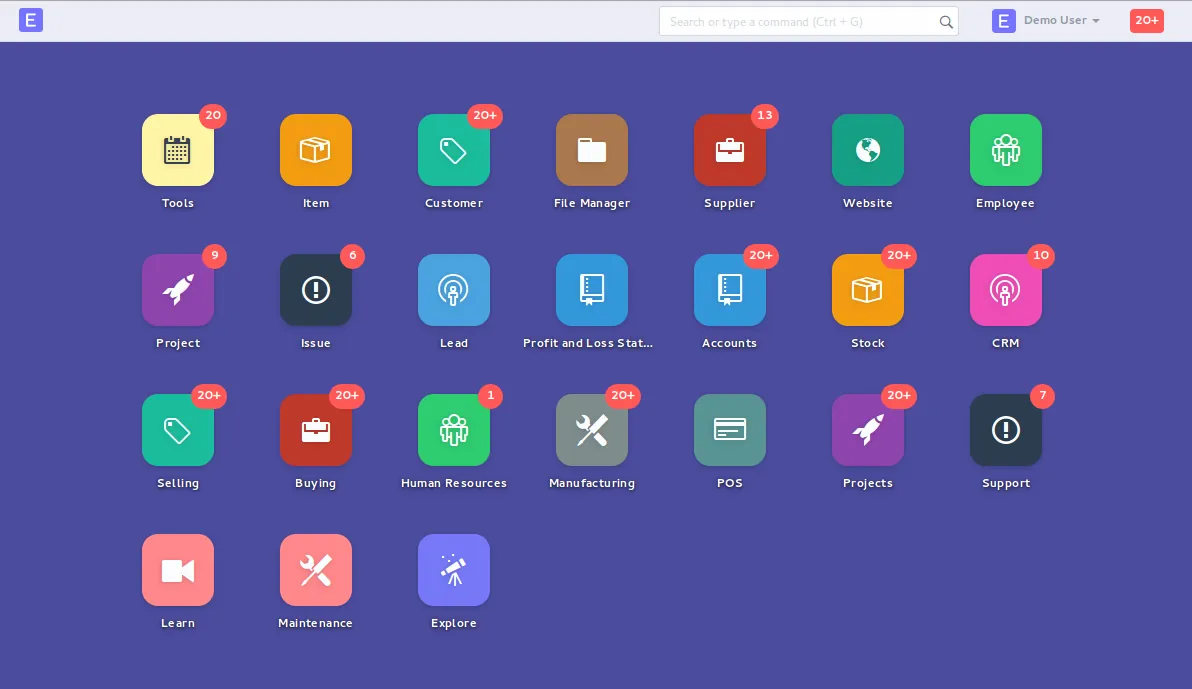
We keep a simple migration board so your project owner can see progress without reading server logs.
The benefits are practical rather than flashy, and they compound over the next few years.
A supported version means you can apply fixes instead of living with known problems.
Recent ERPNext releases add features that often replace scripts written years ago.
With custom code in its own app and a staging site in place, future updates are planned tasks, not projects.
Reconciliation reports show your auditors and tax advisors that history did not move.
Read more about the platform, moving data in from other systems, and keeping ERPNext healthy after the move.
We configure the system for the rules UAE businesses report against, and test it before go-live.
General information, not tax or legal advice. Confirm current requirements with the FTA, MOHRE or your advisor. See all UAE compliance guides.
On-site workshops in Dubai, Abu Dhabi and Sharjah, and remote or on-site delivery across the Northern Emirates and free zones.
Official sources and references
Facts on this page were checked against these sources in October 2026. Rules change, so confirm current requirements before acting.
Usually the upgrade is run through each major version in turn on the staging copy, because database patches are written to run in sequence. From your point of view it is still one project with one cutover date.
They should not. Posted tax invoices and ledger entries are kept as they are, and we prove it by comparing totals and the VAT 201 report before and after. For anything tax-related, confirm the treatment with your tax advisor.
From version 14 those features live in the separate Frappe HR app. We install it, check that employees, salary structures and leave data came across, and test your WPS salary file output before go-live.
Frappe Cloud removes server maintenance but has limits on certain custom server changes. Self-hosting gives full control but needs someone to patch, monitor and back it up. We explain the trade-off for your setup and support either.
It depends on database size and how many versions are being crossed. We measure the time on staging, so the live window is based on a real rehearsal rather than a guess.
Related Solutions
Related Industries
Related ERP Platforms
Send us your current version and hosting details, and we will scope an audit and staging run for your ERPNext migration.
Dubai, United Arab Emirates