L
O
A
D
I
N
G


Zoho, Odoo, ERPNext, Dynamics 365 and custom ERP, delivered by one accountable team.

Whether you are upgrading from NAV or GP or leaving Tally and spreadsheets behind, we plan the data, the cutover date and the reconciliations so your first month on Dynamics 365 closes cleanly.
Dynamics 365 migration in the UAE follows either the Microsoft upgrade path, moving Dynamics NAV, GP or AX to Business Central online or Finance and Supply Chain Management, or a platform switch from Tally, QuickBooks, Sage, SAP Business One or Excel. Either way, open balances must tie to the last audited trial balance, with valid customer and supplier TRNs and enough history for VAT queries.
Dynamics 365 migration in the UAE falls into two groups. The first is the Microsoft upgrade path: companies running Dynamics NAV or Dynamics GP on a server in the office, or Dynamics AX in a data center, who want to move to Business Central online or to Finance and Supply Chain Management in the cloud. The second is the platform switch: businesses outgrowing Tally, QuickBooks, Sage, SAP Business One or a pile of Excel workbooks who have chosen Dynamics 365 as their next system.
The tools differ. Business Central includes a cloud migration feature for supported on-premises versions and for Dynamics GP, configuration packages for importing master data, and a data migration assistant for some sources. Finance and Supply Chain uses data entities and the Data Management Framework, and AX customers follow Microsoft's upgrade path. For non-Microsoft sources, we extract, cleanse and transform the data ourselves before loading it.
The goal is the same in both cases: open balances that tie to your last audited trial balance, customers and suppliers with valid TRNs, items with correct units and costs, and enough history to answer VAT queries. We do not implement SAP, QuickBooks, Tally or Sage, but we migrate from them regularly. For a platform-neutral view, see legacy ERP migration.

Data migration is the most underestimated part of any ERP project. These are the risks we plan around from the first workshop.
NAV and older Business Central on-premises often have code changes inside the base application. Business Central online only accepts extensions, so each modification must be rewritten, replaced by standard features or dropped.
Legacy systems collect duplicate customers, inactive items and suppliers with missing TRNs. Loading them as-is carries the mess into the new system and breaks VAT reporting.
Tally ledgers and groups do not map one-to-one to a Business Central chart of accounts with posting groups. Without a careful mapping, the opening trial balance will not tie.
Teams often ask for all transactions since the company started. That makes migration slow and expensive, while the legal need is usually met by keeping the old system or an archive accessible.
Switching systems partway through a quarter means the VAT return draws from two systems. It can be done, but it needs a clear split and a reconciliation plan.
We treat migration as a finance project supported by technology, not the other way around.
We review the source system version, customizations, data volumes, integrations and reports, then decide what migrates, what is rebuilt and what is retired.
Master data, open items, balances and the depth of transaction history are agreed with finance and your auditor's expectations in mind.
Duplicates are merged, TRNs validated, items standardized and the old chart of accounts mapped to the new one, with posting groups and dimensions defined.
At least two mock migrations into a sandbox, each followed by reconciliation of trial balance, aged receivables, aged payables and stock valuation.
Final extract at an agreed date, load, reconciliation sign-off and a frozen copy of the old system for reference and audit.
These documents and results stay with you after the project.
These ranges assume a single entity with moderate data volumes; multi-company or heavily customized sources take longer.
Durations are typical ranges; your plan is agreed after discovery.
Source review, customization inventory and agreement on the target: Business Central or Finance and Supply Chain.
Business users clean master data while we build transformation scripts and templates.
Repeated loads into a sandbox with reconciliations after each run until totals tie.
Final extract, load and sign-off, usually aligned with a month-end and ideally a VAT period end.
Support for the first month-end close and the first VAT return prepared from Dynamics 365.
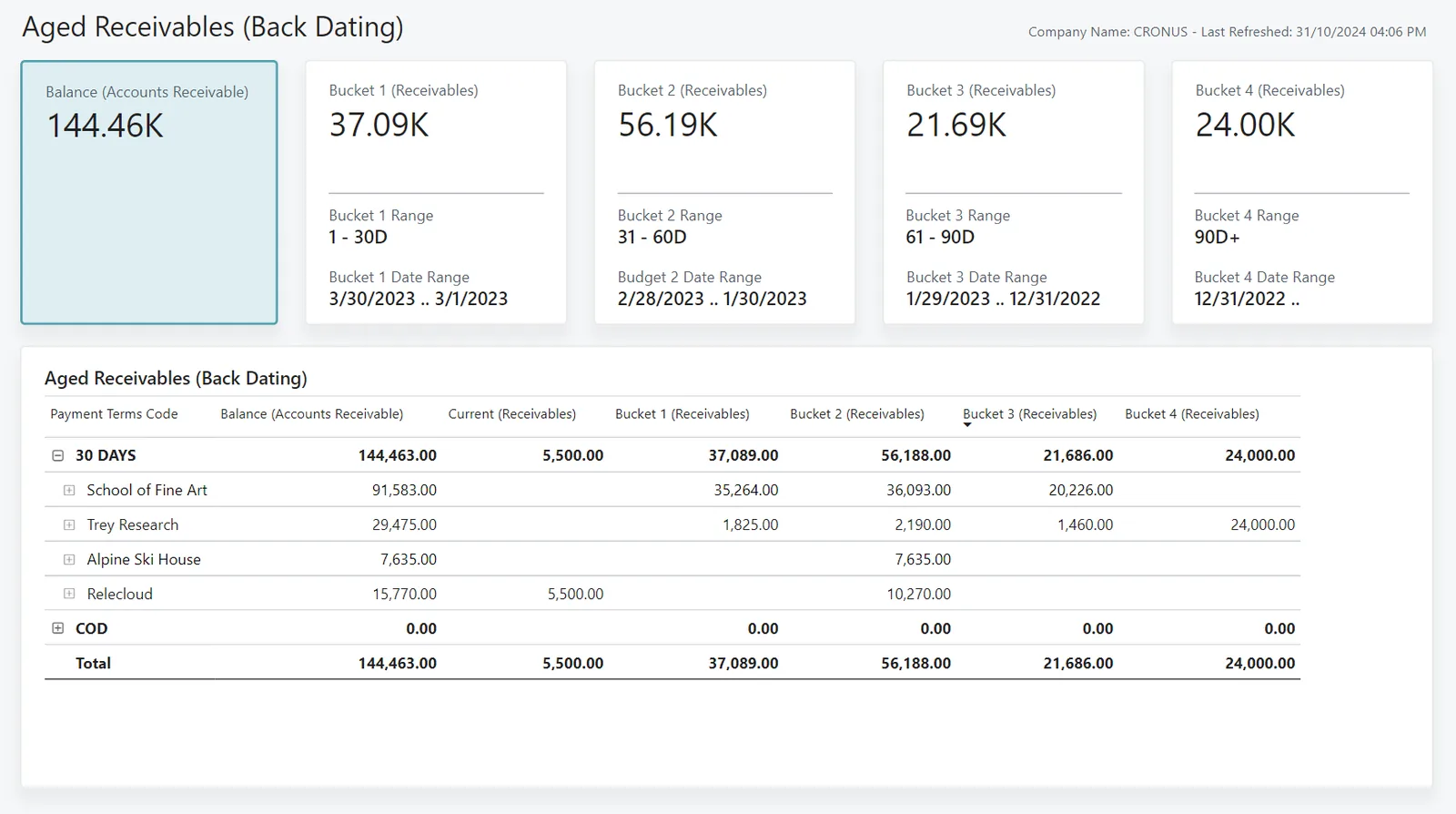
During the project, finance and the project lead follow a migration tracker so issues are visible early.
A careful migration pays off in the months after go-live, not just on cutover weekend.
Opening balances that tie mean your first month-end on Dynamics 365 is about the business, not about chasing migration differences.
Validated TRNs and correctly mapped tax codes reduce corrections when preparing returns in EmaraTax.
Retiring old servers and rewriting customizations as extensions makes future Business Central updates simpler.
A documented archive and reconciliation pack answers auditor and FTA questions about the transition period.
Read more about specific migration paths.
We configure the system for the rules UAE businesses report against, and test it before go-live.
General information, not tax or legal advice. Confirm current requirements with the FTA, MOHRE or your advisor. See all UAE compliance guides.
On-site workshops in Dubai, Abu Dhabi and Sharjah, and remote or on-site delivery across the Northern Emirates and free zones.
Official sources and references
Facts on this page were checked against these sources in October 2026. Rules change, so confirm current requirements before acting.
Still have a question? Our consultants are happy to help.
Ask an ExpertUsually yes, but older NAV versions may need an intermediate upgrade step, and any code modifications must be converted to extensions or replaced. We start with an assessment of your version and customizations before quoting the path.
Most companies migrate open items, balances and one to two years of summarized or detailed history, then keep the old system or an archive for the rest. UAE record-keeping rules require records to be retained and accessible, so confirm the retention approach with your tax advisor and auditor.
Yes. We export ledgers, groups, parties, stock items and vouchers from Tally, map them to a Business Central chart of accounts and posting groups, and reconcile the opening trial balance before go-live.
Microsoft provides a cloud migration path from Dynamics GP to Business Central online for selected data. We use it where it fits and supplement it with configuration packages for data it does not cover.
The cleanest point is the start of a financial year or the start of a VAT period, so that returns come from a single system. If that is not possible, we plan a clear split of the period between systems.
Yes. We extract and transform SAP Business One data into Dynamics 365. We do not offer SAP implementation or support, so the migration is one-way into the new platform.
Related Solutions
Related Industries
Related ERP Platforms
Tell us your current system and data volume, and we will outline a migration path and cutover approach.
Dubai, United Arab Emirates