
L
O
A
D
I
N
G


Zoho, Odoo, ERPNext, Dynamics 365 and custom ERP, delivered by one accountable team.

Payroll is only as accurate as its inputs. Payroll integration connects the HR master, attendance, timesheets, banks and other systems so data moves without re-keying.
Payroll integration in the UAE connects the HR employee master, biometric attendance devices, rosters, project timesheets, leave and expense claims into payroll, then sends outputs onward: the WPS Salary Information File to the bank or exchange house, payslips to the employee portal and journals to accounting. A shared employee key, API or middleware layer, and an error queue prevent mismatched codes and outdated IBANs.
Payroll integration is the set of connections that move data into and out of the payroll system. Inputs come from the HR employee master, biometric devices, shift rosters, project timesheets, leave records and expense claims. Outputs go to the bank or exchange house for WPS, to the employee portal for payslips, to the accounting system, and sometimes to insurance providers or group reporting.
In UAE companies these systems are often from different vendors. A contractor may run attendance on a standalone device server, HR in Zoho People, payroll in a local payroll package and accounts in Odoo. Each month someone exports, reformats and imports files between them. Every hand-off is a chance for an employee code mismatch, a missed joiner or an outdated IBAN.
This page covers the connections themselves: what data moves, in which direction, how often and by which method. The accounting side, meaning how payroll becomes journal entries, has its own page on payroll accounting integration. If you are on Zoho, the specific link between Zoho People and Zoho Payroll is described in Zoho People and Payroll integration.

These issues usually appear in the first week of every month, when inputs are collected.
The attendance device uses a badge number, HR uses an employee ID and the bank file uses the MOHRE person code. Mapping them by hand each month leads to hours booked against the wrong person.
A new hire is set up in HR but not in payroll, or a leaver is removed from attendance but still paid. Integration on the employee master removes the double entry.
Project hours sit in a project management tool or a site app. Overtime is paid from attendance while project cost uses timesheets, and the two never reconcile.
The SIF file is exported, renamed, and uploaded to the bank portal by hand. Rejected records come back by email and are fixed outside the system.
Approved expense claims are paid through payroll in some months and by bank transfer in others, with no link preventing a second payment.
This is the target flow we design. Each arrow is either a native connection, an API call or a scheduled file exchange.
One shared database: every step updates stock, finance and reports in real time.
A typical data map for a UAE company with HR, attendance and payroll on different modules or systems.
| Data | Direction | Trigger / frequency | Notes |
|---|---|---|---|
| Employee master (name, IDs, grade, entity) | HR to payroll | On create or change | Includes MOHRE person code and labor card number for WPS |
| Bank and IBAN details | HR or ESS to payroll | On verified change | Verification step before it reaches the SIF file |
| Salary and allowance changes | HR to payroll | On approval, effective-dated | Mid-month changes calculated pro-rata |
| Attendance punches | Device to attendance to payroll | Real time or every few hours; cut-off monthly | Device server or cloud attendance as the bridge |
| Project timesheets and overtime | Project app to payroll | On approval | Also used for project labor cost |
| Approved leave and unpaid days | Leave module to payroll | On approval | Late approvals become next-month adjustments |
| Expense claims and advances | Expense module to payroll | On approval | Flag prevents payment through both payroll and AP |
| SIF file and bank response | Payroll to bank and back | Monthly, plus off-cycle runs | Store the acknowledgment and rejected records |
| Payslips | Payroll to portal | After lock | Never publish draft results |
| Salary journal | Payroll to accounting | After lock | Detailed in payroll accounting integration |
These are the parts we design and test in a payroll integration project.
A single employee ID, with cross-reference to badge, MOHRE and bank identifiers, stored in the HR master.
A device server or cloud attendance service that pulls punches from terminals at every site; see biometric attendance integration.
REST APIs and webhooks on the HR, payroll and project systems for event-based sync.
Zoho Flow, Make, n8n or Power Automate where systems lack a native connector, with logging of every run.
SIF file generation and, where the bank supports it, host-to-host or API upload; see ERP bank integration.
Failed records collected in a queue with an alert to the owner, instead of silent failures.
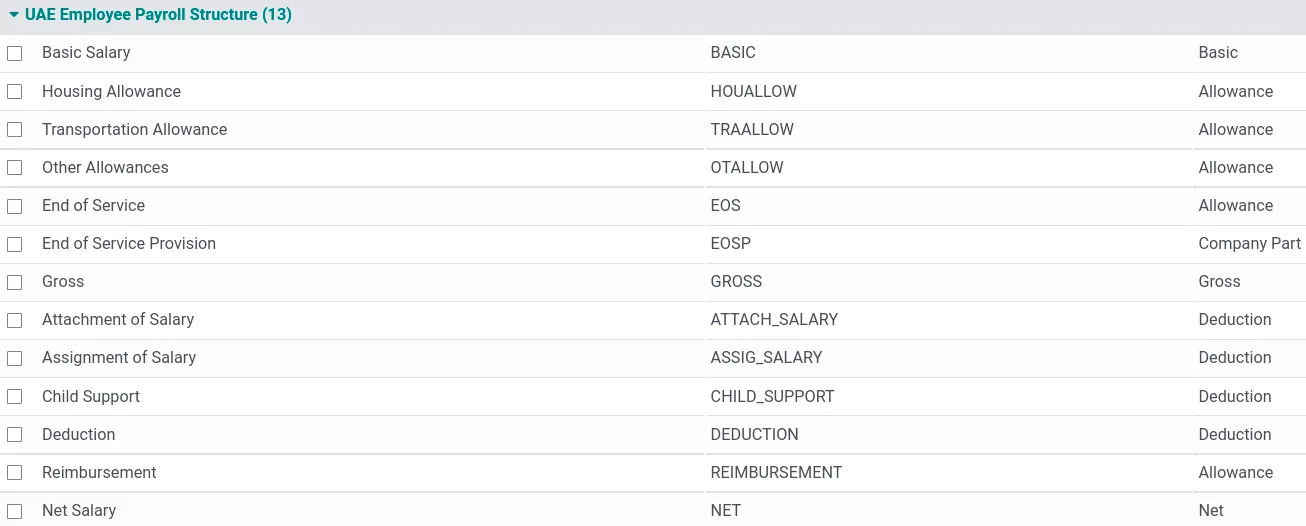
Before each run, payroll checks that every feed is complete. These are the checks we put on one screen.
Connection methods differ by platform. Confirm availability for your edition and the other systems involved.
| Zoho | Odoo | ERPNext | Dynamics 365 | |
|---|---|---|---|---|
| HR to payroll | Native link between Zoho People and Zoho Payroll | Same database: Employees, Attendances, Time Off and Payroll | Same database: HR and payroll in Frappe HR | Human resources and partner payroll on the same platform |
| Attendance devices | Zoho People supports biometric integration; check supported devices | Device connectors from the Odoo Apps store or custom | Connectors available from the community or custom via API | Partner time and attendance solutions |
| External systems | REST APIs, webhooks and Zoho integrations through Zoho Flow | XML-RPC and JSON-RPC APIs, plus Odoo integration apps | REST API and webhooks on every doctype | Dataverse and OData APIs, Power Automate connectors |
| Bank and WPS | SIF file generation; upload via bank portal | SIF export in recent UAE localization; upload via bank portal or custom | Custom or localization app; upload via bank portal | Through the payroll add-on and banking integrations |
| Middleware commonly used | Zoho Flow | Make, n8n or custom modules | n8n or custom Frappe apps | Power Automate and Azure Logic Apps |
These are the sources and destinations we see most often in UAE payroll projects.
Integration moves sensitive data between systems, sometimes across borders.
Salary, IBAN, passport and health data are personal data under Federal Decree-Law No. 45 of 2021. Integrations should use encrypted connections, least-privilege API keys and logs of who accessed what.
The SIF file must reflect locked payroll exactly. We prevent edits to the file outside the system, so what the bank pays matches what payroll approved.
If payroll or middleware is hosted outside the UAE, check contractual and sector rules on cross-border transfer with your advisors, particularly for regulated industries and free zones with their own data laws.
Keep payroll results, bank acknowledgments and integration logs with your accounting records, which under UAE tax rules are kept for at least five years.
General information, not tax or legal advice. Rules change; confirm current FTA, MOHRE and Ministry of Finance guidance with your advisor.
Benefits we typically see once inputs flow automatically.
Attendance, leave and timesheets arrive in payroll without exports, so the run starts on time.
Joiners, leavers and changes are entered once in HR and flow to payroll and the bank file.
Validated bank data and a controlled SIF file reduce rejected and misdirected salaries.
Clean inputs make payroll automation of calculations and approvals possible.
Durations depend on the number of systems and whether they offer APIs.
Durations are typical ranges; your plan is agreed after discovery.
List every system, field, direction and owner, and agree the employee ID cross-reference.
Configure native connectors, build API or middleware flows and the error queue.
Run a full month of inputs through the integrations and reconcile against the old process.
Process at least one payroll on integrated inputs alongside the old method before switching.
We configure the system for the rules UAE businesses report against, and test it before go-live.
General information, not tax or legal advice. Confirm current requirements with the FTA, MOHRE or your advisor. See all UAE compliance guides.
On-site workshops in Dubai, Abu Dhabi and Sharjah, and remote or on-site delivery across the Northern Emirates and free zones.
Official sources and references
Facts on this page were checked against these sources in October 2026. Rules change, so confirm current requirements before acting.
Still have a question? Our consultants are happy to help.
Ask an ExpertUsually yes, because the employee master is shared and there is nothing to sync. Integration is needed when you keep a specialist payroll or attendance system, or when group companies run different platforms.
Often, through the device vendor's server software or a database export, but older models may only support scheduled file exports. We check the model and firmware during discovery.
That depends on the bank. Many accept uploads only through their corporate portal; some offer host-to-host or API channels for larger clients. The file generation itself can always be automated.
Each employee belongs to one visa sponsor and WPS employer. Cost recharges to other entities are handled in accounting, not by splitting the salary payment.
Native connectors first, then Zoho Flow, Power Automate, Make or n8n depending on the platform, and custom code only when needed. Our ERP integrations page explains the general approach.
We document each flow, set alerts to an internal owner, and can support the integrations under a support agreement. The payroll team should see failures before payday, not after.
Related Solutions
Related Industries
Related ERP Platforms
Tell us which HR, attendance, project and banking systems you use, and we will design the payroll data flow.
Dubai, United Arab Emirates










