L
O
A
D
I
N
G


Zoho, Odoo, ERPNext, Dynamics 365 and custom ERP, delivered by one accountable team.

Zoho One gives you dozens of apps under one license. We help you decide which ones to switch on first, connect them properly and roll them out in stages your team can absorb.
Zoho One implementation in the UAE works best in phases: set up Zoho Directory with users, departments, single sign-on and security policies first, then launch core apps such as Zoho CRM, Books and Inventory, stabilise, and add People, Desk or Projects later. A first phase often takes six to ten weeks, with a full multi-department rollout running over several months.
Zoho One implementation in the UAE is different from setting up a single app. The license includes CRM, Books, Inventory, People, Desk, Projects, Analytics, Sign, WorkDrive and many more, all managed from one admin console. That breadth is the main appeal. It is also the main risk, because companies that try to launch everything at once usually end up using three apps well and ignoring the rest.
We plan Zoho One around your departments and your order of priority. A Dubai trading company might start with CRM, Books and Inventory, then add People and Payroll-related processes, then Desk for after-sales service. A consultancy might begin with CRM, Projects and Books. Each phase shares the same customer, employee and product data, so later apps build on what is already there.
The foundation is Zoho Directory: users, groups, departments, single sign-on and security policies. Getting this right first saves pain later. If you are still comparing editions or license models, start with our Zoho One UAE overview or speak with a Zoho One consultant before committing.

The products we configure, integrate and support on projects like this one.






Product names and logos are trademarks of their respective owners and are shown only to identify the software we implement.
Zoho One is powerful, but these mistakes come up often when it is set up without a plan.
Staff receive invitations to fifteen apps on day one and use none of them properly. Adoption falls and the old spreadsheets come back.
Sales sets up CRM one way and finance sets up Books another, with different customer names and product codes. Cross-app reports then fail to match.
Leavers keep access, shared logins appear, and sensitive HR or finance data is visible to the wrong people because roles were never designed.
Zoho apps connect well, but many syncs still need to be switched on, mapped and tested. Assuming they work out of the box leads to missing data.
Zoho One has different licensing options, and choosing the wrong one for your headcount can cost more than expected. We review this with you before rollout.
Each phase is a small project with its own testing and training, built on the same shared foundation.
We map your departments, current tools and pain points, then agree which Zoho One apps go live in phase one, two and three.
We set up the organization, departments, user groups, single sign-on, password and device policies, and admin roles in Zoho Directory.
We configure the phase-one apps, typically CRM and Books, with UAE VAT settings, document templates, pipelines and approval rules.
We switch on and test the links between apps, such as CRM deals creating Books estimates or Desk tickets showing customer invoices.
Each team learns the apps they use daily, with role-specific sessions rather than one long generic demo.
After the first phase settles, we review usage, fix friction points and begin the next group of apps.
What is in place when each phase closes.
Zoho One is usually rolled out over several months in phases. The ranges below are typical for small and mid-sized UAE companies.
Durations are typical ranges; your plan is agreed after discovery.
Discovery, app roadmap, Directory setup and license review.
Core sales and finance apps configured, connected, tested and launched.
Usage review, fixes and refresher training before adding more apps.
HR, service desk, projects or inventory, depending on your roadmap.
Cross-app dashboards, automation and a review of unused licenses.
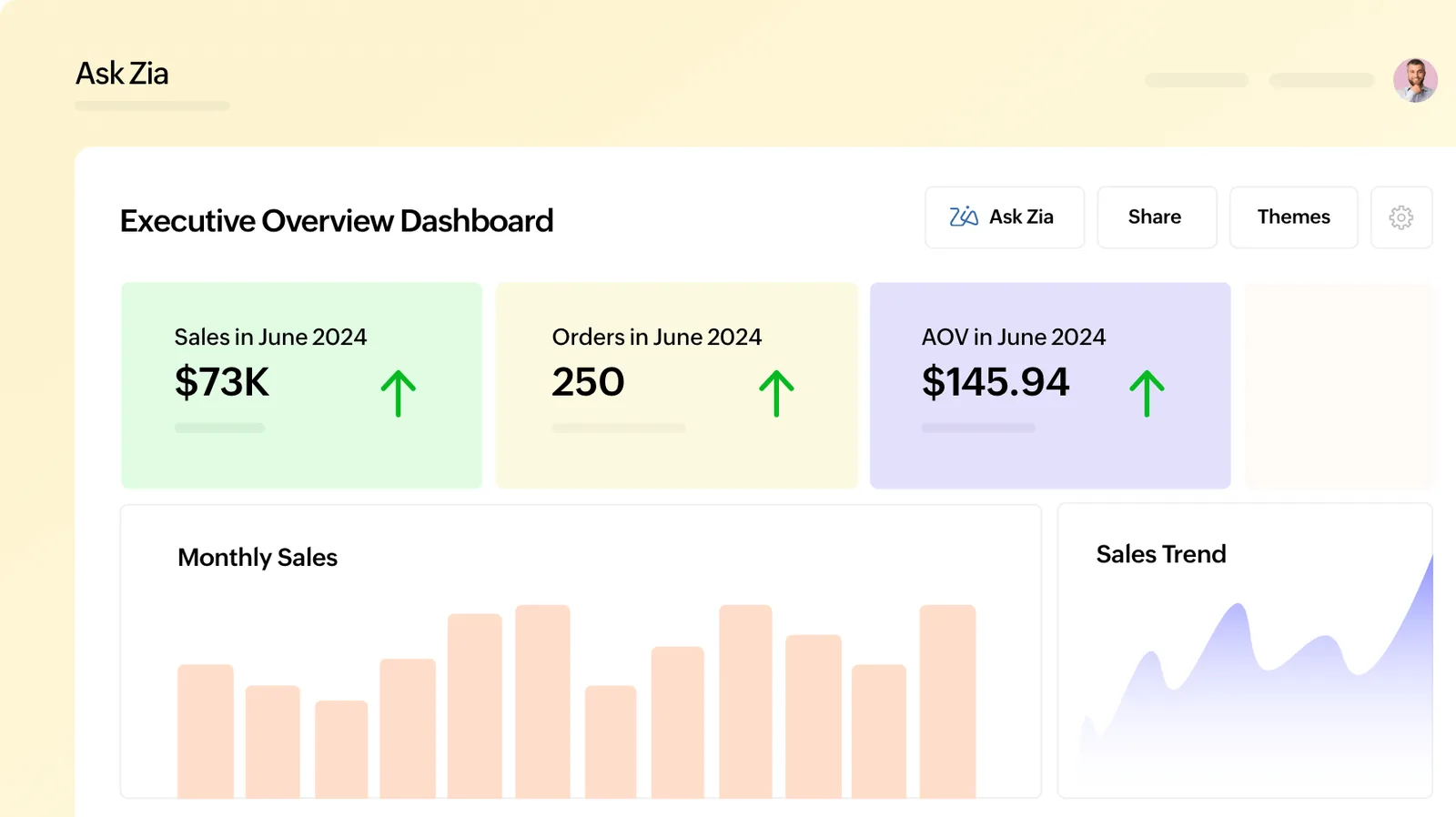
Zoho Analytics, included in Zoho One, can combine data from several apps into management dashboards.
The value comes from connected data and steady adoption, not from the number of apps switched on.
Staff learn a few apps well before new ones arrive, so usage holds steady instead of fading after launch week.
Sales, finance and service work from the same customer records, which ends arguments about whose numbers are right.
Joiners and leavers are handled in one place, and sensitive data is limited to the right roles.
Once Zoho One apps are live, many companies can retire separate tools they were paying for, after checking contract terms.
Explore apps and services connected to Zoho One.
We configure the system for the rules UAE businesses report against, and test it before go-live.
General information, not tax or legal advice. Confirm current requirements with the FTA, MOHRE or your advisor. See all UAE compliance guides.
On-site workshops in Dubai, Abu Dhabi and Sharjah, and remote or on-site delivery across the Northern Emirates and free zones.
Official sources and references
Facts on this page were checked against these sources in October 2026. Rules change, so confirm current requirements before acting.
Still have a question? Our consultants are happy to help.
Ask an ExpertNo. Most companies actively use a subset. We help you pick the apps that solve real problems and leave the rest switched off until there is a clear need.
It depends on where the pain is. Many UAE businesses begin with CRM and Books because sales and VAT accounting affect cash flow directly, then add others in later phases.
Zoho Books, included in Zoho One, supports UAE VAT setup, tax invoices with TRN and VAT return reports. Confirm specific tax treatments with your tax advisor.
Yes. Your existing Books organization can usually be brought under Zoho One. We plan the license change and user mapping so accounting is not disrupted.
Zoho People covers HR records, attendance and leave. Payroll and WPS needs vary, so we review the current Zoho payroll options for the UAE with you and suggest the right approach.
A first phase often takes six to ten weeks. A full multi-department rollout typically runs over several months, depending on how many apps and integrations you need.
Related Solutions
Related Industries
Related ERP Platforms
Book a session with our Dubai team to map which Zoho One apps your departments need first.
Dubai, United Arab Emirates