
L
O
A
D
I
N
G


Zoho, Odoo, ERPNext, Dynamics 365 and custom ERP, delivered by one accountable team.

A pipeline is only useful if every stage means the same thing to every salesperson. The software matters less than the rules you put into it.
Sales pipeline software only works when every stage means the same thing to every salesperson. UAE teams should define five to seven stages between qualified and won, each ending with a verifiable buyer action, add mandatory fields and exit criteria, record loss reasons, and review stalled deals weekly from one dashboard. Separate pipelines suit project tenders, repeat trading and service contracts.
Sales pipeline software UAE companies buy is meant to answer three questions on any Monday morning: which deals are real, which are stuck, and what needs to happen this week to move them. In practice many teams in Dubai and Abu Dhabi still run the pipeline on an Excel sheet that each salesperson updates before the monthly meeting, with stage names like "hot" or "following up" that mean something different to everyone.
The pipeline starts where lead management ends: a qualified opportunity with a named decision maker, an estimated value and an expected close date. From there it moves through stages such as discovery, site visit or demo, proposal, negotiation, and won or lost. For a contracting supplier the stages may follow the tender cycle; for a distributor they may follow sampling and listing with a retail chain. The point is that each stage has an exit criterion the CRM can check.
Pipeline management is also distinct from forecasting and target setting. The pipeline is the working list of deals; sales forecasting turns it into an expected revenue figure, and targets set the number you are aiming at. This page focuses on running the pipeline itself.

When managers stop trusting the pipeline, they go back to asking each salesperson for an update. These are the usual reasons.
One salesperson moves a deal to negotiation after sending a quote, another only after the buyer asks for a discount. Totals by stage become meaningless.
Opportunities with a close date six months in the past remain open because nobody wants to mark them lost. The pipeline looks large while actual business stays flat.
Deal values are typed in at the start and never updated when the scope changes or the quotation is revised. The pipeline total does not match the quotations actually issued.
Project tenders that take nine months sit next to repeat trading orders that close in a week. Averages for cycle time and win rate hide both.
Lost deals are simply deleted or closed without a reason, so the team cannot see whether it loses on price, lead time or specification.
Once a deal is won, the salesperson emails the details to the accounts or operations team, who retype them into the ERP. Errors in pricing, VAT treatment or delivery terms follow.
A typical B2B pipeline we configure. Stage names change by business; the controls stay the same.
One shared database: every step updates stock, finance and reports in real time.
Most of these are standard in modern CRMs. The work is in configuring them to your stages.
Separate pipelines for projects, repeat trading and service contracts, each with its own stages and probabilities.
A deal cannot move to proposal without a quotation, or to negotiation without a decision-maker contact, enforced by the CRM.
Drag-and-drop boards for salespeople and filtered lists for managers, sorted by value, age or close date.
Deals with no activity for a set number of days, or past their close date, are highlighted and flagged to the owner and manager.
The deal value follows the latest approved quotation, so the pipeline matches what customers have actually been offered.
Mandatory loss reasons and competitor fields that feed reports by product, salesperson and segment.
Won deals create the customer and sales order in the ERP with prices, VAT treatment and payment terms intact.
Salespeople update stages and log visits from the field, so the pipeline is current before the review meeting.
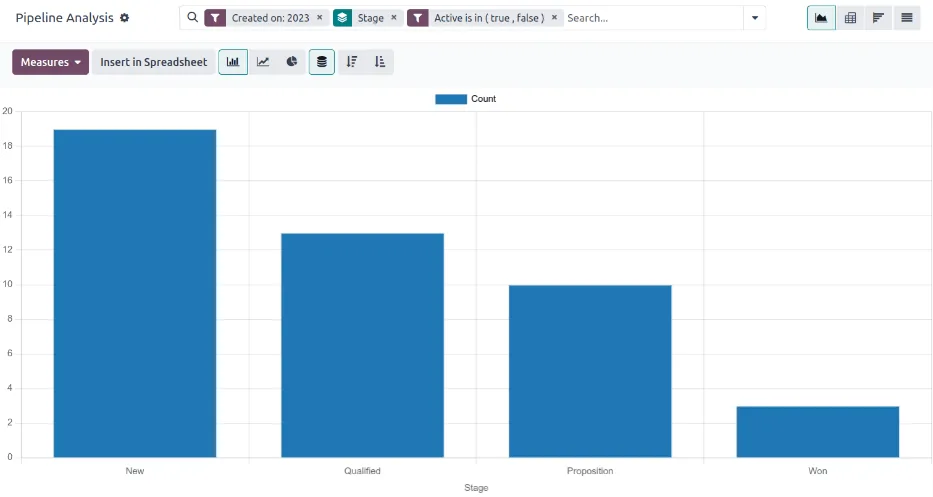
A weekly review works best from one screen everyone sees, rather than from individual spreadsheets.
All four support visual pipelines. Differences lie in how strictly stages can be enforced and how closely the pipeline links to quotes and orders. Confirm details for your edition.
| Zoho | Odoo | ERPNext | Dynamics 365 | |
|---|---|---|---|---|
| Visual pipeline | Kanban view of Deals with multiple pipelines (edition dependent) | Kanban pipeline in the CRM app, per sales team | Opportunity list and kanban views; Sales Pipeline Analytics report | Opportunity views with business process flow stages |
| Stage enforcement | Blueprint makes fields and actions mandatory per stage | Stage requirements as guidance; Studio or automation rules for enforcement | Validation through custom fields and server scripts | Business process flows with required steps |
| Link to quotations | Quotes module or Zoho Books/Inventory estimates | Quotations created from the opportunity in the Sales app | Quotation linked to Opportunity natively | Quotes on the opportunity; order handoff to finance apps via integration |
| Stalled deal alerts | Workflow rules and deal rotting indicators | Rotting days per stage highlighted on the kanban | Notifications or scheduled scripts | Sales accelerator and Power Automate flows |
| Win/loss tracking | Lost reasons and competitor fields | Lost reasons built in | Lost reasons and competitors on Opportunity | Close as won/lost with reason and competitor |
| Won deal to ERP order | Native with Zoho Books or Inventory | Same database: quotation becomes sales order | Same database: quotation becomes Sales Order | Native with Business Central via integration |
Hedged summary as of 2026. Features vary by edition and release.
The pipeline is more accurate when the activity and documents behind it are captured automatically.
The pipeline itself carries little regulation, but what flows out of it does. Confirm tax treatments with your advisor.
Quotations should show prices with the correct 5% VAT treatment, and the won deal should pass the customer TRN and place of supply to the ERP so the tax invoice is right first time.
From 2027 tax invoices move to the PINT AE format through Accredited Service Providers under the MoF timeline. Clean customer master data captured in the pipeline (legal name, TRN, address) avoids rejections later; check the latest MoF/FTA guidance.
Opportunity notes often hold personal data about contacts. Role-based access and retention rules apply under the UAE PDPL.
General information, not tax or legal advice. Rules change; confirm current FTA, MOHRE and Ministry of Finance guidance with your advisor.
Results depend on adoption. These are the benefits teams typically report.
Managers discuss exceptions on the dashboard instead of asking each person for a verbal update.
Stalled and expired deals are cleared, so the total reflects business that can actually close.
Loss reasons show where to change pricing, lead times or qualification.
Won deals reach operations as sales orders with correct prices and terms, without retyping.
Indicative ranges for one or two pipelines in a small to mid-size team.
Durations are typical ranges; your plan is agreed after discovery.
Agree stages, exit criteria, mandatory fields, probabilities and loss reasons with sales leadership.
Pipelines, stage rules, quotation link, alerts and dashboards.
Load current opportunities from spreadsheets and qualify or close the stale ones.
Connect won deals to sales orders and customer creation in the ERP.
Run reviews from the dashboard and tighten rules where the data is still weak.
We configure the system for the rules UAE businesses report against, and test it before go-live.
General information, not tax or legal advice. Confirm current requirements with the FTA, MOHRE or your advisor. See all UAE compliance guides.
On-site workshops in Dubai, Abu Dhabi and Sharjah, and remote or on-site delivery across the Northern Emirates and free zones.
Official sources and references
Facts on this page were checked against these sources in October 2026. Rules change, so confirm current requirements before acting.
Still have a question? Our consultants are happy to help.
Ask an ExpertUsually five to seven between qualified and won. Fewer and you cannot see where deals stall; more and salespeople stop updating them. Each stage should end with a buyer action you can verify.
Usually not. A nine-month tender and a weekly reorder have different stages and cycle times. Separate pipelines keep averages meaningful, while repeat business is often better tracked through sales order management in the ERP.
Set a rule: after a defined number of days with no activity, the owner must log a next step or close the deal as lost with a reason. The manager sees the list every week, which keeps the pipeline honest.
Yes. Odoo and ERPNext keep CRM and sales in one database, so a quotation becomes a sales order directly; see our Odoo Sales page. Zoho CRM links natively to Zoho Books and Inventory, and Dynamics 365 Sales connects to Business Central.
The pipeline is the working list of open deals. A sales dashboard combines pipeline data with orders, invoices and collections to show overall performance.
Deals past their close date, deals with no recent activity, and large deals that slipped a stage. Our page on ERP for sales managers covers the full weekly routine.
Related Solutions
Related Industries
Related ERP Platforms
We design stages and exit criteria with your team and configure the pipeline, alerts and ERP handoff on the right platform.
Dubai, United Arab Emirates










