
L
O
A
D
I
N
G


Zoho, Odoo, ERPNext, Dynamics 365 and custom ERP, delivered by one accountable team.

We move UAE companies from SAP Business One to Dynamics 365 Business Central, rebuilding posting logic, dimensions and VAT setup before a single record is imported.
Migrating from SAP Business One to Dynamics 365 Business Central in the UAE means rebuilding SAP B1 G/L account determination as Business Central posting groups, mapping profit centres and distribution rules to dimensions, and setting up UAE VAT posting and statement layouts before importing data. Loads use configuration packages and journals prepared from SAP B1 extracts, so they are repeatable and auditable.
Most SAP Business One to Dynamics 365 migration projects in the UAE target Business Central, Microsoft's ERP for small and mid-sized companies. The two products sit in a similar segment, so finance teams recognize many concepts. The draw is usually the Microsoft environment: Outlook and Excel add-ins, Teams, Power BI reporting and Entra ID sign-in that the company already pays for through Microsoft 365.
The biggest structural change is how postings work. In SAP B1, G/L account determination decides which accounts a document hits. Business Central uses posting groups instead: general business and product posting groups, customer and vendor posting groups, inventory posting groups and VAT business and product posting groups combine in setup matrices. Getting those matrices right is the core of the migration, because every imported customer, vendor and item references them.
We are a Microsoft Partner for Dynamics 365 based in Dubai, and we do not implement SAP. For larger groups that may need Dynamics 365 Finance and Supply Chain Management instead of Business Central, we assess that during discovery. If you are still weighing options, read our Dynamics 365 vs SAP Business One comparison first.
The products are close in scope, which can hide real differences. These are the ones we plan for.
SAP B1 can determine accounts by item group, warehouse or business partner. Business Central needs those rules expressed as posting group combinations, and missing combinations stop documents from posting.
SAP B1 supports up to five distribution rule dimensions. Business Central uses global and shortcut dimensions with dimension values on masters and lines, so the reporting structure must be agreed before journals are loaded.
Batch and serial items need item tracking codes in Business Central, and the costing method per item (FIFO, average, standard and others) must be chosen and agreed with your auditors before opening stock is posted.
Groups running several SAP B1 company databases, perhaps one mainland and one free zone entity, need to decide on separate Business Central companies plus consolidation, and on intercompany setup.
SAP B1 approval procedures and alerts are replaced by Business Central approval workflows and, where needed, Power Automate flows. The authority matrix should be simplified rather than copied.
Saved queries and Crystal layouts do not transfer. Management reports are usually rebuilt in Business Central account schedules (financial reports) or in Power BI.
The main objects and the Business Central setup each depends on.
| SAP B1 source | Business Central target | Depends on | Note |
|---|---|---|---|
| OACT chart of accounts | G/L Accounts | Account categories and income/balance type | Load before posting groups |
| Account determination | General and VAT posting setup | Business and product posting groups | Rebuilt by rule, not imported |
| OCRD customers | Customers | Customer, general business and VAT business posting groups | TRN in VAT Registration No. |
| OCRD vendors | Vendors | Vendor and VAT business posting groups | Payment terms and methods mapped |
| OITM items | Items | Inventory, general and VAT product posting groups | Costing method set per item |
| OBTN / OSRN | Item tracking entries via item journal | Item tracking codes | Lot expiry carried where used |
| OWHS / OBIN | Locations and bins | Warehouse setup per location | Decide on basic or advanced warehousing |
| OPRC distribution rules | Dimensions and dimension values | Global and shortcut dimension setup | Default dimensions on masters |
| Open A/R invoices | Customer journal opening entries | Customer posting groups | Keep SAP B1 document number and due date |
| Open A/P invoices | Vendor journal opening entries | Vendor posting groups | Original currency and rate preserved |
| G/L balances at cut-off | General journal opening balance | Dimensions on balance sheet accounts | Reconcile to SAP B1 trial balance |
Business Central data is typically loaded with configuration packages (RapidStart) and journals. Field names follow current Business Central releases.
Setup first, data second, so each import lands on valid posting logic.
We document how SAP B1 determines accounts today and translate it into Business Central posting group matrices and a dimension plan your finance controller approves.
We create the Business Central company with AED as local currency, VAT posting setup for standard-rated, zero-rated, exempt and reverse-charge cases, number series and approval workflows.
SAP B1 extracts are transformed into Business Central configuration packages, validated in a sandbox environment, and rerun until they import without errors.
Open customer and vendor documents, stock with item tracking and G/L balances are posted through journals, then reconciled against SAP B1 reports at the same cut-off.
We go live after a SAP B1 period close, then switch on Outlook integration, Excel editing and Power BI reports so users see the benefit in the first weeks.
Deliverables are documented so your team or any future partner can follow them.
Ranges for a single company on standard Business Central. Groups and advanced warehousing take longer.
Durations are typical ranges; your plan is agreed after discovery.
Process review, posting and dimension design, history scope.
Company, VAT, posting groups, workflows and report layouts configured.
Repeated loads until reconciliations match SAP B1.
End-to-end testing of sales, purchasing, stock and close.
Final load into production and support through the first month-end.
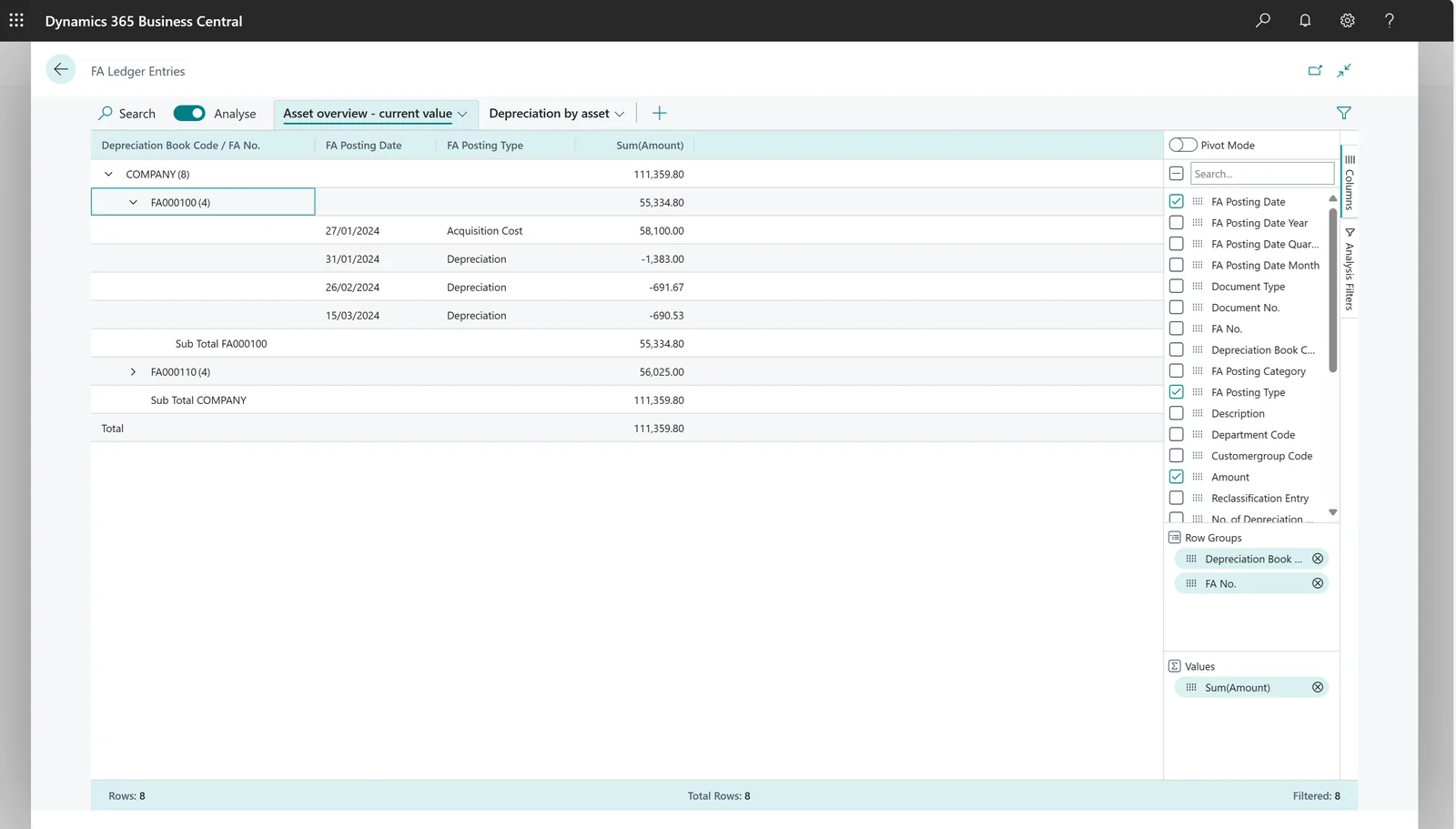
We report progress by configuration package and by reconciliation check.
Read more about Business Central and leaving SAP B1.
We configure the system for the rules UAE businesses report against, and test it before go-live.
General information, not tax or legal advice. Confirm current requirements with the FTA, MOHRE or your advisor. See all UAE compliance guides.
On-site workshops in Dubai, Abu Dhabi and Sharjah, and remote or on-site delivery across the Northern Emirates and free zones.
Official sources and references
Facts on this page were checked against these sources in October 2026. Rules change, so confirm current requirements before acting.
Still have a question? Our consultants are happy to help.
Ask an ExpertMost SAP B1 users fit Business Central, which targets a similar company size. Dynamics 365 Finance and Supply Chain Management suit larger groups with complex operations. We assess this in discovery rather than assuming.
Business Central offers assisted migration for some Microsoft and third-party sources, but for SAP Business One we use configuration packages and journals prepared from SAP B1 extracts. This gives a controlled, repeatable load.
You can, but it is a good moment to simplify. Business Central relies on dimensions for analysis, so many SAP B1 accounts that only existed to split costs by department or branch can be merged and replaced by dimension values.
VAT business and product posting groups combine into a VAT posting setup for each treatment, and the VAT statement is configured to align with your return boxes. We set this up with your tax advisor and test it on sample transactions.
Report layouts can be designed to show Arabic and English text on tax invoices. We build the layout during the project and test it with your actual customer data.
A single-company move to Business Central often runs around 10-16 weeks. Multiple companies, manufacturing or advanced warehouse management extend that, and we confirm a plan after design.
Related Solutions
Related Industries
Related ERP Platforms
Call +971 55 145 3265 or email contact@uaeerpexperts.com to start with a posting group and dimension design session.
Dubai, United Arab Emirates












