L
O
A
D
I
N
G


Zoho, Odoo, ERPNext, Dynamics 365 and custom ERP, delivered by one accountable team.

We set up Zoho Sign so UAE teams send quotes, agreements and HR documents for signature from the apps they already use, with a clear audit trail for every file.
Zoho Sign is Zoho's electronic signature app, used by UAE businesses to send quotes, contracts, NDAs, offer letters and approvals for signature without printing. It supports signing order, templates, reminders, expiry dates and a time-stamped audit trail with a completion certificate. The UAE recognises electronic signatures under Federal Decree-Law No. 46 of 2021, though some document types have special formality rules.
Zoho Sign UAE setups usually begin when a manager realizes how much time goes into printing, signing, scanning and chasing paper. Zoho Sign is Zoho's electronic signature app. It lets you send a document to one or many signers, set the order they sign in, place fields where they need to sign or fill details, and keep a time-stamped record of every view and action.
In the UAE, the documents that move through Sign are familiar: sales quotes and service agreements, supplier contracts, NDAs, offer letters, employee policy acknowledgments, tenancy and maintenance forms, and internal approvals for purchases or payments. Many signers are traveling or working across emirates, so a mobile-friendly signing link removes days from the cycle.
Sign becomes more useful when it is connected. A deal in Zoho CRM can trigger an agreement for signature, an offer in Zoho Recruit can go out for acceptance, and signed copies can be filed automatically in Zoho WorkDrive. We design those flows so people stop emailing PDFs back and forth.

The products we configure, integrate and support on projects like this one.





Product names and logos are trademarks of their respective owners and are shown only to identify the software we implement.
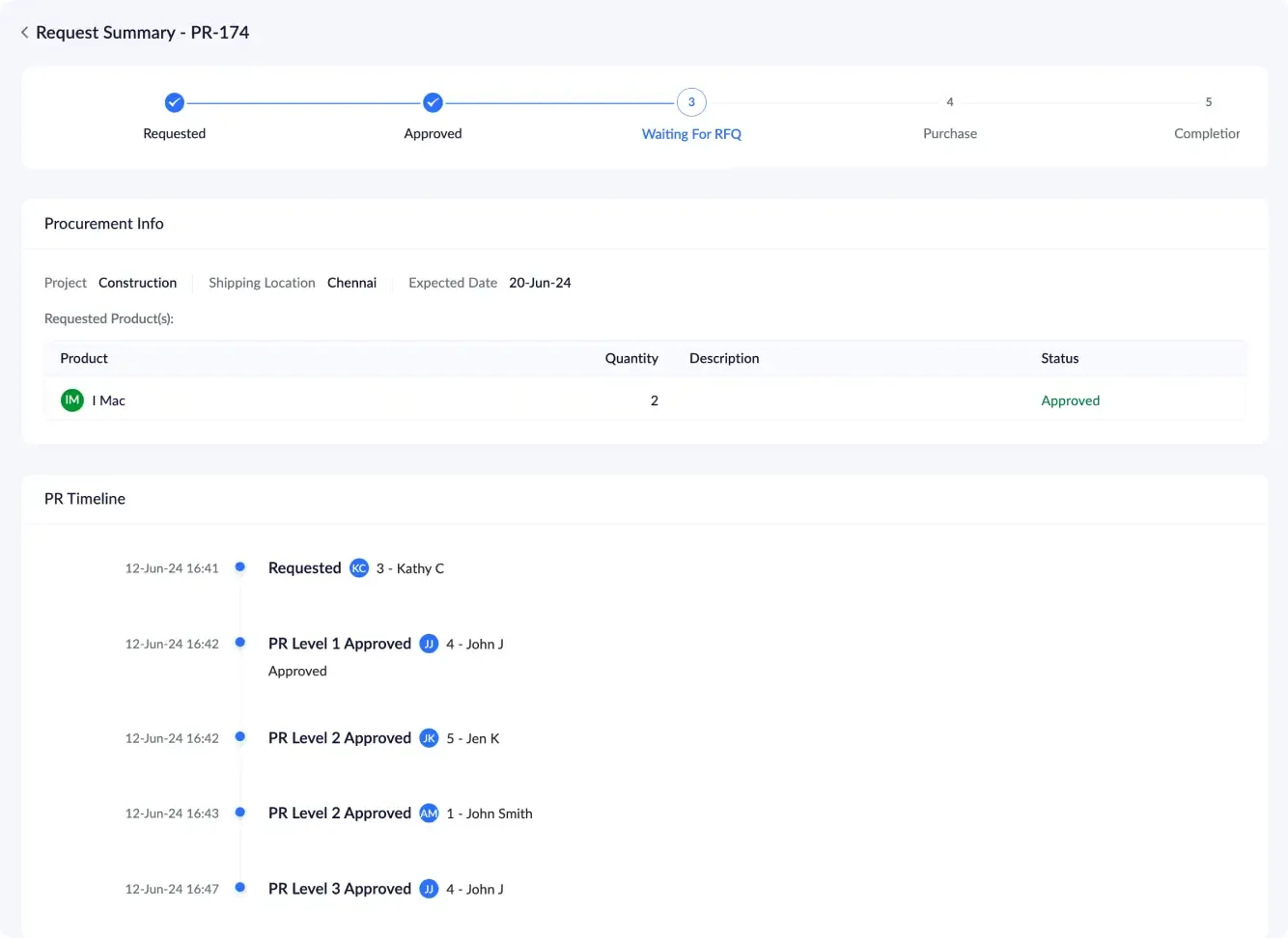
Admins and document owners see what is out for signature, who is holding it up and what has been completed this week.
This is the flow we configure for a typical service agreement raised from CRM. Other document types follow a similar pattern.
One shared database: every step updates stock, finance and reports in real time.
These are the Sign features that make the biggest difference to UAE teams.
Standard documents such as NDAs, service agreements and offer letters set up once with fields and roles, then reused by any authorized user.
Define who signs first, who only needs a copy and who must approve, which suits documents that need a manager's sign-off before the client sees them.
Public signing links for forms that many people complete, such as policy acknowledgments, event waivers or vendor registration.
Send the same document to many recipients at once, each receiving their own copy, for example annual policy updates to all staff.
A record of when each document was sent, viewed and signed, including signer email and IP details, attached as a completion certificate.
Options such as email and SMS one-time codes to confirm the signer before they can open sensitive documents.
Signers can complete documents on a phone without installing anything, while senders can track status from the Zoho Sign mobile app.
Automatic reminders and an expiry date for each request, so documents do not sit unsigned for weeks.
Most signing requests should start inside the app where the work already happens.
E-signatures are widely used in the UAE, but not every document can be signed electronically. These notes are general; confirm with your legal advisor for any specific document.
Federal Decree-Law No. 46 of 2021 on Electronic Transactions and Trust Services recognizes electronic signatures and sets out different levels of trust. Which level a document needs depends on its nature and the parties involved.
Some documents, such as certain powers of attorney, real estate title transactions and documents that require notarization, have their own formalities. We help you separate these from routine agreements that can go through Sign.
DIFC and ADGM have their own legal frameworks. If your entity sits in one of them, we align templates and signer verification with the approach your legal team confirms.
Signed contracts, tax invoices and supporting documents may be needed for VAT and corporate tax records. We set retention and filing so signed copies stay retrievable for the periods your tax advisor specifies.
General information, not tax or legal advice. Rules change; confirm current FTA, MOHRE and Ministry of Finance guidance with your advisor.
A clean template library and clear permissions matter more than the number of features switched on.
Sign works alongside the apps that generate your documents and store them.
We configure the system for the rules UAE businesses report against, and test it before go-live.
General information, not tax or legal advice. Confirm current requirements with the FTA, MOHRE or your advisor. See all UAE compliance guides.
On-site workshops in Dubai, Abu Dhabi and Sharjah, and remote or on-site delivery across the Northern Emirates and free zones.
Official sources and references
Facts on this page were checked against these sources in October 2026. Rules change, so confirm current requirements before acting.
Still have a question? Our consultants are happy to help.
Ask an ExpertThe UAE recognizes electronic signatures under Federal Decree-Law No. 46 of 2021, and they are widely used for commercial documents. Some document types have special formalities, so check with your legal advisor for anything unusual.
Zoho Sign is part of the Zoho One bundle and is also available as a standalone subscription. Limits on documents and features depend on the plan, which we review with you.
Yes. With the integrations enabled, users can send documents for signature from inside CRM and other Zoho apps, and the record is updated when signing is complete.
The document content can be in Arabic, English or both, since you upload or generate the document yourself. We test field placement on bilingual templates so signature boxes line up correctly.
Each completed document comes with a completion certificate and audit trail showing when it was sent, viewed and signed, along with signer details.
Basic setup with users and a handful of templates can take a few days. Connecting Sign to CRM, Recruit and WorkDrive with automated filing usually takes one to three weeks.
Related Solutions
Related ERP Platforms
Ask our Dubai team to set up Zoho Sign UAE workflows for your contracts, quotes and HR documents.
Dubai, United Arab Emirates