L
O
A
D
I
N
G


Zoho, Odoo, ERPNext, Dynamics 365 and custom ERP, delivered by one accountable team.

We set up Zoho Workplace for UAE companies, from domain and DNS records to mailbox migration and user training, so the switch happens without lost email.
Zoho Workplace gives UAE companies business email on their own domain through Zoho Mail, plus Zoho Cliq chat, Zoho Meeting, WorkDrive file storage and the Writer, Sheet and Show editors, managed from one admin console. Setting it up involves DNS records, spam protection, shared mailboxes, mobile devices and migrating existing mailboxes from Microsoft 365, Google Workspace or IMAP hosting.
Zoho Workplace UAE projects are about the tools staff open first every morning: email, chat, calendar, meetings and documents. Zoho Workplace bundles Zoho Mail, Zoho Cliq for team chat, Zoho Meeting, Zoho WorkDrive for files, and the Writer, Sheet and Show office editors. It runs on your company domain and is managed from one admin console.
Many UAE companies arrive at Workplace from one of three places. Some are on email from their web hosting provider, with small mailboxes and no shared calendars. Others pay for Microsoft 365 or Google Workspace and want to consolidate on Zoho because they already run Zoho CRM or Books. A third group is a new company, often in a free zone, that needs professional email set up correctly on day one.
The setup itself is short, but the details matter: DNS records, spam protection, mailbox migration, mobile devices, and shared mailboxes for addresses like info@ and accounts@. We handle those steps and connect Workplace to the business apps you use, such as Zoho CRM, so emails with customers are visible against their records.

The products we configure, integrate and support on projects like this one.





Product names and logos are trademarks of their respective owners and are shown only to identify the software we implement.
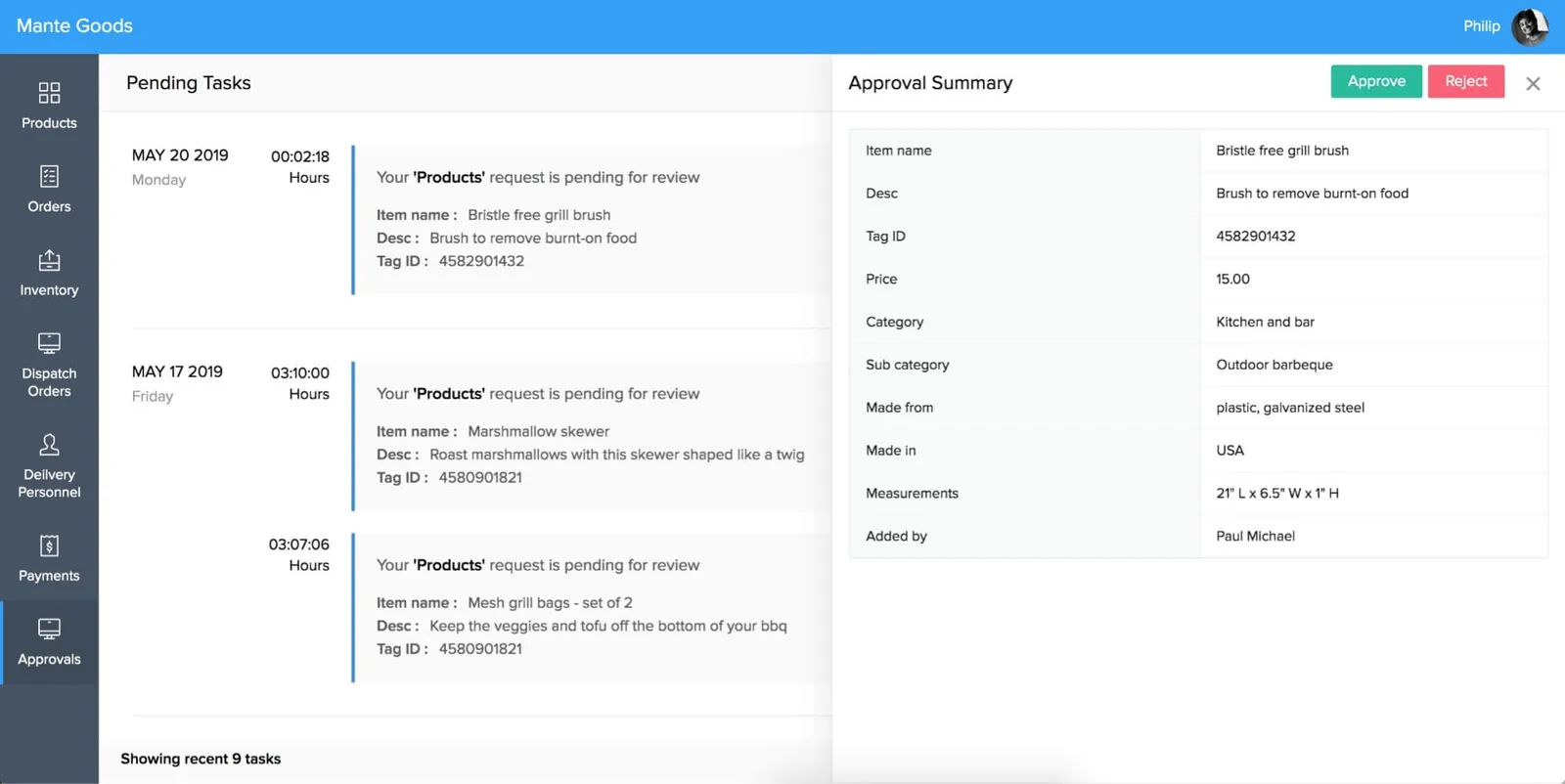
Workplace is administered from one console, so a small IT team or an office manager can keep users, security and storage under control.
Moving email is the riskiest part. We follow this order so mail keeps flowing throughout.
One shared database: every step updates stock, finance and reports in real time.
Each app in the bundle has settings worth getting right at the start.
Mailboxes, aliases, distribution groups and shared mailboxes, with SPF, DKIM and DMARC records set so your email reaches inboxes.
Team chat with channels per department, project or branch, plus bots and alerts from other Zoho apps.
Video meetings and webinars from the browser, scheduled from the calendar and joinable from mobile.
Shared calendars for meeting rooms and teams, with UAE public holidays and working week patterns.
Team folders and file sharing so documents leave personal laptops and email attachments.
Browser-based documents, spreadsheets and presentations that open Microsoft Office formats.
Two-factor authentication, login policies, mobile device rules and admin audit logs.
Retention and search options, depending on plan, for companies that need to preserve email for legal or regulatory reasons.
Workplace becomes more useful when email and chat are linked to the apps where business happens.
Email holds a large share of a company's records. These notes are general; confirm specific requirements with your legal or tax advisor.
Invoices, contracts and correspondence sent by email can form part of the records needed for VAT and corporate tax. Use retention settings and a clear archive policy rather than relying on individual mailboxes.
Mailboxes contain personal data covered by the UAE Personal Data Protection Law. We set access rules for shared mailboxes and agree what happens to a leaver's mailbox.
Zoho operates regional data centres. We confirm where your Workplace data is hosted and record it for clients or auditors who ask.
General information, not tax or legal advice. Rules change; confirm current FTA, MOHRE and Ministry of Finance guidance with your advisor.
Most email migration problems come from skipped preparation. These steps prevent them.
Explore the apps inside Workplace and the services that support your move.
We configure the system for the rules UAE businesses report against, and test it before go-live.
General information, not tax or legal advice. Confirm current requirements with the FTA, MOHRE or your advisor. See all UAE compliance guides.
On-site workshops in Dubai, Abu Dhabi and Sharjah, and remote or on-site delivery across the Northern Emirates and free zones.
Official sources and references
Facts on this page were checked against these sources in October 2026. Rules change, so confirm current requirements before acting.
Still have a question? Our consultants are happy to help.
Ask an ExpertYes. Zoho has migration tools for both, and we plan the move mailbox by mailbox, including calendars and contacts where supported. We schedule the MX switch to keep email flowing.
Zoho One includes the main Workplace apps, such as Mail, Cliq, WorkDrive and the office editors. If you already have Zoho One, we can activate them without a separate purchase.
No. Zoho Mail runs on your existing domain, so addresses stay the same. Only the service behind them changes once the DNS records are updated.
Many do. Zoho Mail works with Outlook and with mobile mail apps through standard protocols, and Zoho also offers its own desktop and mobile apps.
For a company with a few dozen mailboxes, planning, migration and cutover often fit into one to three weeks. Very large mailboxes or many shared addresses take longer.
Zoho Mail can send and receive Arabic email, and the interface offers multiple languages. We test right-to-left signatures and templates during setup.
Related Solutions
Related Industries
Related ERP Platforms
Talk to our Dubai team about a Zoho Workplace UAE setup and email migration with no lost messages.
Dubai, United Arab Emirates