L
O
A
D
I
N
G


Zoho, Odoo, ERPNext, Dynamics 365 and custom ERP, delivered by one accountable team.

Orders, payments, attendance and invoices should flow into ERPNext on their own. We design and build integrations that are monitored, logged and easy to support.
ERPNext integrates through the Frappe REST API, which exposes every document type with token or OAuth authentication, plus webhooks that push changes when documents are saved and a background job queue for retries. Systems without APIs can exchange CSV, XML or JSON files on a schedule. For UAE e-invoicing, ERPNext connects to the appointed Accredited Service Provider using PINT AE data.
An ERP only gives one version of the truth if the data reaches it. When web orders are retyped, bank statements uploaded by hand and attendance copied from a device spreadsheet, ERPNext becomes another place to reconcile. ERPNext Integration UAE projects we deliver remove that retyping, so sales, stock, cash and payroll data arrive in ERPNext automatically and on time.
Technically, ERPNext is well suited to integration. Every document type, standard or custom, is available through the Frappe REST API with token or OAuth authentication. Webhooks can push changes out the moment a document is saved or submitted, and the background job queue handles retries and large batches. For systems that only exchange files, scheduled imports and exports in CSV, XML or JSON fill the gap.
Integration is also central to UAE e-invoicing. The Peppol-based model using the PINT AE specification routes invoices through Accredited Service Providers, so ERPNext must hand structured invoice data to your chosen ASP and record the response. Our UAE e-invoicing ERP page explains the wider program; this page covers how we connect ERPNext to it and to everything else.

The products we configure, integrate and support on projects like this one.
 ERPNext
 Frappe HR
 Frappe Framework
 Frappe CRM
Product names and logos are trademarks of their respective owners and are shown only to identify the software we implement.
Most of these come from quick connectors built without monitoring or a clear data owner.
Each online order creates a new customer or item because the connector matches on the wrong field. Reports split one customer into ten.
A token expires or an API changes, orders stop flowing, and nobody notices until stock runs out or a customer complains.
Gateway payouts arrive as one lump sum net of fees, and finance spends days matching them to individual invoices.
Store taxes and ERPNext tax templates do not match, so shipping charges, discounts or zero-rated exports post with the wrong VAT.
Invoices are still PDFs by email, with no field mapping to PINT AE and no ASP chosen, while the mandatory dates approach.
Each integration follows the same discipline, whether it is a single bank feed or a multi-store setup.
We list every object exchanged, which system owns it, the direction and frequency, and how records are matched, such as SKU, email or TRN.
Real-time webhook, scheduled API pull, middleware or file exchange, chosen by volume, urgency and what the other system supports.
The connector is built in your custom Frappe app with an integration log for every request and response, and automatic retries for temporary errors.
We test refunds, partial shipments, multi-currency payments, zero-rated exports and cancelled orders, not just the happy path.
Failure alerts go to a named person by email or chat, and a dashboard shows sync health at a glance.
A sample of connections requested by UAE companies.
Ranges per integration. Several can run in parallel once the mapping is agreed.
Durations are typical ranges; your plan is agreed after discovery.
Agree data ownership, matching keys, tax mapping and error handling.
Obtain API credentials and test accounts from the other system's provider.
Connector, logs, retries and alerts built in your custom app.
Edge cases and volume tests on staging with real sample data.
Switch on in production and watch logs closely during the first cycles.
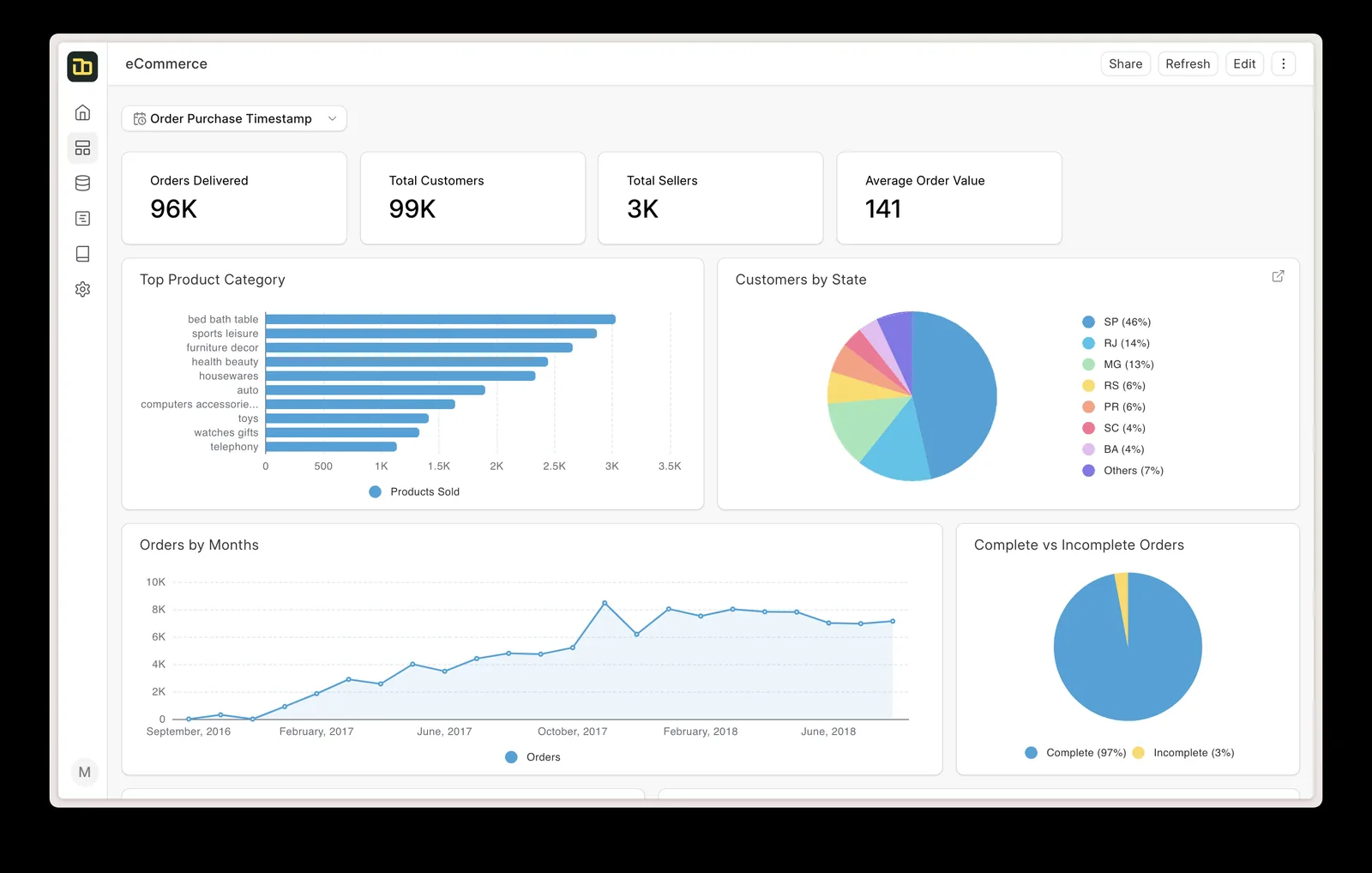
For online sellers we add an ERPNext workspace that shows order flow from each channel and flags anything stuck.
Outcomes our clients describe, without invented figures.
Orders, receipts and attendance arrive in ERPNext without retyping, and staff time shifts to checking exceptions.
Payouts and bank lines are matched to invoices automatically, leaving only real differences for finance.
Stores show what the warehouse actually holds, reducing overselling.
Invoice data is structured and handed to your ASP, so the mandatory date is a switch-over, not a scramble.
More on connecting your systems.
We configure the system for the rules UAE businesses report against, and test it before go-live.
General information, not tax or legal advice. Confirm current requirements with the FTA, MOHRE or your advisor. See all UAE compliance guides.
On-site workshops in Dubai, Abu Dhabi and Sharjah, and remote or on-site delivery across the Northern Emirates and free zones.
Official sources and references
Facts on this page were checked against these sources in October 2026. Rules change, so confirm current requirements before acting.
Still have a question? Our consultants are happy to help.
Ask an ExpertYes. The Frappe Framework exposes every document type through a REST API, plus webhooks and whitelisted server methods for custom endpoints. That makes most integrations straightforward to build and maintain.
Under the UAE model, invoices are exchanged through Accredited Service Providers rather than sent directly. We connect ERPNext to the ASP you appoint so it receives PINT AE data. Check the latest Ministry of Finance and FTA guidance for dates and requirements.
Both. Where a maintained connector exists and fits, we configure it. Where it does not, or where matching and tax rules are specific, we build the connector in your custom app with full logging.
We map each store or channel tax to an ERPNext tax template, including shipping, discounts and zero-rated exports, and test the results with your finance team. Tax treatment should be confirmed with your tax advisor.
Every request is logged. Temporary errors retry automatically, and persistent failures alert a named person with the record and error so it can be fixed and resent.
Related Solutions
Related Industries
Related ERP Platforms
List the systems you want connected and we will map the data flows and propose the right integration method for each.
Dubai, United Arab Emirates