L
O
A
D
I
N
G


Zoho, Odoo, ERPNext, Dynamics 365 and custom ERP, delivered by one accountable team.

Software as a service removes servers and upgrade projects from your to-do list. In return you accept the vendor's release schedule, its limits on customization and its terms for leaving.
SaaS ERP in the UAE means the vendor runs the software as a subscription service, removing servers and upgrade projects but imposing its release schedule, customisation limits and exit terms. Zoho's apps, Odoo Online and Dynamics 365 Business Central online are typical examples. Before signing, confirm data export rights, hosting location and what happens to your records if you cancel.
SaaS ERP in the UAE means the vendor runs the software for you as a service. You do not get a server, a copy of the code or control over when versions change. You get a login, a service level, and a subscription. Zoho's apps, Odoo Online and Dynamics 365 Business Central online are typical examples. This is narrower than "cloud ERP", which can also include an ERP you host yourself on a rented cloud server.
Most SaaS ERP products are multi-tenant: many customers share the same application and infrastructure, with each company's data logically separated. That shared model is why the vendor can update everyone at once, keep prices per user relatively low and offer high availability without you employing a system administrator. It is also why you cannot install any code you like or postpone an update indefinitely.
This page is for owners, finance heads and IT managers weighing those trade-offs. We implement SaaS and self-hosted options across Zoho, Odoo, ERPNext and Dynamics 365, so we have no reason to push one model. What we do insist on is an exit plan before signing.
None of these are reasons to avoid SaaS. They are reasons to choose carefully and keep control of the parts that matter.
A screen layout or report changes overnight and users are confused at month-end. On true SaaS you can test early, but you cannot refuse the update forever.
Multi-tenant platforms restrict code changes to protect every customer. A process that needs deep custom logic may not fit, or may need a separate app alongside.
Exporting tables is usually possible. Rebuilding years of automations, approval rules and integrations on another system is the harder part of leaving.
Subscription terms can change between contract periods. Without a budget buffer, a per-user increase across a large team is felt immediately.
Some sectors and government-linked customers ask where data is stored. Not every SaaS plan lets you choose a region.
We review these with every client before a SaaS subscription is signed. Ask your vendor or partner the same questions.
Is the application shared multi-tenant or a dedicated instance? How is your data separated, encrypted and backed up?
How often do major and minor updates arrive, how much notice is given, and is there a sandbox or preview to test them first?
Can you add fields, workflows, scripts or full extensions? Are custom extensions kept compatible through upgrades, and who fixes them if not?
Can you export full data at any time, in which formats, and does that include attachments, audit logs and history?
Which region hosts your tenant, and can you choose one closer to the UAE if a customer or regulator asks?
How long is data kept after cancellation, is there a read-only period, and are export services charged?
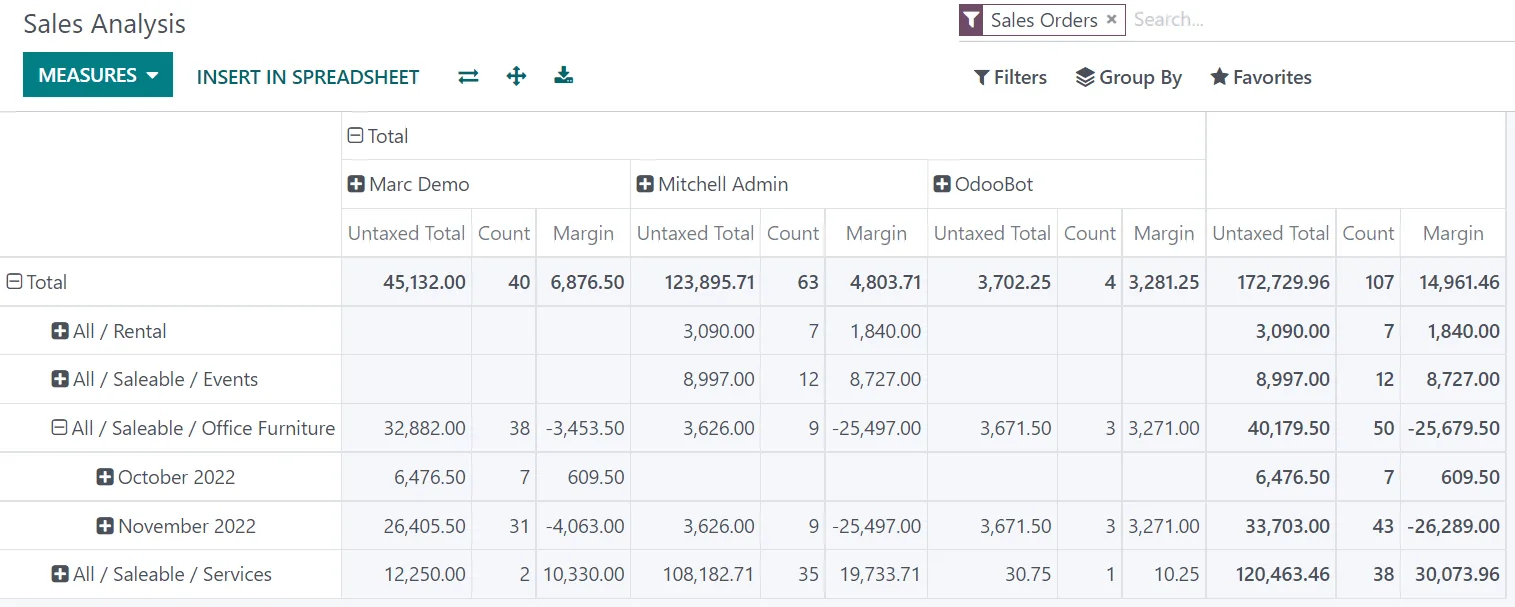
One practical defense against lock-in is keeping key management reports in a layer you control, fed from the SaaS ERP through its API.
A summary of the service model as we understand it today. Vendors change their offerings, so we verify current terms during selection.
| Zoho apps | Odoo Online | ERPNext on Frappe Cloud | Business Central online | |
|---|---|---|---|---|
| Service model | Multi-tenant SaaS | Vendor-hosted SaaS | Managed hosting of open-source ERPNext; shared or dedicated plans | Multi-tenant SaaS on Microsoft cloud |
| Updates | Rolled out continuously by Zoho | Applied by Odoo; major version upgrades on Odoo's schedule | Managed updates; you can control timing more than pure SaaS | Two major release waves a year plus regular minor updates |
| Customization | Custom fields, workflows, Deluge scripts, Creator apps | Odoo Studio; no custom Python modules | Custom fields, scripts and custom apps | Extensions written in AL, published per tenant or via AppSource |
| Data export | Export from each app; backup options vary by app | Database backup download available | Full database and file backups downloadable | Data export via APIs, configuration packages and Excel |
| Route if you outgrow it | Combine apps or add Creator | Move to Odoo.sh or self-hosting | Self-host the same open-source code | Stay on Business Central with more extensions, or move to Dynamics 365 Finance |
ERPNext is the least locked-in option because the same code can run anywhere. Business Central and Zoho offer the least server effort.
Plan the whole lifecycle at the start. Durations are illustrative.
Durations are typical ranges; your plan is agreed after discovery.
Compare tenancy, extension model, export rights and renewal terms side by side.
Configure within the vendor's extension model so upgrades stay safe.
Test in a sandbox or preview, brief users on changes, recheck integrations.
Check usage, licenses, renewal pricing and whether the platform still fits.
Run a full data export and confirm it can be read outside the platform.
With SaaS, the vendor builds most compliance features, but responsibility for correct filings stays with you. Confirm details with your tax advisor.
Ensure tax invoices, credit notes and VAT return workings can be retrieved for the full retention period, even after you leave the platform.
Ask how the vendor will support PINT AE invoices through Accredited Service Providers for the January 2027 and July 2027 phases. Check the latest Ministry of Finance / FTA guidance as dates may move.
Keep year-end trial balances and adjustment schedules exported and archived outside the SaaS tenant to support your corporate tax return on EmaraTax.
General information, not tax or legal advice. Rules change; confirm current FTA, MOHRE and Ministry of Finance guidance with your advisor.
Chosen with open eyes, SaaS ERP delivers clear operational benefits.
New features and security fixes arrive without a separate project or server work.
No servers, database administration or backup hardware to manage in-house.
Vendors run monitored, redundant infrastructure that most SMEs could not justify alone.
Subscription fees are easier to budget than irregular hardware and upgrade spending.
Compare hosting models and platforms, or plan a move between systems.
We configure the system for the rules UAE businesses report against, and test it before go-live.
General information, not tax or legal advice. Confirm current requirements with the FTA, MOHRE or your advisor. See all UAE compliance guides.
On-site workshops in Dubai, Abu Dhabi and Sharjah, and remote or on-site delivery across the Northern Emirates and free zones.
Official sources and references
Facts on this page were checked against these sources in October 2026. Rules change, so confirm current requirements before acting.
Still have a question? Our consultants are happy to help.
Ask an ExpertMajor SaaS vendors invest heavily in security, encryption and redundancy. Your remaining responsibilities are user management, multi-factor authentication, role design and checking where data is hosted if customers or regulators ask.
Usually only for a limited period. Business Central allows some scheduling of update windows, and other vendors give advance notice. The safer approach is to test each release in a sandbox and keep customizations within the supported extension model.
Confirm export rights in the contract, run a yearly export test, document your workflows and integrations, and keep management reporting in a layer you control. Open-source options such as ERPNext reduce lock-in further.
Terms differ by vendor. Most offer a window to export data after cancellation, after which it is deleted. Agree the export format and timing before signing, and take a full export before giving notice.
Only within limits. Fields, workflows and scripts are widely supported; deep changes to core posting logic usually are not. If your processes need that, consider Odoo.sh, self-hosted ERPNext or custom ERP software.
Related Solutions
Related Industries
Related ERP Platforms
Related Guides
We will compare tenancy, update rules, extension limits and exit terms for your shortlist, without favoring any vendor.
Dubai, United Arab Emirates