L
O
A
D
I
N
G


Zoho, Odoo, ERPNext, Dynamics 365 and custom ERP, delivered by one accountable team.

Decide which Dynamics 365 customer engagement apps you need, design a shared customer data model, and connect CRM to finance so every team works from one record.
Dynamics 365 CRM is a set of Microsoft customer engagement apps, namely Dynamics 365 Sales, Customer Service, Field Service and Customer Insights, all built on the Dataverse data platform. UAE companies get the best results by choosing the right licence mix, designing one shared customer model in Dataverse, extending with Power Apps and Power Automate, and connecting CRM to their ERP.
When companies search for Dynamics 365 CRM UAE options, they often expect one product with one price. In practice Microsoft's CRM is a set of customer engagement applications: Dynamics 365 Sales, Customer Service, Field Service and Customer Insights for marketing, all built on a shared data platform called Dataverse.
That structure is useful but easy to get wrong. A Dubai group might buy Sales licences for every user when half of them only need to view accounts, or build three separate customer lists because marketing, sales and service were configured by different teams. This page is about the architecture decisions that sit above the individual apps.
We help UAE companies choose which apps they need now, design one customer data model in Dataverse, extend it with the Power Platform where standard features stop, and connect the CRM to Business Central or Dynamics 365 Finance so customer, price and invoice data stay consistent.
The benefit of getting this right is practical. When a key account calls with a complaint, the agent sees the open quote. When a salesperson prepares a renewal, they see how many service visits the customer needed last year. That only works when every app reads from the same account record.
Companies that previously used Dynamics CRM on-premises, Salesforce or a home-grown database also come to us when planning a move. In those cases the data model review matters even more, because years of custom fields and duplicate accounts usually need cleaning before migration.

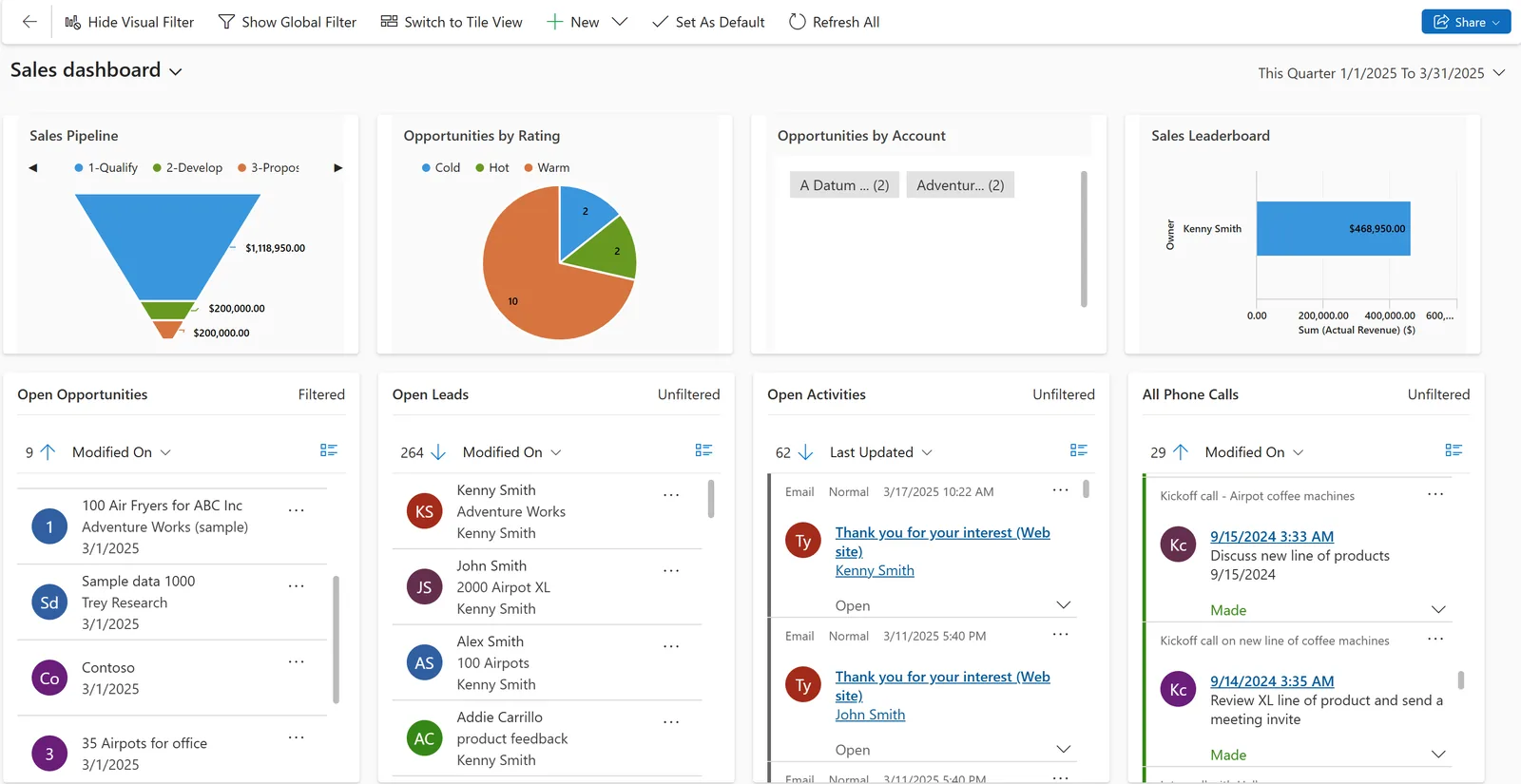
Because all CE apps share Dataverse, a customer record can show sales, service and marketing activity together.
How a UAE B2B customer typically moves through the CRM family.
One shared database: every step updates stock, finance and reports in real time.
Which apps and platform tools you combine depends on the teams that face customers.
Leads, opportunities, quotes and forecasting for account managers and sales leadership.
Cases, queues, SLAs and knowledge management for support teams and contact centres.
Work orders, scheduling and a mobile app for technicians who visit customer sites.
Customer journeys, email and event marketing, and segmentation across customer data.
The shared database that holds accounts, contacts and activities with security roles and business units.
Custom model-driven apps for processes the standard apps do not cover, such as tender registers or partner onboarding.
Approvals, notifications and integrations triggered by CRM events without heavy custom code.
Cross-app reporting that combines CRM data with ERP figures for management dashboards.
These are the integrations we design most often for UAE CRM platforms.
A single customer database needs clear rules on access and data quality. Confirm legal points with your advisors.
Business units, security roles and field security control who sees which customers, which matters for groups with several UAE and GCC entities and for UAE data protection requirements.
Microsoft has cloud regions in the UAE. Environment location is chosen at creation, so we confirm region availability for each app before provisioning.
TRN, legal name and address fields kept in CRM and synced to the ERP support correct VAT invoices at 5% and future e-invoicing under PINT AE. Check the latest Ministry of Finance and FTA guidance.
Customer Insights consent and subscription centres record opt-ins and opt-outs for email and SMS campaigns.
General information, not tax or legal advice. Rules change; confirm current FTA, MOHRE and Ministry of Finance guidance with your advisor.
Architecture choices that are hard to change later.
Individual apps, comparisons and services.
We configure the system for the rules UAE businesses report against, and test it before go-live.
General information, not tax or legal advice. Confirm current requirements with the FTA, MOHRE or your advisor. See all UAE compliance guides.
On-site workshops in Dubai, Abu Dhabi and Sharjah, and remote or on-site delivery across the Northern Emirates and free zones.
Official sources and references
Facts on this page were checked against these sources in October 2026. Rules change, so confirm current requirements before acting.
Still have a question? Our consultants are happy to help.
Ask an ExpertDynamics CRM was the earlier on-premises and online product. Its functions now live in the Dynamics 365 customer engagement apps such as Sales and Customer Service. Older on-premises versions can be upgraded or migrated.
Rarely. Most UAE companies start with one or two apps. Because they share Dataverse, you can add others later without rebuilding the customer model.
Microsoft provides integration options between CE apps and Business Central or Finance and Operations apps. We also build integrations to other ERPs through APIs or Power Automate.
Yes. Arabic is a supported user interface language, and records store Arabic text. Right-to-left layout applies when users choose Arabic.
It depends on users, budget and the rest of your systems. Companies already on Microsoft 365 and Dynamics ERP often benefit from Dynamics, while smaller teams may prefer Zoho. See our Zoho vs Dynamics 365 for SMEs comparison.
Yes. We map Salesforce objects to Dataverse tables, clean duplicates and migrate accounts, contacts, opportunities and history in tested batches.
Related Solutions
Related Industries
Related ERP Platforms
Tell us which teams face your customers and we will recommend the right mix of Dynamics 365 apps and integrations.
Dubai, United Arab Emirates