L
O
A
D
I
N
G


Zoho, Odoo, ERPNext, Dynamics 365 and custom ERP, delivered by one accountable team.

Many UAE companies have run Sage for a decade or more. We help you move that data into Odoo, Zoho, ERPNext or Dynamics 365 without losing the structure your reports depend on.
A Sage to ERP migration in the UAE depends on the source: Sage 50, Sage 300 (Accpac) or Sage X3 each store and export data differently. Data is extracted, Sage 300 account segments are split into natural accounts and analytic dimensions, and the old database stays readable for audit. Common targets are Odoo, Zoho, ERPNext and Dynamics 365 Business Central.
A Sage to ERP migration in the UAE is rarely one kind of project, because "Sage" covers very different products. Sage 50 is a desktop accounting package used by small trading and service firms. Sage 300, which many in the region still call Accpac, has been a common mid-market choice for distributors and contractors across the Gulf, often on SQL Server with modules for general ledger, receivables, payables, inventory control, order entry and purchase orders. Sage X3 sits higher again, with manufacturing and multi-site supply chain.
Each one stores data differently, exports differently and carries different years of customization. A Sage 300 company with segmented account codes, optional fields and custom reports needs a very different plan from a Sage 50 user with one company file. What they share is the reason for moving: aging servers, reports that only one person knows how to run, add-ons that are no longer maintained, and a need for cloud access, e-invoicing readiness and better links to sales and stock.
We do not implement Sage. We migrate away from it into the platforms we are partners for: Zoho, Odoo, ERPNext and Microsoft Dynamics 365, or a custom ERP where that fits. This page is the platform-neutral view. If you have already chosen a destination, see Sage to Odoo or Sage to Zoho.

These are the points that tend to cause delays when UAE businesses move off Sage.
Sage 300 account numbers often combine natural account, department and branch in one code, so a single expense type can exist as dozens of accounts. Modern ERPs split this into one account plus analytic tags or dimensions, which needs a careful mapping table.
Years of optional fields on customers, items and documents hold information nobody has documented. We list them, ask who uses each one, and decide whether it becomes a field, a tag or is retired.
Some UAE companies are on Sage versions several releases behind, running on servers that are hard to back up. Extraction may need to happen directly from the database with read-only queries.
Payroll, landed cost, project and reporting add-ons from local resellers store data in their own tables. Their logic has to be understood before it can be rebuilt in the new ERP.
Trading companies dealing in USD, EUR and AED often have revaluation entries and rate tables that must reconcile. Open foreign-currency balances need to arrive with original and AED values.
Some teams begin cleansing before deciding where the data is going. The target platform shapes the mapping, so the decision should come first.
Field and object mapping we document for Sage to ERP projects. Target names vary by platform; the right-hand column shows the general approach.
| Sage source | Typical target object | Approach |
|---|---|---|
| GL accounts with segments (Sage 300) | Natural accounts plus analytic accounts, tags or dimensions | One account per natural code; department and branch segments become analytic values |
| Nominal codes and departments (Sage 50) | Chart of accounts and cost centers | Grouped by UAE reporting needs and corporate tax schedules |
| Customers and ship-to locations | Customer records with delivery addresses | TRN, emirate, credit limit and terms checked; duplicates merged |
| Vendors and remit-to locations | Supplier records with bank details | Local, GCC and overseas suppliers flagged for VAT treatment |
| Inventory items, units and locations | Products, units of measure and warehouses | Item codes kept where useful; dead stock archived |
| Tax groups and tax classes | Tax codes for UAE VAT treatments | Standard, zero-rated, exempt, out of scope and reverse charge mapped explicitly |
| Open AR and AP documents | Open invoices and bills, or opening entries per document | Original dates and currencies kept for ageing |
| Optional fields | Custom fields, tags or retired | Agreed field by field with users |
| Fiscal period balances | Opening trial balance plus summary history | Monthly balances for comparatives where reporting needs them |
Tax code mapping should be confirmed with your tax advisor before go-live.
The order matters. We decide the destination and design first, then move data in tested cycles.
We list which Sage product and version you run, which modules are active, which add-ons exist, and how many companies and years of data are stored.
Using your processes and growth plans, we compare Zoho, Odoo, ERPNext and Dynamics 365 and recommend one, with honest reasons and trade-offs.
Chart of accounts, analytic dimensions, tax setup, warehouses and numbering are designed in the target ERP before data is touched.
Data is pulled through Sage export tools or read-only database queries, then transformed using a documented mapping workbook.
Test loads go into a sandbox. Finance compares trial balance, ageing and stock value against Sage and signs off each object.
Final balances are loaded at period end, Sage is set to read-only, and a database backup is stored for the retention period your advisors recommend.
Pull these together early. Most delays in Sage projects come from missing answers, not from technology.
Ranges are typical for a single-company Sage 300 or Sage 50 site. Multi-company or Sage X3 projects with manufacturing are usually longer.
Durations are typical ranges; your plan is agreed after discovery.
Version, modules, add-ons, data volumes and data quality reviewed.
Target ERP confirmed and the account, tax and inventory structure designed.
Mapping workbook built and first extracts transformed.
Repeated sandbox loads until balances and counts match.
Production load, first close in the new ERP and Sage archived.
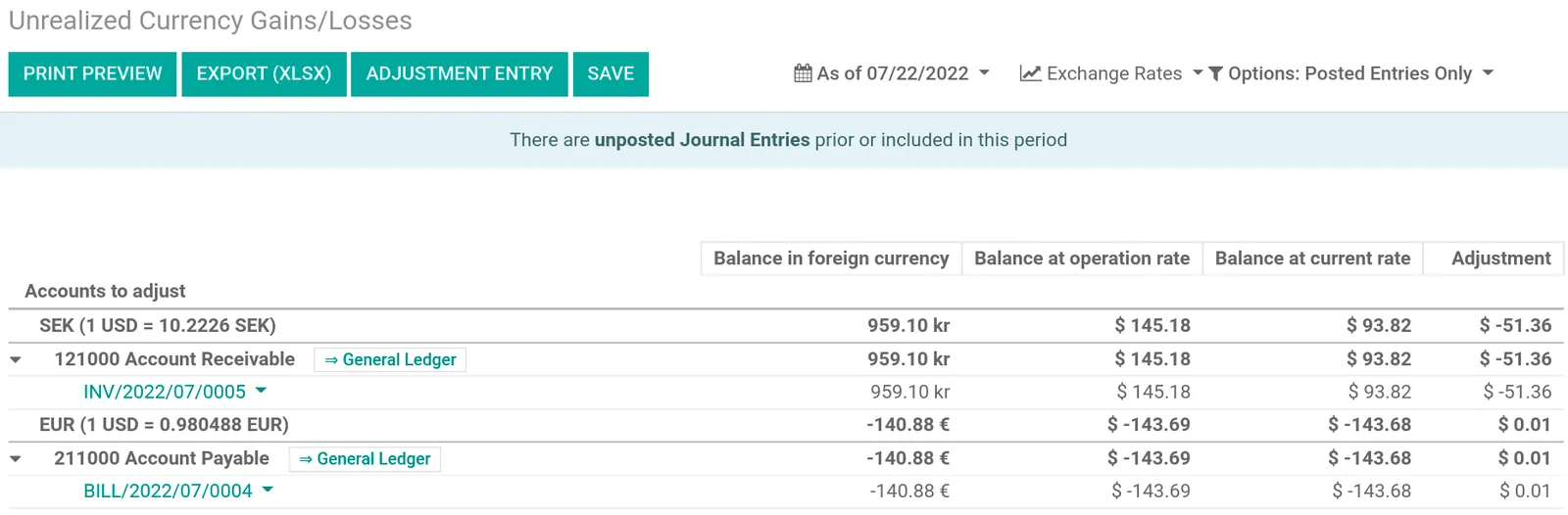
Because Sage data often comes from several modules and add-ons, we track each source table separately.
Destination-specific guides and other source systems we migrate from.
We configure the system for the rules UAE businesses report against, and test it before go-live.
General information, not tax or legal advice. Confirm current requirements with the FTA, MOHRE or your advisor. See all UAE compliance guides.
On-site workshops in Dubai, Abu Dhabi and Sharjah, and remote or on-site delivery across the Northern Emirates and free zones.
Official sources and references
Facts on this page were checked against these sources in October 2026. Rules change, so confirm current requirements before acting.
Still have a question? Our consultants are happy to help.
Ask an ExpertIt depends on your operations. Distributors often fit Odoo or Dynamics 365 Business Central, service firms often fit Zoho, and companies wanting open-source control often choose ERPNext. We recommend after reviewing your processes, not before.
Usually yes. If the built-in export tools do not work, we read the data through read-only database queries. We never write back to the Sage database.
Segments are normally split into a natural account and analytic values such as department or branch. This keeps the chart of accounts short while preserving the reporting you had.
We keep the Sage database and a read-only way to view it, alongside exported reports. UAE tax rules require records to be retained for several years, so confirm the exact period with your tax advisor.
We plan customer, supplier and item data so the fields needed for PINT AE e-invoices through an Accredited Service Provider are captured. Check the latest Ministry of Finance and FTA guidance for the dates that apply to you.
Related Solutions
Related Industries
Related ERP Platforms
Tell us your Sage product, version and modules and we will suggest a target platform and migration approach.
Dubai, United Arab Emirates