L
O
A
D
I
N
G


Zoho, Odoo, ERPNext, Dynamics 365 and custom ERP, delivered by one accountable team.

Move from an older Odoo release, from Community to Enterprise, or from your own server to Odoo.sh, with custom code ported and accounting history checked line by line.
To upgrade Odoo in the UAE, audit the current database, run a test upgrade, port or replace custom modules and third-party apps, reconcile the trial balance, VAT reports and stock valuation, then rehearse before cutting over. The same approach covers Community-to-Enterprise moves and switching to Odoo.sh hosting. Odoo officially supports only its three most recent major versions.
This page covers Odoo Migration UAE projects where the company already runs Odoo and needs to move it: to a newer major version, to a different edition, or to different hosting. If you are coming from Tally, QuickBooks, Sage or spreadsheets, that is a different job, and our Odoo migration services page explains how we bring data in from other systems.
Odoo releases a new major version every year and officially supports only the three most recent ones. Many UAE businesses that went live on Odoo 12, 13 or 14 are now running unsupported software, with custom modules that nobody has touched since the original partner left. Each skipped release makes the eventual jump harder, because the database structure, the accounting engine and the user interface all change between versions.
An Odoo upgrade is not just a button press. The standard data is converted by Odoo's upgrade service (for Enterprise) or by community scripts such as OpenUpgrade (for Community), but your custom modules, Studio changes, reports and integrations must be rewritten or retested for the new version. Our job is to plan that work, run test upgrades, fix what breaks, and prove the numbers match before your team switches over.

The products we configure, integrate and support on projects like this one.
 Odoo Invoicing / Accounting
 Odoo Sales
 Odoo CRM
 Odoo Inventory
 Odoo Purchase
 Odoo Manufacturing
Product names and logos are trademarks of their respective owners and are shown only to identify the software we implement.
Most failed upgrades we are asked to rescue share the same handful of causes.
Code built for Odoo 12 or 13 often uses methods and view structures that no longer exist. It installs with errors or silently stops computing fields after the upgrade.
Apps bought from the Odoo App Store may not have a version for your target release. Someone has to decide whether to port, replace with a standard feature or drop them.
Changes to how Odoo stores journal entries, taxes and reconciliation can shift balances if data was inconsistent before. Without a trial balance comparison these errors surface during the next VAT return.
Fields and rules added in Odoo Studio usually migrate, but domain filters and Python code inside server actions may need rewriting. They are easy to miss because they are not in any code repository.
Ecommerce connectors, payment gateways and custom API scripts may rely on model or field names that changed. They often fail quietly and leave orders unsynced for days.
Menus, screens and workflows look different in newer Odoo versions. If key users do not rehearse their daily tasks on the test database, go-live week becomes a training exercise.
We treat every upgrade as a small project with its own test cycles, not a weekend task.
We list installed modules, custom code, Studio changes, scheduled actions, reports and integrations, then flag what will convert automatically and what will need work.
A copy of production goes through the upgrade service or OpenUpgrade scripts. This shows real conversion errors early instead of guessing from documentation.
Developers rewrite custom modules for the target version, remove code that the new standard features make unnecessary, and replace abandoned third-party apps.
We compare trial balance, aged receivables and payables, VAT reports and stock valuation between old and new databases, then key users test their daily work.
A final upgrade runs on fresh production data during a planned window. Integrations are reconnected, users log in to the new version and we stay on hand for the first close.
Deliverables are written down so your team and any future partner can follow what was done.
Durations depend on how many versions you jump and how much custom code exists. These ranges are typical, not promises.
Durations are typical ranges; your plan is agreed after discovery.
Module inventory, code review and a first test upgrade to measure the real effort.
Rewriting custom modules and replacing third-party apps, longer for heavily customized databases.
Comparing financial and stock reports, fixing conversion issues and repeating test upgrades.
Key users run sales, purchase, warehouse and accounting scenarios on the upgraded copy.
Production upgrade in a planned window, then close support through the first month-end.
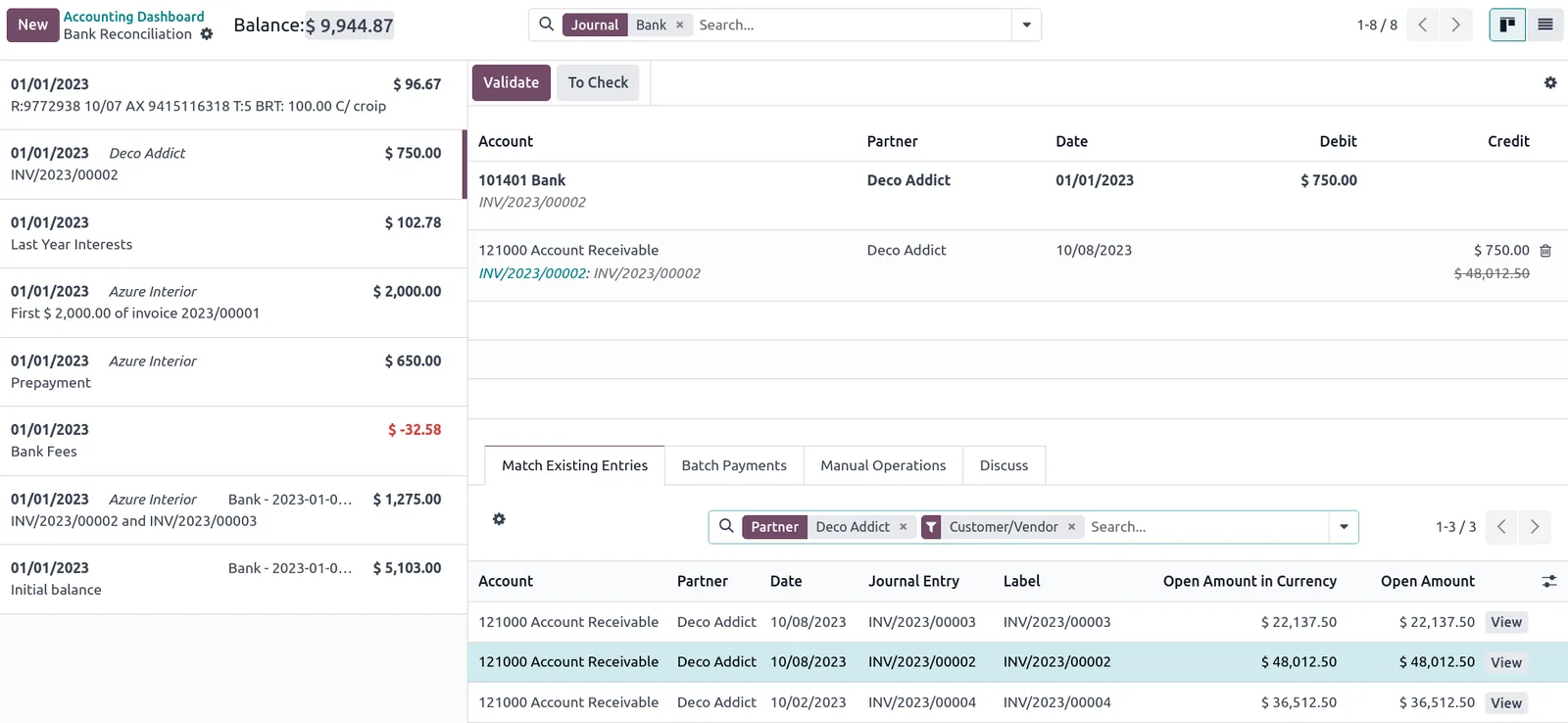
During the project we keep a migration tracker that shows exactly where each part of the database stands.
The benefits are practical rather than dramatic, and they compound over the next few years.
You receive Odoo's security fixes and bug patches again, and future upgrades become shorter because you are no longer several versions behind.
Newer releases often cover what used to need custom development, so we remove code instead of carrying it forward.
The reconciliation step catches old data problems, so finance starts the new version with balances they have checked themselves.
Teams can use improvements in accounting, inventory, barcode, manufacturing and reporting that were not available in older releases.
Other services and guides that often come up alongside an Odoo upgrade.
We configure the system for the rules UAE businesses report against, and test it before go-live.
General information, not tax or legal advice. Confirm current requirements with the FTA, MOHRE or your advisor. See all UAE compliance guides.
On-site workshops in Dubai, Abu Dhabi and Sharjah, and remote or on-site delivery across the Northern Emirates and free zones.
Official sources and references
Facts on this page were checked against these sources in October 2026. Rules change, so confirm current requirements before acting.
Still have a question? Our consultants are happy to help.
Ask an ExpertYes. Odoo's upgrade process steps through each intermediate version internally, so you can move from an old release to a current one in one project. The custom code work grows with the gap, so a multi-version jump takes longer to test than a single-version upgrade.
Odoo's official upgrade service is available to Enterprise subscribers. Community databases are usually upgraded with OCA OpenUpgrade scripts, which cover many but not all modules. We explain which route fits your database during the assessment.
They should, and we check it. We compare VAT reports for past periods on the old and new databases and investigate any difference before go-live. Confirm any treatment questions with your tax advisor.
The production upgrade usually runs outside working hours or over a weekend. The exact window depends on database size and is measured during the rehearsal, so you know the expected downtime in advance.
Often yes, if your modules are compatible with Odoo.sh. Combining the version upgrade and hosting move into one cutover avoids two disruptions, but we will recommend separating them if the risk is higher.
That is common. The audit step reads the code and database to rebuild a picture of what was customized and why, and we confirm it with the users who rely on each feature.
Related Solutions
Related Industries
Related ERP Platforms
Send us your current version and module list and we will scope an Odoo migration assessment for your database.
Dubai, United Arab Emirates