
L
O
A
D
I
N
G


Zoho, Odoo, ERPNext, Dynamics 365 and custom ERP, delivered by one accountable team.

Swap a desktop Sage file for cloud-based Zoho Books and the Zoho apps around it. We handle the data, the VAT setup and the first quarter in the new system.
A Sage to Zoho migration in the UAE moves a Sage 50 or lightly used Sage 300 file into cloud-based Zoho Books, connected to Zoho Inventory, CRM, Expense and Payroll. The UAE edition of Zoho Books supports TRN on contacts and invoices, UAE VAT rates, reverse charge and a VAT return report used for EmaraTax filing. Open invoices keep their Sage numbers.
A Sage to Zoho migration in the UAE most often involves a small or growing company on Sage 50, or a Sage 300 site that has shrunk its use to basic accounting. The pattern is familiar: the Sage file lives on one office PC or a small server, remote access depends on a VPN that breaks, and the owner wants to approve bills and see cash from a phone. Zoho Books runs in the browser and on mobile, and connects directly with Zoho Inventory, Zoho CRM, Zoho Expense and Zoho Payroll.
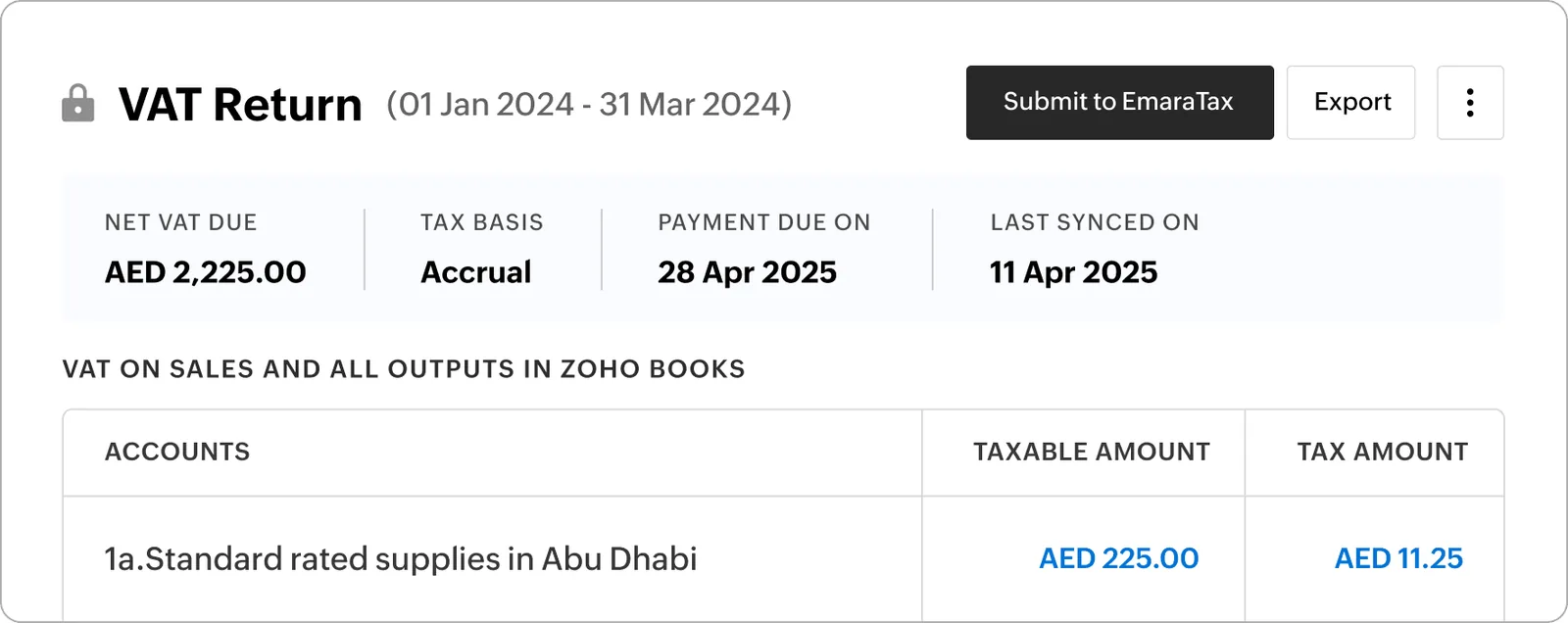
Zoho's UAE edition of Zoho Books supports TRN on contacts and invoices, UAE VAT tax rates, reverse charge, and a VAT return report you can use when filing through EmaraTax. That makes it a practical home for Sage users whose main needs are invoicing, bills, banking, VAT and simple stock.
UAE ERP Experts is a Zoho Premium Partner. We move your Sage data into Zoho, set up the organization correctly for the UAE, and decide with you whether Zoho Books alone is enough or whether Zoho One makes more sense. We are honest when Zoho is not the right fit, for example for complex manufacturing, and will point you to a better route.

The products we configure, integrate and support on projects like this one.






Product names and logos are trademarks of their respective owners and are shown only to identify the software we implement.
Zoho Books is simpler than Sage 300 in some areas and different in others. These are the points we plan around.
Sage charts built with department and branch inside the account code can run to hundreds of accounts. In Zoho Books we usually shorten the chart and use reporting tags or branches, so management reports still split costs the same way.
If Sage handled stock, items need to move to Zoho Books items or to Zoho Inventory with warehouses, opening quantities and opening values that match the Sage valuation report.
Zoho Books takes opening balances at an account level, but unpaid invoices and bills should still come across individually so customers can be chased and suppliers paid against the right document.
Contacts billed in USD or EUR need their currency set before opening invoices are imported. Exchange rates at the migration date must match what finance used in Sage.
Each Sage company typically becomes its own Zoho Books organization. Reporting across them is planned with Zoho Analytics or consolidated exports, agreed early.
The core objects we move and where they land in Zoho. Inventory items move to Zoho Inventory if you use it.
| Sage source | Zoho target | Mapping notes |
|---|---|---|
| Nominal / GL accounts | Zoho Books chart of accounts | Account types aligned with Zoho's categories; segments removed from codes |
| Department and branch segments | Reporting tags or Zoho Books branches | Branches when you need branch-wise documents; tags for analysis only |
| Customers | Contacts (customers) with billing and shipping addresses | TRN, place of supply emirate, currency and payment terms set |
| Suppliers | Contacts (vendors) with bank details | Overseas suppliers flagged so reverse charge applies on bills |
| Products and stock items | Items in Zoho Books or Zoho Inventory | SKU, unit, sales and purchase accounts and default tax assigned |
| VAT codes | Zoho Books UAE tax rates and tax groups | Standard, zero-rated, exempt and out of scope mapped explicitly |
| Unpaid sales invoices | Open invoices in Zoho Books | Original numbers and dates kept so customers recognize them |
| Unpaid purchase invoices | Open bills in Zoho Books | Linked to vendor and due date for payment runs |
| Bank balances and uncleared items | Bank accounts with opening balance and uncleared transactions | Ready for bank feeds or statement imports from day one |
| Trial balance at cut-off | Opening balances screen | Reconciled so Zoho's opening trial balance equals Sage's closing one |
Confirm UAE VAT treatments and opening balance adjustments with your tax advisor or auditor.
A compact process for smaller firms, scaled up when Zoho Inventory, CRM or Payroll are part of the scope.
We agree whether you need Zoho Books only, Books plus Inventory, or Zoho One, based on what Sage and your spreadsheets do today.
Organization profile, TRN, VAT settings, fiscal year, currencies, branches or reporting tags, and invoice templates configured first.
Customer, supplier and item lists exported from Sage, deduplicated and formatted to Zoho's import templates.
Contacts, items, open invoices and bills imported, then opening balances entered and checked.
We compare Zoho's trial balance, receivables and payables reports with Sage at the cut-off date before any new transactions are posted.
Your team learns daily invoicing, bill entry, bank reconciliation and the VAT return report, with support through the first quarter.
Have these ready and the migration usually runs smoothly.
Typical ranges for Sage 50 or light Sage 300 users. Adding Zoho Inventory, CRM or Payroll extends the plan.
Durations are typical ranges; your plan is agreed after discovery.
Data review, Zoho app selection and cut-off date agreed.
Organization, taxes, templates and reporting structure configured.
Masters, open items and opening balances imported and reconciled.
Users trained, Sage frozen and live transactions start in Zoho.
A simple tracker keeps finance informed during the import and reconciliation.
Plan the rest of your Zoho setup or compare other migration paths.
We configure the system for the rules UAE businesses report against, and test it before go-live.
General information, not tax or legal advice. Confirm current requirements with the FTA, MOHRE or your advisor. See all UAE compliance guides.
On-site workshops in Dubai, Abu Dhabi and Sharjah, and remote or on-site delivery across the Northern Emirates and free zones.
Official sources and references
Facts on this page were checked against these sources in October 2026. Rules change, so confirm current requirements before acting.
Still have a question? Our consultants are happy to help.
Ask an ExpertFor finance-focused users with moderate stock needs, often yes, especially with Zoho Inventory added. For heavy manufacturing or complex multi-site distribution, Odoo, ERPNext or Dynamics 365 may fit better, and we will say so.
Zoho Books produces a UAE VAT return report from your transactions, which you use when filing through EmaraTax. We configure the taxes so the boxes populate correctly. Confirm treatments with your tax advisor.
Open invoices and bills keep their original numbers when imported. New invoices in Zoho follow a numbering series we agree with you, so there is no clash.
Zoho Payroll supports UAE payroll, including WPS salary files and gratuity calculations. We migrate employee data and year-to-date figures if you move payroll as well.
UAE e-invoicing will run through Accredited Service Providers using the PINT AE specification. We make sure your Zoho contacts and items carry the needed data; check the latest Ministry of Finance and FTA guidance and Zoho's announcements for current readiness.
No. We keep a read-only copy and exported reports so you can answer auditor or FTA questions about earlier periods.
Related Solutions
Related Industries
Related ERP Platforms
Send us your Sage version and a rough count of customers, suppliers and items, and we will propose a Zoho migration plan.
Dubai, United Arab Emirates













