
L
O
A
D
I
N
G


Zoho, Odoo, ERPNext, Dynamics 365 and custom ERP, delivered by one accountable team.

Credit control in the UAE often depends on one person's phone list. Let the ERP send the right reminder at the right stage, and keep your team for the calls that matter.
UAE businesses automate payment reminders with an ERP dunning flow that reads receivables daily. It sends a pre-due reminder with the invoice, a due-date notice with statement of account, staged overdue reminders, then creates a call task and places the account on credit hold. Bank-matched payments, deposited post-dated cheques and promises to pay pause the sequence automatically.
Payment reminder automation UAE finance teams look for usually replaces a weekly routine: export the ageing report to Excel, highlight the overdue lines, email statements one customer at a time and phone the biggest balances. Customers on 60- or 90-day terms forget, procurement teams say they never received the invoice, and post-dated cheques (PDCs) that should have been collected sit in a drawer. When the credit controller is on leave, reminders simply stop.
An automated dunning flow reads the receivables ledger every day. Before the due date it sends a friendly reminder with the invoice attached. On and after the due date it sends firmer messages with a statement of account, then creates a call task, then puts the account on credit hold so new orders stop. Payments received, PDCs deposited and promises to pay all pause the sequence automatically, so customers who have paid do not get chased.
This sits within accounts receivable in ERP. Statement formats are covered on customer statements, and relationship follow-ups by sales are a separate flow on customer follow-up automation.

Common gaps in receivables processes across UAE traders, contractors and service firms.
Collections slow down whenever the credit controller is busy with month-end or on leave. Customers notice the silence.
A customer pays by bank transfer but the receipt is not matched yet, so they get a stern reminder. It damages the relationship.
Post-dated cheques are logged on paper. One is not deposited on its date, or a returned cheque is noticed weeks later.
Sales keeps taking orders from customers who are already far overdue, because the hold depends on a phone call to the warehouse.
A customer disputes one invoice line. The note is in someone's inbox, so the whole balance keeps getting chased.
The credit controller reviews escalations and disputes; the routine messages run on their own.
One shared database: every step updates stock, finance and reports in real time.
Days and stages are examples; we set them by customer group, terms and risk.
| Trigger | Condition | Action | Who is notified |
|---|---|---|---|
| Invoice due in a few days | No payment or PDC recorded | Send courtesy reminder with invoice PDF | Customer AP contact |
| Due date reached | Balance still open | Send due notice with statement of account | Customer; copy to salesperson |
| Overdue stage 1 | No dispute or promise to pay logged | Send firmer reminder; WhatsApp template if opted in | Customer |
| Overdue stage 2 | Still unpaid | Create call task with ageing summary | Credit controller |
| Overdue stage 3 | Balance above tolerance | Place account on credit hold; block new deliveries | Sales manager and warehouse |
| Promise to pay recorded | Promised date in future | Pause reminders until the promised date | Credit controller |
| PDC maturity date reached | Cheque not yet deposited | Remind to deposit; update bank expected receipts | Accounts / treasury |
| Cheque returned by bank | Any | Reverse receipt, reopen invoice, restart overdue stage | Credit controller and finance manager |
| Invoice flagged as disputed | Any | Exclude line from reminders; create resolution task | Salesperson |
| Payment matched | Balance cleared | Stop sequence; release credit hold if no other overdue | Sales and warehouse |
Zoho Books, Odoo, ERPNext and Dynamics 365 all support reminders; depth and setup effort differ.
Define stages by days overdue, with different templates, channels and actions at each level.
Generate and attach a statement showing open invoices, credit notes and unapplied receipts, in English or Arabic.
Reminders only run after bank receipts are matched, so paid customers are not chased. Good payment reconciliation makes this reliable.
Record post-dated cheques against invoices, remind on maturity, and handle returned cheques with clear reversal entries.
Overdue thresholds link to credit limit control, so new orders stop without manual calls.
Include online payment links in reminders and use WhatsApp templates for opted-in contacts; see ERP WhatsApp integration.
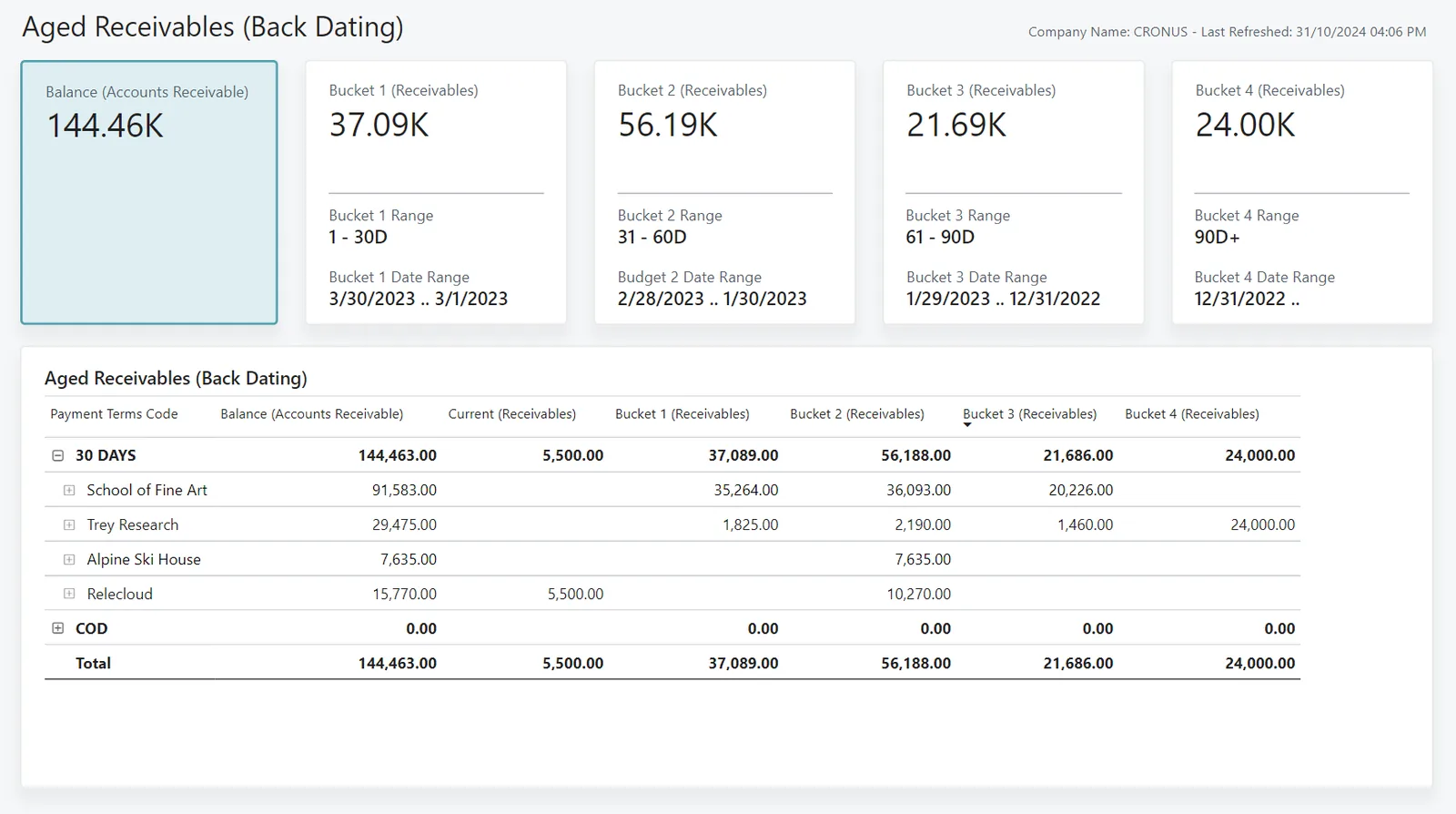
The credit controller sees where to spend time today.
Summaries for configuration; confirm specifics with your tax and legal advisors.
Reminders should reference the original tax invoice number and any tax credit notes issued, so customers can reconcile VAT on their side.
Once B2B e-invoicing becomes mandatory in phases from 2027, invoices exchanged through Accredited Service Providers give a clearer record of delivery, reducing "we never got it" disputes. Check the latest MoF/FTA guidance on dates.
Use contact details in line with UAE data protection law and only send WhatsApp messages to opted-in contacts through the Business Platform.
A dated history of reminders, disputes and promises supports bad-debt provisions and any VAT bad-debt relief claim, which has its own conditions.
General information, not tax or legal advice. Rules change; confirm current FTA, MOHRE and Ministry of Finance guidance with your advisor.
We baseline your days sales outstanding and overdue balance before go-live.
Every invoice gets timely reminders, so fewer slip past due unnoticed.
Promises to pay and PDC dates feed expected receipts; see cash flow management in ERP.
Automatic holds stop new deliveries to customers who are seriously overdue.
Customers who have paid or disputed a line are excluded, so reminders stay accurate and courteous.
We configure the system for the rules UAE businesses report against, and test it before go-live.
General information, not tax or legal advice. Confirm current requirements with the FTA, MOHRE or your advisor. See all UAE compliance guides.
On-site workshops in Dubai, Abu Dhabi and Sharjah, and remote or on-site delivery across the Northern Emirates and free zones.
Official sources and references
Facts on this page were checked against these sources in October 2026. Rules change, so confirm current requirements before acting.
Still have a question? Our consultants are happy to help.
Ask an ExpertYes. Zoho Books supports automated reminders before and after the due date, and more complex escalation can be built with workflows. See Zoho automation for how we extend it.
Odoo offers follow-up levels in its accounting app, ERPNext can send reminders through notifications and dunning features in recent versions, and Dynamics 365 has collection letters and collections management. Confirm features for your edition.
Run bank feeds or daily statement imports and match receipts before reminders go out. Unapplied receipts and promises to pay also pause the sequence.
Yes. PDCs are recorded against invoices so those invoices are not chased, and the system reminds treasury to deposit on maturity. Returned cheques reopen the invoice.
Yes. Salespeople should see the stage and credit hold on the customer record so they can help collect and do not promise new deliveries.
With clean receivables data, reminder levels, templates and credit-hold rules often take 2-4 weeks to configure and test.
Related Solutions
Related Industries
Related ERP Platforms
Share your current ageing report and terms, and we will design a reminder sequence for your ERP.
Dubai, United Arab Emirates










