
L
O
A
D
I
N
G


Zoho, Odoo, ERPNext, Dynamics 365 and custom ERP, delivered by one accountable team.

Employee claims, corporate card spend and travel costs approved against written policy, with receipts, VAT and cost centers captured before finance posts a single entry.
An ERP for expense approval in the UAE captures employee claims, advances and corporate card spend with receipt images, checks each line against written policy, routes it to the line manager and budget owner, and lets finance verify VAT before posting to the ledger and cost center. Zoho Expense, Odoo Expenses, ERPNext Expense Claim and Dynamics 365 each handle this differently by edition.
Using an ERP for expense approval in the UAE is about controlling money that employees have already spent: taxi and fuel for sales staff, client lunches, visa and typing center fees paid by the PRO, hotel and flights for project engineers, and corporate card transactions. Unlike a purchase order, there is nothing to approve in advance, so the control has to sit in the claim itself.
In many companies the claim is still an Excel sheet with stapled receipts. The line manager signs it, the accountant re-types every line, guesses the VAT, and reimburses by bank transfer weeks later. Policies on meal limits, mileage or hotel caps exist in the HR handbook but are checked by eye, if at all.
An ERP or a connected expense app changes the order of events: the employee photographs the receipt, the system reads amount, date, vendor and TRN, applies the policy, routes the claim to the manager and then finance, and posts it to the right expense account and cost center. Advance requests for travel or project work follow a similar route. For cost visibility after approval, see ERP for expense control.

Expense approval fails quietly. These are the issues finance teams in the UAE raise most often.
A manager approving forty lines does not check every meal against the limit for the employee's grade. Over time, the limits stop meaning anything.
Thermal paper receipts fade and paper envelopes go missing. Without a valid tax invoice, the company cannot support the input VAT it wants to recover.
The same taxi receipt or card transaction appears in two claims, or a corporate card charge is also claimed as an out-of-pocket expense.
Cash advances for travel or site work are paid but never reconciled against actual claims, leaving balances on employee accounts for months.
Claims are posted to a general expense account instead of the project or department that incurred them, which distorts project margins.
Paper claims wait in trays for signatures, and staff who travel often end up funding the company's costs from their own salary.
The flow below covers out-of-pocket claims and advances; corporate card spend follows the same route once the card feed is imported.
One shared database: every step updates stock, finance and reports in real time.
Expense approval sits between HR, finance and projects, so the setup touches all three.
Claim header and lines with category, amount, currency, VAT, receipt image and cost center.
Limits per category, grade, city or country, with rules for receipts required above an amount.
Request, approve and pay advances, then offset them against later claims.
Import card transactions and match them to receipts so they are not claimed twice.
Grade, department, manager and bank details that drive routing and reimbursement.
Tag every claim line to the project, job or department that should carry the cost.
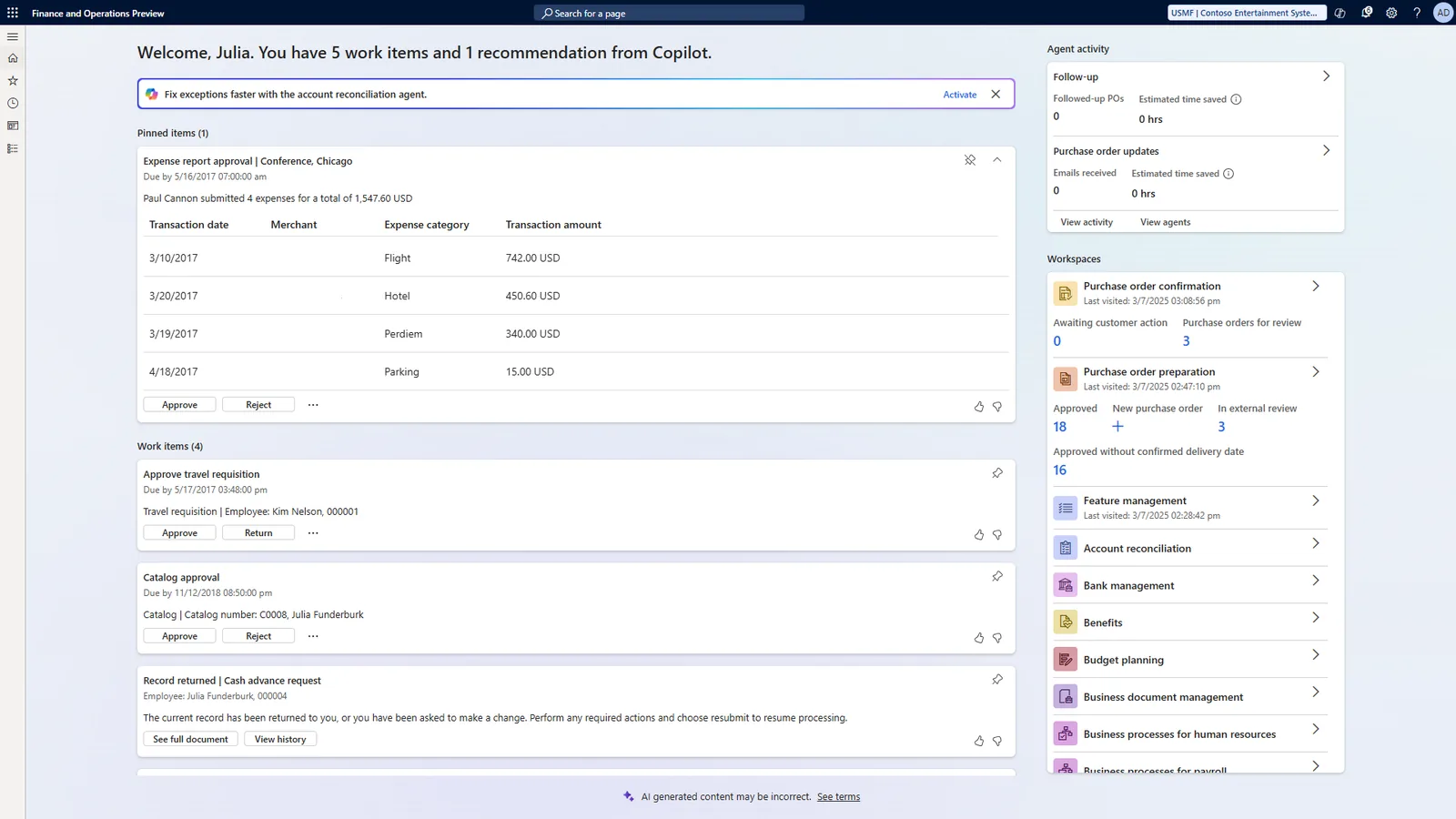
Finance needs pending claims by age, policy exceptions, and spend by category and department before each reimbursement run.
Each platform approaches employee expenses differently. Confirm features for your edition before deciding.
| Zoho | Odoo | ERPNext | Dynamics 365 | |
|---|---|---|---|---|
| Main tool | Zoho Expense, integrated with Zoho Books | Expenses app, integrated with Accounting | Expense Claim in Frappe HRMS | Expense management in Finance; Business Central usually via partner apps |
| Receipt scanning | Autoscan on mobile | Receipt digitization via OCR (credits-based in Enterprise) | Attachment on claim; OCR via external tools | Receipt capture in Finance expense app; varies by partner app in Business Central |
| Policy rules | Policies with category limits and violations flagged | Basic limits per product; detailed rules often customized | Validation through workflow conditions or custom scripts | Expense policies in Finance; partner apps for Business Central |
| Approval levels | Multi-level approval flows | Manager approval, then accounting; more levels via Studio | Expense approver plus configurable Workflow | Workflow-based approvals |
| Advances | Advances and trips | Typically handled through payments or customization | Employee Advance document offset against claims | Cash advances in Finance |
| Reimbursement | Via Zoho Books or payroll | Via payment or added to payslip | Payment Entry or via payroll | Via vendor payment or payroll integration |
Feature names and availability depend on edition and version. We test each rule in a sandbox first.
Most of the effort in expense automation is in the connections, not the approval rule.
These points shape how claims are captured and posted. They describe configuration, not tax advice; confirm with your tax advisor.
Recovering 5% VAT on employee spend generally requires a tax invoice showing the supplier TRN. Capturing the TRN and VAT amount on the claim line, not later, keeps the VAT return clean. See VAT in ERP.
VAT on certain items, such as entertainment for non-employees and some motor vehicle costs, is generally not recoverable. Map these categories to non-recoverable tax codes.
Under the corporate tax law, entertainment expenses for clients are generally only partly deductible. Separate expense categories make the year-end adjustment easier.
If reimbursements are paid through payroll, keep them outside basic salary so gratuity and the WPS Salary Information File stay correct. See WPS payroll.
Receipt images and approval logs form part of the records that must be kept for at least 5 years.
General information, not tax or legal advice. Rules change; confirm current FTA, MOHRE and Ministry of Finance guidance with your advisor.
What changes once claims are captured, checked and posted in one place.
The system flags breaches before the manager approves, not after.
Supplier TRN and VAT are recorded at source with the receipt image attached.
Employees are paid in the next run instead of waiting for paper to move.
Travel and site costs land on the right job, so margins reflect reality.
Typical ranges for a single-entity company; multi-company groups take longer.
Durations are typical ranges; your plan is agreed after discovery.
Agree categories, limits per grade, receipt rules and approval levels with HR and finance.
Configure the expense app, tax codes, accounts, cost centers and approval flows.
Connect card feeds and the reimbursement payment route.
Run one department through a full cycle before company-wide rollout.
We configure the system for the rules UAE businesses report against, and test it before go-live.
General information, not tax or legal advice. Confirm current requirements with the FTA, MOHRE or your advisor. See all UAE compliance guides.
On-site workshops in Dubai, Abu Dhabi and Sharjah, and remote or on-site delivery across the Northern Emirates and free zones.
Official sources and references
Facts on this page were checked against these sources in October 2026. Rules change, so confirm current requirements before acting.
Still have a question? Our consultants are happy to help.
Ask an ExpertFor a small team, the expense feature inside the ERP is usually enough. Companies with frequent travel, corporate cards or many field staff often prefer a dedicated app such as Zoho Expense connected to the ledger. See expense management software for the options.
The employee records the amount in the original currency and the system converts it to AED at the configured rate. Finance can review the rate and the card statement before approving the reimbursement.
Yes. Routing can send claim lines tagged to a project to that project's manager before finance. This is common in contracting and consulting firms; see project expense management.
Petty cash is a related but separate flow with float, top-ups and custodian reconciliation. We often configure both, so that claims paid from petty cash do not get reimbursed again by bank.
No. Purchase approval controls orders before suppliers deliver; expense approval checks spend after an employee has paid. For the PO side, see ERP for purchase approval.
If your rules are unusual, for example per diem by project site or complex allowances, a low-code app may fit better. See expense app development.
Related Solutions
Related Industries
Related ERP Platforms
Send us your current expense policy and claim form, and we will show how it maps to approvals, VAT codes and reimbursement on your platform.
Dubai, United Arab Emirates










