
L
O
A
D
I
N
G


Zoho, Odoo, ERPNext, Dynamics 365 and custom ERP, delivered by one accountable team.

Paper forms, signatures chased on WhatsApp and the same data typed into three systems slow every UAE business down. An ERP turns those hand-offs into connected workflows with approvals, alerts and a record of who did what.
An ERP replaces manual processes in a UAE business by turning paper forms, WhatsApp approvals and re-typed data into connected digital workflows. A material request, purchase approval, delivery note or leave form becomes a digital request with rule-based validation, approval routing, automatic posting, status notifications and exception reports. The main gain is visibility: everyone can see where a request is stuck and who acted on it.
An ERP for manual processes in the UAE targets the hand-offs between people and departments: a material request written on paper, a purchase approval sent as a WhatsApp photo, a delivery note signed and scanned days later, a leave form that waits on a manager's desk. Each step works on its own. The problem is that nothing connects them, so nobody can see where a request is stuck.
The cost shows up as delays and rework. A site engineer waits three days for materials because the PR was lost. Finance cannot invoice because the signed delivery note has not come back. HR processes a final settlement without the asset return form. In manufacturing, production processes stall when job cards and material issues are still on paper.
This page looks across the whole business. Specific cases have their own pages: replacing manual accounting, replacing Excel and approvals such as purchase approval. Here the question is how to find your manual processes, decide which to digitize first, and connect them end to end.
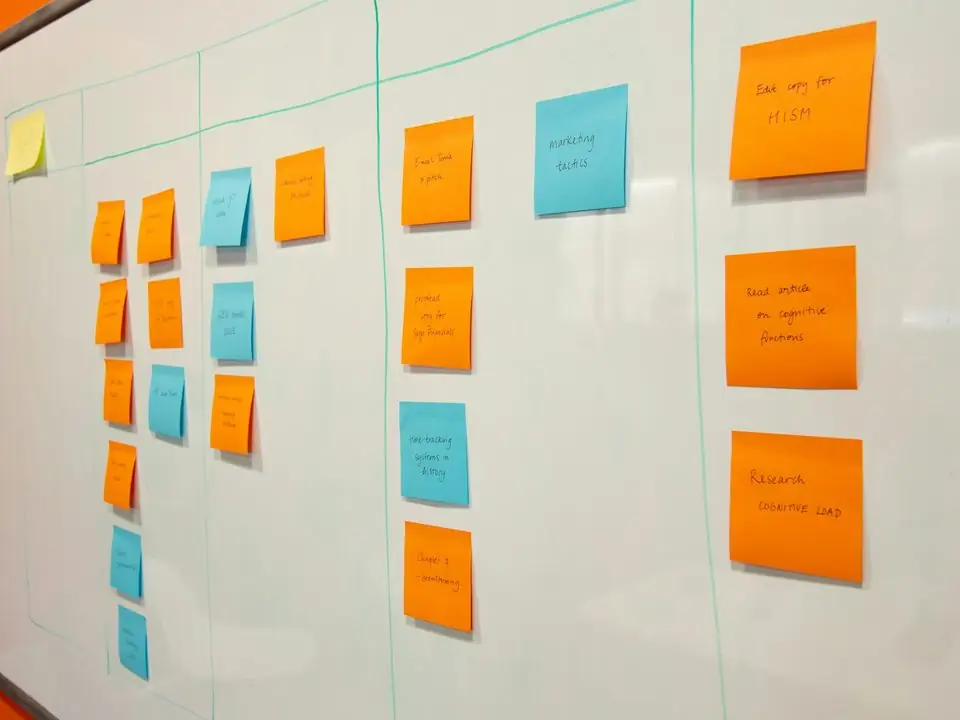
We see the same patterns across trading, contracting, facility management and services firms.
A manager approves a PO by replying "ok" in a chat group. There is no record linked to the document, and the next approver cannot see the history.
Delivery notes, timesheets and job cards are signed on site and brought to the office days later. Invoicing and payroll wait for the paper.
Sales types orders into a CRM, then again into accounting. Warehouse retypes the delivery. Every copy introduces mistakes and delay.
Requesters call or message to ask where their request is. Managers cannot see what is pending with them or for how long.
Whether a credit limit or budget is checked depends on who handles the request that day. Segregation of duties is hard to prove to auditors.
The same pattern applies whether the process is a purchase, a leave request or a site material issue.
One shared database: every step updates stock, finance and reports in real time.
Trying to automate everything at once is the most common reason these projects stall.
Walk through order-to-cash, procure-to-pay, hire-to-retire and record-to-report with the people who do the work. Mark every paper form, chat approval and re-keying step.
Rank each manual step by how often it delays the next team and whether errors reach customers, suppliers or tax filings. Start with the top five.
Automate routing, reminders and checks, but leave approvals, exceptions and write-offs with a named person. Our ERP workflow automation page covers rule design.
Track how long requests wait at each step after go-live, so the next round of improvements is based on data, not complaints.
Most paper and chat processes fit into standard modules before any custom work is needed.
Purchase requests, expense claims and leave requests with multi-level approval rules.
PR to RFQ to PO to GRN, each document created from the previous one.
Quotation to sales order to delivery note to invoice without retyping.
Material requests and issues recorded at the store, not on paper slips. See inventory and warehouse.
Leave, letters, document renewals and asset handovers requested from a mobile app.
Signed delivery notes, contracts and receipts attached to the transaction they support.
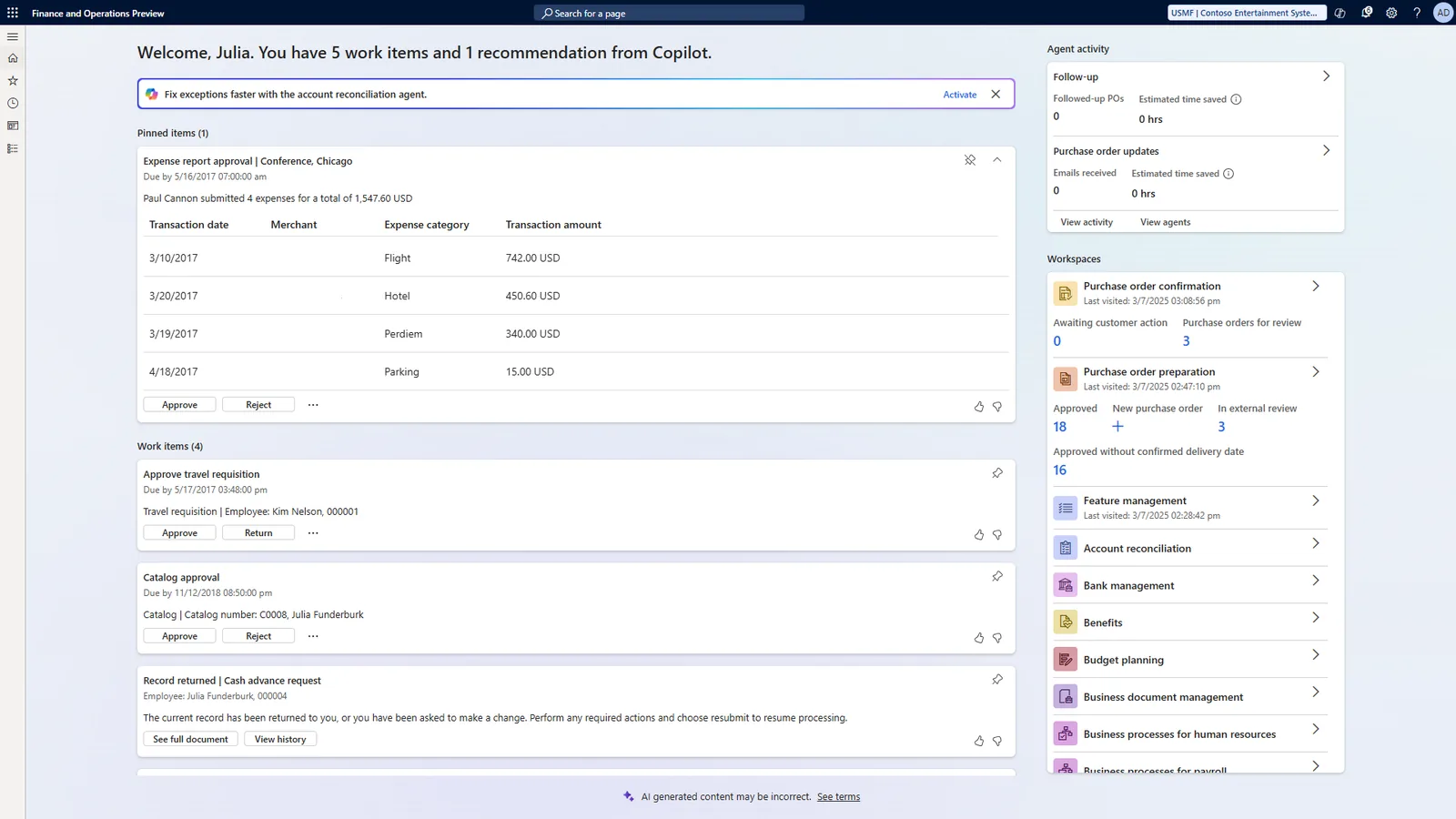
Managers see what is waiting for them; process owners see where work gets stuck.
All four support approvals and workflow; the tools and the effort differ. Confirm details for your edition.
| Zoho | Odoo | ERPNext | Dynamics 365 | |
|---|---|---|---|---|
| Approval workflows | Approval rules in Zoho Books, Inventory and CRM; Blueprint in CRM | Approval rules on purchases and an Approvals app (Enterprise) | Workflow DocType with states, roles and transitions | Approval workflows in Business Central; Power Automate for wider flows |
| Custom forms | Zoho Creator apps | Odoo Studio (Enterprise) or development | Custom DocTypes and web forms | Power Apps |
| Automation rules | Workflow rules, custom functions, Zoho Flow | Automated actions and server actions | Notifications, assignment rules, server scripts | Power Automate flows and job queues |
| Mobile approvals | Zoho mobile apps | Odoo mobile app and browser | Mobile-friendly UI and apps | Business Central mobile app, Teams and Outlook approvals |
| Typical fit | Fast adoption across many small processes | One database for operations and approvals | Highly configurable without licence cost per user | Microsoft 365 users who approve from Outlook or Teams |
Hedged summary as of October 2026.
Each integration replaces a manual copy step.
Digital workflows make compliance evidence easier to produce. Confirm specific requirements with your advisors.
Each approval is recorded with user, time and comments, which supports internal controls reviews and corporate tax audit questions.
Tax invoices, credit notes and supplier bills are generated or attached in the system, reducing missing-document issues during FTA queries.
Attendance, leave and payroll data flow into the SIF without manual edits, supporting timely salary payments through MOHRE's Wage Protection System.
Scanned and digital documents are retained with the transaction for the required five-year period (longer for some sectors).
General information, not tax or legal advice. Rules change; confirm current FTA, MOHRE and Ministry of Finance guidance with your advisor.
The gains come from fewer hand-offs and visible status.
Requests move to the next approver immediately, with reminders when they wait too long.
Data entered once and validated at the source does not drift between departments.
Each step has an owner, a timestamp and a record of the decision.
Delivery notes and timesheets are captured digitally, so billing and salaries are not held up by paper.
Phased by process; ranges depend on how many processes are in scope.
Durations are typical ranges; your plan is agreed after discovery.
Map current processes, collect forms and agree priorities with department heads.
Digitize the top three to five processes, usually purchasing, sales-to-invoice and leave.
Train users, retire paper forms and monitor waiting times.
Add more processes and integrations based on the bottleneck data.
We configure the system for the rules UAE businesses report against, and test it before go-live.
General information, not tax or legal advice. Confirm current requirements with the FTA, MOHRE or your advisor. See all UAE compliance guides.
On-site workshops in Dubai, Abu Dhabi and Sharjah, and remote or on-site delivery across the Northern Emirates and free zones.
Official sources and references
Facts on this page were checked against these sources in October 2026. Rules change, so confirm current requirements before acting.
Still have a question? Our consultants are happy to help.
Ask an ExpertWalk through each main flow with the people doing the work and list every paper form, chat approval, spreadsheet and re-keying step. A one- or two-week discovery usually reveals more than management expects.
Yes. All four platforms offer mobile access, and notifications can be sent by email or, through an approved provider, by WhatsApp Business messages to users who opt in. The approval itself is recorded in the ERP.
No. Focus on processes that delay other teams or create risk. Some low-volume tasks are fine on a simple form for now.
Low-code tools on each platform let us build forms and workflows for processes that standard modules do not cover, linked to the same data.
Remove the paper forms on go-live, make the ERP the only way to get a request approved, and give requesters status visibility so they have no reason to chase by phone.
Related Solutions
Related Industries
Related ERP Platforms
We walk through your key flows, identify the manual hand-offs and propose what to digitize first.
Dubai, United Arab Emirates










