
L
O
A
D
I
N
G


Zoho, Odoo, ERPNext, Dynamics 365 and custom ERP, delivered by one accountable team.

Most HR delays are approval delays. An HR approval workflow in your ERP sends each request to the right person, by the right rule, and records every decision.
An HR approval workflow puts a written approval matrix into the ERP, routing leave, overtime, salary changes, manpower requisitions, advances and final settlements to the right approvers by request type, amount, grade, entity and project. Delegation and escalation stop requests stalling, segregation of duties prevents self-approval, and every decision is recorded with approver, date and reason for UAE audits or MOHRE disputes.
An HR approval workflow decides who must say yes before something happens to an employee: leave is granted, overtime is paid, a salary is changed, a new position is filled, an advance is released, or a final settlement is paid. In UAE companies these approvals often cross entities, sponsors and sites, and the person who approves leave for a site foreman is rarely the person who approves his salary increase.
Purchase and sales approvals usually have a clear owner in finance. HR approvals rarely do. Leave goes to the line manager, overtime goes to the project manager, salary changes go to the general manager and sometimes the owner, and a manpower requisition may need budget sign-off from finance. Without a written approval matrix in the system, each request follows whatever route the requester remembers, and payroll finds out at month end.
This page covers the design of that matrix and how an ERP enforces it. The general mechanics of approval engines are covered in our page on approval workflow software; here we focus on HR-specific rules, approvers and controls. Requests themselves usually start in the employee self service portal.

These problems show up in companies of almost every size, from 40-person trading firms to multi-entity groups.
Site supervisors submit overtime sheets at month end and payroll pays them because nobody approved or rejected them in time. Overtime cost grows quietly and no project manager feels accountable for it.
An increment is agreed between the GM and a department head in a chat, then forwarded to payroll as a screenshot. Months later there is no record of who approved it, from which date, or why.
Managers request new staff directly from HR or a recruitment agency. Visa and recruitment costs are committed before finance has confirmed the position is in the budget.
A manager on annual leave in India or on a long site visit holds up twenty requests. There is no delegation, so employees chase HR and HR chases the manager.
In small teams an HR officer can create an advance for himself and approve it, or edit a salary and process payroll. This is a basic segregation of duties gap that auditors notice.
Every request type follows this sequence. The matrix determines which approvers appear at step four and five, and whether finance is involved.
One shared database: every step updates stock, finance and reports in real time.
This is an illustrative starting point; your own thresholds, grades and entities will differ. The point is that each row is a rule the ERP can enforce.
| Request | First approver | Second approver | Condition for extra approval | Updates |
|---|---|---|---|---|
| Annual leave | Line manager | Department head | More than the policy limit of consecutive days, or during a blackout period | Leave balance, payroll |
| Sick leave | Line manager | HR | Medical certificate missing or extended sick leave | Leave balance, payroll deductions |
| Overtime | Site supervisor | Project manager | Hours above the monthly cap set by policy | Payroll, project cost |
| Salary advance or loan | Line manager | Finance manager | Above a set multiple of basic salary | Loan schedule, payroll recovery |
| Salary change or promotion | Department head | General manager | Change outside the grade band | Contract, payroll, gratuity basis |
| Manpower requisition | Department head | Finance and GM | Position not in approved headcount budget | Recruitment, budget |
| Final settlement | HR manager | Finance manager | Disputed days or deductions | Gratuity, leave salary, final pay |
The approval engine is only one part. These components decide whether approvals are fast and correct.
Departments, positions and reporting managers kept current, so routing follows the real structure even after transfers.
Rules by request type, amount, grade, entity and project, with sequential or parallel approvers.
Out-of-office delegation and time-based escalation, so a request never waits on someone who is away.
Checks before routing: leave balance, overtime cap, loan eligibility, budgeted headcount.
Approve or reject from a phone notification with the request details and attachments visible.
Who approved what and when, approval cycle times and overdue requests by approver.
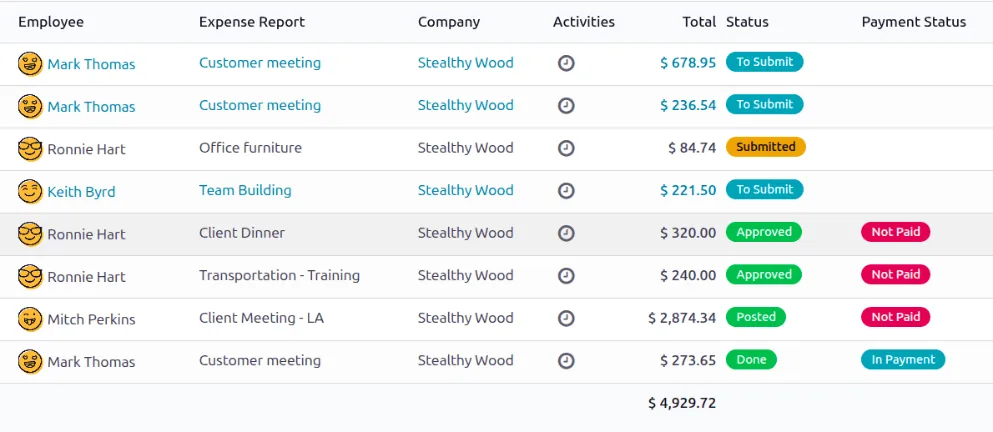
Once requests move through the matrix, HR can see where they are stuck. These are the reports we build first.
All four platforms support multi-level approvals. The difference is how much is configurable without code. Confirm details for your edition.
| Zoho | Odoo | ERPNext | Dynamics 365 | |
|---|---|---|---|---|
| Leave approval | Zoho People approval workflows by form, with multi-level approvers | Time Off with manager, HR officer or both, set per leave type | Leave approver per employee or department, with workflow states | Leave and absence workflows with configurable steps |
| Custom HR requests | Custom forms with their own approval rules | Approvals app or Studio for custom request types (Enterprise) | Custom doctypes with the Workflow builder | Workflow configuration or Power Automate approvals |
| Amount-based routing | Criteria-based rules on form fields | Conditions configurable, sometimes via Studio or custom rules | Workflow transitions with conditions | Conditional workflow steps |
| Delegation | Supported; check options for your plan | Typically handled by manager change or custom rule | Available through workflow settings or custom logic | Delegation built into the workflow framework |
| Audit trail | Approval history on each record | Chatter log on each record | Version and comment history on each document | Workflow history and database logging |
For Odoo HR and Zoho People we usually avoid custom code for approvals; ERPNext and Dynamics 365 give more flexibility at the cost of more design work.
An approval is useful when it updates something downstream without re-keying.
Approvals are also an internal control. These points come up in audits and labor disputes.
The person who edits salary or creates an advance should not approve it or run payroll. We configure roles so this is enforced, not just written in a policy.
Overtime, leave and working hours approvals should respect UAE Labour Law (Federal Decree-Law No. 33 of 2021) and your contracts. The system can block or flag requests outside policy; HR still decides the legal position.
In a MOHRE complaint or court case, a dated approval record of leave, overtime or a salary change is far stronger than an email chain. Keep approval history for as long as you keep employee records.
If you report Emiratisation progress, requisition approvals can record whether a role is targeted for a UAE national; see Emiratisation HR software.
General information, not tax or legal advice. Rules change; confirm current FTA, MOHRE and Ministry of Finance guidance with your advisor.
Results depend on volume and discipline, but these are the improvements we aim for.
Requests reach the right approver immediately, with delegation and escalation removing the usual waits.
Only approved overtime, allowances and changes reach payroll, which feeds into payroll automation cleanly.
Every HR decision has an approver, a date and a reason, which helps internal audit and external reviews.
Leaders see pending decisions and cycle times, and HR analytics can trend them by department.
If the HR system already exists, an approval redesign is usually a short project. Durations below are typical, not guaranteed.
Durations are typical ranges; your plan is agreed after discovery.
Interview HR, payroll and department heads; document each request type and who really approves it today.
Management signs off thresholds, grades and delegation rules. This step often takes longer than the configuration.
Set up rules, notifications and permissions, then test edge cases such as transfers, acting managers and multi-entity employees.
Switch off email approvals, review overdue reports weekly, and adjust rules that create bottlenecks.
We configure the system for the rules UAE businesses report against, and test it before go-live.
General information, not tax or legal advice. Confirm current requirements with the FTA, MOHRE or your advisor. See all UAE compliance guides.
On-site workshops in Dubai, Abu Dhabi and Sharjah, and remote or on-site delivery across the Northern Emirates and free zones.
Official sources and references
Facts on this page were checked against these sources in October 2026. Rules change, so confirm current requirements before acting.
Still have a question? Our consultants are happy to help.
Ask an ExpertAs few as the risk allows. Most leave needs one or two levels; salary changes and settlements usually need two plus HR verification. Every extra level adds waiting time, so we add levels by amount or exception rather than by default.
Yes. Groups with several trade licenses or free zone entities often have different approvers per entity, and construction companies route overtime by project. The matrix carries entity and project as conditions.
When the reporting line changes in the organization structure, pending requests should be reassigned to the new approver. We test this explicitly, because it is a common gap at go-live.
The engine is often the same, but the rules and approvers differ. Expense claims follow the logic in ERP for expense approval, while broader automation is covered under ERP workflow automation.
Yes, on all four platforms through their mobile apps or email and chat notifications. We make sure the approver sees enough context, such as the leave balance or overtime hours, to decide without opening the desktop.
HR owns it, with finance sign-off for any rule that involves money. Changes should go through a simple request and be logged, so the matrix in the system always matches the approved policy.
Related Solutions
Related Industries
Related ERP Platforms
Share how HR requests are approved today and we will map an approval matrix your ERP can enforce.
Dubai, United Arab Emirates










