L
O
A
D
I
N
G


Zoho, Odoo, ERPNext, Dynamics 365 and custom ERP, delivered by one accountable team.

When QuickBooks can no longer carry your entities, stock or approvals, Dynamics 365 Business Central is a common next step. Here is how we move the data without losing your audit trail.
A QuickBooks to Dynamics 365 migration in the UAE moves a company that has outgrown QuickBooks into Business Central, which adds multi-company support, dimensions, inventory costing and VAT posting groups. The work includes exporting and profiling QuickBooks data, designing posting groups, cleansing, test loads and trial balance reconciliation. A clean cut-over at a period end, ideally aligned with a VAT period, is preferred.
A QuickBooks to Dynamics 365 migration in the UAE usually starts with a finance team that has outgrown a small-business ledger. QuickBooks did its job when the company had one trading licence, one bank account and a few hundred invoices a month. Then came a second entity in a free zone, a warehouse in Jebel Ali, a parent company asking for consolidated reporting, and auditors asking why stock is valued in a spreadsheet outside the books.
Microsoft Dynamics 365 Business Central is built for that next stage. It has multi-company support, dimensions for cost centers and projects, full inventory with costing methods, purchase approvals, and a posting setup that ties every sales and purchase line to a VAT treatment. The jump is real, though. QuickBooks and Business Central think about accounts, items and tax in different ways, so the move is a redesign of how your data is structured, not a straight copy.
As a Microsoft Partner for Dynamics 365, we handle the mapping, the cleansing, the loads into Business Central and the reconciliation that proves the numbers match. We do not implement QuickBooks; we migrate away from it. If you are still comparing destinations, our QuickBooks to ERP migration page covers Odoo, Zoho and ERPNext as well.
These are the issues we see most often when UAE companies export QuickBooks data and try to load it into Dynamics 365.
In QuickBooks an invoice line points to an income account and a tax code. In Business Central the account is found through general business and product posting groups, so every customer, vendor and item needs posting groups assigned before a single transaction can be loaded.
Many QuickBooks files use classes for departments in one year and for projects the next. Business Central dimensions need clean, consistent values, so the history has to be reviewed before anything is mapped.
QuickBooks Online inventory is often switched off or used only for quantities, with cost tracked in Excel. Business Central needs item cards with a costing method, unit of measure and opening cost, which means agreeing the stock valuation with your auditor first.
Files set up by different bookkeepers often carry duplicate or renamed tax codes for standard-rated, zero-rated, exempt and reverse charge supplies. These have to be rationalized into a VAT posting setup that maps cleanly to the VAT return boxes.
Groups often run one QuickBooks file per company with different account numbering in each. Moving into Business Central companies is the right time to align the chart of accounts so consolidation works.
A sample of the mapping we document for each QuickBooks to Dynamics 365 project. The final design depends on your entities, reporting needs and auditor input.
| QuickBooks record | Business Central target | What changes on the way |
|---|---|---|
| Chart of accounts (account types) | G/L accounts with account categories and subcategories | Renumbered into a structure that supports consolidation and corporate tax schedules |
| Classes | Global or shortcut dimension (for example Department) | Values cleaned and blocked if obsolete; default dimensions set on accounts where needed |
| Locations | Dimension or Business Central locations | Physical stores and warehouses become locations; reporting-only splits become a dimension |
| Customers and sub-customers | Customer cards, with ship-to addresses | TRN, emirate, payment terms, credit limit and posting groups added |
| Vendors | Vendor cards with bank details | VAT business posting group set for local, GCC or overseas suppliers |
| Products and services | Item cards, resources or G/L-based lines | Stock items get costing method and base unit of measure; services usually become non-inventory items |
| Sales tax / VAT codes | VAT business and product posting groups with VAT posting setup | Each combination mapped to a UAE VAT treatment and return line |
| Open invoices and bills | Open customer and vendor ledger entries | Loaded per document with original dates so ageing is correct |
| Bank accounts and uncleared items | Bank account cards and opening bank ledger entries | Outstanding cheques and deposits carried so reconciliation continues |
| Trial balance at cut-off | Opening general journal | Posted to a migration date and reconciled to the last QuickBooks period |
Business Central offers configuration packages (Excel-based import templates) that we use for most master data and opening balances. Confirm VAT mappings with your tax advisor.
We split the work into short, checked stages so finance always knows what has been moved and what still lives in QuickBooks.
We take lists and reports from QuickBooks (account list, customer and vendor lists, item list, open invoices, open bills, trial balance) and profile them for duplicates, inactive records and missing fields.
We agree the new chart of accounts, dimension structure, posting groups, number series and VAT posting setup with your finance lead before any data is loaded.
Customer and vendor names are deduplicated, TRNs validated for format, item codes standardized and inactive records archived instead of migrated.
Configuration packages are applied in a Business Central sandbox. Your team reviews customers, items and opening balances there and signs off each object.
We run a full rehearsal, compare the trial balance, AR and AP ageing and stock value against QuickBooks, and fix differences at the source rather than with journal adjustments.
QuickBooks is closed for posting, final balances are loaded into production, and the old file is kept read-only for reference and audit.
Getting these items ready shortens the project and reduces rework during reconciliation.
Durations below are typical ranges for a single company with standard finance and inventory. Groups with several entities or heavy history take longer.
Durations are typical ranges; your plan is agreed after discovery.
Exports, profiling and a written list of data issues and decisions needed.
Chart of accounts, dimensions, posting groups and VAT posting setup agreed and configured.
Master data and open items loaded into a sandbox, reviewed and corrected in cycles.
A full dry run with reconciliation reports signed off by finance.
Production load, first month-end close in Business Central and the first VAT return prepared from the new system.
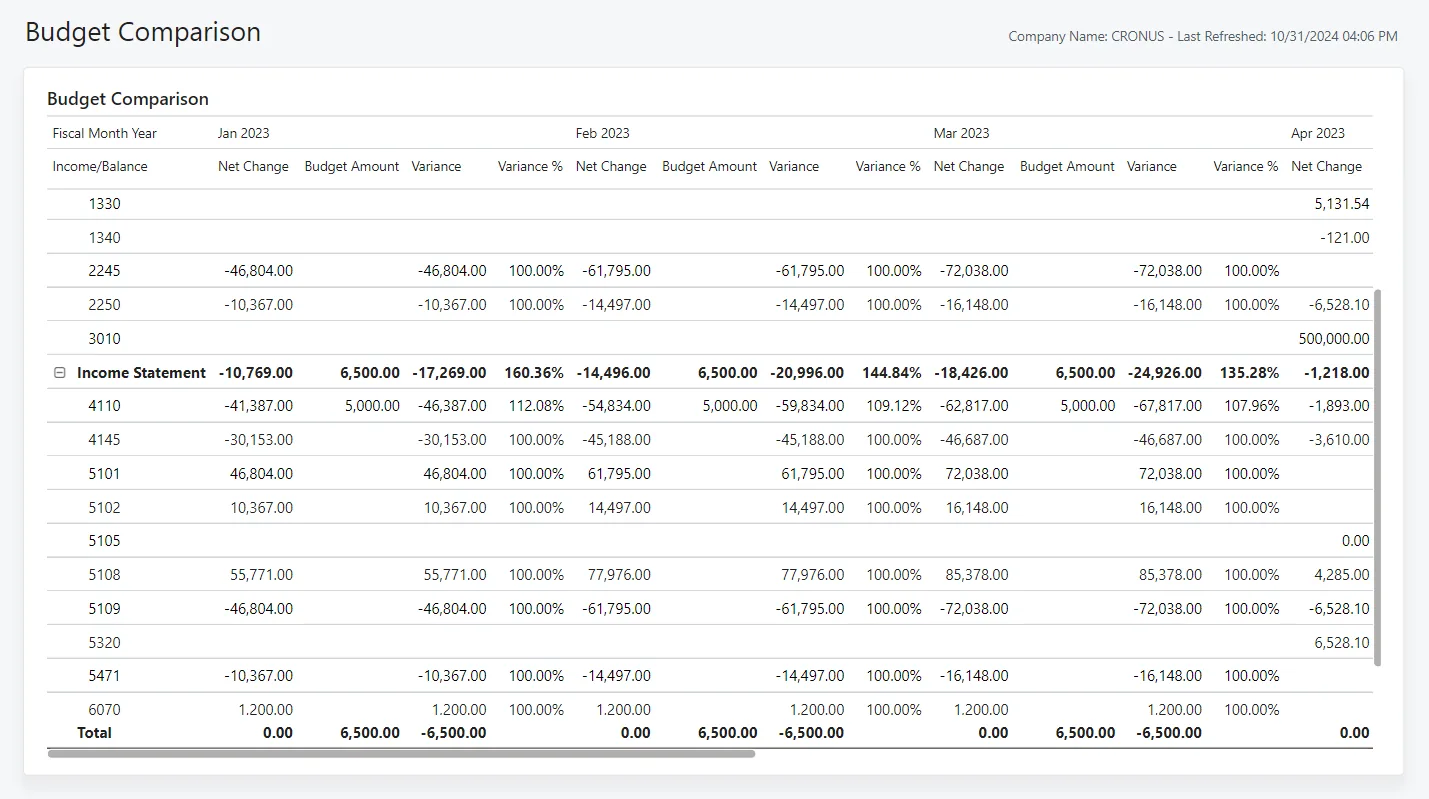
We keep a migration tracker for every object so your finance manager can see what is loaded, what failed validation and what is reconciled.
More on moving off QuickBooks and on running Business Central in the UAE.
We configure the system for the rules UAE businesses report against, and test it before go-live.
General information, not tax or legal advice. Confirm current requirements with the FTA, MOHRE or your advisor. See all UAE compliance guides.
On-site workshops in Dubai, Abu Dhabi and Sharjah, and remote or on-site delivery across the Northern Emirates and free zones.
Official sources and references
Facts on this page were checked against these sources in October 2026. Rules change, so confirm current requirements before acting.
Still have a question? Our consultants are happy to help.
Ask an ExpertUsually not. Most UAE clients bring opening balances, open invoices and bills, and either monthly balances or summary history for comparatives. Detailed history stays in a read-only QuickBooks copy for audit and for UAE record-keeping requirements.
For most companies leaving QuickBooks, Business Central is the natural fit. Dynamics 365 Finance is aimed at larger, more complex groups. We will tell you honestly if a lighter platform such as Zoho Books or Odoo would serve you better.
We set up VAT business and product posting groups so each transaction carries the right treatment, and we map them to your VAT return. Tax invoice layouts are configured with TRN and the required fields. Confirm specific treatments with your tax advisor.
We aim for a clean cut-over at a period end rather than a long parallel run. QuickBooks is typically closed for posting on the cut-over date and kept read-only afterwards.
E-invoicing in the UAE uses the PINT AE specification exchanged through Accredited Service Providers. We plan the migration so customer and item data carry the fields an ASP connection will need. Check the latest Ministry of Finance and FTA guidance for dates.
Related Solutions
Related Industries
Related ERP Platforms
Send us your QuickBooks edition, entity count and target go-live month and we will outline a migration plan for Business Central.
Dubai, United Arab Emirates