
L
O
A
D
I
N
G


Zoho, Odoo, ERPNext, Dynamics 365 and custom ERP, delivered by one accountable team.

Your team keeps dozens of client ledgers in order. We help you put the same discipline into your own firm: deadlines, hours, retainers and margins per client.
An ERP for accounting firms in the UAE runs the practice rather than client ledgers: a client master with TRN, licence expiry and year end, recurring VAT and corporate tax task calendars, timesheets by service line, retainer billing and receivables. Zoho suits small to mid-size bookkeeping firms, especially those whose clients already use Zoho Books; Odoo, ERPNext and Business Central are alternatives.
An ERP for accounting firms in the UAE is less about general ledger features (your staff already know those well) and more about running the practice: which client returns are due this month, who is working on them, how many hours each monthly retainer really consumes, and whether the firm is being paid on time for the work.
Most bookkeeping and outsourced accounting firms in Dubai, Sharjah and Abu Dhabi grow by adding clients faster than they add structure. Engagement letters live in email, deadlines live in a shared spreadsheet, hours live in someone's notebook, and invoices go out late because nobody is sure what was agreed. Once the client list passes a few dozen, that patchwork starts to cost real money.
We set up practice systems on Zoho, Odoo, ERPNext and Microsoft Dynamics 365 Business Central that connect client onboarding, recurring compliance calendars, time capture and billing. The aim is simple: every hour your team spends on a client should be visible, and every service you deliver should be billed. See our wider professional services ERP page for how this fits other advisory businesses.

These are the problems we hear most often from partners and practice managers when they first call us.
Each client has its own VAT stagger, corporate tax period and licence renewal date. When the tracker is a shared sheet, one missed update can mean a late return and a penalty that the client blames on you.
A monthly bookkeeping fee agreed two years ago may now cover twice the transaction volume. Without hours logged against each client, nobody notices until margins on the whole firm slip.
Clients ask for a quick reconciliation, a bank letter or an audit support pack outside the agreed scope. If those requests are not logged as separate jobs, they are never billed.
Quarter-end VAT periods create peaks where a few seniors carry most of the load. Without a capacity view, managers allocate work by gut feel and burn out their best people.
Bank statements, purchase invoices and payroll files arrive in many channels. Staff waste hours searching for the latest version and following up clients who say they already sent it.
We configure the system around the life of a client engagement, from first enquiry to the recurring monthly cycle.
One shared database: every step updates stock, finance and reports in real time.
You do not need a full manufacturing-grade ERP. These are the modules that carry the weight in a bookkeeping or advisory firm.
Leads, proposals and the client master, holding TRN, trade licence details, financial year end and the partner responsible.
Recurring task templates for monthly bookkeeping, quarterly VAT and annual corporate tax, generated automatically per client.
Staff log time against client and service line from desktop or mobile, with manager approval before billing.
Fixed monthly fees, hourly billing and one-off jobs invoiced from the same records, with VAT applied correctly.
A client folder structure for source documents, working files and signed engagement letters, with client upload links.
Your own ledger, bank reconciliation, receivables ageing and VAT return for the practice itself.
Staff records, leave, visa and Emirates ID expiry tracking, and WPS salary files for your own team.
Clients see open requests, upload documents, approve quotes and pay invoices without long email threads.
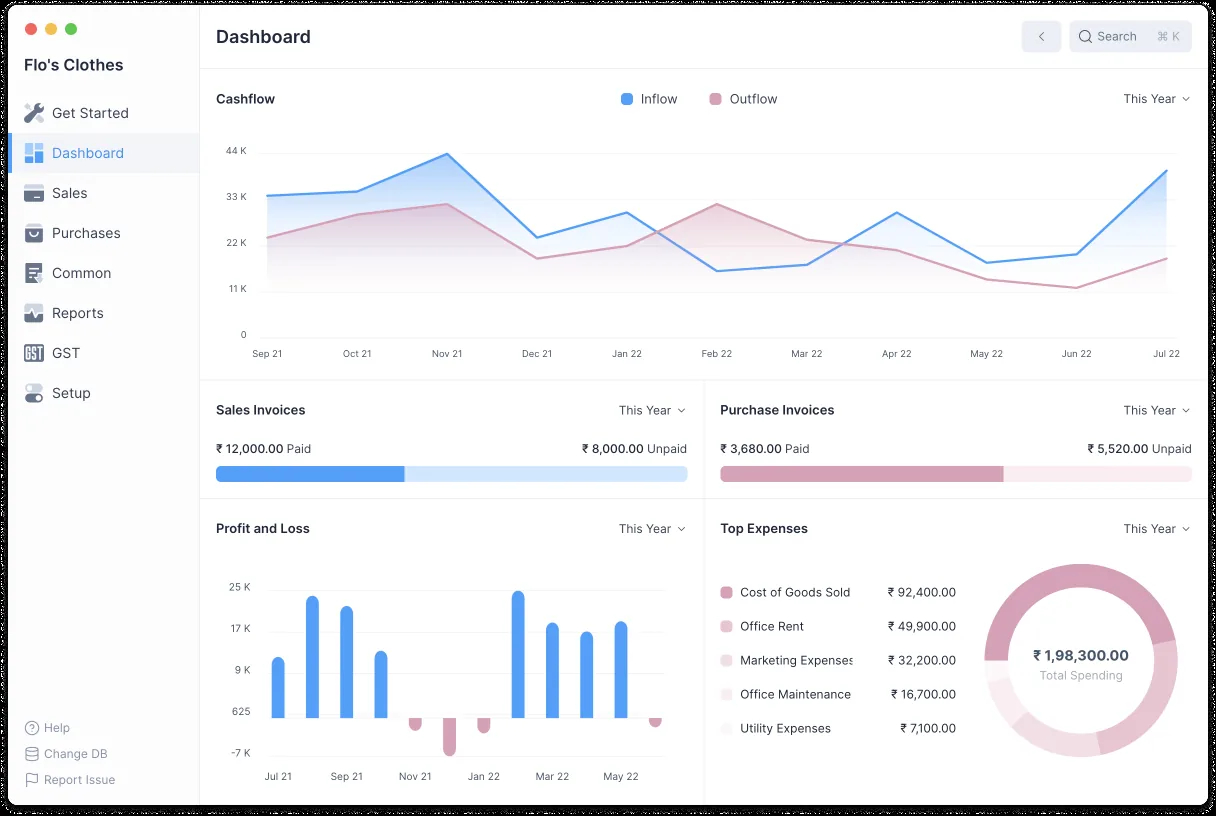
Partners need one screen that shows the health of the firm, not twenty client files.
Firm size, the software your clients use and how much customization you want all affect the choice. Here is how we usually see it.
| Typical firm profile | Why it fits | Watch-outs | |
|---|---|---|---|
| Zoho (Books, Projects, CRM, WorkDrive) | Small to mid-size bookkeeping firms, many clients already on Zoho Books | Fast setup, timesheet billing in Zoho Projects, accountant access to client Zoho Books organizations | Complex recurring task logic may need Zoho Creator or custom functions |
| Odoo (Accounting, Project, Timesheets, Documents) | Firms that want practice management and their own books in one database | Strong project and timesheet link to invoicing, document workflows, client portal | Odoo Enterprise licensing per user; scope recurring tasks carefully |
| ERPNext | Cost-conscious firms comfortable with open source | Projects, timesheets and accounts included without per-module fees | Needs a partner for hosting, updates and UAE report formats |
| Dynamics 365 Business Central | Larger multi-office firms already on Microsoft 365 | Jobs module, resource planning, Outlook and Teams integration | Higher setup effort; more than a small practice needs |
| Custom ERP | Firms with a unique service model or many partner-specific rules | Built exactly around your engagement types | Longer build time and ongoing ownership of the code |
We implement Zoho, Odoo, ERPNext, Dynamics 365 and custom systems. We do not implement QuickBooks, Tally or Sage, though many firms ask us to migrate their own data away from them.
Your firm files returns for clients and also has its own obligations. The system should help with both. Confirm specific tax treatment with your tax advisor.
Accounting services supplied in the UAE are generally standard-rated at 5%. Your fee invoices need your TRN and the prescribed tax invoice fields, and your own VAT return is filed through EmaraTax.
Corporate tax applies to financial years starting on or after 1 June 2023, at 0% up to AED 375,000 of taxable income and 9% above. Tracking each client's tax period and return due date is a core job for the task engine.
Clients with revenue up to AED 3 million may elect Small Business Relief for tax periods ending on or before 31 December 2026. A client field for eligibility helps staff review elections each period.
The UAE e-invoicing model uses Accredited Service Providers and the PINT AE specification, with mandatory phases starting from 1 January 2027 for larger businesses and 1 July 2027 for others. Many firms will advise clients on ASP selection; check the latest Ministry of Finance and FTA guidance.
General information, not tax or legal advice. Rules change; confirm current FTA, MOHRE and Ministry of Finance guidance with your advisor.
We do not promise percentages. These are the practical improvements firms usually describe once the system is in daily use.
Recurring tasks appear automatically with owners and due dates, so nothing depends on one person's memory.
Hours per client make it easy to show a client why a fee review is needed at renewal.
Extra requests become billable jobs instead of favors absorbed by the team.
Managers see who is overloaded before the quarter-end rush, not after.
Durations depend on firm size and how clean your client list is. These ranges are typical for a single-office practice.
Durations are typical ranges; your plan is agreed after discovery.
We review your service catalog, fee models, client list and the way deadlines are tracked today.
Task templates per service, approval rules for timesheets, and billing rules for each fee type are agreed.
Client master, open tasks and opening receivables are loaded; portal and document folders are set up.
One team runs a full monthly cycle on the system while the rest continue as before.
All staff move over, with short role-based training sessions and a support window after launch.
Explore sibling industries, platforms and modules that accounting practices often look at.
We configure the system for the rules UAE businesses report against, and test it before go-live.
General information, not tax or legal advice. Confirm current requirements with the FTA, MOHRE or your advisor. See all UAE compliance guides.
On-site workshops in Dubai, Abu Dhabi and Sharjah, and remote or on-site delivery across the Northern Emirates and free zones.
Official sources and references
Facts on this page were checked against these sources in October 2026. Rules change, so confirm current requirements before acting.
Still have a question? Our consultants are happy to help.
Ask an ExpertMainly for running your own firm: clients, deadlines, time, billing and staff. Your team can still keep client books in whatever platform each client uses. Where clients are on Zoho Books or Odoo, accountant access can make switching between client files easier.
Yes. We set up recurring task templates based on each client's tax period and stagger, so the right tasks appear with due dates and owners. Staff then update status as they work through them.
Yes. Fixed monthly retainers can be invoiced on a schedule while hourly and one-off jobs bill from approved timesheets. You still log time on fixed-fee clients so you can measure profitability.
We clean and import the client master, open tasks and opening receivables in a structured template. A short data review with your team before import avoids duplicate clients and wrong deadlines.
Our office is in Dubai and we work with firms across all seven emirates, both on-site and remotely. Most configuration and training can be delivered online, with on-site sessions where they help.
Related Solutions
Related Industries
Related ERP Platforms
Share your service lines and client count, and we will suggest a practical setup on the platform that fits your firm.
Dubai, United Arab Emirates












