
L
O
A
D
I
N
G


Zoho, Odoo, ERPNext, Dynamics 365 and custom ERP, delivered by one accountable team.

A stock aging report tells you how long each quantity has been sitting since it was received. Built on GRN dates and cost layers in an ERP, it becomes something finance, auditors and warehouse teams can trust.
An ERP calculates stock aging by measuring how long each receipt layer still on hand has been in stock since its GRN or batch receipt date, normally on a FIFO basis. Quantities and values are grouped into buckets such as 0-30, 31-90, 91-180, 181-365 and 365+ days by warehouse and category, giving UAE finance teams and auditors a reliable basis for obsolescence provisions.
An ERP for stock aging in the UAE answers a precise question: of the stock on hand today, how much was received in the last 30 days, how much 31-90 days ago, and how much has been sitting for more than a year? The answer drives provisions in the financial statements, clearance decisions in sales and putaway decisions in the warehouse.
Many UAE companies try to produce an aging report from Excel by matching the last purchase date to current quantity. That shortcut is wrong whenever an item is bought repeatedly: a fresh GRN last week makes the whole balance look new, even if 70 percent of it arrived two years ago. A proper aging calculation follows receipt layers, normally on a FIFO basis, so each quantity carries its own receipt date and cost.
Aging is related to, but not the same as, slow moving inventory analysis, which measures how fast items sell, and dead stock management, which handles stock that has stopped moving. This page focuses on the aging calculation itself and how to use it at month-end and year-end.

These are the issues finance managers and auditors raise most often when aging is prepared outside the ERP.
Using the most recent purchase date hides old layers behind new receipts. Auditors usually reject this method once they test a few items.
When stock moves from the Jebel Ali warehouse to a Sharjah branch, a manual sheet often treats it as new stock. The original receipt date should travel with the quantity.
Food, cosmetics and pharma distributors track expiry in one file and age in another. Neither reflects what is actually on the shelf.
If issues are posted before GRNs, the system consumes layers that do not exist. Aging is unreliable until negative stock problems are fixed.
Without a bucket report, the obsolescence provision becomes a negotiation between the CFO and the auditor instead of a calculation from agreed rates.
Accurate aging starts at the receiving dock, not in the month-end report.
One shared database: every step updates stock, finance and reports in real time.
What we configure so the aging report holds up to scrutiny.
The GRN date is the start of the age. Back-dated or late GRNs are the most common cause of wrong aging, so we restrict posting dates and require receipts before issues.
For regulated or perishable goods, batch numbers and expiry dates are captured on the GRN so aging and FEFO picking use the same data.
Finance and the auditor agree buckets and a policy, for example a percentage for stock over 365 days unless sales evidence supports full value. The ERP produces the quantities; the policy remains finance's decision.
Run the aging report only after the month's counts and stock reconciliation are posted, so the buckets add up to the inventory balance on the general ledger.
Aging is a reporting output, but it depends on clean transactions across several modules.
GRNs linked to POs set the receipt date, quantity and cost of each layer.
Lot numbers carry receipt and expiry dates through every movement.
FIFO layers give the value of each bucket, not just the quantity.
Transfer orders move stock without resetting its age.
Cycle counts and year-end counts confirm quantities before aging is reported.
Provision journals post against the aging result with an audit trail.
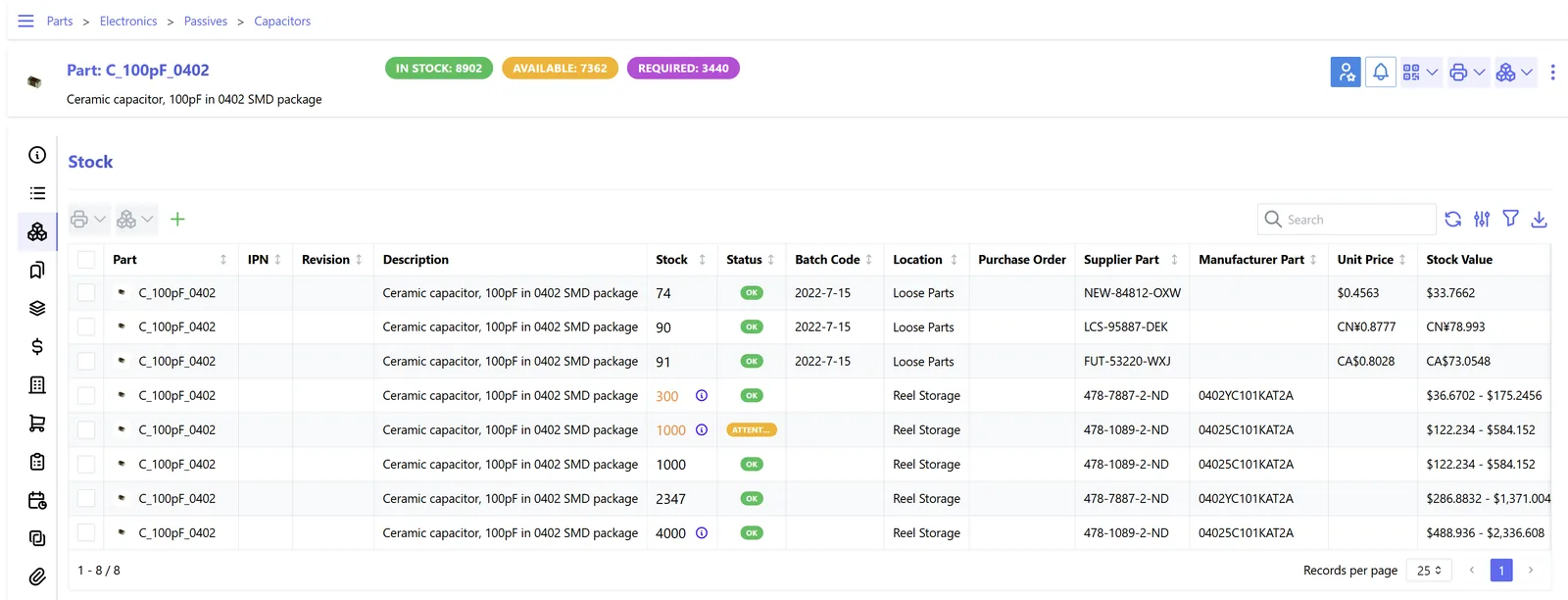
Buckets by value and quantity, with drill-down to the receipt documents behind each figure.
Standard aging is available in some form on all four; the depth differs. Check your edition and version.
| Zoho | Odoo | ERPNext | Dynamics 365 | |
|---|---|---|---|---|
| Standard aging report | Inventory aging summary and details reports in Zoho Inventory | Valuation layers by date; aging buckets typically via a report or app | Stock Ageing report with configurable ranges | Item age composition reports in Business Central; inventory aging report in Supply Chain Management |
| Age basis | Based on receipt transactions; confirm method for your plan | Valuation layers by in-date under FIFO | FIFO queue from the stock ledger | Item ledger entries and value entries |
| Batch and expiry | Batch tracking with expiry dates | Lots and serial numbers with expiration dates | Batch with expiry and manufacturing date | Item tracking with lot and expiration dates |
| Transfers keep original age | Transfer orders between warehouses | Internal transfers keep valuation layers | Material Transfer keeps FIFO queue per warehouse | Transfer orders with in-transit locations |
| Provision posting | Manual journal in Zoho Books | Manual or recurring journal entry | Journal entry; can be scripted | General journal; templates and approvals |
| Analytics | Zoho Analytics for trends | Pivot and spreadsheet views | Report builder and Insights | Power BI |
Hedged summary as of October 2026; confirm features for your edition.
Anything that moves stock must post to the ERP with the right date.
Aging supports financial reporting rather than a specific tax filing. Confirm treatment with your tax advisor and auditor.
Inventory provisions affect accounting profit, which is the starting point for UAE corporate tax. Keep the aging report and policy that supports each provision.
Tax records must be kept for at least five years under Cabinet Decision 74 of 2023 (seven for real estate). Archive month-end aging snapshots, not just the current view.
Destroying or giving away aged stock can have VAT consequences. Record disposals with supporting documents and ask your advisor about the treatment.
Food and healthcare products have labelling and expiry controls from local authorities. Aging and expiry data help show that expired stock was quarantined.
General information, not tax or legal advice. Rules change; confirm current FTA, MOHRE and Ministry of Finance guidance with your advisor.
What finance and operations teams usually notice after aging moves into the ERP.
The aging schedule comes out of the system in minutes instead of a week of spreadsheet reconstruction.
Provisions follow an agreed policy applied to system data, which shortens audit discussions.
Sales sees stock entering the 181-365 day bucket while it can still be sold.
Old batches are identified by bin, making relocation and FIFO picking easier.
Timing depends mostly on how clean your receipt history is. Typical ranges only.
Durations are typical ranges; your plan is agreed after discovery.
Decide how historic stock enters the ERP with realistic receipt dates rather than the migration date.
Configure GRN controls, batch capture and posting date restrictions.
Build buckets, dashboards and the provision calculation.
Compare ERP aging with the old method for one or two closes before relying on it.
We configure the system for the rules UAE businesses report against, and test it before go-live.
General information, not tax or legal advice. Confirm current requirements with the FTA, MOHRE or your advisor. See all UAE compliance guides.
On-site workshops in Dubai, Abu Dhabi and Sharjah, and remote or on-site delivery across the Northern Emirates and free zones.
Official sources and references
Facts on this page were checked against these sources in October 2026. Rules change, so confirm current requirements before acting.
Still have a question? Our consultants are happy to help.
Ask an ExpertIt looks at each receipt layer still on hand and measures the days since its receipt date. Under FIFO, issues consume the oldest layers first, so the remaining quantity carries the dates of the most recent receipts that have not been consumed.
Only if it is loaded with the go-live date. We usually load opening stock in layers with original receipt dates, or at least by age band, so the first aging report is meaningful. Our Excel to ERP migration approach covers this.
Yes, if batch tracking is enabled. Batch-level aging is common for food, pharma and chemicals, where expiry matters as much as age.
It should not. A proper transfer keeps the original receipt date, while a sale to one company and purchase by another (for example between group entities) does start a new layer in the receiving entity.
Finance usually owns the provision and the inventory controller owns the data. The stock control process should make sure receipts and counts are posted before the report is run.
Monthly for active trading and distribution businesses, at least quarterly for others, and always before the year-end audit.
Related Solutions
Related Industries
Related ERP Platforms
We review how your receipts, transfers and valuation are recorded and set up aging that ties to the ledger.
Dubai, United Arab Emirates










