
L
O
A
D
I
N
G


Zoho, Odoo, ERPNext, Dynamics 365 and custom ERP, delivered by one accountable team.

Stock reconciliation has two halves: the count must agree with the stock records, and the stock records must agree with the inventory account. An ERP handles both with an audit trail.
An ERP reconciles stock in two steps: it compares physical counts with system quantities and posts approved adjustments, then checks that the stock ledger value equals the inventory account in the general ledger. With perpetual inventory, every movement posts its own accounting entry, so remaining differences trace to manual journals, pending cost adjustments, landed costs booked as expenses or goods received not invoiced.
When finance teams search for ERP for stock reconciliation in the UAE, they usually mean one of two jobs. The first is operational: compare the physical count with the quantity in the system and post the difference. The second is financial: make sure the value of the stock ledger equals the inventory balance in the general ledger, and that goods received but not invoiced are explained. Companies running a separate inventory tool and accounting package do both by hand, often in a spreadsheet with dozens of tabs.
In an integrated ERP the second reconciliation should be almost automatic, because every stock movement posts its own accounting entry. Differences then come from a short list of causes: manual journals to the inventory account, cost adjustments not yet run, landed costs posted to expenses, or GRNs without supplier invoices. Each one can be listed by a report.
This page walks through the month-end and year-end reconciliation process, the documents involved and the approvals. Ongoing controls that prevent differences are covered in ERP for stock control, and the counting method itself in physical stock count.

These are the issues accountants and storekeepers describe at month end in companies without an integrated ERP.
The inventory tool shows one value, the accounting package another. Every month someone spends days building a bridge that is never quite complete.
Paper count sheets are typed into Excel, compared to an export, and the variances are posted as one lump journal. Item-level detail is lost.
Adjustments are posted directly to the inventory GL account without touching item quantities, so the ledger and stock report can never agree again.
Receipts without supplier bills sit in accruals nobody reviews. Old GRNI balances hide price differences and duplicate deliveries.
Large variances are written off by the person who found them, with no reason recorded. Auditors flag it, and losses repeat.
We configure this sequence and a checklist so it runs the same way every month.
One shared database: every step updates stock, finance and reports in real time.
Each item below removes a specific source of reconciliation difference.
Each GRN, delivery and adjustment posts to the inventory and cost of goods sold accounts automatically.
Count sheets or mobile count tasks that record counted quantity, system quantity and difference per item and bin.
Adjustments above a threshold need approval from the warehouse manager or finance before posting.
Inventory GL accounts are blocked for manual journals, so only stock transactions can change them.
A received-not-invoiced report and matching of PO, GRN and bill to explain open accruals.
Stock value versus GL balance by account and warehouse, with drill-down to the difference.
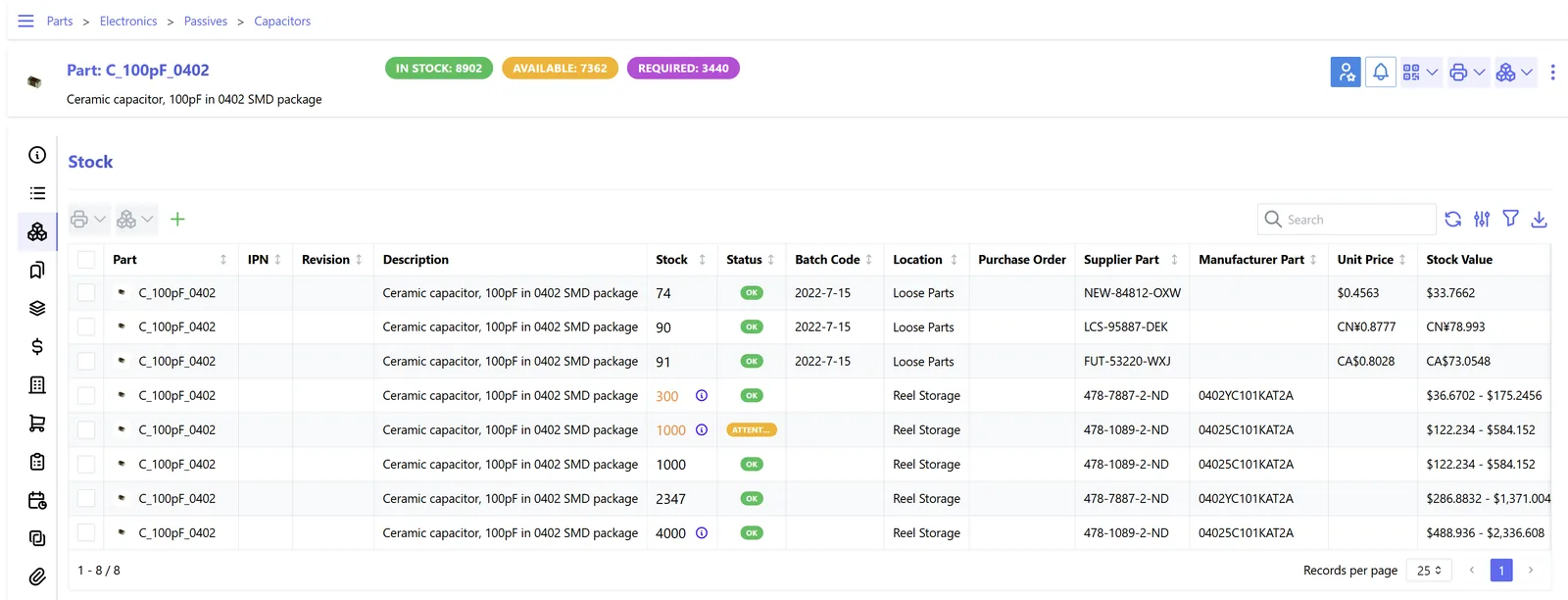
Finance sees the reconciliation as a status board rather than a spreadsheet.
A hedged guide to the relevant features. Names and availability can change between versions.
| Zoho | Odoo | ERPNext | Dynamics 365 | |
|---|---|---|---|---|
| Count entry | Inventory adjustments by quantity or value | Physical inventory: counted quantity applied as adjustment | Stock Reconciliation document with counted qty and valuation | Physical inventory journal and counting orders |
| Perpetual valuation | Inventory integrated with Zoho Books accounts | Automated valuation posts to stock accounts | Perpetual inventory on by default for companies | Inventory posting setup with cost posted to G/L |
| Stock vs GL check | Inventory valuation report against balance sheet | Valuation report against stock account balances | Stock and Account Value Comparison report | Inventory to G/L reconciliation view and valuation reports |
| GRNI tracking | Purchase receives versus bills; confirm reporting for your edition | Received not billed via purchase reports | Purchase Receipt with Stock Received But Not Billed account | Received not invoiced on purchase lines and accruals |
| Cost adjustment | Automatic with FIFO | Valuation layers update automatically | Repost item valuation when backdated entries occur | Adjust cost item entries batch job |
| Approval | Approval workflows for transactions; confirm for adjustments | Approval via configuration or Studio | Workflow on Stock Reconciliation | Approval workflows on journals |
Reconciliation is faster when every source posts to the ERP directly.
These points affect how variances are recorded and kept. Confirm specific treatments with your tax advisor.
Lost, damaged or given-away goods can have VAT implications depending on the circumstances, for example where input tax was recovered. Record the reason for each write-off so the treatment can be assessed.
The reconciled closing stock value feeds the financial statements on which the 9% corporate tax is calculated. Keep count and approval records with the year-end file.
Count sheets, adjustment approvals and reconciliation reports form part of the tax records to keep for at least five years under Cabinet Decision 74 of 2023.
Auditors often attend year-end counts. An ERP count document with recounts and approvals makes their sample testing straightforward.
General information, not tax or legal advice. Rules change; confirm current FTA, MOHRE and Ministry of Finance guidance with your advisor.
Benefits we see once the process runs monthly, with no invented figures.
The stock-to-GL check becomes a report review instead of a multi-day exercise.
Every difference has a reason code, so recurring losses are visible and addressed.
Auditors get count documents, approvals and a ledger that ties to the balance sheet.
Old GRNI balances are cleared, so payables and cost of sales are right.
Typical ranges when moving from separate inventory and accounting tools to one ERP.
Durations are typical ranges; your plan is agreed after discovery.
List the causes of last year's differences and the accounts involved.
Set inventory, COGS, GRNI and variance accounts and lock manual journals.
Configure count documents, approval thresholds and reason codes.
Run the full checklist with us, then hand over to your team.
We configure the system for the rules UAE businesses report against, and test it before go-live.
General information, not tax or legal advice. Confirm current requirements with the FTA, MOHRE or your advisor. See all UAE compliance guides.
On-site workshops in Dubai, Abu Dhabi and Sharjah, and remote or on-site delivery across the Northern Emirates and free zones.
Official sources and references
Facts on this page were checked against these sources in October 2026. Rules change, so confirm current requirements before acting.
Still have a question? Our consultants are happy to help.
Ask an ExpertThe usual reasons are manual journals to the inventory account, landed costs posted as expenses, backdated transactions without a cost repost, or a separate inventory system. In an integrated ERP these can be listed and locked down.
Both compare two records, but stock reconciliation compares physical goods and item-level values, not statement lines. The discipline is similar, which is why we often set up bank reconciliation and payment reconciliation in the same project.
Per item. A lump journal fixes the value but leaves item quantities wrong, which causes problems next month. The ERP posts item-level adjustments with their accounting entries.
That points to receipts posted late or issues posted from the wrong location. Fix the cause as well as the count; our negative stock problems page explains how.
Book to ledger every month. Count to book on a cycle basis during the year, with a full count at year end if your auditor needs it.
Flag them by age and review for clearance or write-down. See stock aging for the report and approval rules.
Related Solutions
Related Industries
Related ERP Platforms
We review your current reconciliation and set up the counts, accounts and approvals for a clean close.
Dubai, United Arab Emirates










