
L
O
A
D
I
N
G


Zoho, Odoo, ERPNext, Dynamics 365 and custom ERP, delivered by one accountable team.

In trading, the deal is won on speed and price, then kept through repeat orders. Your CRM has to see stock, price lists and credit, not just contacts.
A CRM for a UAE trading company should show live stock, incoming shipments, the customer's own price list and credit status directly on the quote screen, because trading deals are won on speed and price. It should also track repeat buyers and alert when a regular account goes quiet, log field visits, support multi-currency quotes for re-exports and convert accepted quotes into ERP sales orders.
A general trading company in Deira, Al Quoz, Sharjah or Jebel Ali does not sell like a software firm. Most revenue comes from existing accounts reordering, the sales cycle for a new enquiry is often hours rather than months, and the salesperson who quotes first with the right price and a firm delivery date usually wins. A CRM for trading companies in the UAE therefore has to answer three questions inside the quote screen: do we have it, what is this customer's price, and is this customer within credit.
Generic CRMs built around long opportunity pipelines miss this. Salespeople end up switching between the CRM, the stock sheet, the accounts team and WhatsApp to the warehouse, and quotes take half a day. Traders who represent several principal brands, sell to contractors and retailers at different price levels, and re-export to Oman, Africa or Iraq need customer-specific pricing, multi-currency quotes and visibility of what each account bought last quarter.
That is why for trading we nearly always connect CRM tightly to inventory software built for traders and accounting, or run them in one system. The CRM side of that picture is what this page covers: enquiry to quote, repeat-order management, field visits and account health.

These are trading-specific problems, beyond the general follow-up issues every sales team has.
Salespeople promise items that are already reserved for another order or still in a container at the port. The customer is let down, and the next enquiry goes to a competitor.
Contractor, retailer and distributor price levels live in separate Excel files. Discounts are given verbally and nobody checks the margin until month end.
Accounts finds out the customer was over limit after the goods have left the warehouse. Collections then chase a bigger balance than the company agreed to carry.
A regular buyer stops ordering and nobody notices for months because there is no report on ordering frequency by account.
Salesmen visit shops and sites around the emirates, but visit notes are on paper or not recorded, so managers cannot link visits to orders.
Suppliers and brand principals ask for sell-out by customer and territory. The team builds it manually from invoices every quarter.
Short steps, because trading deals move fast. The stock and credit checks happen inside the quote, not in a separate call to the warehouse or accounts.
One shared database: every step updates stock, finance and reports in real time.
Most of these depend on CRM and ERP sharing the same item, customer and price data.
Price levels per customer group or individual account, with validity dates and minimum margin warnings. See customer price list software for the full pricing setup.
Available, reserved and incoming quantities by warehouse shown on the quote line, with expected arrival dates for items in transit.
Credit limit, outstanding balance and overdue invoices visible to the salesperson, with a hold or approval when the limit is exceeded. More on credit limit control.
Last order date, average order interval and products bought, with an alert when an account is overdue for its usual reorder.
Mobile check-in with location, visit notes, photos of shelves or site stock and a follow-up task, linked to the account.
Quotes in AED, USD or other currencies for export customers, with the exchange rate recorded on the document.
Sales by principal brand, product group, salesperson and emirate, ready to share with suppliers.
Accepted quotes become sales orders that reserve stock and flow into delivery notes and tax invoices without retyping.
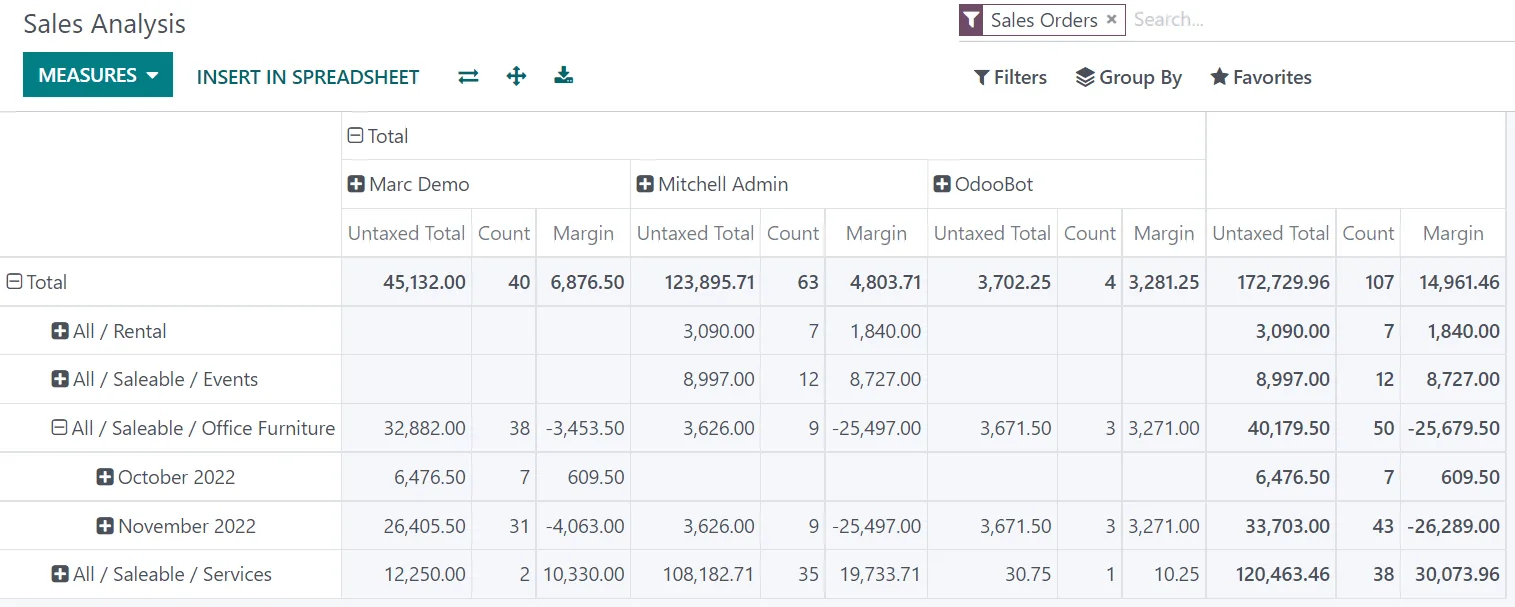
Trading managers care about quote speed, conversion and account health more than long-range forecasts.
All four can run a trading sales cycle well. The difference is how tightly CRM, stock and accounting share data. Confirm features for your edition.
| Zoho | Odoo | ERPNext | Dynamics 365 | |
|---|---|---|---|---|
| Architecture | Zoho CRM linked to Zoho Inventory and Zoho Books | CRM, Sales, Inventory and Accounting in one database | CRM, Selling, Stock and Accounts in one system | Dynamics 365 Sales with Business Central for stock and finance |
| Customer price lists | Price books in CRM; price lists in Zoho Inventory | Pricelists by customer, quantity and date | Price lists and pricing rules per customer or group | Customer price groups and sales prices in Business Central |
| Stock on quote | Via the CRM-Inventory integration; confirm the detail shown | Forecasted quantity shown on quotation lines | Projected and actual qty available from stock ledger | Item availability in Business Central; visibility in Sales depends on integration |
| Credit limit control | Credit limits in Zoho Books; CRM visibility via integration | Credit limit warnings on customers in recent versions | Credit limit per customer and company with sales order block | Credit limit checks in Business Central |
| Field sales app | Zoho CRM mobile with check-in | Odoo mobile web app; field features vary by module | Mobile-friendly web; customizable for visits | Dynamics 365 Sales mobile app |
| Best fit | Traders wanting quick cloud setup and a strong standalone CRM | Traders wanting one integrated system with less integration work | Cost-sensitive traders with a technical partner | Larger traders in the Microsoft ecosystem |
The more of the order cycle the CRM can see, the faster the quote.
These apply to how quotes, customers and orders are recorded. Confirm specific treatment with your tax advisor.
Local supplies carry 5% VAT; exports of goods can qualify for zero rating when export evidence conditions are met. The CRM quote should apply the right tax code so the ERP invoice follows it.
Goods moving between mainland and designated free zones such as Jebel Ali Free Zone can have specific VAT treatment. Set up customer and delivery address types so tax codes are applied consistently.
From 2027 tax invoices will move through Accredited Service Providers under the PINT AE specification. Correct TRNs and legal names captured at account creation in CRM avoid rejected invoices later; check the latest MoF and FTA guidance.
Buyer contact details are personal data under Federal Decree-Law No. 45 of 2021. Limit export rights and record marketing consent.
General information, not tax or legal advice. Rules change; confirm current FTA, MOHRE and Ministry of Finance guidance with your advisor.
Outcomes we typically see once quotes and accounts run through one system. No invented figures.
Salespeople quote with stock and price confirmed, so fewer quotes need revising after the customer accepts.
Price-list floors and discount approvals stop silent discounting.
Over-limit orders are caught before delivery, not after.
Reorder alerts prompt a call before a quiet customer becomes a lost one.
Ranges for a focused rollout with 5-30 sales users. Item count, price list complexity and integration depth change the timeline.
Durations are typical ranges; your plan is agreed after discovery.
Map price levels, credit rules, territories, brands and how enquiries arrive.
Clean customer list and items, set up price lists and credit limits.
Pipeline, quote template, approval rules for discounts and credit, mobile visit logging.
Connect inventory and accounting, or configure the shared modules in an all-in-one ERP.
Train sales, accounts and warehouse together, then review quote speed and adoption weekly.
We configure the system for the rules UAE businesses report against, and test it before go-live.
General information, not tax or legal advice. Confirm current requirements with the FTA, MOHRE or your advisor. See all UAE compliance guides.
On-site workshops in Dubai, Abu Dhabi and Sharjah, and remote or on-site delivery across the Northern Emirates and free zones.
Official sources and references
Facts on this page were checked against these sources in October 2026. Rules change, so confirm current requirements before acting.
Still have a question? Our consultants are happy to help.
Ask an ExpertYes, but the emphasis is different. Repeat business needs account management: reorder reminders, price history, credit status and visit tracking. A CRM that only manages new leads misses most of a trader's revenue.
Yes. Role permissions let sales see available quantities and selling prices while cost and margin stay with managers. Margin warnings can still apply in the background.
For most traders, the closer the better. Odoo and ERPNext run them in one database; Zoho connects CRM with Inventory and Books natively. Our guide to ERP for general trading companies covers the inventory and accounting side.
Assign each account a default price list and allow approved exceptions per quote. The quote records which price applied and who approved any discount, which also helps when a customer disputes an invoice.
It depends on what you already use. Teams on Zoho Books often extend with Zoho for trading companies; traders wanting one integrated database often choose Odoo for trading. We implement both and recommend by fit.
Yes, if brand is captured on the item master. Sales by brand, customer and territory then becomes a saved report rather than a quarterly Excel exercise.
Related Solutions
Related Industries
Related ERP Platforms
We will review your enquiry-to-order cycle and show how a connected CRM fits your trading business.
Dubai, United Arab Emirates










