
L
O
A
D
I
N
G


Zoho, Odoo, ERPNext, Dynamics 365 and custom ERP, delivered by one accountable team.

Know what is on the shelf, what is on the water and what is already promised to a customer, across every warehouse and unit of measure.
A UAE trading company needs inventory software that shows stock by warehouse, bin and status (available, reserved, in transit, on hold) across sites such as Jebel Ali, Al Quoz and Sharjah. Key features are purchase and sales units of measure, batch, expiry and serial capture at receipt, reservations against confirmed orders, reorder suggestions based on overseas lead times, and goods-in-transit tracking.
Trading company inventory software has to answer three questions at any moment: how much do we have, where is it, and how much of it is already promised? In a typical UAE trader those answers are spread across a main warehouse in Jebel Ali or Al Quoz, an overflow store in Sharjah or Ajman, a showroom counter, containers still at sea, and goods sitting with the clearing agent at the port.
The usual setup is a stock sheet maintained by the storekeeper, a separate invoicing tool used by the sales desk, and a WhatsApp group where salesmen ask whether an item is available. Stock goes negative because invoices are issued before the GRN is posted, cartons and pieces get mixed up, and the same 200 units are promised to two customers. Physical counts at year-end produce large write-offs that nobody can explain.
This page focuses on the stock side of a trading business. For the finance side (landed cost in margins, PDCs, VAT) see trading company accounting software. For a platform-neutral overview of stock modules, see inventory management software in the UAE.

Each of these creates either lost sales or stock losses, and usually both.
Invoices are posted before goods are received, or transfers between stores are never recorded. The system shows stock that does not exist, and the next order fails at the loading bay.
A supplier ships in cartons of 24, the sales team sells singles and some customers buy by the dozen. Without unit conversions on every item, stock counts and prices drift apart.
A container from China or India is three weeks away, but salesmen cannot see it or its expected date. They either refuse orders that could be promised or promise stock with no arrival date.
Two salesmen quote the same limited stock to different customers. Whoever invoices first wins, and the other customer gets an apology and a late delivery.
When a supplier recalls a batch or a customer claims warranty on a unit, nobody can tell which customers received which batch or serial number.
Purchase decisions rely on the buyer's memory and a quick look at the shelf. Fast movers run out during long overseas lead times while slow movers keep being reordered.
Every movement is a document, so stock on the screen matches stock on the shelf. Multi-store traders should also read about ERP for multiple warehouses.
One shared database: every step updates stock, finance and reports in real time.
These are the stock functions we configure first for UAE trading and import businesses.
Separate warehouses, showrooms and transit locations, with bin or rack positions for faster picking.
Purchase, stock and sales units per item with fixed conversions, such as pallet, carton and piece.
Lot and expiry capture on receipt, FEFO picking for perishables and serial numbers for electronics and equipment.
Available-to-promise figures that subtract confirmed orders and add incoming shipments by date.
Minimum and maximum levels, reorder points and suggested purchase quantities that respect supplier lead times.
Inter-warehouse transfers with in-transit status, cycle counts by zone and approved stock adjustments.
Mobile scanning for receiving, picking and counting to remove typing errors.
Weighted average or FIFO costing posted to the ledger, including landed cost from shipments.
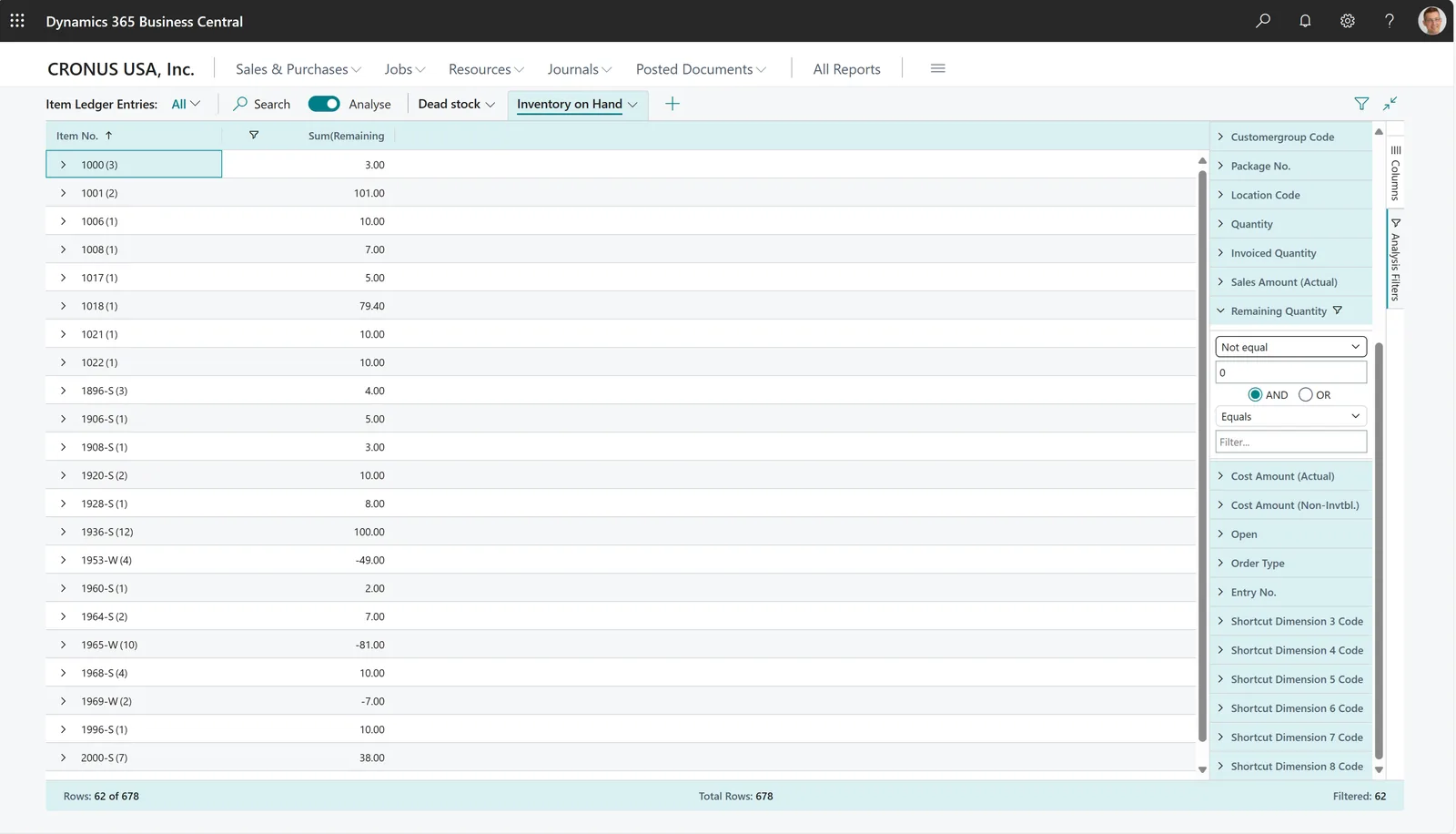
Storekeepers, buyers and sales managers work from the same live stock figures.
All four handle the basics well; the differences are in depth, warehouse logic and how much configuration you want to manage. Confirm features for your edition.
| Zoho | Odoo | ERPNext | Dynamics 365 | |
|---|---|---|---|---|
| Warehouses and bins | Multiple warehouses; bin locations in recent editions | Warehouses, locations and multi-step routes (receive, quality, store) | Warehouse tree with unlimited child warehouses | Locations with bins and warehouse handling in Business Central |
| Units of measure | Unit conversions supported (check plan) | UoM categories with purchase and sales units per product | UOM conversion factors per item | Item units of measure with purchase and sales units |
| Batch, expiry and serials | Batch and serial tracking | Lots and serial numbers, expiry dates with removal strategies | Batch and serial number tracking with expiry | Item tracking codes for lots and serials, with expiration |
| Reservations | Committed stock from confirmed sales orders | Reservation on delivery orders by rule | Reserved quantity from sales orders; stock reservation in recent versions | Reservation against sales lines |
| Replenishment | Reorder points with notifications | Reordering rules and replenishment report | Auto material request at reorder level | Requisition and planning worksheets |
| Goods in transit | Usually via purchase receive status or custom fields | Transit locations and incoming receipts with scheduled dates | In-transit warehouse with stock entries | In-transit locations and transfer orders |
| Typical fit | Single-entity traders with simple warehouses | Traders needing warehouse routes and wide app coverage | Traders wanting flexible, low-license-cost stock control | Larger traders with complex warehousing and planning |
Stock figures are only as good as the scans and documents that feed them.
Stock records are also tax records. Confirm specifics with your tax advisor.
Goods moved between mainland and designated zones, re-exports and imports each carry different VAT treatment. Separate warehouses or locations per zone make the documentation easier to produce.
Closing stock value drives cost of sales and therefore taxable profit. A consistent costing method and approved write-downs support the figures in your corporate tax return.
GRNs, delivery notes, transfer documents and count records should be kept for at least 5 years with the related invoices, under Cabinet Decision 74 of 2023.
Traders holding tobacco, energy drinks or sweetened drinks need stock records that support excise reporting under the rates in force from 1 January 2026.
General information, not tax or legal advice. Rules change; confirm current FTA, MOHRE and Ministry of Finance guidance with your advisor.
Outcomes we design every trading inventory rollout around.
Salesmen promise from available-to-promise figures that include incoming containers.
Reorder rules based on movement reduce overbuying of slow lines.
Scanned receipts, picks and transfers remove most typing and memory errors.
Batch and serial history shows exactly which customer received which unit.
Often 6-12 weeks for a focused rollout; the stock count and item master cleanup decide the pace.
Durations are typical ranges; your plan is agreed after discovery.
Remove duplicates, set units, conversions, batch and serial rules and reorder levels.
Define warehouses, transit and quality locations, bins and scanning points.
Set up receiving, reservation, picking, transfers and replenishment, then test with real orders.
Count, scan and load opening balances by bin, batch and serial.
Daily variance checks and coaching for storekeepers and sales staff.
We configure the system for the rules UAE businesses report against, and test it before go-live.
General information, not tax or legal advice. Confirm current requirements with the FTA, MOHRE or your advisor. See all UAE compliance guides.
On-site workshops in Dubai, Abu Dhabi and Sharjah, and remote or on-site delivery across the Northern Emirates and free zones.
Official sources and references
Facts on this page were checked against these sources in October 2026. Rules change, so confirm current requirements before acting.
Still have a question? Our consultants are happy to help.
Ask an ExpertYes. The purchase order or shipment record carries an expected date, and goods can sit in a transit location until the GRN is posted. Salesmen then see incoming quantity alongside on-hand stock.
Each item gets a stock unit and conversion factors for purchase and sales units. You receive 10 cartons, the system adds 240 pieces, and a sale of 3 dozen deducts 36.
If you sell food, chemicals, pharmaceuticals, cosmetics or anything with an expiry date or recall risk, yes. Our page on batch tracking explains the setup.
It can propose quantities from reorder levels or recent movement, adjusted for lead time from overseas suppliers. See inventory replenishment for the methods buyers use.
Smaller traders often do well with Zoho Inventory. Traders needing multi-step warehouse routes or lower license costs at scale often choose Odoo or ERPNext for trading companies. We implement all four and recommend by fit.
Yes. A live inventory dashboard can show stock value, reorder alerts and slow movers by warehouse on a phone or a wall screen.
Related Solutions
Related Industries
Related ERP Platforms
Tell us how many warehouses, items and units you manage, and we will map the stock flow that fits your trading business.
Dubai, United Arab Emirates










