
L
O
A
D
I
N
G


Zoho, Odoo, ERPNext, Dynamics 365 and custom ERP, delivered by one accountable team.

One view of every PPM visit, reactive call, technician, spare part and contract SLA across your buildings, so you stop running the portfolio from spreadsheets and WhatsApp groups.
An ERP gives facility managers one view of PPM visits, reactive work orders, technicians, spare parts and contract SLAs across every building. SLA clocks start when a request is logged, technicians complete jobs on mobile with photos and signatures, spares are issued against work orders, and labor, material and subcontractor costs roll up to cost and margin per site and contract.
ERP for facility managers in the UAE starts with a simple question: can you see, right now, which jobs are breaching SLA, which PPM visits slipped last month and what each building is costing you? For most FM teams in Dubai, Abu Dhabi and Sharjah the honest answer is no. The week is a mix of chiller complaints in summer, Civil Defence fire and life safety visits, landlord or owners' association reports, subcontractor follow-ups and a monthly scramble to prove contract performance.
A typical facility manager looks after several towers, villas communities or a retail and office portfolio, with in-house MEP technicians, cleaners and specialist subcontractors for lifts, BMS, pest control and water tanks. Requests arrive by phone, email, tenant apps and the security desk. PPM checklists live in Excel, spare parts sit in a site store nobody has counted for months, and the client's monthly KPI report is assembled by hand from job sheets.
An ERP or CAFM-connected ERP gives the facility manager one record per asset, one work order per job and one cost line per building. It is different from general facility management software bought by the IT team: this page looks at the system from the facility manager's chair, the screens you open every morning and the controls you need to run contracts profitably.
These are the pain points facility managers in UAE portfolios describe most often before an ERP rollout.
Planned visits for chillers, AHUs, fire pumps and DG sets are tracked in a spreadsheet that drifts from reality. When a client or auditor asks for the completion rate, the team spends days rebuilding it from paper job cards.
A leaking FCU logged at 9 pm is not seen until the morning shift reads the WhatsApp group. Response and resolution times are guessed, and penalty clauses in the contract are applied without data to challenge them.
Technicians arrive without the asset history, the last fault or the right spare part, so many jobs need a second visit. Photos and customer sign-off stay on personal phones instead of the job record.
Filters, belts, breakers and refrigerant are issued without a reference to a work order. Stock runs out on the busiest weeks of summer, and nobody can say which building consumed what.
Labor, subcontractor invoices and material are booked in accounts weeks later under general expense codes. The facility manager cannot tell which AMC is losing money until renewal time.
Each owner or tenant wants a KPI pack with jobs by category, SLA performance and outstanding items. Building it by hand every month takes a supervisor away from the field.
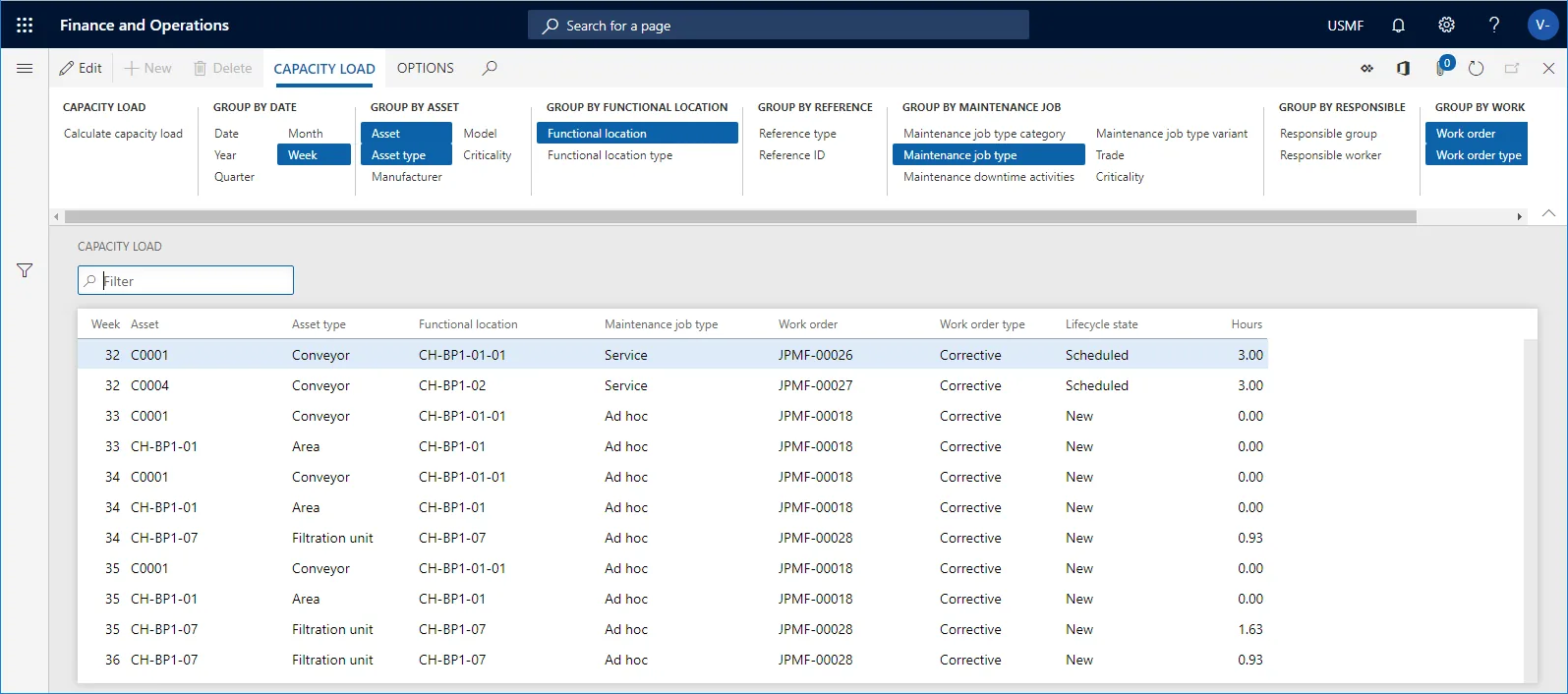
This is the screen a facility manager opens first. It mirrors a facility management dashboard built on live work order, asset and contract data rather than a monthly export.
Configured well, the system replaces the job sheet book, the PPM spreadsheet and the store register.
Maintenance plans per asset with frequency, checklist and assigned trade generate work orders automatically, so planned visits are not left to memory.
Response and resolution targets per priority and per contract start when the request is logged and escalate to the supervisor before a breach.
Technicians see the job, the asset history and the checklist on a phone, record parts and hours, add photos and capture the customer signature on site.
Every spare issued is linked to a work order and a building, with reorder levels for fast movers such as filters, belts and refrigerant.
Contract scope, assets covered, SLA terms and billing schedule sit on the contract record, which is the core of facility management contract software.
Labor, material and subcontractor cost post against the building and contract, so margin per AMC is visible during the year, not at renewal.
The reactive maintenance loop is where most SLA risk sits. In an ERP each step leaves a timestamp and an owner.
One shared database: every step updates stock, finance and reports in real time.
We implement all four platforms and recommend by fit. If you run an FM company rather than an in-house FM team, also read ERP for facility management companies.
| Zoho | Odoo | ERPNext | Dynamics 365 | |
|---|---|---|---|---|
| Work orders and technician app | Zoho FSM for field jobs; Zoho Creator for custom CAFM forms | Field Service and Maintenance apps (Field Service is an Enterprise app) | Maintenance Visit and Issue doctypes; mobile via web app or custom app | Dynamics 365 Field Service with mobile app |
| PPM scheduling | Recurring jobs in Zoho FSM or a Creator app; confirm scope for your edition | Preventive maintenance plans on equipment in the Maintenance app | Maintenance Schedule and Asset Maintenance | Agreements with recurring maintenance in Field Service |
| SLA tracking | SLA rules in Zoho Desk for request intake | SLA policies in Helpdesk | SLA on Issue/Support | Entitlements and SLAs in the Dynamics 365 platform |
| Spares and site stores | Zoho Inventory with multiple locations | Inventory with a location per site | Stock with a warehouse per site | Inventory in Field Service or Business Central/SCM |
| Best fit | Small to mid FM teams already on Zoho | Mid-size portfolios wanting one integrated system | Cost-conscious teams wanting open source and flexibility | Larger portfolios already on Microsoft 365 and Azure |
Product capabilities change between editions; confirm for your edition. See Odoo for facility management and Zoho for facility management for platform detail.
Facility managers who prepare this data first get a working system weeks sooner.
We configure the system for the rules UAE businesses report against, and test it before go-live.
General information, not tax or legal advice. Confirm current requirements with the FTA, MOHRE or your advisor. See all UAE compliance guides.
On-site workshops in Dubai, Abu Dhabi and Sharjah, and remote or on-site delivery across the Northern Emirates and free zones.
Official sources and references
Facts on this page were checked against these sources in October 2026. Rules change, so confirm current requirements before acting.
Still have a question? Our consultants are happy to help.
Ask an ExpertA CAFM tool handles assets and work orders well, but cost, stock, purchasing and billing often sit elsewhere. If you need cost per building and margin per contract, the work orders must connect to inventory, purchasing and accounts, which is what an ERP adds.
Yes. Zoho FSM, Odoo Field Service, Dynamics 365 Field Service and ERPNext's mobile-friendly web screens all let technicians open jobs, record parts and capture signatures on a phone. Offline support differs by product, so test it in basement plant rooms before rollout.
Mandatory fire and life safety maintenance is set up as PPM plans with their own checklists and evidence attachments, and specialist contractors are recorded on the job. The ERP keeps the history; the rules themselves come from the authority and your approved contractor, so confirm requirements with them.
Parts below reorder level or requested on a job create a purchase request, which follows your approval rules. Our page on ERP for procurement managers covers the buying side in detail.
Hours recorded on work orders can feed timesheets and labor cost. Attendance, overtime and payroll usually live in the HR module; see ERP for HR managers for how that side is set up.
A focused rollout covering assets, PPM, reactive jobs and stores often takes 8-14 weeks, depending on the number of buildings and how clean the asset register is. Billing and client portals can follow in a second phase.
Related Solutions
Related Industries
Related ERP Platforms
Tell us about your portfolio and contracts, and we will show you a facility manager's view configured on the platform that fits.
Dubai, United Arab Emirates










