
L
O
A
D
I
N
G


Zoho, Odoo, ERPNext, Dynamics 365 and custom ERP, delivered by one accountable team.

Minimum stock levels decide when every reorder starts. An ERP lets you calculate them from real demand and lead time, store them per location and keep them current as seasons change.
Set minimum stock levels in an ERP from real data: average daily demand multiplied by replenishment lead time, plus safety stock, stored per item and per warehouse. Maximums cap how much is reordered. UAE traders should review levels quarterly and raise them before Ramadan, Eid and other peaks, using Odoo reordering rules, ERPNext reorder tables, Zoho Inventory or Dynamics 365.
ERP for minimum stock levels UAE is about the numbers that sit behind every low-stock alert. The minimum (also called reorder level or reorder point) is the quantity at which a new order or transfer should start. The maximum is the level you refill up to. Every automated purchase, transfer suggestion and alert depends on these two values, yet in many UAE companies they were typed in once at go-live and never touched again.
A useful minimum is not a guess. It is roughly the demand you expect during the replenishment lead time, plus a buffer for uncertainty. A fast-moving cable size in a Sharjah electrical trader, sold daily and restocked from a local supplier in two days, needs a very different minimum from an imported valve that sells twice a month and takes weeks to arrive through Jebel Ali. And the same item needs different minimums in different branches, because each sells at its own pace.
This page covers how to calculate, store, review and govern minimum and maximum levels. The buffer part of the formula is explained in safety stock management, and what the system does once a minimum is breached is covered in automatic reordering.

When we audit stock settings in UAE companies, the same issues come up again and again.
Minimums entered during implementation still reflect demand from years ago. Items that grew stock out, and items that declined keep being reordered and turn into dead stock.
Every item gets a minimum of 10 or 50 because it is easy to remember. The figure has no link to sales or lead time.
A company-wide minimum hides the fact that the Abu Dhabi branch sells three times what Fujairah sells. One branch is always short, the other always full.
Demand shifts around Ramadan, Eid, back-to-school and the summer slowdown. If levels are not raised before the peak, the reorder starts too late to arrive in time.
When half the catalog is permanently below minimum because levels are wrong, buyers learn to ignore the low-stock report entirely.
If receipts and issues are posted late, on-hand quantities are wrong and the minimum check fires at the wrong time. Negative stock problems must be fixed first.
Treat minimum and maximum levels as master data with an owner and a review cycle.
One shared database: every step updates stock, finance and reports in real time.
These parts of the ERP hold, calculate and act on the levels.
Minimum, maximum and reorder quantity per item per warehouse, not just one value on the item card.
Average and peak consumption per item and location, the basis for every calculation.
Daily alerts or dashboard lists of items at or below minimum, using forecast rather than plain on-hand stock.
Import or mass-edit levels from a reviewed spreadsheet, so seasonal changes take minutes rather than days.
Audit trail on level changes, showing the old value, new value, user and date.
Days of cover, stock aging and excess-over-maximum reports to spot levels set too high.
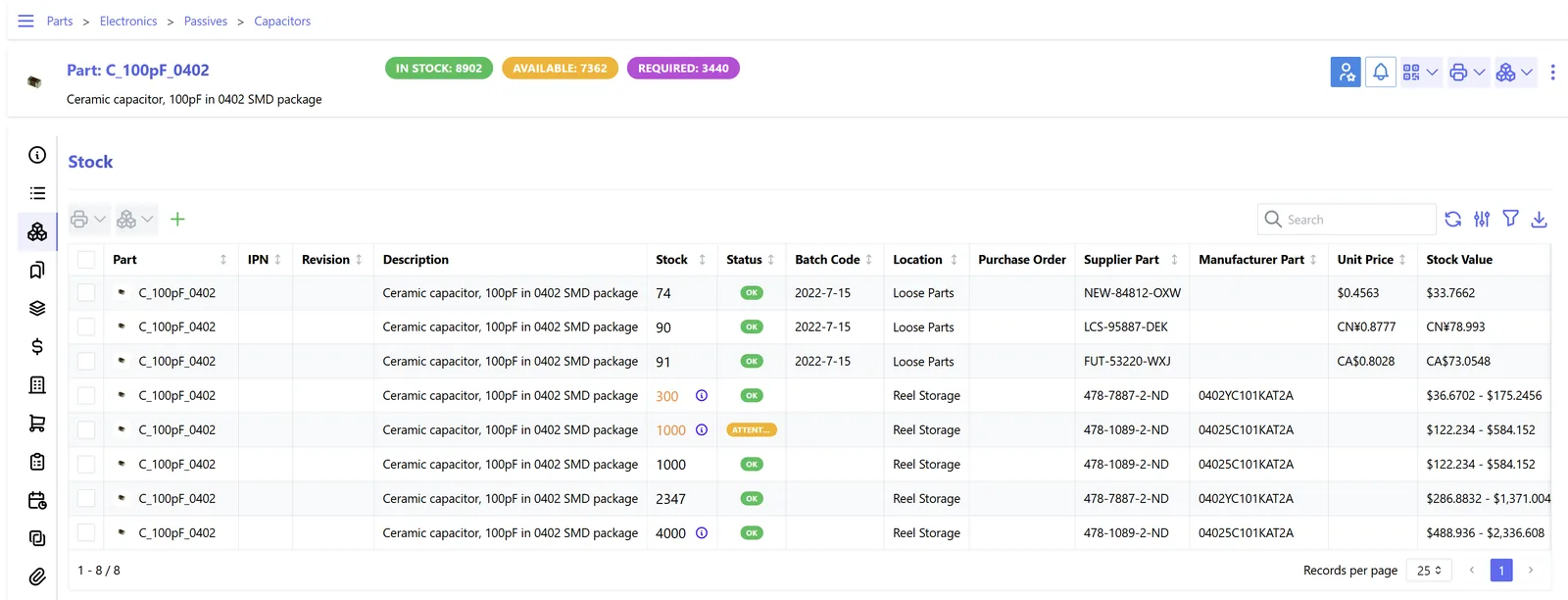
This view checks whether the levels themselves are right, not just which items are low.
Each platform stores minimums differently. These notes are general; confirm for your edition.
| Zoho | Odoo | ERPNext | Dynamics 365 | |
|---|---|---|---|---|
| Where the level lives | Reorder level on the item in Zoho Inventory | Reordering rule (min / max) per product and location | Item reorder table per warehouse | Reorder point and maximum inventory on item or SKU card (Business Central) |
| Per-location levels | Limited; check current multi-warehouse options | Yes, one rule per location | Yes, one row per warehouse | Yes, with stockkeeping units per location |
| Maximum level | Not a core field; handled in process | Max quantity on the rule | Reorder quantity rather than a maximum | Maximum inventory with the Maximum Qty policy |
| Alerting | Reorder notifications | Replenishment report and scheduler | Material request raised at reorder level | Planning worksheet and availability warnings |
| Bulk maintenance | Import / export items | Import or edit rules in list view | Data import tool | Configuration packages and Excel edit |
We help you calculate the levels from your own data, whichever platform you use.
Minimums are only as reliable as the demand and stock data feeding them.
Minimum levels are an internal setting, but they shape what you buy, store and write off. Confirm tax points with your advisor.
Over-high minimums create excess and obsolete stock. Write-downs and provisions affect accounting profit, which is the starting point for corporate tax, so they should be supported by records.
For food, cosmetics and pharmaceuticals, a minimum that is too high increases expiry risk. Pair levels with expiry and FEFO controls.
Holding excess excise goods such as energy drinks or tobacco ties up tax already paid or due. Keep levels for these items tight and reviewed.
Stock records, count results and adjustments should be kept for at least five years under Cabinet Decision 74 of 2023.
General information, not tax or legal advice. Rules change; confirm current FTA, MOHRE and Ministry of Finance guidance with your advisor.
Accurate levels make every downstream process work better.
Only genuinely low items appear, so buyers act on the list.
Each location has levels that match its own sales.
Maximums cap what gets ordered, reducing slow-moving inventory.
Levels raised ahead of Ramadan or the year-end season give orders time to arrive.
Recalculating levels on an existing ERP often takes 3-6 weeks, depending on item count and data quality.
Durations are typical ranges; your plan is agreed after discovery.
Confirm on-hand figures; run a physical stock count or reconciliation if needed.
Extract history per item and location, and confirm realistic lead times with buyers.
Propose new levels and review exceptions with category owners.
Bulk-load levels, watch alerts and stockouts, and adjust outliers.
We configure the system for the rules UAE businesses report against, and test it before go-live.
General information, not tax or legal advice. Confirm current requirements with the FTA, MOHRE or your advisor. See all UAE compliance guides.
On-site workshops in Dubai, Abu Dhabi and Sharjah, and remote or on-site delivery across the Northern Emirates and free zones.
Official sources and references
Facts on this page were checked against these sources in October 2026. Rules change, so confirm current requirements before acting.
Still have a question? Our consultants are happy to help.
Ask an ExpertA common starting point is average daily demand multiplied by lead time in days, plus safety stock. For example, an item selling 20 units a day with a 10-day lead time needs about 200 units plus a buffer before reordering.
Yes, whenever branches sell at different rates or are refilled from different sources. Most ERPs let you store levels per warehouse or location.
Quarterly is a practical rhythm for most UAE traders, with an extra review before known peaks. Fast-changing categories may need monthly checks.
Safety stock is the buffer for uncertainty. The minimum includes that buffer plus expected demand during the lead time. If you only set safety stock, you will reorder too late.
Some platforms offer forecast-based suggestions; others need a report or a small customization. We often build a calculation report that proposes levels for approval.
No. Fix stock accuracy first with stock reconciliation and better stock control, otherwise the levels will trigger at the wrong times.
Related Solutions
Related Industries
Related ERP Platforms
Send us an export of items, sales history and lead times and we will show you which minimums need to change.
Dubai, United Arab Emirates










