L
O
A
D
I
N
G


Zoho, Odoo, ERPNext, Dynamics 365 and custom ERP, delivered by one accountable team.

Pick the right BI tool, build a data model your finance team trusts, and give managers self-service reports without exporting to Excel.
Choosing business intelligence software in the UAE depends less on the tool than on the data model. Power BI, Zoho Analytics, Looker Studio and Metabase all chart well; the harder work is deciding which ERP, POS, ecommerce and CRM data to bring in, defining revenue, margin and stock measures, and applying row-level security so each manager sees only their branch.
ERP reports answer questions inside one system. The questions UAE management teams actually ask usually cross systems: margin by branch including marketplace fees, stock cover across three warehouses and an ecommerce store, or sales per square foot across malls in Dubai and Abu Dhabi. Business Intelligence Software UAE companies buy is meant to combine those sources into one set of trusted numbers.
The tool is the easy part. Power BI, Zoho Analytics, Looker Studio, Metabase and others can all draw good charts. The hard parts are deciding which data to bring in, how often, how to define each measure, who can see what, and how to keep reports consistent when the ERP changes.
This page helps you choose BI software and plan the setup. If you are mainly looking for the dashboards built into your ERP, see ERP dashboard software. For our end-to-end BI project service, see ERP business intelligence.

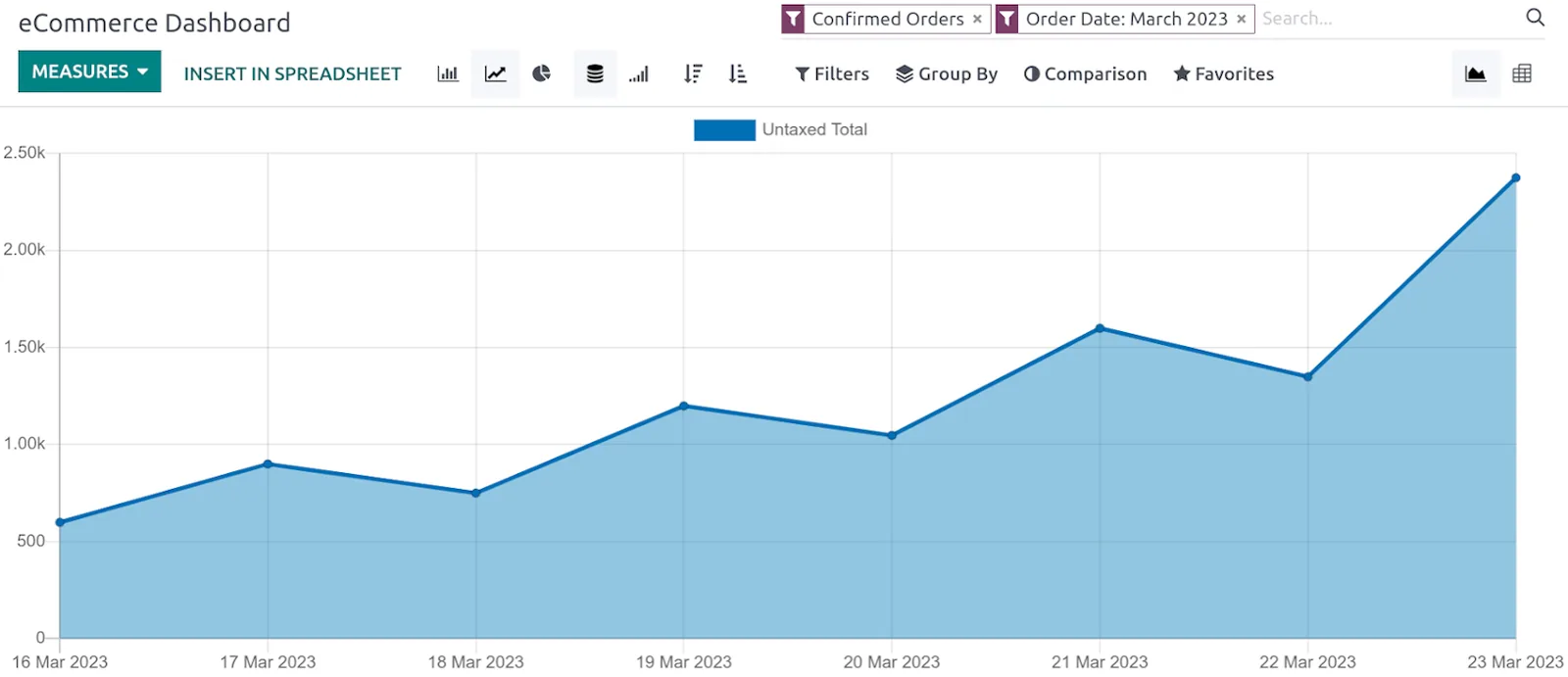
A BI dashboard earns trust when every figure ties back to the ledger and every user sees only what they should.
We follow this sequence so the first dashboards are useful and the model can grow.
One shared database: every step updates stock, finance and reports in real time.
These six factors decide whether a BI tool will still be used a year after launch.
Check native connectors for your ERP, CRM, POS and ecommerce platform. Where none exist, plan for an API or database extract.
A shared model with defined measures prevents each analyst calculating margin differently.
Branch managers, regional heads and owners should each see their own scope from the same report.
If reports go to Arabic-speaking stakeholders, test Arabic text, right-to-left layout and number formats in the tool you choose.
Check where the tool stores data. Some providers offer UAE data center options, which matters for regulated sectors and government work.
Per-user, per-capacity and bundled licensing produce very different costs as viewer numbers grow, so model it for year two, not just launch.
Each ERP has a natural BI companion, though any combination can work with the right connector.
| Zoho | Odoo | ERPNext | Dynamics 365 | |
|---|---|---|---|---|
| Built-in analytics | Reports in each Zoho app | Pivot, graph and spreadsheet dashboards (Enterprise) | Report builder, query reports and dashboards | Built-in reports and Power BI embedded views in Business Central |
| Natural BI companion | Zoho Analytics | Power BI, Metabase or Looker Studio | Metabase, Superset or Power BI | Power BI |
| Connection method | Native Zoho connectors | Database connection or API | Database connection or REST API | Native connectors and APIs |
| Non-ERP sources | Many prebuilt connectors | Depends on chosen BI tool | Depends on chosen BI tool | Wide connector library in Power BI |
| Best fit | Zoho One users wanting quick cross-app reporting | Odoo users needing cross-system analysis | Teams preferring open source BI | Microsoft-based organizations |
Hosting arrangements matter: direct database access is usually available on self-hosted Odoo and ERPNext but may be restricted on some cloud plans, in which case we use APIs or scheduled exports.
These are the systems UAE clients most often want in one reporting model.
BI copies sensitive data out of the ERP, so governance needs to be designed in from the start.
Personal and commercial data copied into a BI tool is still subject to UAE data protection expectations and any sector rules you follow. Check where the BI provider stores data and take legal advice on cross-border transfers.
BI reports are useful for reviewing VAT trends, but the VAT return should come from the ERP's tax reports, which tie to tax invoices and the audit trail. We label BI tax figures as analytical, not filing figures.
Groups with several UAE entities, free zone companies or related-party transactions often use BI to monitor entity results. Consistent entity mapping supports corporate tax analysis; confirm the tax treatment with your advisor.
Row-level security, named access and refresh logs show who can see salaries, margins or customer data, which auditors and boards increasingly ask about.
General information, not tax or legal advice. Rules change; confirm current FTA, MOHRE and Ministry of Finance guidance with your advisor.
BI builds on your ERP and reporting setup. These pages go further.
We configure the system for the rules UAE businesses report against, and test it before go-live.
General information, not tax or legal advice. Confirm current requirements with the FTA, MOHRE or your advisor. See all UAE compliance guides.
On-site workshops in Dubai, Abu Dhabi and Sharjah, and remote or on-site delivery across the Northern Emirates and free zones.
Official sources and references
Facts on this page were checked against these sources in October 2026. Rules change, so confirm current requirements before acting.
Still have a question? Our consultants are happy to help.
Ask an ExpertNot always. For one or two sources, a BI tool connected directly to the ERP can work. Once you combine several systems, need history the ERP does not keep, or have heavy query loads, a small warehouse or staging database makes reports faster and more reliable.
If you already run Microsoft 365 and Dynamics, Power BI usually fits best. If you run Zoho One, Zoho Analytics connects to Zoho apps with little effort. For other ERPs, we compare connectors, licensing and the skills of the people who will maintain reports.
Yes. We bring in exchange rates and convert each entity's figures to AED using the method finance agrees, such as month-end or average rates. The same rule should match how your consolidated accounts are prepared.
It depends on the tool, the source and the license. Daily or a few times a day is common for management reporting. Near real-time is possible for some sources but costs more and is rarely needed outside operations dashboards.
Ideally a trained person in finance or operations owns the model and simple reports, while we support complex changes. We document every measure and source so the setup does not depend on one person's memory.
A first set of management dashboards on one ERP often takes 4-8 weeks. Adding several sources, a warehouse and row-level security for many branches extends that. We usually deliver in stages so useful reports arrive early.
Related Solutions
Related Industries
Related ERP Platforms
List the questions your management team asks every month, and we will propose a BI setup that answers them from your systems.
Dubai, United Arab Emirates