L
O
A
D
I
N
G


Zoho, Odoo, ERPNext, Dynamics 365 and custom ERP, delivered by one accountable team.

Replace handwritten pick lists and typed item codes with scanners that post receipts, transfers, picks and counts directly to stock.
Barcode inventory software in the UAE connects handheld scanners to the ERP so receipts, transfers, picks and cycle counts post directly to stock. Scan-validated picking blocks wrong items, and batch, lot, expiry and serial numbers are captured at scan time. Zoho, Odoo, ERPNext and Dynamics 365 all read standard EAN, UPC and Code 128 barcodes and print item, bin and pallet labels.
Barcode inventory software UAE businesses use is mostly about removing typing. When a storekeeper in Ras Al Khor receives 40 cartons, they should scan the delivery note and each carton, not key 40 item codes into a screen. When a picker in a Sharjah spare parts store fills an order, the scanner should refuse the wrong part number before it leaves the shelf.
The common errors we see in UAE stores are similar: lookalike SKUs picked in the wrong size or voltage, batch numbers not recorded on food and pharma stock, and counts that drift because adjustments were typed against the wrong item. Each of these is solved by scanning at the point of action and letting the ERP validate the scan against the document.
Barcodes are a mature, low-cost technology. Handheld scanners, Android devices with scan engines, and thermal label printers are widely available in Dubai, and all four platforms we implement can read standard EAN, UPC and Code 128 formats. If you need to read many items at once without line of sight, look at our RFID inventory page instead.

The products we configure, integrate and support on projects like this one.

 Odoo Inventory
 ERPNext
Product names and logos are trademarks of their respective owners and are shown only to identify the software we implement.
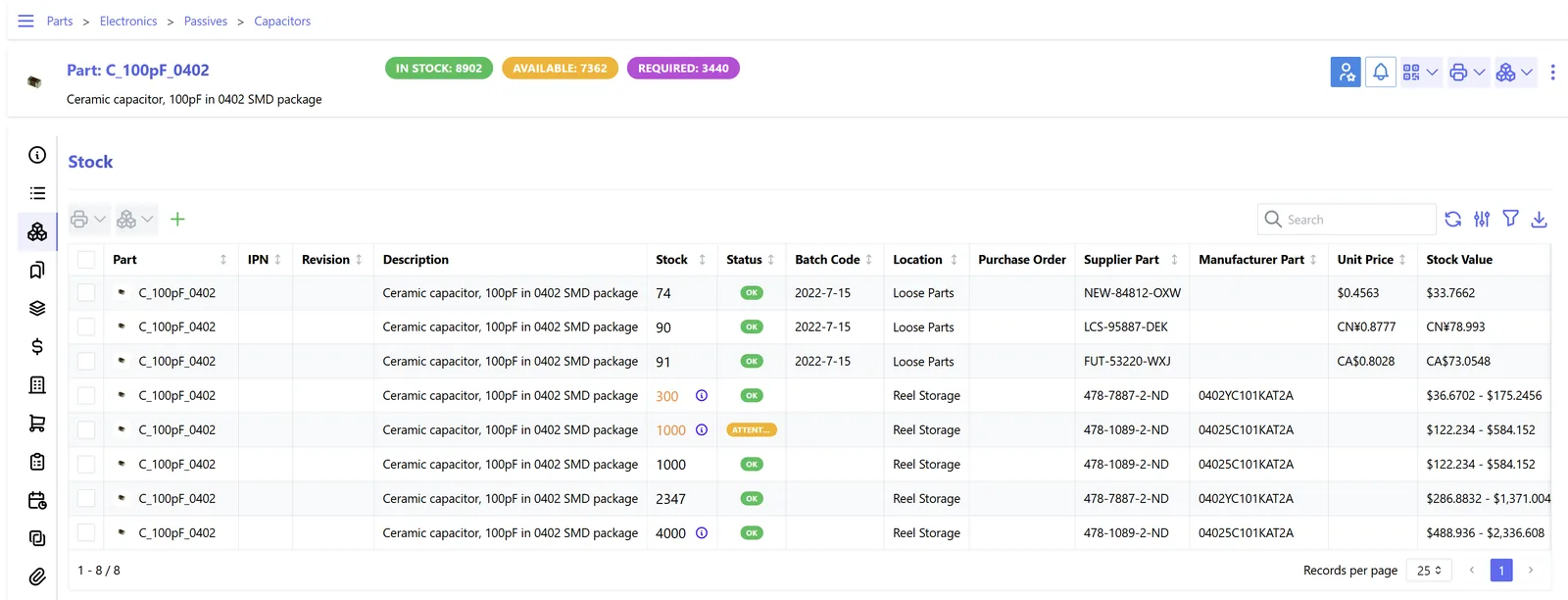
Once movements are scanned, the store manager can see what was done, by whom and with what errors.
The same scanner handles each stage. The ERP checks every scan against the open document before posting.
One shared database: every step updates stock, finance and reports in real time.
These are the features we test with your own items and labels during setup.
One item can carry the manufacturer EAN, your internal code and a carton barcode with a pack quantity, so scanning a carton adds 12 units, not one.
GS1-128 labels can carry batch and expiry in the barcode itself, so food, cosmetics and pharma stock is tracked without typing dates.
Print item labels on receipt, bin location labels for shelving and pallet labels for dispatch from Zebra or similar thermal printers.
Rugged Android handhelds or phones run the ERP's scanning app, with large buttons and sound feedback suited to busy stores.
A wrong item scan on a pick shows an error and a warning tone. Supervisors can see overrides, which are often the cause of later disputes.
Counters scan what they find without seeing system quantity, which gives honest counts. Variances go to a supervisor for approval before posting.
Native scanning depth varies. For some platforms, full warehouse scanning uses an add-on or partner app.
| Zoho Inventory | Odoo | ERPNext | Dynamics 365 Business Central | |
|---|---|---|---|---|
| Item barcodes | SKU and UPC/EAN fields on items | Barcode field on products and packaging | Multiple barcodes per item via Item Barcode table | Item references and barcode fields |
| Mobile scanning | Mobile app with scanning for receives, picks and counts | Barcode app (Enterprise) for receipts, transfers, picking and counts | Scan fields on stock and sales documents; mobile through browser or custom app | Mobile app can scan into fields; full warehouse scanning usually via partner apps |
| Batch and serial by scan | Yes, with batch and serial tracking enabled | Yes, including GS1 parsing in barcode app | Yes, batch and serial numbers on scanned items | Yes, through item tracking lines |
| Label printing | Templates and third-party label tools | Product and lot label reports, ZPL support | Print formats customizable for labels | Reports or partner label apps |
| Best fit | Small to mid stores wanting quick setup | Warehouses wanting native scan flows | Teams happy to tailor scan screens | Firms already on Microsoft wanting depth via apps |
Device compatibility should be tested with your chosen scanner model before purchase.
Scanning works best when the devices and connected systems are chosen together.
Scanning improves record quality, which helps with tax and regulatory checks. Confirm specific obligations with your advisors.
Stock records support your VAT figures for imports, exports and deemed supplies such as samples or write-offs. Scanned adjustments with user and time stamps make those records easier to defend.
Food, cosmetics and medical products in the UAE are subject to authority rules on labeling and traceability. Capturing batch and expiry at scan time supports recalls and inspections.
Goods moving through Jebel Ali or other free zones need quantities that match customs declarations. Scanning at dispatch reduces mismatches between declared and shipped quantities.
Closing stock affects accounting profit, which feeds corporate tax. Accurate counted quantities and a consistent costing method support the year-end figure. Confirm with your tax advisor.
General information, not tax or legal advice. Rules change; confirm current FTA, MOHRE and Ministry of Finance guidance with your advisor.
Further reading on stock, warehouse and retail systems.
We configure the system for the rules UAE businesses report against, and test it before go-live.
General information, not tax or legal advice. Confirm current requirements with the FTA, MOHRE or your advisor. See all UAE compliance guides.
On-site workshops in Dubai, Abu Dhabi and Sharjah, and remote or on-site delivery across the Northern Emirates and free zones.
Official sources and references
Facts on this page were checked against these sources in October 2026. Rules change, so confirm current requirements before acting.
Still have a question? Our consultants are happy to help.
Ask an ExpertFor internal tracking you can print your own Code 128 labels. If you sell to UAE supermarket chains or marketplaces, they usually require registered GS1 barcodes, which are issued through GS1 UAE.
Phones work for low volume and occasional counts. For daily picking and receiving, rugged handhelds with dedicated scan engines are faster, survive drops and last a full shift on battery.
We run a labeling exercise before go-live. The ERP generates internal codes, prints labels, and the team labels shelves and stock during a planned count.
Some apps cache scans and sync later, but most scan flows need connectivity to validate against documents. We usually recommend a Wi-Fi survey and extra access points in large warehouses.
Set up a separate barcode for the carton with its pack quantity. Scanning the carton books the full quantity, while scanning a unit books one.
If item data is clean, a focused rollout covering receiving, picking and counts often takes 4-8 weeks, including labeling and device testing. Messy item masters add time.
Related Solutions
Related Industries
Related ERP Platforms
Send us a sample of your item list and current labels, and we will recommend a scanning setup that fits your store.
Dubai, United Arab Emirates