
L
O
A
D
I
N
G


Zoho, Odoo, ERPNext, Dynamics 365 and custom ERP, delivered by one accountable team.

Freeze movements, count every location, recount the exceptions and post approved variances against a clean snapshot of the books.
A year-end stock count in an ERP follows a fixed sequence: set cut-off rules, post pending receipts and deliveries, freeze movements and take a book snapshot, run blind counts by location, recount variances above tolerance, allow auditor test counts, then approve and post adjustments. Mobile scanners remove re-keying, and every variance keeps a count, recount and approval trail for auditors.
ERP for physical stock count UAE is about the full, wall-to-wall stock take: every item in every warehouse, store and site counted at one cut-off point, usually at the financial year-end. For many UAE companies it is the single most important inventory event of the year. The result sets the closing inventory value in the financial statements, and the external auditor normally attends to observe the count and perform test counts.
Done on paper, a stock take is a weekend of printed sheets, tired teams and spreadsheet consolidation that takes weeks to finish. Receipts that arrived on the count day are counted but not posted, in-transit stock is forgotten, and the final adjustment is a single large number nobody can explain. With an ERP, the count works from a snapshot of book balances at cut-off, counts are entered by location on scanners, and differences are recounted and approved line by line before posting. The difference between the count and the books then feeds stock reconciliation and the year-end close.
This page covers the periodic full count. The rolling alternative, where small parts of the warehouse are counted every day, is covered under cycle counting. Many companies run both.

These problems are common in trading companies, distributors, manufacturers and retailers with several stores.
Goods received on the count day are counted but their GRN is posted after the snapshot, or a delivery leaves after the count but before the invoice. The count is correct, but the comparison with the books is not.
In-transit transfers, consignment stock at customers, goods at a 3PL and customer-owned stock held for collection are missed or double-counted.
Count sheets are re-keyed into Excel, then into the ERP. Typing errors add variances that were never in the warehouse.
Large variances are posted as counted, because the team is exhausted and the auditor is waiting. Real stock is written off and found again months later.
Damaged, expired and slow-moving items are counted like good stock. The write-down is not considered until the auditor raises it. Stock aging data should be ready before the count.
The steps run over a few days: preparation before the count, the count itself, and posting afterwards.
One shared database: every step updates stock, finance and reports in real time.
A full count uses inventory, mobile, approval and accounting functions together.
A count document per warehouse or zone, listing the locations and items to count at a fixed snapshot date.
Blocking or warning on movements in counted locations until the count is posted.
Counters scan bins and items on handhelds, with counts timestamped and tagged to the counter.
Locations split between count teams, with a separate team assigned for recounts.
Variances reviewed by item, value and reason before the adjustment is posted.
Adjustments posted at the correct cost, with write-downs for damaged and obsolete stock.
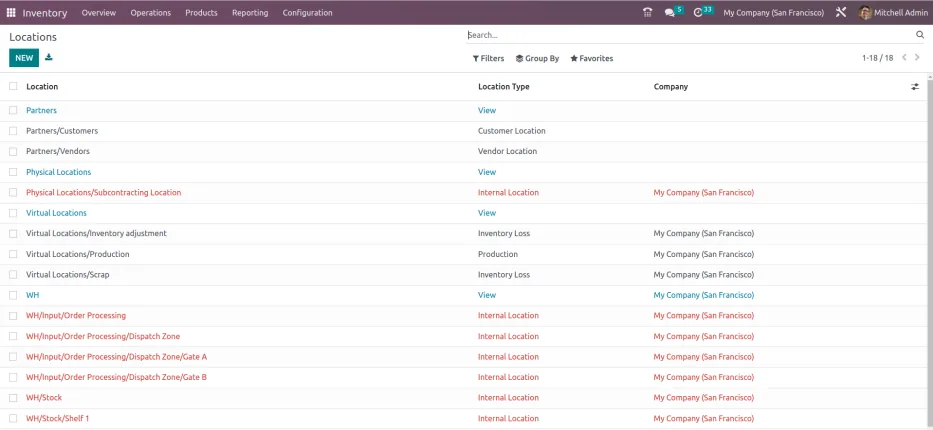
On count day, finance and the warehouse manager watch progress and variances in one place.
All four platforms can record a full count and post adjustments. They differ in snapshot handling, freeze options and multi-counter support. Capabilities vary by edition and version, so confirm for yours.
| Zoho | Odoo | ERPNext | Dynamics 365 | |
|---|---|---|---|---|
| Count document | Inventory adjustments, including bulk import from count files | Physical inventory screen with counted quantities applied per location | Stock Reconciliation, with items fetched from a warehouse | Physical inventory journal with Calculate Inventory, or physical inventory orders and recordings (Business Central) |
| Snapshot and cut-off | Adjustment date set to the count date; cut-off enforced by procedure | Quantities applied at a chosen accounting date in recent versions | Posting date and time set to the cut-off | Inventory calculated as of the count date on the journal |
| Freezing movements | No native freeze; usually managed by process and user permissions | Typically by process and access rights during the count | Stock Frozen Up To setting in stock settings blocks backdated entries | Blocking through process; physical inventory orders help control the count |
| Multiple count teams | Separate adjustment files per team, then combined | Counts can be split by location and user | Separate reconciliations per warehouse or item group | Multiple recordings per physical inventory order |
| Mobile counting | Mobile app with barcode scanning | Barcode app (Enterprise) | Barcode scanning on forms in a browser or mobile app | Warehouse mobile app or partner apps, depending on product |
| Variance posting | Adjustment posted to a chosen account | Differences posted to an inventory loss location and account | Difference posted to a stock adjustment account | Posted through the journal or order to inventory adjustment accounts |
These tools speed up counting and help auditors review the result.
The year-end count supports your financial statements and tax filings. This is general information, not tax or audit advice; confirm the requirements with your tax advisor and auditor.
Under Ministerial Decision No. 82 of 2023, businesses with revenue above AED 50 million and Qualifying Free Zone Persons must prepare audited financial statements for corporate tax. Auditors usually need to observe the inventory count or test the count process.
Closing stock is generally measured at the lower of cost and net realizable value under IFRS. Damaged, expired and obsolete items identified during the count should be written down, with evidence kept for the corporate tax computation.
Businesses holding excise goods, such as tobacco or energy drinks, have additional stock-record obligations, particularly in designated zones. Count records for those goods should be complete and reconciled.
Count sheets, scanner logs, recount results and approvals should be kept for at least five years (seven for real estate) with the adjustment they support.
General information, not tax or legal advice. Rules change; confirm current FTA, MOHRE and Ministry of Finance guidance with your advisor.
The improvement is felt on count day and in the weeks of closing work that follow.
Scanned counts post straight into the ERP, so there is no re-keying and the closing stock figure is ready sooner.
Each variance has a count, a recount and an approval. That helps with stock control as well as audit.
A clean count resets the balances behind minimum stock levels and safety stock, so reordering works from correct numbers.
Damaged and non-moving items are flagged during the count, feeding your dead stock management decisions.
Durations are typical ranges for a mid-sized UAE company with one to five warehouses.
Durations are typical ranges; your plan is agreed after discovery.
Agree the cut-off date, count instructions, teams, zones and auditor attendance.
Clean bin locations, label stock, post pending GRNs and deliveries, and segregate damaged goods.
Freeze movements, take the snapshot, run blind counts and recounts, and support auditor test counts.
Investigate variances, approve adjustments, post them and apply valuation write-downs.
Review root causes and decide which items move into a cycle count program.
We configure the system for the rules UAE businesses report against, and test it before go-live.
General information, not tax or legal advice. Confirm current requirements with the FTA, MOHRE or your advisor. See all UAE compliance guides.
On-site workshops in Dubai, Abu Dhabi and Sharjah, and remote or on-site delivery across the Northern Emirates and free zones.
Official sources and references
Facts on this page were checked against these sources in October 2026. Rules change, so confirm current requirements before acting.
Still have a question? Our consultants are happy to help.
Ask an ExpertFor the locations being counted, yes, or at least all movements must be controlled. Some companies count in sections and keep other areas running, with strict cut-off rules for each section.
No. Blind counts give more reliable results. The ERP compares the counted quantity with the snapshot afterwards and flags what needs a recount.
List them from the ERP's in-transit records and confirm with the receiving location or carrier. They are included in closing stock but not counted on the shelf.
The count is rolled back to year-end by adjusting for movements between the two dates. This only works when every movement in that window is posted correctly, so it should be agreed with your auditor.
Often an unposted receipt, a duplicate issue or a unit-of-measure error, not theft. Investigate before posting. Our page on negative stock problems lists common causes.
Usually the auditor's test counts and the recounts should be resolved first. Posting too early means reversing entries later, which complicates the audit trail.
Related Solutions
Related Industries
Related ERP Platforms
We help you set cut-off rules, count sessions and variance approvals in your ERP before your next year-end.
Dubai, United Arab Emirates










