L
O
A
D
I
N
G


Zoho, Odoo, ERPNext, Dynamics 365 and custom ERP, delivered by one accountable team.

Work with a Zoho Inventory specialist who reviews your item structure, warehouse setup and stock routines, then guides your team to keep the numbers right.
A Zoho Inventory consultant in the UAE finds why system stock and shelf stock disagree and fixes the cause before any adjustment. Typical culprits are receiving habits or go-live setup choices, such as tracking an item in pieces when it is bought in cartons. The review covers items, variants, units of measure, composite items, batch and serial tracking, warehouses and transfer orders.
Most requests for a Zoho Inventory Consultant UAE businesses send us start with a mismatch: the system says 40 cartons, the shelf in the Al Quoz warehouse holds 32, and nobody can explain why. Sometimes the cause is a receiving habit. Sometimes it is an item setup decision made at go-live, such as tracking a product in pieces when it is bought in cartons and sold in packs.
Our Inventory advisory looks at both sides: how Zoho Inventory is configured and how your team uses it on the floor. We review item and variant structure, units of measure, composite items, batch and serial tracking, warehouses and transfers, reorder points, purchase receives, packages and shipments, and how freight and customs costs reach item cost.
Zoho Inventory suits many UAE trading, distribution and ecommerce companies, but it has limits on manufacturing depth and complex warehouse operations. We will tell you if you are near those limits. For a fresh setup, see Zoho Inventory implementation; for the product, see Zoho Inventory UAE.

The products we configure, integrate and support on projects like this one.






Product names and logos are trademarks of their respective owners and are shown only to identify the software we implement.
Most of these come from setup choices or floor habits, not from the software itself.
Items bought by carton and sold by piece are set up with one unit, so staff convert in their heads. Quantities drift every time someone converts wrongly.
Goods are put on shelves before a purchase receive is recorded, or partial deliveries are received in full. Stock and supplier balances both become unreliable.
Food, cosmetics or electronics traders skip batch or serial tracking to save time, then cannot handle a recall or warranty claim properly.
Freight, customs duty and clearing charges on imports through Jebel Ali or Dubai airport are booked as expenses, so item cost and gross margin look better than they are.
Online channel stock and warehouse stock differ because orders are entered manually or sync rules were never checked, leading to overselling.
We combine a system review with a look at what happens in the warehouse.
We review item lists, units, variants, composite items, warehouses, tracking settings, price lists, reorder points and recent adjustments to spot patterns.
Where practical we visit your warehouse or store, or walk through it on video, to see how receiving, picking, packing and counting actually happen.
We link each stock variance pattern to a cause, whether a setting, a missing step or a training gap, and recommend a fix.
With your operations and finance leads we agree which settings to change, which routines to introduce and in what order, timed to avoid disrupting peak periods.
Monthly advisory hours cover new item types, new warehouses, channel integrations and questions from your stock controller.
Typical topics during advisory.
Depends on item count, number of warehouses and channels. Ranges are typical.
Durations are typical ranges; your plan is agreed after discovery.
Configuration and data review plus a floor walkthrough.
Root causes and recommendations discussed with operations and finance.
Setting changes, item cleanup and a controlled stock count to reset balances.
Regular check-ins and on-request help as the business adds items, locations or channels.
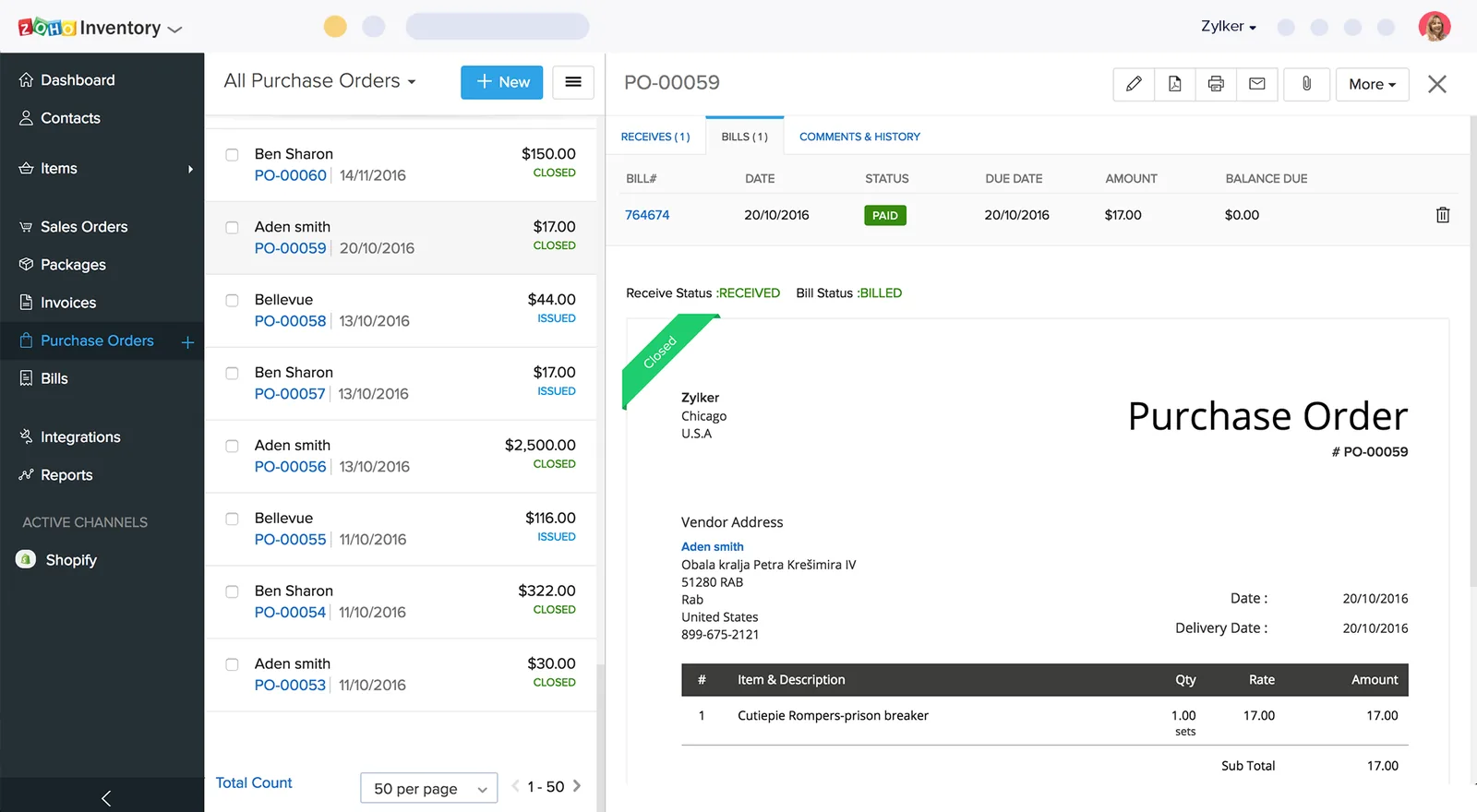
We help set up Zoho Inventory reports that show stock health, not only quantity on hand.
We do not quote fixed gains; these are typical improvements.
Correct units, receiving discipline and regular cycle counts reduce gaps between system and shelf.
Including import costs in item cost shows which products really earn money.
Reorder levels based on actual sales help buyers order the right quantities at the right time.
Batch, expiry and serial tracking make recalls, returns and warranty claims manageable.
More on stock control and the Zoho platform.
We configure the system for the rules UAE businesses report against, and test it before go-live.
General information, not tax or legal advice. Confirm current requirements with the FTA, MOHRE or your advisor. See all UAE compliance guides.
On-site workshops in Dubai, Abu Dhabi and Sharjah, and remote or on-site delivery across the Northern Emirates and free zones.
Official sources and references
Facts on this page were checked against these sources in October 2026. Rules change, so confirm current requirements before acting.
Still have a question? Our consultants are happy to help.
Ask an ExpertYes, but the fix usually involves a controlled stock count and adjustment after the cause is corrected. Adjusting numbers without fixing the cause means the gap returns.
Yes. Zoho Inventory supports multiple warehouses and transfer orders between them. We advise on how to structure locations such as a main warehouse, a showroom and a free zone store.
Zoho Inventory can track stock by location and you can record the related sales with the tax treatment your advisor confirms. Designated zone VAT rules are specific, so confirm treatment with your tax advisor.
It handles assemblies and kits through composite items. For multi-level production, routing and shop floor control, a dedicated manufacturing ERP is usually a better fit, and we will say so.
Yes. Zoho Inventory connects with channels such as Shopify and Amazon. We review sync settings and order flow so stock and orders stay aligned.
Yes. We advise on barcode formats, label printing and how scanning fits into receiving, picking and counting with Zoho's mobile apps or compatible scanners.
Related Solutions
Related Industries
Related ERP Platforms
Describe your stock problem and we will suggest a focused review of your setup and warehouse routines.
Dubai, United Arab Emirates