
L
O
A
D
I
N
G


Zoho, Odoo, ERPNext, Dynamics 365 and custom ERP, delivered by one accountable team.

A CMMS gives your maintenance team a complete history of every machine and plant item, so you can see what fails, why, how long it is down and what it costs to keep running.
CMMS (computerized maintenance management system) software keeps the full history of each machine or plant item: asset hierarchy, meter readings, preventive plans, breakdown work orders with failure codes, spare parts, downtime and cost. UAE factories, hotels, hospitals and warehouses use it for chillers, production lines, generators and forklifts, tracking MTBF and MTTR to decide what to service, overhaul or replace.
CMMS software (computerized maintenance management system) is built around one question: is this asset reliable, and what does it cost us to keep it that way? In the UAE that asset might be a packaging line in a Dubai Industrial City factory, a chiller plant serving a hotel on Sheikh Zayed Road, a fleet of forklifts in a Jebel Ali warehouse, or the medical gas and HVAC equipment in a clinic in Abu Dhabi.
Where CAFM software is organised around buildings, clients and service contracts, a CMMS is organised around the equipment itself: its hierarchy, its meters, its failure history and its spare parts. The maintenance engineer uses it to decide what to service, what to overhaul and what to replace; the plant or chief engineer uses it to defend the maintenance budget.
The most common starting point we see is a maintenance team with a whiteboard, a logbook in the plant room and an Excel list of equipment. Breakdowns are fixed, but nobody can say how many hours the main compressor was down last quarter or how much was spent on it. A CMMS linked to the ERP's inventory and accounting turns that daily work into usable data.
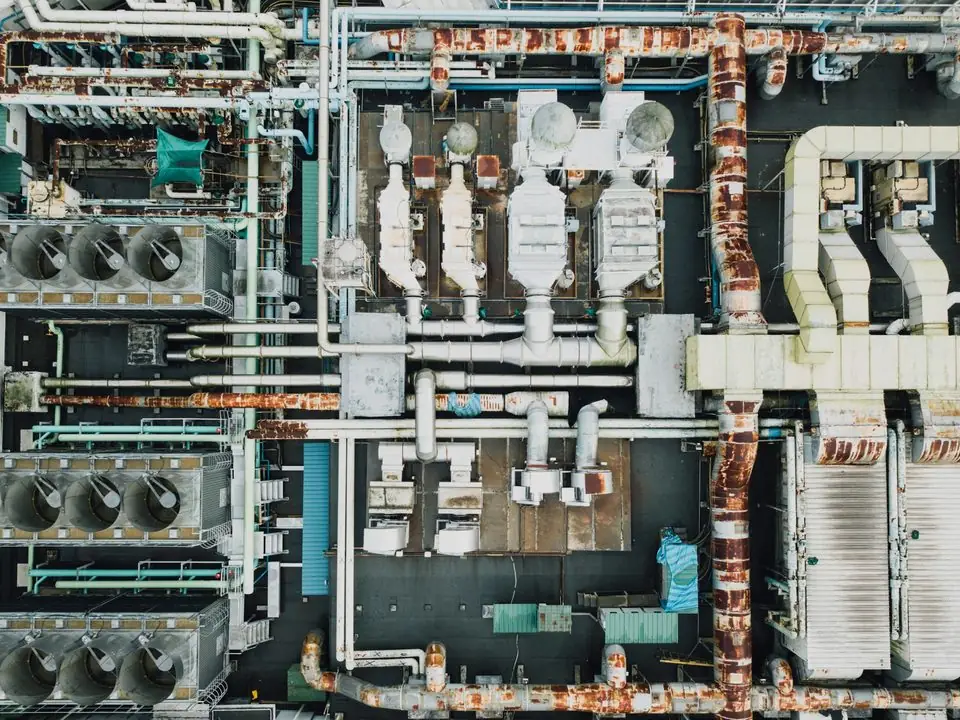
Typical issues in UAE plants, hotels, hospitals and warehouses that run maintenance without a proper system.
When a pump fails, nobody knows when it was last serviced or which parts were changed. The same diagnosis is repeated every time.
Production or operations notices the stoppage, but maintenance does not record start and end times. The real cost of unreliable equipment stays hidden.
Manufacturer intervals are written for milder climates. Without meter readings and failure data, teams cannot justify shorter filter, belt or coil cleaning cycles for UAE summer conditions.
Critical spares such as bearings, seals and contactors are not linked to the assets that use them, so stock is either missing during a breakdown or overstocked for years.
Without cumulative maintenance cost per asset, ageing equipment is kept running long after replacement would have been cheaper.
The loop we configure so that every maintenance action improves the asset data.
One shared database: every step updates stock, finance and reports in real time.
These are the building blocks we set up; names differ by platform.
Hierarchy of systems and components with serial numbers, criticality ranking, warranty, documents and QR tags.
Running hours, cycles or readings captured on mobile, with thresholds that create work orders automatically.
Breakdown and planned jobs with priority, assigned team, checklist, labour time and status.
Time- or meter-based schedules per asset class, with task lists and required parts.
Bill of spares per asset, min/max levels, reservations and issues against work orders.
Purchase requests for non-stock parts and external repairs, linked back to the work order.
Capitalisation, depreciation and the split between repair expense and capital improvement.
Downtime, MTBF, MTTR, failure Pareto and cost per asset, by site and asset class.
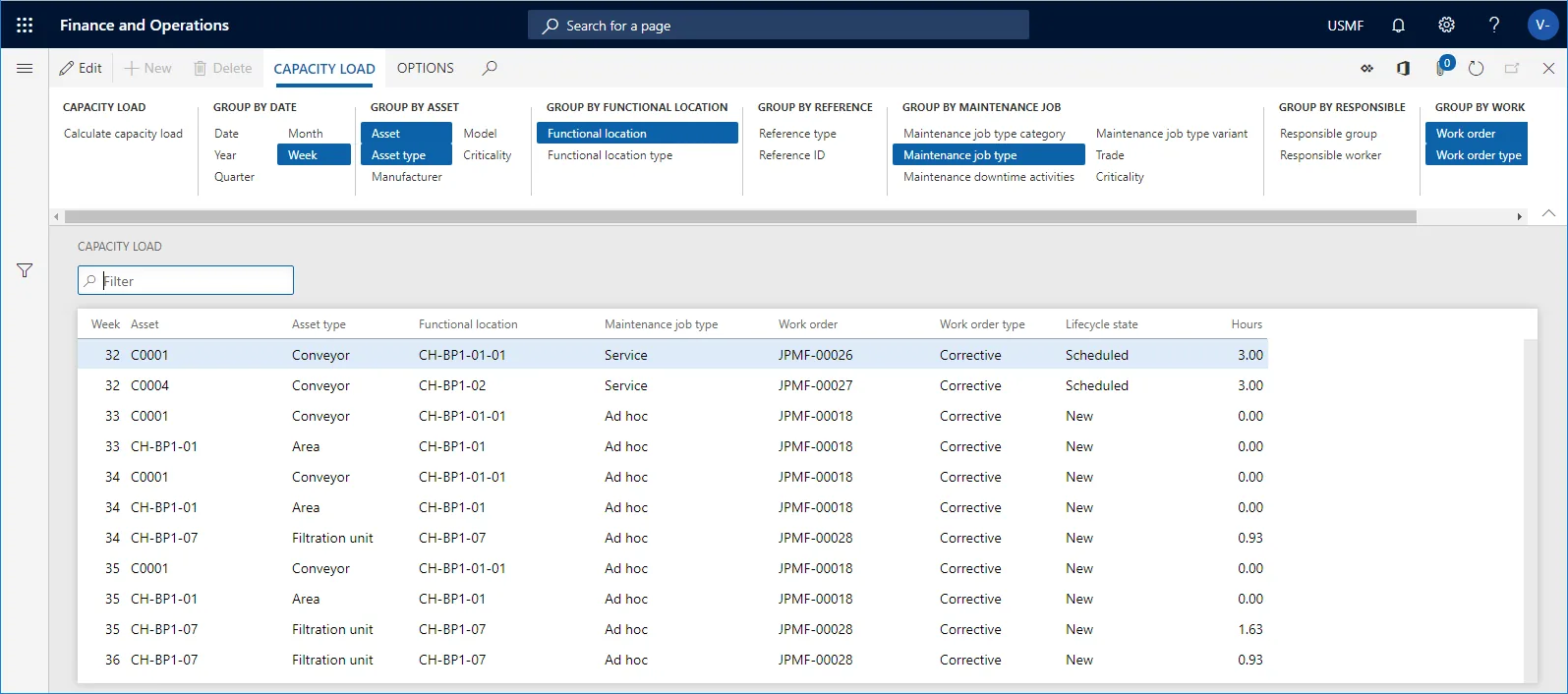
The reports a chief or maintenance engineer reviews every week.
A hedged comparison of how each platform covers CMMS processes. Exact features depend on edition and version.
| Zoho | Odoo | ERPNext | Dynamics 365 | |
|---|---|---|---|---|
| Equipment records | Assets in Zoho FSM; detailed equipment hierarchies usually built in Zoho Creator | Equipment in the Odoo Maintenance app, with categories, teams and documents | Asset doctype with locations, custodians and asset maintenance records | Asset Management in Supply Chain Management; customer assets in Field Service |
| Breakdown requests | Requests and work orders in Zoho FSM | Corrective maintenance requests on a kanban with stages | Asset Repair and Asset Maintenance Log | Work orders and maintenance requests |
| Preventive schedules | Maintenance plans in Zoho FSM; confirm for your edition | Preventive requests by frequency; check meter-based options for your version | Asset Maintenance tasks with periodicity | Maintenance plans by time or counter |
| MTBF / MTTR | Via Zoho Analytics or Creator reports | Computed on equipment records from request history | Custom report from repair and maintenance logs | Available through asset reports and Power BI |
| Spare parts | Zoho Inventory items issued against work orders | Inventory with parts consumed on requests through configuration | Stock Entry linked to Asset Repair | Item requirements on work orders from inventory |
| Downtime tracking | Custom fields and reports | Request duration and equipment downtime fields | Downtime fields on repair records; custom where needed | Downtime registration in Asset Management |
| Typical fit | Small teams that also need field service | Manufacturers and hotels running Odoo end to end | Plants that want open-source flexibility | Larger plants with complex asset hierarchies |
A CMMS is most useful when readings and alarms reach it without manual typing.
CMMS data supports finance and statutory obligations. Confirm treatment with your tax advisor and the relevant authority.
Separating routine repairs from capital improvements, and keeping depreciation consistent, supports the corporate tax computation at 9% above the AED 375,000 threshold.
Supplier invoices for spares and external repairs carry 5% VAT. Linking them to purchase orders and work orders makes input tax easier to support.
Tax records must be kept for at least five years (seven for real estate) under Cabinet Decision 74 of 2023. Maintenance history linked to costs helps when assets are questioned.
Lifting equipment, pressure vessels and fire systems often need periodic third-party inspection. The CMMS holds certificates and due dates per asset.
General information, not tax or legal advice. Rules change; confirm current FTA, MOHRE and Ministry of Finance guidance with your advisor.
What maintenance teams typically gain once data is captured consistently.
Failure history shows which assets need shorter intervals or redesigned maintenance before they stop operations.
Critical parts are linked to assets and kept at the right level, so repairs are not held up waiting for a local supplier.
Cost and downtime per asset support replacement and overhaul decisions with management.
Fixes and causes are recorded, so the next technician does not start from zero when an experienced engineer leaves.
Typical ranges for one site with a few hundred maintainable assets.
Durations are typical ranges; your plan is agreed after discovery.
Walk the site, confirm the asset list, set criticality and tag equipment.
Agree failure, cause and remedy codes, meter types and spare part links.
Work order types, preventive plans, mobile forms, store integration and reports.
Train technicians on mobile capture and supervisors on closing work orders properly.
Monthly review of downtime and failure data to adjust plans and spares.
We configure the system for the rules UAE businesses report against, and test it before go-live.
General information, not tax or legal advice. Confirm current requirements with the FTA, MOHRE or your advisor. See all UAE compliance guides.
On-site workshops in Dubai, Abu Dhabi and Sharjah, and remote or on-site delivery across the Northern Emirates and free zones.
Official sources and references
Facts on this page were checked against these sources in October 2026. Rules change, so confirm current requirements before acting.
Enterprise asset management (EAM) covers the full asset lifecycle, including acquisition, capital planning and disposal. A CMMS focuses on day-to-day maintenance. For most UAE SMEs, a CMMS linked to the ERP fixed asset register gives most of the EAM benefit; see asset management software for the wider view.
No. Hotels, hospitals, schools, malls and logistics companies use CMMS for chillers, pumps, generators, kitchens, lifts and material handling equipment. Factory use is covered in more depth in ERP for machine maintenance.
Yes, on most platforms. Readings are entered on mobile or taken from sensors, and when a threshold is reached the system creates a work order. Check meter-based scheduling for your specific edition before you rely on it.
Each asset carries a list of its critical spares. Work orders reserve and issue parts from the store, which updates stock and cost. Our spare parts management guide covers reorder levels and van stock.
Preventive plans are a core CMMS function, and the failure data the CMMS collects is what tells you whether those plans work. Preventive maintenance software covers PPM planning and compliance in detail.
Usually not for SMEs. Odoo, ERPNext, Dynamics 365 and Zoho can cover CMMS processes together with inventory and accounting. Our maintenance management software page explains when a specialist tool is worth it.
Related Solutions
Related Industries
Related ERP Platforms
We will review your equipment list, breakdown records and spares, and show how a CMMS would capture the data you are missing.
Dubai, United Arab Emirates










