
L
O
A
D
I
N
G


Zoho, Odoo, ERPNext, Dynamics 365 and custom ERP, delivered by one accountable team.

FEFO only works when the system, not the picker, decides which batch leaves the shelf. A FEFO-configured ERP allocates by expiry date, prints the batch and location on the pick list and checks it at scanning.
An ERP enforces FEFO (first expired, first out) by allocating outgoing stock from the batch with the nearest expiry date, regardless of receipt date. A FEFO-configured system reserves the earliest eligible batch, applies customer shelf-life rules, prints batch and bin on the pick list and checks the batch when the picker scans it. Overrides need approval, and FEFO compliance reports show where rules were bypassed.
FEFO stands for first expired, first out. An ERP for FEFO inventory in the UAE allocates outgoing stock from the batch with the nearest expiry date, regardless of when it was received. That matters because receipt order and expiry order are not always the same: a second shipment from a different factory can arrive later but expire earlier, and a container delayed at sea can arrive with less shelf life than a local top-up order received last week.
In many UAE warehouses FEFO is a rule on a laminated sign rather than in the system. Pickers are told to 'take the oldest date', but the pick list shows only item and quantity, the oldest batch sits behind newer pallets on the top level, and on a busy dispatch day the nearest carton wins. The result is predictable: newer batches leave, older batches stay, and the near-expiry report grows each month.
FEFO is the allocation and picking rule. Capturing and alerting on dates is covered under expiry date tracking, and if your goods have no expiry, the right rule is usually FIFO inventory. This page explains how to configure FEFO, how to deal with customer-specific shelf life requirements and how to handle the exceptions that real warehouses face.

These are the practical reasons FEFO policies break down in UAE distribution centers.
If the document does not tell the picker which batch to take, FEFO depends on memory and good intentions. Under time pressure, accessibility beats expiry; our warehouse picking page covers pick list design.
Putaway places new pallets in pick-face locations while older batches sit in reserve racking. Without replenishment by expiry, the pick face always holds the newest stock.
Strict FEFO can send stock with little shelf life left to a customer who requires a long remaining life, causing a rejection. The rule needs customer-level exceptions.
Supervisors sometimes release a newer batch for a key customer. When that is not recorded, the next count shows unexplained batch differences.
Pure FEFO can split a single order line across several small lots, slowing picking and complicating customer receiving. Teams need rules on minimum pick quantities per batch.
FEFO decisions happen at allocation, replenishment and picking. Each step needs the expiry date in view.
One shared database: every step updates stock, finance and reports in real time.
FEFO is a combination of settings across inventory, warehouse and sales, not a single checkbox.
A FEFO rule on the warehouse, location or product category so the system proposes the nearest-expiry batch.
Accurate expiry dates on every lot, captured at receipt; FEFO is only as good as these dates.
Automatic or on-demand reservation of specific batches against sales orders and transfer orders.
Minimum remaining days per customer, so FEFO skips batches that would be rejected.
Moves from reserve to pick locations that bring the earliest-expiring pallets forward first.
Handheld picking that validates the scanned batch against the reserved batch.
A reason code and supervisor approval when a picker or planner deviates from FEFO.
Reports comparing batches shipped against the batches FEFO would have chosen.
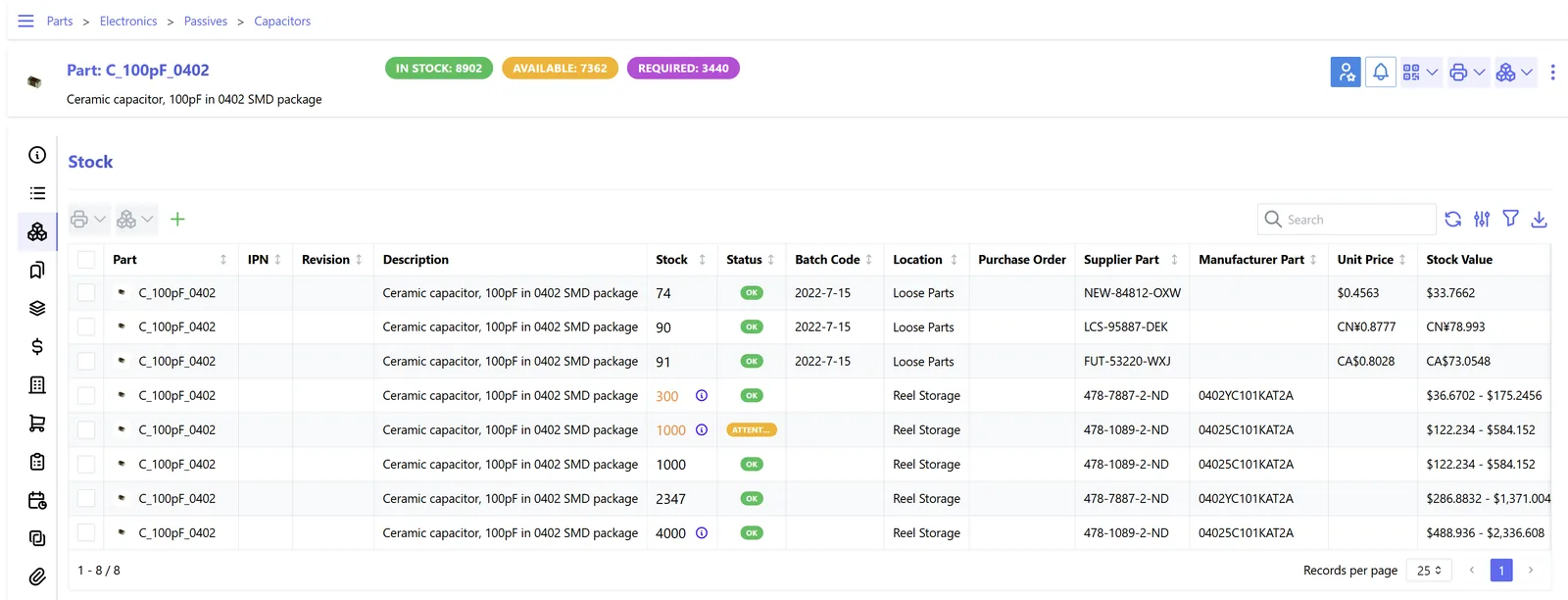
A warehouse dashboard shows whether the rule is being followed, not just whether orders went out. These widgets can sit beside the stock views described on our inventory dashboard page.
FEFO maturity varies more between platforms than basic batch tracking does. Check the current release before committing.
| Zoho | Odoo | ERPNext | Dynamics 365 | |
|---|---|---|---|---|
| FEFO rule | No standard automatic FEFO allocation in Zoho Inventory; batch is selected with expiry shown, or automated through customization | FEFO removal strategy on locations or product categories, using lot removal dates | Batch selection on pick lists and deliveries typically proposes the earliest-expiring batch; confirm for your version | 'Pick According to FEFO' on locations in Business Central; FEFO batch reservation in Supply Chain Management |
| Prerequisites | Batch tracking with expiry dates | Lots with expiration dates enabled; multi-step routes optional | Batch with expiry on items | Lot or serial tracking with expiration dates; bins required in Business Central |
| Customer shelf life | Customization | Customization or app | Custom validation | Shelf life rules in Supply Chain Management; customization in Business Central |
| Scan validation | Zoho Inventory mobile app with barcode scanning | Barcode app validates lots during operations | Mobile scanning via apps or customization | Warehouse mobile apps validate tracked items |
| Best fit | Smaller distributors with modest volumes | Distributors needing FEFO out of the box | Budget-aware businesses with in-house admins | High-volume or regulated distribution |
This is general guidance. We validate FEFO behavior with your own item data before recommending a platform.
FEFO relies on accurate expiry data and on pickers confirming batches with scanners.
No UAE law names FEFO as such, but several rules are much easier to meet with it. Confirm specifics with the relevant authority.
Selling expired food is a serious offense under emirate food safety rules enforced by bodies such as Dubai Municipality and ADAFSA. FEFO reduces the chance that old stock remains in the warehouse until it expires. See ERP for food distribution.
Good distribution practice for medicines expects stock rotation by expiry. Health authorities can inspect stock rotation and storage records.
FEFO is a physical picking rule. Your accounting cost method (FIFO or weighted average under IFRS) can differ, and the two should not be confused when reporting for VAT or corporate tax. Confirm with your accountant.
General information, not tax or legal advice. Rules change; confirm current FTA, MOHRE and Ministry of Finance guidance with your advisor.
We avoid invented figures; these are the direct effects of system-driven FEFO.
Older batches leave first, so fewer reach their expiry date in the racks.
Customer shelf life rules stop short-dated stock from being shipped to strict accounts.
Every deviation from FEFO has a reason, a person and an approval.
Scanned picks keep system batches equal to physical batches.
Indicative durations; FEFO usually follows after batch and expiry tracking is in place.
Durations are typical ranges; your plan is agreed after discovery.
Agree FEFO scope, customer exceptions, minimum pick quantities and override approvals.
Configure pick faces, reserve locations, replenishment rules and removal strategy.
Test pick validation with real labels and mixed-batch pallets.
Run FEFO on one product group, review override reports, then extend.
We configure the system for the rules UAE businesses report against, and test it before go-live.
General information, not tax or legal advice. Confirm current requirements with the FTA, MOHRE or your advisor. See all UAE compliance guides.
On-site workshops in Dubai, Abu Dhabi and Sharjah, and remote or on-site delivery across the Northern Emirates and free zones.
Official sources and references
Facts on this page were checked against these sources in October 2026. Rules change, so confirm current requirements before acting.
FIFO issues stock in the order it was received; FEFO issues it in order of expiry date. When every shipment has a later expiry than the previous one they give the same result, but when they do not, FEFO protects you from expiry losses.
No. FEFO decides which physical batch is picked. Valuation follows the costing method set in accounting, such as FIFO or weighted average.
Yes. Most platforms let you set the removal strategy by product category or location, so dated goods use FEFO and non-perishables use FIFO.
Add a minimum remaining days rule for that customer. Allocation then skips batches that do not qualify and takes the earliest batch that does.
Not when pick faces are replenished by expiry and the pick list shows the bin and batch. The slowdown happens when pickers have to search for the oldest date themselves.
Odoo and Dynamics 365 offer FEFO rules as standard, and ERPNext proposes batches by expiry on many transactions. Our Odoo Inventory and ERPNext Inventory pages explain each one in more detail, and our best inventory ERP guide compares them.
Related Solutions
Related Industries
Related ERP Platforms
Share a sample of your pick lists and batch data and we will show FEFO running on the platform that suits your warehouse.
Dubai, United Arab Emirates










