
L
O
A
D
I
N
G


Zoho, Odoo, ERPNext, Dynamics 365 and custom ERP, delivered by one accountable team.

Picking is where most warehouse labor goes and most order errors start. An ERP generates pick lists in walking order, groups orders smartly and makes pickers scan what they take.
An ERP speeds up warehouse picking by deciding what to pick, from which bin and in what order. It applies a removal strategy such as FIFO, FEFO or nearest location, groups orders into discrete, batch, wave or zone picks, sorts lines by walking route and requires pickers to scan bin and product. Short picks are recorded at the shelf instead of being discovered at dispatch.
ERP for warehouse picking UAE is about getting the right quantity of the right item off the shelf, quickly, for every order. In a typical Dubai distributor, the morning starts with a printout of sales orders and pickers walking the aisles with a pen. In an e-commerce warehouse serving Amazon.ae, Noon and a Shopify store, hundreds of small orders must leave before the courier cut-off. Either way, picking takes the largest share of warehouse time and causes most delivery complaints.
The ERP's job is to decide what to pick, from which bin and in what order. It applies the removal strategy (FIFO, FEFO or nearest location), groups orders by method (discrete, batch, wave or zone picking), sorts lines by walking sequence and asks the picker to scan the bin and product. Short picks are recorded at the shelf, not discovered at dispatch.
This page covers picking methods and controls. Packing and labeling are covered in warehouse packing, storage location logic in warehouse putaway, and the full outbound sequence in pick, pack and ship.

Most picking issues trace back to missing system guidance rather than lazy staff.
Paper pick lists follow the order of the sales order lines, not the warehouse layout. Pickers cross the warehouse several times for one order.
Similar SKUs, such as sizes of the same fitting or colors of the same product, are easy to confuse. Without scanning, errors are only found by the customer.
Pickers take the easiest carton rather than the oldest batch. Expired goods build up at the back of the shelf, a serious issue for food and pharma distributors.
The system said stock was available, but the bin was empty. The shortage is only noticed at packing, when the vehicle is about to leave.
Same-day and express orders wait in the same queue as next-week deliveries because nothing in the pick list shows priority or cut-off times.
Managers cannot see lines picked per hour or error rates by picker, so training and staffing are based on impressions.
The flow below fits most distributors and e-commerce sellers. Exceptions go to a supervisor rather than being solved on paper.
One shared database: every step updates stock, finance and reports in real time.
These capabilities turn picking from memory work into guided work.
Stock reserved to orders by priority, with bin and batch allocation done before the picker starts.
FIFO, FEFO or closest location rules that decide which batch or bin is picked first.
Group many orders into one pick run, by carrier, route, zone or cut-off time.
Lists sorted by aisle and bin sequence so pickers walk one efficient path.
Handheld or phone scanning that validates bin, product, lot and quantity.
Short picks, damaged items and substitutions recorded with reason codes.
Lines per hour, pick accuracy and order cycle time by picker and shift.
Moves from bulk storage to pick locations triggered before bins run empty.
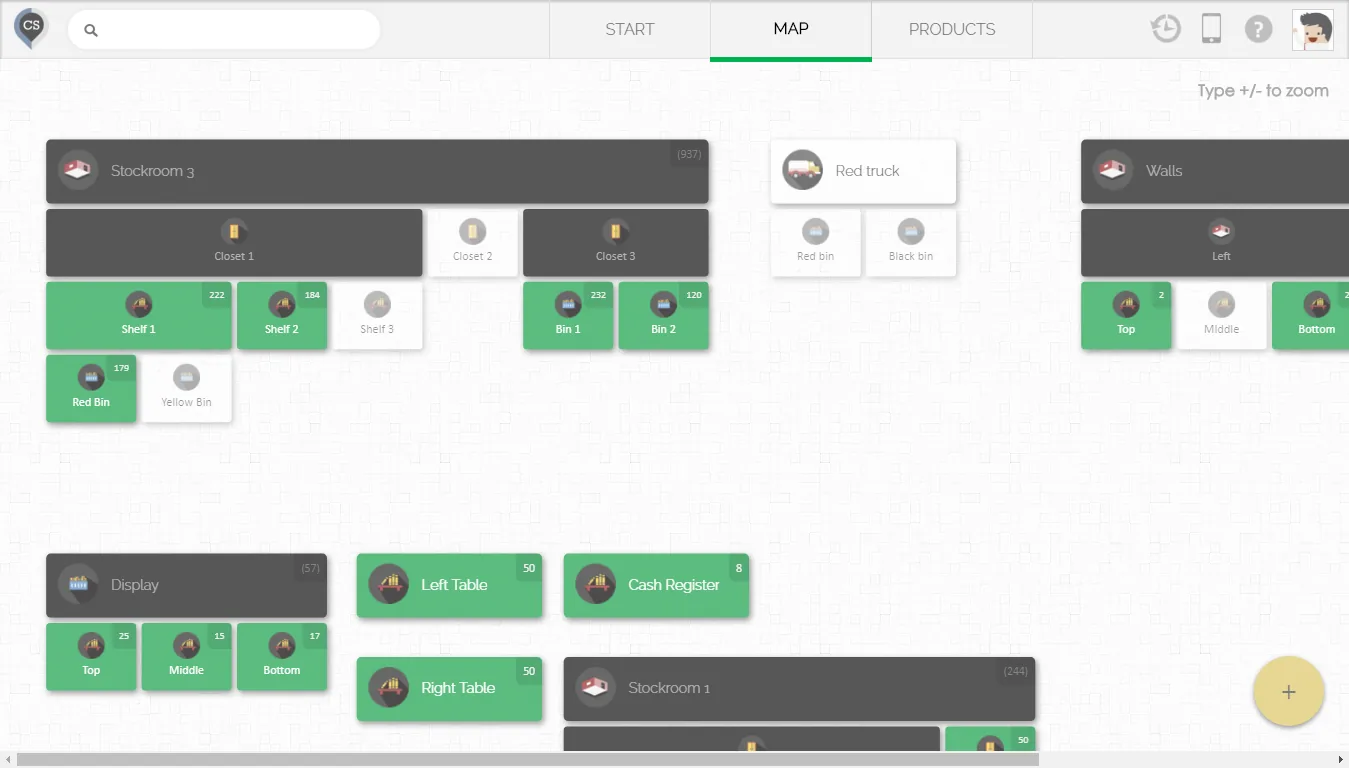
Supervisors track progress against carrier cut-offs during the shift. See the warehouse dashboard for the complete operations picture.
All four support pick lists; batch, wave and directed picking differ. Confirm for your edition.
| Zoho | Odoo | ERPNext | Dynamics 365 | |
|---|---|---|---|---|
| Pick lists | Picklists in Zoho Inventory, from one or several sales orders | Pick operations generated from delivery routes | Pick List document from sales orders | Warehouse picks and pick worksheet (Business Central) |
| Batch / wave picking | Multiple orders on one picklist | Batch transfers and wave transfers | Pick list across several orders | Pick worksheet combining shipments |
| Removal strategy | Batch selection by user; check FEFO options | FIFO, LIFO, FEFO, closest location | FIFO by batch; batch selection on pick list | Bin ranking; FEFO with item tracking settings |
| Scan confirmation | Mobile apps with scanning | Barcode app (Enterprise) | Barcode fields; mobile via browser or apps | Mobile apps; scanning often via partner add-ons |
| Multi-step outbound | Pick, pack and ship as separate steps | One, two or three-step delivery | Pick list then delivery note | Pick, then shipment posting |
| Best fit | Small to mid e-commerce and trading | Multi-zone distributors and e-commerce | Distributors wanting open-source control | Larger operations with directed picking needs |
We confirm actual behavior with your products during a demo. See Odoo warehouse management for a detailed Odoo setup.
Picking pulls orders from sales channels and passes work to packing and carriers.
Picking choices affect traceability and the documents that leave the warehouse.
Food, cosmetics and medicines need the picked batch recorded so recalls can be traced to customers. FEFO rules support shelf-life requirements.
Picked quantities drive the delivery note and the tax invoice. Short picks must update both so VAT is charged on what was actually supplied.
Excise products need accurate outbound records; picking by scan helps keep stock movements aligned with excise reporting.
Each pick records the user, time, bin and batch, part of stock records kept for at least five years.
General information, not tax or legal advice. Rules change; confirm current FTA, MOHRE and Ministry of Finance guidance with your advisor.
Guided picking improves speed and accuracy together.
Scan validation catches wrong items before they leave the shelf.
Batch picking and route sorting cut walking time.
FEFO and FIFO rules reduce expired and aged stock.
Managers see productivity and errors by person and shift.
If bins and barcodes already exist, a picking project often takes 4-8 weeks. Without them, add time for layout and labeling.
Durations are typical ranges; your plan is agreed after discovery.
Analyze lines per order, order volumes and cut-offs to choose the picking method.
Set removal strategies, batch or wave rules and pick-list sorting.
Configure scanners, print bin labels and test with real orders.
Start with one zone or shift, coach pickers and review error data.
We configure the system for the rules UAE businesses report against, and test it before go-live.
General information, not tax or legal advice. Confirm current requirements with the FTA, MOHRE or your advisor. See all UAE compliance guides.
On-site workshops in Dubai, Abu Dhabi and Sharjah, and remote or on-site delivery across the Northern Emirates and free zones.
Official sources and references
Facts on this page were checked against these sources in October 2026. Rules change, so confirm current requirements before acting.
Discrete picking suits few, large orders. Batch picking suits many small orders with overlapping items, typical of e-commerce. Wave picking groups orders by carrier or route, and zone picking suits large warehouses with specialized areas.
Yes, if bins are named or sequenced in walking order. Most platforms sort pick lines by location; complex routing may need configuration.
The ERP allocates the batch with the earliest expiry date first and tells the picker which lot to take. See FEFO inventory for setup details.
Not always. Many teams start with Android phones running the ERP mobile app and move to rugged scanners for higher volumes.
The picker records a short pick at the shelf. The ERP can suggest another bin, create a back order or alert the supervisor, depending on configuration.
Usually the warehouse manager. Our page on ERP for warehouse managers covers the reports they rely on.
Related Solutions
Related Industries
Related ERP Platforms
Share your order profile and layout and we will recommend the picking method and ERP setup that fits.
Dubai, United Arab Emirates










