
L
O
A
D
I
N
G


Zoho, Odoo, ERPNext, Dynamics 365 and custom ERP, delivered by one accountable team.

Every import passes through a supplier, a bank, a shipping line, a clearing agent and customs before it reaches your shelf. Import management software keeps that chain in one record instead of in email threads.
Import management software links each foreign purchase order to a shipment record with bill of lading, vessel, ETA, clearing agent, supplier advances or letters of credit, shipping documents and the customs declaration. UAE importers can then see what is on the water, record duty and import VAT against declaration numbers, add landed costs, and let sales reserve incoming stock.
Import management software in the UAE handles the part of purchasing that local buying does not have: a foreign supplier, a foreign currency, a payment instrument such as a letter of credit or telegraphic transfer, shipping documents, a customs declaration and import VAT. The goods are ordered weeks or months before they can be sold, and every one of those steps can delay them or change their cost.
Most UAE importers we meet run this with a purchase order in the accounting system and everything else in Excel and Outlook: a shipment sheet maintained by the import coordinator, scanned bills of lading in a shared folder, and the clearing agent's invoices arriving weeks after the goods. Finance books the supplier invoice when it arrives, the warehouse receives against a packing list, and nobody can say quickly what is on the water, what is paid and what is stuck at the port. Companies described on our ERP for import and export companies page usually feel this first.
This page focuses on the import file itself: the supplier order, payment, documents, clearance and receipt. Allocating freight, duty and charges into item cost is covered in landed cost software, and tracking the physical containers, free days and demurrage is covered in container tracking ERP.

These problems appear in general trading, building materials, foodstuff, auto parts and electronics importers alike.
The PO lives in the ERP, the proforma invoice in email, the BL in a folder and the clearing status in the agent's WhatsApp messages. When the owner asks where an order is, someone has to phone three people.
Advance TTs, LC margins and balance payments are booked as supplier payments without a link to the shipment they paid for. Supplier statements then disagree with yours, and advances sit unreconciled for months.
Discrepancies between the commercial invoice, packing list and certificate of origin are found when the clearing agent files the declaration. Clearance is delayed while the supplier reissues documents.
Duty and VAT paid through the clearing agent or customs deposit are booked as one lump expense. At VAT return time, finance cannot match import declarations to amounts in the return.
Salespeople see only physical stock. They either turn away orders that could be met from next week's container or promise goods that are still at the supplier's factory.
The warehouse counts against the packing list while the PO was in cartons and the supplier invoiced in pieces. Short and excess shipments are not raised as claims before the supplier is paid in full.
Each step updates the same import record, so purchasing, finance, logistics and the warehouse work from one status.
One shared database: every step updates stock, finance and reports in real time.
Import management is not one module. It is purchasing, inventory, finance and documents configured around the shipment.
POs in supplier currency with Incoterms, HS codes, port of loading and expected shipment date on each line.
A record grouping one or more POs into a shipment, with BL number, vessel, ETA and clearing agent.
Advance payments, LC opening, margin and acceptance tracked against the shipment and later offset on the bill.
USD, EUR or CNY invoices with the rate on PO, payment and bill dates, and exchange differences posted automatically.
Commercial invoice, packing list, BL, certificate of origin and declaration attached to the import file.
Shipped quantities shown as incoming stock with an ETA so sales can reserve against them.
GRN against the PO with short, excess and damaged quantities recorded for supplier claims.
Customs duty to inventory cost, import VAT to the correct VAT return box under reverse charge.
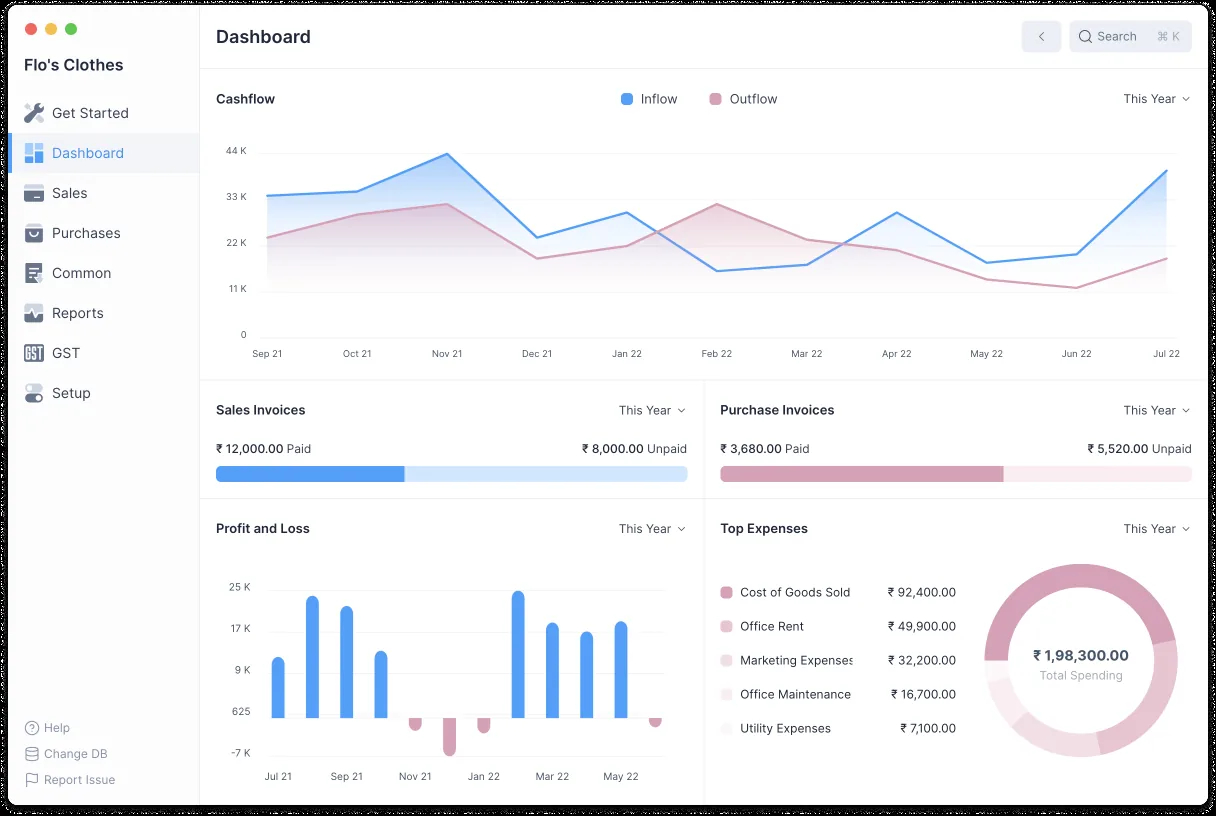
The import coordinator, purchase manager and finance controller review these reports weekly, and daily in peak season.
All four platforms can run an import process. The difference is how much is standard and how much is configured or added. Confirm features against your edition.
| Zoho | Odoo | ERPNext | Dynamics 365 | |
|---|---|---|---|---|
| Import PO in foreign currency | Zoho Inventory or Books POs in supplier currency | Purchase app with currency per vendor and Incoterms | Purchase Order with currency and price list per supplier | Purchase orders in vendor currency in Business Central and Finance and Operations |
| Shipment record | Usually custom module in Zoho Creator or custom fields | Typically configured or via app; landed cost record groups receipts | Shipment and custom doctypes on the Frappe framework | Landed Cost module in Supply Chain Management tracks voyages and containers; Business Central often uses custom fields or apps |
| Supplier advances | Vendor advances applied to bills | Down payments on bills or prepayment accounts | Advance payments linked to PO and allocated on invoice | Prepayment invoices and vendor prepayments |
| Goods in transit | Usually shown as open PO quantities | Incoming receipts with scheduled dates | Ordered and to-receive quantities; transit warehouses possible | In-transit inventory with the SCM Landed Cost module |
| Import VAT | UAE VAT settings with reverse charge; check current edition | UAE localization with reverse charge taxes | UAE VAT setup with reverse charge templates | UAE VAT setup through localization and partner apps |
| Best fit | Smaller importers with simple shipments | Importers wanting stock, purchase and accounting in one app | Importers who want custom import files at low licence cost | Larger importers with many voyages and containers |
Feature availability depends on edition and version. We confirm the fit during discovery.
Most of these connect through APIs, file imports or a middleware tool rather than a native connector.
Configure the ERP to support these rules and confirm treatment for your goods and company with your tax advisor and clearing agent.
Most goods imported into the UAE fall under the GCC common external tariff, commonly 5% of CIF value, while some goods are exempt or carry higher rates. Store the HS code on each item so the ERP can flag the expected rate, and confirm with your clearing agent.
VAT-registered importers generally account for import VAT through their VAT return rather than paying it at the border, provided their TRN is linked with customs. The ERP should post it to the imported goods box of the return and keep the declaration number for reconciliation.
Goods moving into certain designated zones may be treated as outside the UAE for VAT, subject to conditions. Use separate warehouses and tax rules for these flows, and check with your advisor.
Keep customs declarations, commercial invoices and payment proofs with the import record. Tax records must generally be kept for at least five years, which is easier when documents sit with the transaction rather than in personal mailboxes.
Imported goods sold domestically will be invoiced under the UAE e-invoicing model on PINT AE through an Accredited Service Provider, phased from 2027. Plan item and customer master data now, and check the latest Ministry of Finance and FTA guidance on UAE e-invoicing.
General information, not tax or legal advice. Rules change; confirm current FTA, MOHRE and Ministry of Finance guidance with your advisor.
The gains come from visibility and fewer reconciliations, not from new paperwork.
Anyone can see whether an order is at the factory, on the water, at the port or received, without calling the coordinator.
Advances, LCs and invoices are linked to shipments, so supplier statements reconcile and old advances are cleared.
Import VAT is tied to declaration numbers, so the quarterly return can be checked line by line.
Goods in transit with ETAs let sales reserve stock and give customers realistic delivery dates.
For an importer already using basic purchasing in an ERP, a focused rollout often takes 6-12 weeks. It depends on the number of suppliers, entities and customizations.
Durations are typical ranges; your plan is agreed after discovery.
Map current import files, Incoterms, payment instruments, clearing agents and how documents flow today.
Define the shipment record, statuses, item HS codes, currencies, and VAT and duty posting rules.
Set up purchasing, advances, transit stock, document attachments and approval steps; build any custom import file.
Load open POs, in-transit shipments and supplier advances; run a full shipment end to end with the team.
Run live shipments with close support and tune reports for the coordinator, buyer and finance.
We configure the system for the rules UAE businesses report against, and test it before go-live.
General information, not tax or legal advice. Confirm current requirements with the FTA, MOHRE or your advisor. See all UAE compliance guides.
On-site workshops in Dubai, Abu Dhabi and Sharjah, and remote or on-site delivery across the Northern Emirates and free zones.
Official sources and references
Facts on this page were checked against these sources in October 2026. Rules change, so confirm current requirements before acting.
Still have a question? Our consultants are happy to help.
Ask an ExpertYes. A purchase order is one document in the import process. Import management adds the shipment, payment instrument, shipping documents, customs and transit stock around it. For approvals, RFQs and local buying, see purchase order management.
In most UAE setups the clearing agent or broker files the declaration on the customs system. The ERP stores the declaration number, HS codes, duty and VAT amounts and the documents, and can export data for the agent. Direct integration is possible in some cases but should be scoped carefully.
Group the containers under one shipment or import file and receive each container separately against the same PO. The supplier invoice is then matched to the total received quantity, and any shortages are raised as debit notes.
Usually not. Most importers track LC number, bank, amount, expiry and acceptance date on the import file and post margin and charges through the bank account. Banks with heavy trade finance use may need a dedicated module or app.
Smaller importers often do well with Zoho or Odoo, cost-conscious teams wanting custom import files like ERPNext, and larger multi-entity importers with many containers often choose Dynamics 365. We implement all four and recommend by fit, as explained in trading company inventory software.
Yes, if shipped quantities are recorded as incoming stock with an ETA. Sales can then reserve against the shipment, and the reservation moves to physical stock when the GRN is posted.
Related Solutions
Related Industries
Related ERP Platforms
Tell us how your shipments, payments and clearances run today and we will show you how they would look in an ERP.
Dubai, United Arab Emirates










