
L
O
A
D
I
N
G


Zoho, Odoo, ERPNext, Dynamics 365 and custom ERP, delivered by one accountable team.

Commission disputes damage a sales team faster than missed targets. Calculate commission from ERP data with clear rules, let salespeople see their own figures, and pay it through payroll.
Salesman commission software calculates variable pay directly from ERP data: invoiced sales, cash collected or gross margin, minus returns and clawbacks, according to rules defined once per plan. Each salesperson sees a statement, managers and finance approve it, and the amount flows into payroll and the WPS salary file. Many UAE companies pay on collection because B2B credit terms are long.
Most UAE trading, distribution and building-materials companies pay their own salesmen a fixed salary plus a monthly or quarterly commission. Salesman commission software calculates that variable pay directly from the ERP: invoices raised, cash collected, margin earned, returns and overdue balances. It then shows each salesperson what they have earned and passes the approved amount to payroll.
In practice, the calculation usually happens in a finance spreadsheet built from exports. The rules have grown over the years: a different rate for each brand, half commission on invoices over 120 days, no commission on a sale that was later returned, a bonus for new customers. Every month, someone spends days rebuilding the sheet, and every month a few salesmen dispute their figure.
This page covers commission for employed salespeople. Commission paid to external distributors, sub-dealers and agents works differently and is covered on our distributor commission software page. Targets themselves are set on the sales target management side.

These are the issues that generate the most disputes and the most finance hours.
UAE B2B credit terms are long, and some invoices are never paid. Paying commission at invoice and recovering it later is awkward, so many companies want commission on collection, which a spreadsheet handles badly.
A large sale is returned two months later. The commission was already paid, and nobody remembers to deduct it in the next run.
A key account is handled by a salesman and a key-account manager. Without a split percentage on the invoice, both claim the full credit.
Rates per brand, accelerators above target and special bonuses were added over the years. Only the finance manager understands the sheet, and only partly.
Calculating takes so long that commission is paid a month late, separate from salary, which frustrates the team and complicates WPS reporting.
Salesmen cannot see their own progress during the month, so they cannot act on it and only learn their commission when the slip arrives.
The ERP collects the data, applies the plan and produces a statement that the sales manager and finance approve before payroll.
One shared database: every step updates stock, finance and reports in real time.
Commission sits between sales, receivables and payroll, so each must hold the right data.
Each order and invoice carries one or more salespeople with an allocation percentage, so shared accounts are split correctly.
Rates by product group, brand or customer type, with tiers, accelerators above target and caps where agreed.
Payments matched to invoices with their dates, so commission can be based on cash received and on how quickly it was collected.
Credit notes and write-offs automatically reduce the commission base for the original salesperson.
A monthly statement per salesperson listing each invoice, receipt, rate and adjustment behind the total.
Approved commission flows to payroll as a variable earning, so it is paid with salary.
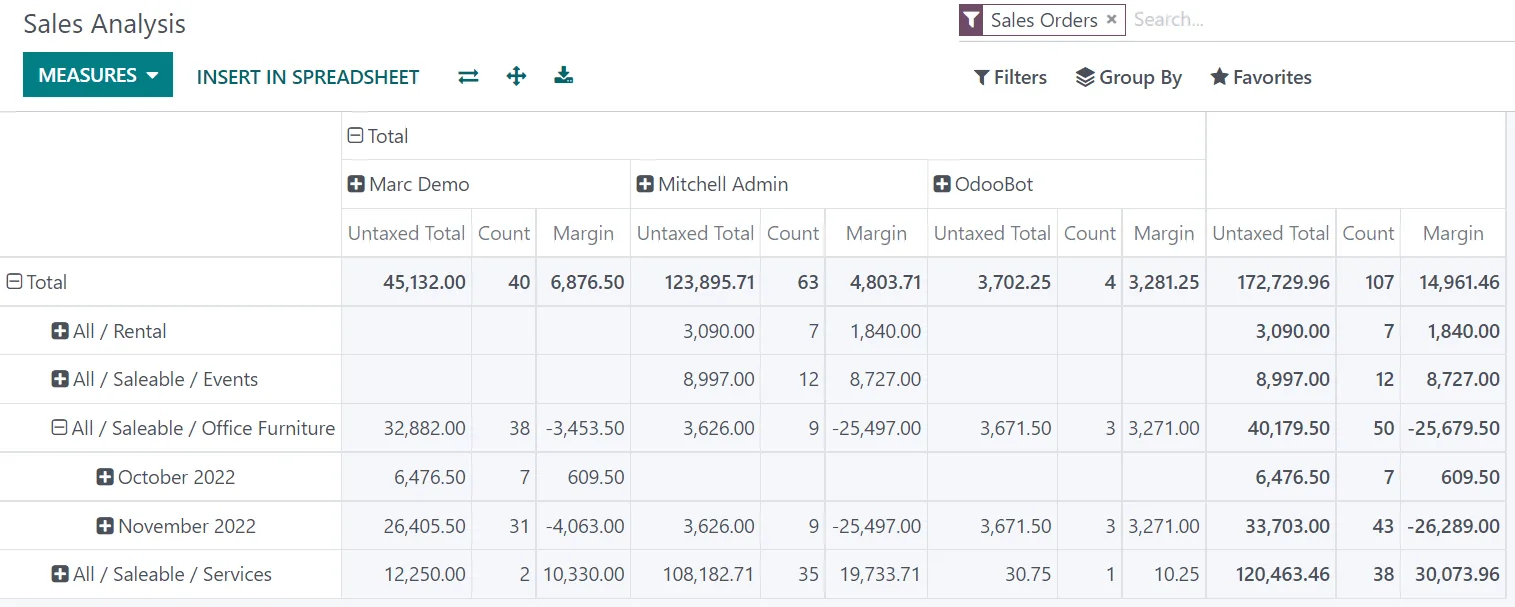
Visibility during the month changes behavior. Each salesperson sees their own data; managers see the team.
Simple percentage commission is available on most platforms; complex plans usually need configuration or a custom report. Confirm for your edition.
| Zoho | Odoo | ERPNext | Dynamics 365 | |
|---|---|---|---|---|
| Salesperson on invoices | Salesperson field in Zoho Books and CRM | Salesperson and sales team on orders and invoices | Sales Team table with allocation percent | Salesperson code on documents in Business Central |
| Native commission calculation | Not native; built with Zoho Analytics, Creator or Deluge | Commission plans in recent Enterprise versions; confirm for yours | Commission rate on Sales Person with commission reports | Commission % on salesperson with standard reports |
| Commission on collection | Custom report on payments | Configurable in recent versions or custom | Custom report or script on payment entries | Custom report or extension |
| Tiered plans and accelerators | Custom | Achievement-based plans in recent versions | Custom, often with targets from Sales Person | Typically an extension |
| Payroll link | Zoho Payroll in supported regions; confirm UAE availability | Odoo Payroll inputs | Additional Salary in ERPNext HRMS | Export to payroll system |
Commission features have changed recently on several platforms; we check your version before designing the plan.
Commission draws from several systems and must reach payroll on time.
Commission is part of an employee's pay, so labor rules apply. Confirm specifics with your HR and legal advisors.
Commission paid to employees is salary and should be paid through the Wage Protection System. Approved commission can go into the variable pay component of the Salary Information File with the regular payroll run.
The commission basis, timing and clawback rules should match what the employment contract or a signed commission policy says, so the ERP plan mirrors the agreed terms.
Under Federal Decree-Law 33 of 2021, gratuity is calculated on basic wage, so commission is not usually part of the base. How commission is described in the contract matters; take advice if unsure.
Commission earned in a period should be accrued in that period so taxable income is correct. Keep the commission statements as support for the expense.
General information, not tax or legal advice. Rules change; confirm current FTA, MOHRE and Ministry of Finance guidance with your advisor.
Outcomes our clients look for when they move commission into the ERP.
Every salesperson sees the invoices and receipts behind the figure, so arguments are about facts.
Calculation is quick enough to meet the payroll cut-off every month.
When commission depends on cash received, salesmen follow up overdue invoices themselves.
Rates and tiers can be adjusted each year without rebuilding a spreadsheet.
Commission projects on an existing ERP often take 4-8 weeks, most of it spent agreeing the rules.
Durations are typical ranges; your plan is agreed after discovery.
Document the current commission rules, exceptions and contract terms with sales and finance.
Make sure salespeople are recorded on every document and receipts are matched to invoices.
Configure plans, clawback logic, statements and the payroll export or integration.
Run the ERP calculation beside the spreadsheet for one cycle and reconcile differences.
Pay from the ERP calculation and publish statements to salespeople each month.
We configure the system for the rules UAE businesses report against, and test it before go-live.
General information, not tax or legal advice. Confirm current requirements with the FTA, MOHRE or your advisor. See all UAE compliance guides.
On-site workshops in Dubai, Abu Dhabi and Sharjah, and remote or on-site delivery across the Northern Emirates and free zones.
Official sources and references
Facts on this page were checked against these sources in October 2026. Rules change, so confirm current requirements before acting.
Still have a question? Our consultants are happy to help.
Ask an ExpertIn the UAE, where B2B credit terms are long, many companies pay on collection, or pay part on invoice and the rest on collection. The ERP can support either; the choice is a policy decision.
The credit note reduces the commission base for the original salesperson in the next run, and the statement shows the deduction against the original invoice.
Yes, through a portal, a dashboard or the field app. Salespeople using our mobile sales app setup can see orders, collections and estimated commission together.
Yes, if item costs are reliable. Margin-based commission discourages heavy discounting, which pairs well with controls in trade discount management.
Van salesmen are usually paid on cash and credit sales from their route. Their invoices carry their code from the van app, so the same commission plan applies.
Yes. A sales manager can earn a percentage of the team's commission or revenue. We model it as a separate plan so it is calculated after the team's figures are final, and present it in the sales performance reports.
Related Solutions
Related Industries
Related ERP Platforms
Share your current commission policy and we will show how it would run inside your ERP.
Dubai, United Arab Emirates










