
L
O
A
D
I
N
G


Zoho, Odoo, ERPNext, Dynamics 365 and custom ERP, delivered by one accountable team.

Let reps book orders, check stock and credit, log visits and request discounts from their phone, with every order landing in the ERP as a clean sales order.
A mobile sales app for UAE field sales teams should let reps check live stock by warehouse, see customer-specific prices and balances, create quotations and sales orders directly in the ERP, request discount approvals and log visit check-ins with notes and photos. It replaces WhatsApp orders that coordinators re-key, giving building materials, FMCG and medical supplies distributors accurate orders and visible field coverage.
A field sales rep at a UAE building materials trader, FMCG distributor or medical supplies company spends most of the week outside the office: visiting contractors in Dubai Investments Park, supermarket buyers in Sharjah, or pharmacies across Abu Dhabi. The questions customers ask are always the same. Is it in stock? What is my price? When will it arrive? What do I owe you? A mobile sales app UAE companies can rely on answers those on the spot, because it reads from the ERP instead of a price PDF from last quarter.
Most teams today send orders by WhatsApp photo, email or a phone call to the sales coordinator, who keys them into the ERP hours later. Prices get typed wrong, items are out of stock by the time the order is entered, and nobody can see which customers the rep actually visited. The app replaces that relay with a sales order the rep creates directly, under the same pricing and approval rules as the office.
This page covers pre-sales order taking and account management, where the warehouse delivers later. If your salesmen carry stock and invoice from the vehicle, see our van sales software page. For technicians and service crews, the field technician app is the better fit.

These issues are common in UAE trading and distribution companies that still run field sales through messaging and spreadsheets.
Coordinators type orders from photos and voice notes. Item codes, quantities and units get mixed up, and the customer receives the wrong pack size.
Reps work from a morning stock sheet. By the afternoon the item is allocated to another order, and the customer finds out on delivery day.
Reps agree extra discounts at the customer to close the deal. Finance only sees the margin damage at month end, after the invoice has gone out.
Managers cannot see which customers were visited, how long the rep stayed, or what was discussed. Coverage gaps appear only when sales drop.
Customers ask for their balance and the rep has to call accounts. Payment follow-up waits until the rep is back in the office.
From the planned visit to the confirmed order, every step is recorded against the customer in the ERP.
One shared database: every step updates stock, finance and reports in real time.
The phone app is the front end. The ERP behind it carries the rules.
Searchable items with photos, pack sizes, units of measure and barcodes, so the rep can show and scan products at the customer.
Available quantity by warehouse, net of reserved orders, so promises are based on current stock rather than a morning report.
The customer's own price list, trade discounts and current promotions applied automatically when items are added.
Create quotations or sales orders with delivery date, delivery address and notes, and share a PDF with the customer.
Discounts above the rep's limit or orders over credit limit go to a manager, who approves on their own phone.
Visit plans, GPS check-in, notes, photos of shelf or site, and follow-up tasks logged on the customer record.
Outstanding invoices, overdue days and a statement the rep can send, with payment promises recorded for finance.
The rep's month-to-date sales against target, by brand or category, visible on the home screen.
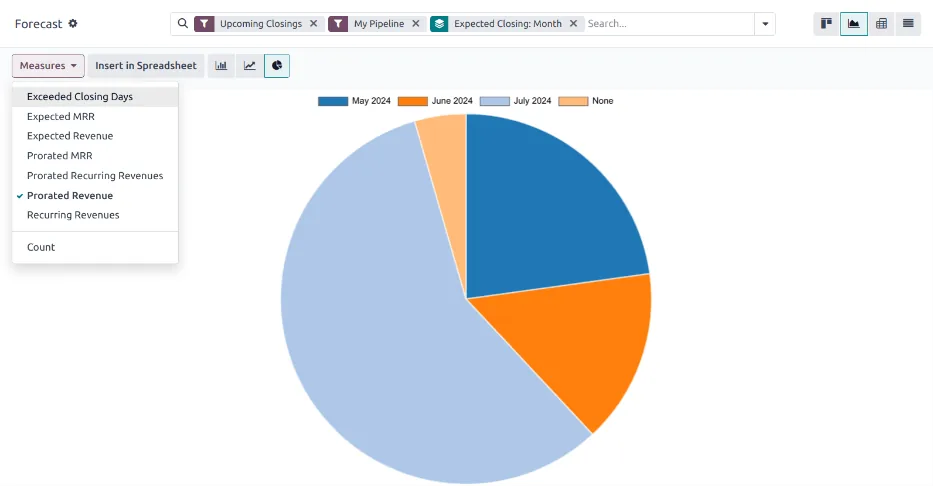
Because every visit and order is logged in the ERP, sales managers get coverage and conversion data without asking reps for a weekly report. It complements the sales performance view used in monthly reviews.
Each platform offers a mobile route. The right one depends on whether your reps live in CRM or in the ERP sales module. Confirm current features for your edition.
| Zoho | Odoo | ERPNext | Dynamics 365 | |
|---|---|---|---|---|
| Main mobile app | Zoho CRM mobile app; Zoho Inventory and Books apps for orders and invoices | Odoo mobile app and responsive web client for Sales and CRM | Frappe/ERPNext mobile app and responsive web desk | Dynamics 365 Sales mobile app; Business Central mobile app |
| Order capture | Quotes and sales orders in CRM, synced to Zoho Inventory or Books | Quotations and sales orders directly in Odoo Sales | Quotations and sales orders in ERPNext Selling | Opportunities and quotes in Sales; sales orders in Business Central |
| Live stock check | Via Zoho Inventory integration; confirm field mapping | Native, from Odoo Inventory | Native, from ERPNext Stock | Native in Business Central; via integration from Sales |
| Offline use | Limited offline in the CRM app; confirm for your edition | Mostly online; plan for signal at customer sites | Mostly online | Offline sync available in the Sales mobile app with configuration |
| Visit check-in | Check-in feature in CRM mobile | Activities and geolocation; custom check-in often added | Usually a custom doctype or app | Appointments and activities; check-in often via Power Apps |
| Custom field app | Zoho Creator for tailored apps | Odoo Studio for simple screens | Frappe Framework for custom apps | Power Apps on Dataverse |
Field teams with weak coverage, such as reps in industrial areas or remote emirates, should test offline behavior before rollout.
These connections turn the app from an order form into a working sales tool.
The app creates commercial documents, so it has to follow the same rules as the office. Confirm tax points with your tax advisor.
Prices on the app should show VAT at 5% clearly, and customer TRNs must be correct in the ERP so the final tax invoice is valid when the order is invoiced.
Orders booked on mobile become invoices that, under the UAE e-invoicing model, will be exchanged via an Accredited Service Provider. Clean customer master data captured by reps helps; see UAE e-invoicing and check the latest MoF and FTA guidance.
Customer contact data on phones falls under UAE data protection rules. Use role-based access, device PINs and remote logout when a rep leaves the company.
Quotations, orders and approvals belong in the ERP audit trail, not in chat threads, so they can be retrieved for at least five years.
General information, not tax or legal advice. Rules change; confirm current FTA, MOHRE and Ministry of Finance guidance with your advisor.
The gains come from removing the relay between rep and office.
Reps pick items from the catalog with the correct unit and price, so coordinators stop re-keying and correcting orders.
Live stock means the rep confirms what the warehouse can actually ship.
Discounts above limit need approval before the order is confirmed, not after the invoice.
Managers see visits, orders and gaps by territory and can coach reps on facts.
These are typical ranges for a team already running an ERP; they vary with team size and customization.
Durations are typical ranges; your plan is agreed after discovery.
Map how reps take orders today, pricing rules, approval limits and territories.
Catalog images, price lists, approval rules, visit plans and the mobile app or custom screens.
Real customer visits, offline tests, and feedback on screens and speed.
Training by territory, retiring WhatsApp order groups and price PDFs.
Add targets, forecasts and territory coverage reports as data builds up.
We configure the system for the rules UAE businesses report against, and test it before go-live.
General information, not tax or legal advice. Confirm current requirements with the FTA, MOHRE or your advisor. See all UAE compliance guides.
On-site workshops in Dubai, Abu Dhabi and Sharjah, and remote or on-site delivery across the Northern Emirates and free zones.
Official sources and references
Facts on this page were checked against these sources in October 2026. Rules change, so confirm current requirements before acting.
Not exactly. A CRM app focuses on leads, opportunities and activities. A mobile sales app for distributors also needs live stock, customer prices and sales orders from the ERP. Some platforms combine both; others need an integration between CRM and inventory.
Yes, if you allow it. Most companies show available quantity by warehouse, net of reserved orders, and hide cost prices and margins from reps.
Each rep has a discount limit. Anything above it puts the order on hold and notifies the sales manager, who approves or rejects from their phone. The order only reaches the warehouse once approved.
Yes. Reps book orders, while merchandisers usually log visits, shelf photos and stock counts. The same app can show different screens by role.
Often the ERP's own app is enough for order taking. A custom app makes sense when you need offline working, a very fast order screen or a mix of data from several systems. See our ERP mobile app guide.
Orders and visits land in the ERP, so sales order management, targets and forecasts all use the same data without manual reports.
Related Solutions
Related Industries
Related ERP Platforms
Share how your reps take orders today and we will show you a mobile flow on your ERP.
Dubai, United Arab Emirates










