
L
O
A
D
I
N
G


Zoho, Odoo, ERPNext, Dynamics 365 and custom ERP, delivered by one accountable team.

Warehouses make money by moving goods accurately with the least walking and the fewest touches. We set up ERP so every pallet has a location and every movement is scanned.
Most UAE warehouses running manual or scanner-based operations can rely on the warehouse functions in Odoo, Dynamics 365 or ERPNext, provided every zone, aisle, rack and bin is mapped with capacity and storage rules. Sites with conveyors, sorters or robotics usually need a specialist WMS integrated with the ERP. Handheld scanning, lot and expiry control and cycle counts follow from good location data.
An ERP for warehousing companies UAE facilities can depend on starts with an accurate map of the building: zones, aisles, racks, levels and bins, each with capacity and rules. Once locations exist in the system, putaway, picking and counting can be directed by the ERP instead of by the memory of experienced storekeepers.
Warehouses in Jebel Ali Free Zone, Dubai Industrial City, KEZAD and the Sharjah industrial areas face the same pressures: summer heat that limits outdoor work, cold rooms for food and pharmaceuticals, bonded areas under customs control, and labor costs that rise when staff walk the length of the building for each order line. Good location logic shortens those walks.
This page covers physical warehouse operations. If you run a 3PL and your bigger concern is client contracts and billing, our ERP for 3PL companies page covers that side. Here we focus on receiving, storage, picking, counting, temperature control and equipment.
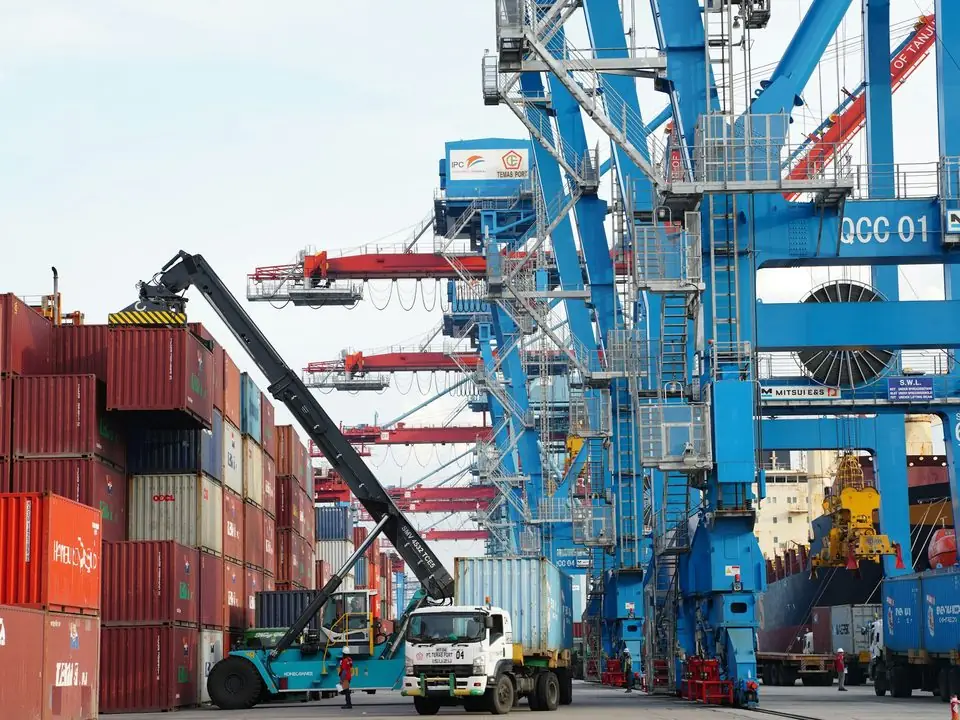
These are floor-level issues. Each one costs labor hours or customer trust.
When pallets are placed wherever there is space, the system says stock is available but pickers search aisle by aisle. Orders ship late or short.
Pick lists printed in order sequence send staff back and forth across the building. Grouping and sorting picks by location saves real time.
Food, cosmetics and pharma stock needs first-expiry-first-out picking. Without expiry dates per batch, old stock sits behind new stock until it is written off.
Closing the warehouse for two days to count everything disrupts customers. Rolling cycle counts by zone keep accuracy high without stopping work.
Material handling equipment and refrigeration units need planned maintenance. Breakdowns in peak season stall the operation.
Management asks how full the warehouse is and whether a new site is needed. Without occupancy by zone, the answer is an estimate.
Each step is a scanned transaction, so stock position is current at every moment.
One shared database: every step updates stock, finance and reports in real time.
These are the functions we configure for warehousing. Some are standard on all platforms, others depend on edition.
Zones, aisles, racks and bins with capacity, product restrictions and temperature class, so the system knows where goods may go.
Rules that suggest a bin based on product category, zone or available space, reducing ad hoc placement.
Wave, batch and zone picking with routes sorted by location, plus replenishment from reserve to pick face.
Handheld scanners or mobile devices confirm each receipt, move and pick against the expected bin and item.
Batch numbers and expiry dates captured on receipt drive first-expiry-first-out picking and recall searches.
Counts scheduled by zone, value class or movement frequency, with variances approved before stock is adjusted.
Preventive schedules for forklifts, reach trucks, racking inspections and refrigeration units, with downtime history.
Lines picked, pallets moved and receipts completed per shift, to plan staffing for peak periods.
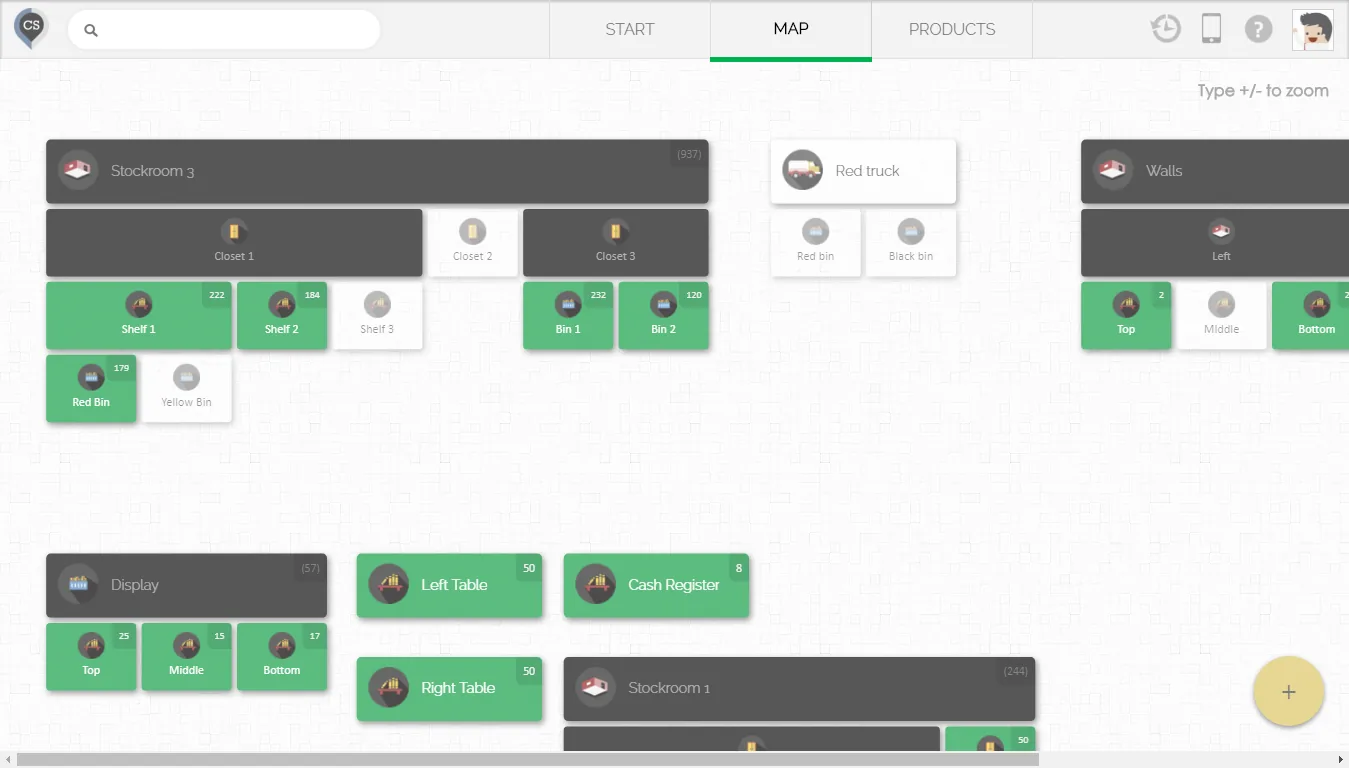
This is the type of floor-level dashboard we build. It shows what needs attention in the next few hours.
Warehouse depth varies a lot between platforms and editions, so the right fit depends on how advanced your floor processes are.
| Warehouse type | Usual fit | Notes |
|---|---|---|
| Single site, simple pallet storage | Zoho Inventory | Multi-warehouse stock, batch tracking and mobile apps; best where location rules are simple. |
| Mid-size site with multi-step receiving and picking | Odoo | Inventory and Barcode apps support putaway rules, multi-step routes, wave and batch transfers. |
| Operator that needs custom floor workflows | ERPNext | Warehouse tree, batches and serials as standard; custom scan screens built on Frappe. |
| Large or multi-site operation with directed work | Dynamics 365 | Business Central offers bins with directed put-away and pick; Supply Chain Management adds advanced warehouse management. |
| Highly automated site with conveyors or robotics | Specialist WMS integrated with ERP | We integrate the WMS with your ERP rather than forcing an ERP to run automation. |
We configure records to support these obligations. Confirm specific requirements with your tax advisor and the relevant authority.
Goods moving in and out of VAT designated zones or bonded areas may be treated differently for VAT and customs. Separate locations and movement logs give your advisor the evidence trail.
Batch, expiry and temperature zone data help meet municipality and health authority expectations for traceability. Recall searches by batch take minutes rather than days.
The FTA expects records to be kept for the required period and produced on request. Movement history with user and timestamp supports that, along with the FTA Audit File from your accounting.
Warehouse teams are often large and shift-based. Payroll linked to attendance can produce the Salary Information File for WPS through your bank or exchange house.
General information, not tax or legal advice. Rules change; confirm current FTA, MOHRE and Ministry of Finance guidance with your advisor.
We help you measure a baseline before go-live so improvements are real, not claimed.
Scanned movements and cycle counts reduce the gap between system and physical stock.
Picks sorted by location and grouped into waves cut walking time per order.
Expiry-driven picking and near-expiry alerts reduce write-offs.
Planned maintenance keeps forklifts and cold rooms running through peak periods.
Ranges are typical for one site. Labeling bins physically often takes longer than the software setup.
Durations are typical ranges; your plan is agreed after discovery.
Walk the floor, map zones and bins, and record how receiving, picking and counting actually work today.
Create the location structure in the ERP and print and fix barcode labels to every bin.
Set putaway and picking rules, configure scanners and test with real products.
Count and load stock by bin, batch and expiry so the system starts accurate.
Train each shift on the scanner screens and support supervisors on the floor.
Platform and software pages that go deeper on warehouse control.
We configure the system for the rules UAE businesses report against, and test it before go-live.
General information, not tax or legal advice. Confirm current requirements with the FTA, MOHRE or your advisor. See all UAE compliance guides.
On-site workshops in Dubai, Abu Dhabi and Sharjah, and remote or on-site delivery across the Northern Emirates and free zones.
Official sources and references
Facts on this page were checked against these sources in October 2026. Rules change, so confirm current requirements before acting.
Still have a question? Our consultants are happy to help.
Ask an ExpertFor most UAE warehouses with manual or scanner-based operations, the warehouse functions in Odoo, Dynamics 365 or ERPNext are enough. Sites with conveyors, sorters or robotics usually need a specialist WMS, which we integrate with the ERP.
Yes. Locations are tagged by temperature class and putaway rules prevent chilled or frozen items from being suggested for ambient bins. Batch and expiry tracking supports first-expiry-first-out picking.
Usually rugged Android scanners or mobile devices, label printers and Wi-Fi coverage across the floor, including cold rooms. We help you test devices with your actual labels before buying in volume. Our barcode inventory page covers this in more detail.
Many warehouses move to cycle counting so that each bin is counted several times a year without shutting down. Whether your auditors accept this in place of a year-end count is something to agree with them.
It depends on the size of the site. For a mid-size warehouse, designing locations and labeling every bin often takes 2 to 4 weeks, and it is worth doing carefully because every later step depends on it.
Related Solutions
Related Industries
Related ERP Platforms
We can visit your site in Dubai or elsewhere in the UAE, map your floor and show how the ERP would direct each movement.
Dubai, United Arab Emirates











