
L
O
A
D
I
N
G


Zoho, Odoo, ERPNext, Dynamics 365 and custom ERP, delivered by one accountable team.

Keep standard products on the shelf for distributors and retailers by planning batches from forecasts and stock targets, not from the loudest phone call of the day.
A make-to-stock manufacturer in the UAE needs an ERP that plans batches from approved forecasts and per-SKU stock targets rather than individual orders. Key features include replenishment rules, a master production schedule, material and packaging checks, batch and lot tracking, a finished goods warehouse, FEFO dispatch and stock cover reporting. This suits bottled water, bakery, chemicals, paints, preforms, cartons and building materials.
An ERP for make to stock manufacturing in the UAE supports plants that produce standard products ahead of customer orders and ship from finished goods stock: bottled water and juices, bakery and snacks, cleaning chemicals, paints, PET preforms, cartons, building materials such as blocks and adhesives, and private-label cosmetics. Customers such as supermarkets, distributors and hardware stores expect delivery within a day or two, so the product must already be in the warehouse.
The planning problem is the opposite of make to order. Instead of building one order, the planner decides how much of each SKU to make, when, and in what batch size, so that stock covers demand until the next run. Too little and a hypermarket chain order is short-shipped; too much and cash sits in the warehouse while shelf life runs down. Many UAE plants still decide this from a stock printout and the sales manager's latest request.
This page covers stock-driven planning. Order-driven production is covered in ERP for make to order manufacturing, and the forecast that feeds stock targets is built through demand planning.

MTS plants usually hold too much of some products and too little of others at the same time.
The plan changes every time a key account calls. Lines switch products mid-shift, changeover time grows and the products that were planned run short next.
Every SKU has the same "two weeks of stock" rule regardless of demand variability or batch size. Fast movers run out while slow movers pile up.
Runs are sized to fill a shift or use a full drum of material rather than to match demand. Small SKUs get oversized batches that take months to sell.
Products with 6 to 12 month shelf life age in the warehouse without FEFO control. Retailers reject goods with too little remaining life, and write-offs follow.
Finished goods are moved to the warehouse without system transfers and counted once a quarter. Planners keep their own buffer because they do not believe the numbers.
Finished goods are planned but printed labels, caps and cartons are bought separately. A full batch is ready to run except for one packaging item.
The cycle runs daily or weekly, depending on product velocity and changeover cost.
One shared database: every step updates stock, finance and reports in real time.
MTS depends on accurate finished goods stock and planning rules more than on order tracking.
Min-max or reorder point rules per SKU and warehouse, with a manufacture route to create production orders; see inventory replenishment.
Weekly build plan by line and product family, used where reorder rules alone would cause too many changeovers.
Each production batch numbered with manufacture and expiry date, traceable to raw material lots.
Locations, pallets and FEFO picking for dispatch; see ERP for finished goods.
Cycle counts and transfers so the stock figure planners rely on is accurate; covered in ERP for stock control.
MRP explodes planned batches into ingredients, labels, caps and cartons with supplier lead times.
Orders from retailers and distributors allocated against available stock with delivery routes.
Days of cover, service level and aging by SKU, reviewed weekly by planning and sales.
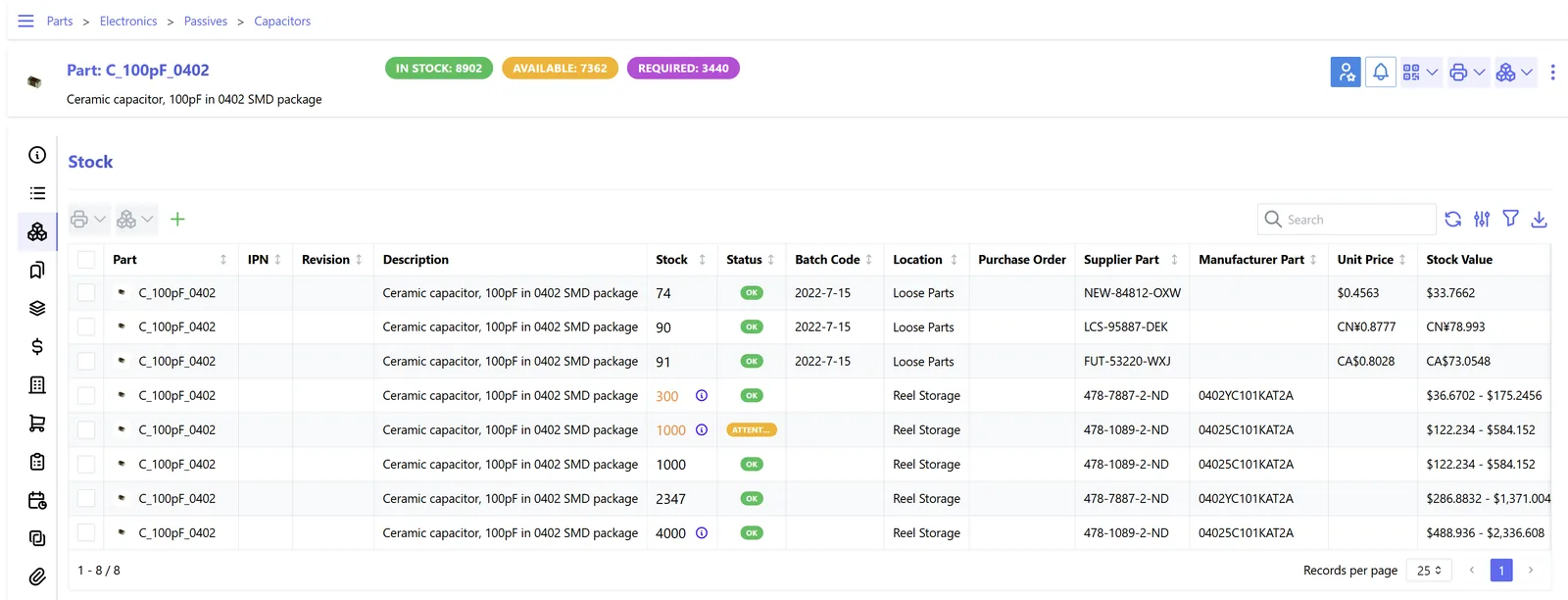
A stock-driven plant lives by days of cover, so the dashboard puts it first.
Each platform can trigger production from stock levels; they differ in planning depth. Confirm features for your edition.
| Zoho | Odoo | ERPNext | Dynamics 365 | |
|---|---|---|---|---|
| Replenishment trigger | Reorder points in Zoho Inventory alert users; assemblies are created manually or via custom automation | Reordering rules with the Manufacture route create manufacturing orders | Item reorder levels can raise Material Requests of type Manufacture | Reordering policies (fixed, maximum, lot-for-lot) on items in Business Central |
| Planning by schedule | Custom in Zoho Creator | Master Production Schedule in Enterprise edition | Production Plan from Material Requests or forecasts | Planning worksheet with production forecasts; master planning in SCM |
| Batch and expiry | Batch tracking with expiry in Zoho Inventory | Lots with expiration dates and FEFO removal strategy | Batch with expiry and FEFO-aware picking options | Lot tracking with expiration dates |
| Batch size rules | Manual | Min, max and multiple quantities on reordering rules | Reorder quantity and minimum order quantity | Minimum, maximum and order multiple on the item |
| Stock cover analytics | Zoho Analytics | Inventory reports and spreadsheet views | Stock projected quantity and custom reports | Item availability by period; Power BI |
| Typical fit | Simple assembled products | SME food, chemical and consumer goods plants | Cost-conscious process manufacturers | High-volume or multi-plant operations |
See ERPNext for manufacturing and our other platform pages for edition-specific detail.
MTS plants depend on fast stock signals from the warehouse and the customer.
Holding finished goods brings valuation and product rules into play. Confirm specifics with your advisors.
Finished goods must be valued consistently, usually at the lower of cost and net realizable value. Batch costs from the ERP and regular reviews of aging stock support year-end figures; confirm with your auditor.
Food, beverage and cosmetic products are subject to municipal and emirate-level food safety and labeling rules, including Arabic labeling. Batch and expiry tracking supports recalls and inspections.
Plants making excise goods such as sweetened drinks or energy drinks must track excise on stock and releases; rates apply from 1 January 2026 under Cabinet Decision 197 of 2025. Confirm treatment with your tax advisor.
Stock movements form part of the records kept for at least five years. Regular reconciliation keeps them reliable; see ERP for stock reconciliation.
General information, not tax or legal advice. Rules change; confirm current FTA, MOHRE and Ministry of Finance guidance with your advisor.
The aim is a steady plan, full shelves and less cash tied up in the wrong products.
Reorder rules based on real demand keep fast movers available for retailer and distributor orders.
Batch sizes and stock targets match demand, and FEFO dispatch moves older batches first.
Planned batches by line reduce last-minute changeovers driven by phone calls.
Materials and packaging are planned from the same batches, so runs are not stopped for one missing item.
A make to stock rollout often takes 8-14 weeks for an SME plant, depending on SKU count and warehouse readiness.
Durations are typical ranges; your plan is agreed after discovery.
Classify SKUs by volume and variability and agree service level targets for each class.
Set up locations, batch numbering and cycle counts so finished goods figures can be trusted.
Calculate reorder points, batch sizes and stock targets from history and lead times.
Run system suggestions next to the planner's decisions and tune rules where they differ.
Start daily stock cover checks and a monthly review of targets with sales.
We configure the system for the rules UAE businesses report against, and test it before go-live.
General information, not tax or legal advice. Confirm current requirements with the FTA, MOHRE or your advisor. See all UAE compliance guides.
On-site workshops in Dubai, Abu Dhabi and Sharjah, and remote or on-site delivery across the Northern Emirates and free zones.
Official sources and references
Facts on this page were checked against these sources in October 2026. Rules change, so confirm current requirements before acting.
Still have a question? Our consultants are happy to help.
Ask an ExpertReorder rules work well for many SKUs with steady demand and cheap changeovers. A master production schedule suits lines with costly changeovers or seasonal peaks, where batches need to be sequenced deliberately. Many plants use both.
Balance changeover cost and time against the cost of holding stock and shelf life. The ERP stores minimum, maximum and multiple quantities, but the values come from an analysis of your own costs and demand.
Track batches with expiry, pick FEFO and review stock by remaining shelf life weekly. Our page on ERP for stock aging explains the reports.
Check available stock and planned batches first; if the order exceeds them, treat the excess as a make to order demand or reschedule a batch. The ERP shows the effect on other customers before you commit.
Yes. The 3PL location is set up as a warehouse in the ERP and stock movements are exchanged by file or API, so planning still sees the full finished goods position.
Food and beverage, cleaning chemicals, paints, plastics and packaging, and building materials. See ERP for food manufacturing for a sector example.
Related Solutions
Related Industries
Related ERP Platforms
Share your SKU list and recent sales and we will show how reorder rules and batch planning would work in your ERP.
Dubai, United Arab Emirates










